Solved

Automation Schedule doesn't work

  • July 15, 2021
  • 7 replies
  • 1400 views

Forum|alt.badge.img+1

Hi all,

I set an automation schedule to export inventory data. It’s just can not export data. 
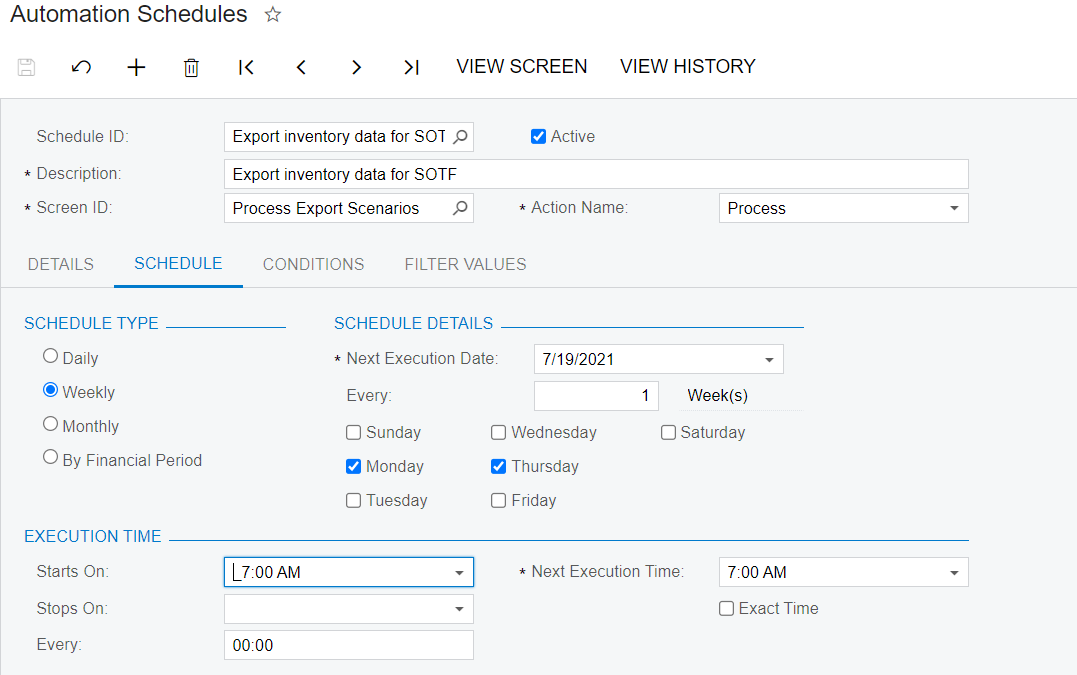
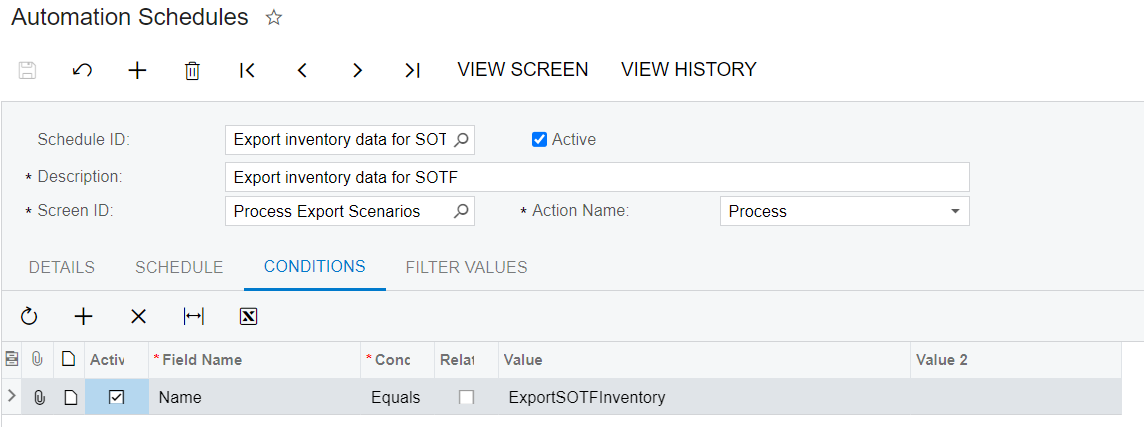
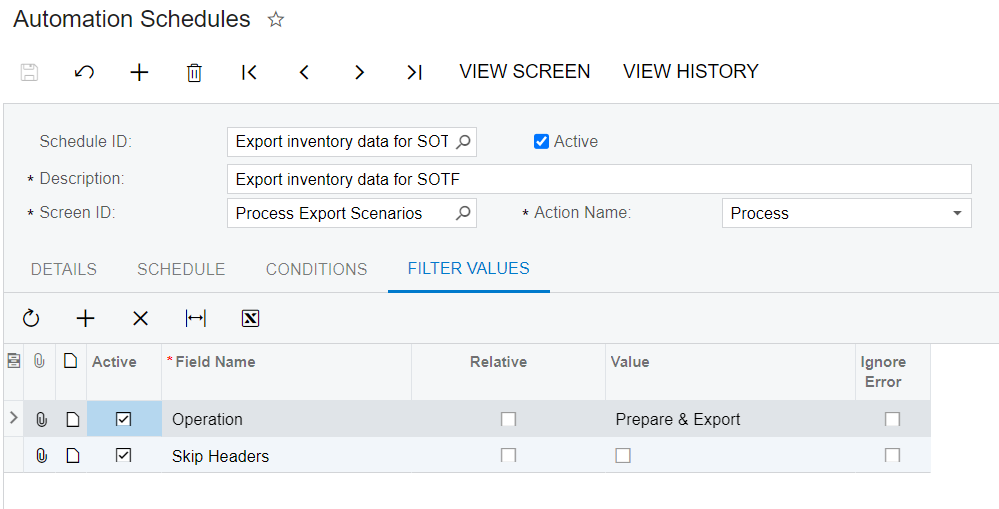
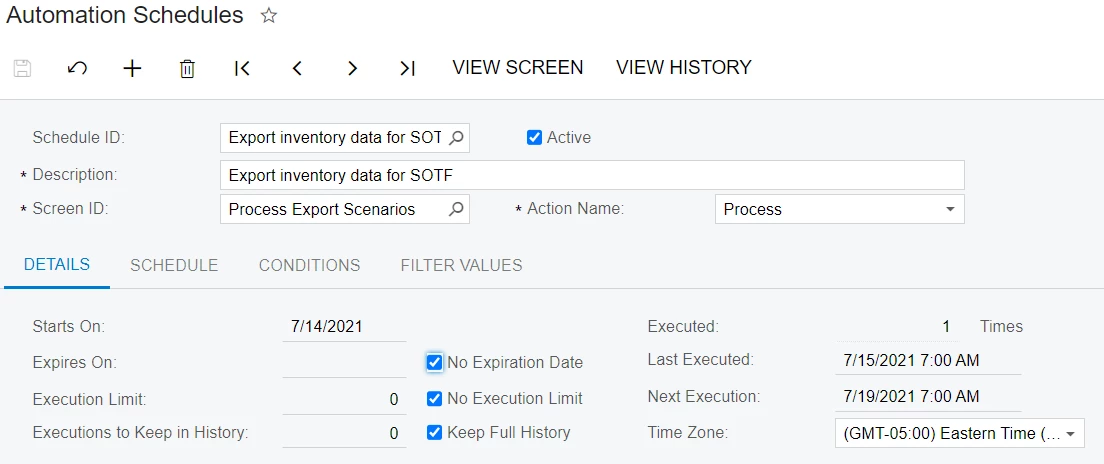
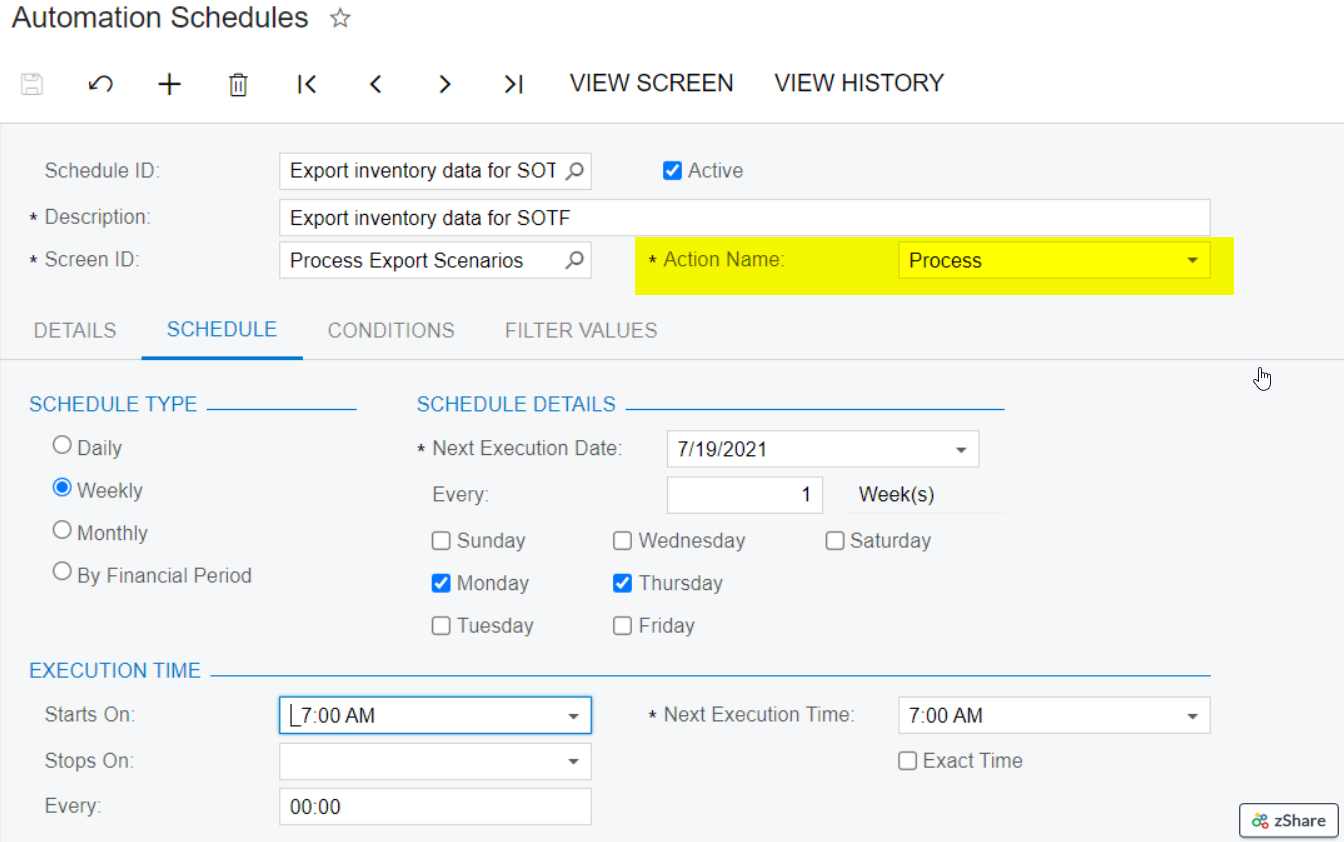
The schedule setting are below:
 

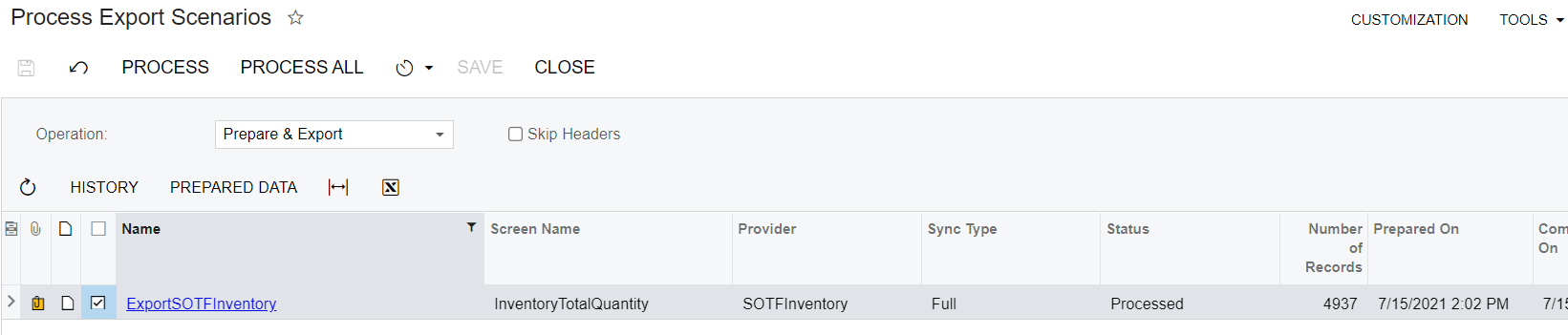
It’s working well if I manually run the job.
Anyone had meet this issue before? 

Best answer by Naveen Boga

Hi @larryly I found one issue on the configuration. Action Name should be the “Process All” but NOT the “Process”. Please modify and verify.


7 replies

Naveen Boga
Captain II
Forum|alt.badge.img+20
  • Captain II
  • July 16, 2021

Hi @larryly  Hope you have already the below point, but just wanted confirm before investigating on this issue.

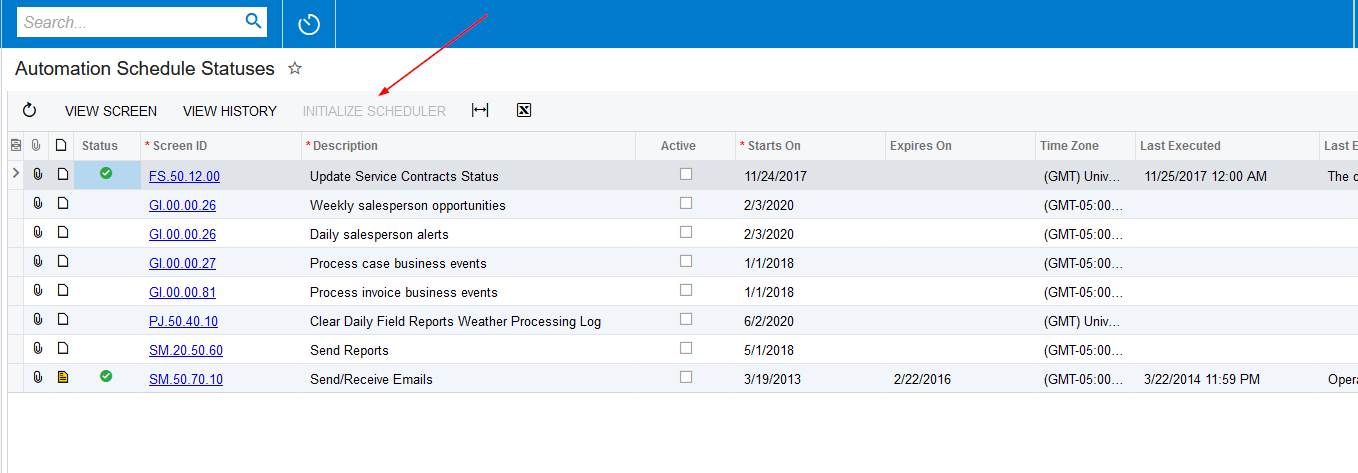
Since this process is working properly when we do manually, but NOT working from schedulers. Can you verify whether the Automation schedulers initialized or NOT in Automation Schedule Statuses screen. If this is NOT initialized schedulers will not work.

 Please find the screenshot for reference.


Forum|alt.badge.img+1
  • Author
  • Semi-Pro III
  • July 16, 2021

@Naveen B I think it’s initialized.  


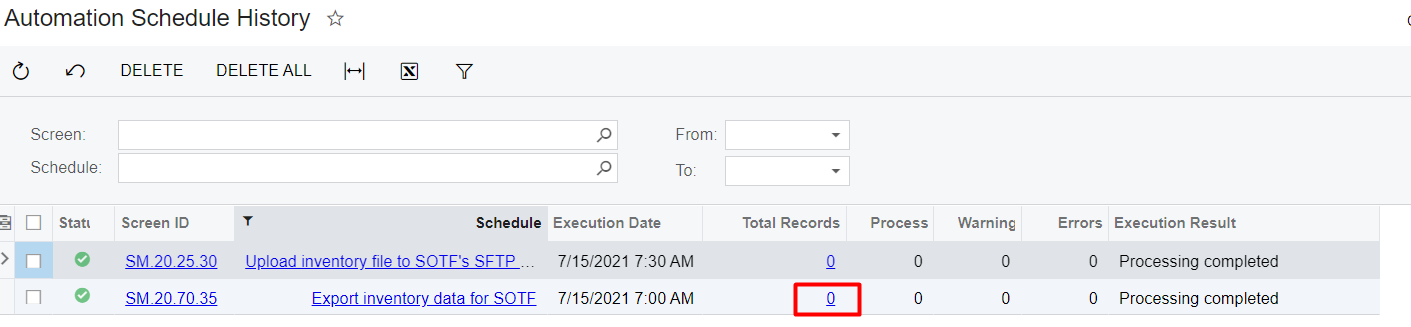
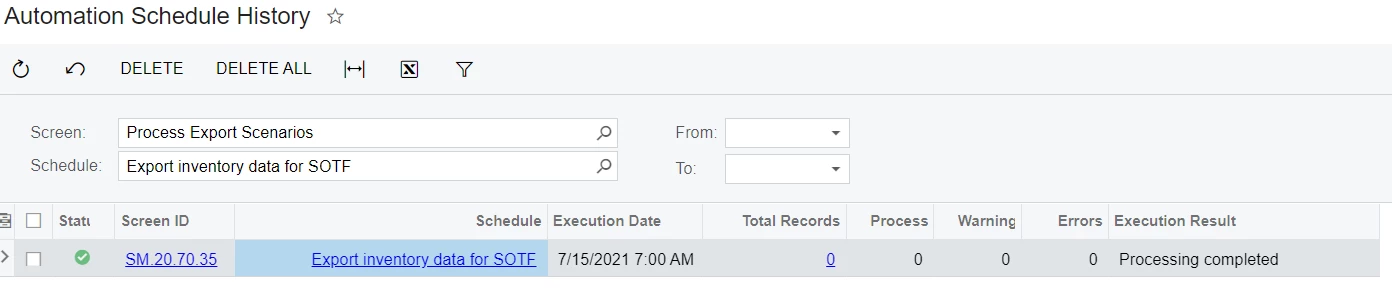
I also checked the history.  The schedule was completed without any data. 


Naveen Boga
Captain II
Forum|alt.badge.img+20
  • Captain II
  • Answer
  • July 16, 2021

Hi @larryly I found one issue on the configuration. Action Name should be the “Process All” but NOT the “Process”. Please modify and verify.


Forum|alt.badge.img+1
  • Author
  • Semi-Pro III
  • July 16, 2021

@Naveen B  I also saw that but not sure if it’s the problem because on screen SM.20.70.35, process all means process all scenarios in the system.   I will give it a try later. 


Naveen Boga
Captain II
Forum|alt.badge.img+20
  • Captain II
  • July 16, 2021

Yes. that is the issue.

In the “Process” action, you need to manually select the rows in the grid, which are needs to process.

When it is come to the “Process All” action, it will select the all the records automatically in grid and do the process.

Since you have given the “Process” action name in the configuration, in the background it is processing without selecting any records in the grid (that is why it is showing the 0 records processed in the Automation Schedule history as well).


Forum|alt.badge.img+1
  • Author
  • Semi-Pro III
  • July 16, 2021

@Naveen B Thank you. It’s the problem. I changed the process to process all. The data exported correctly. 


Naveen Boga
Captain II
Forum|alt.badge.img+20
  • Captain II
  • July 17, 2021

Wonderful. Thanks for sharing the update 🙂