Answer

AR Import Scenario - Document out Of Balance

  • November 14, 2024
  • 3 replies
  • 113 views

Forum|alt.badge.img

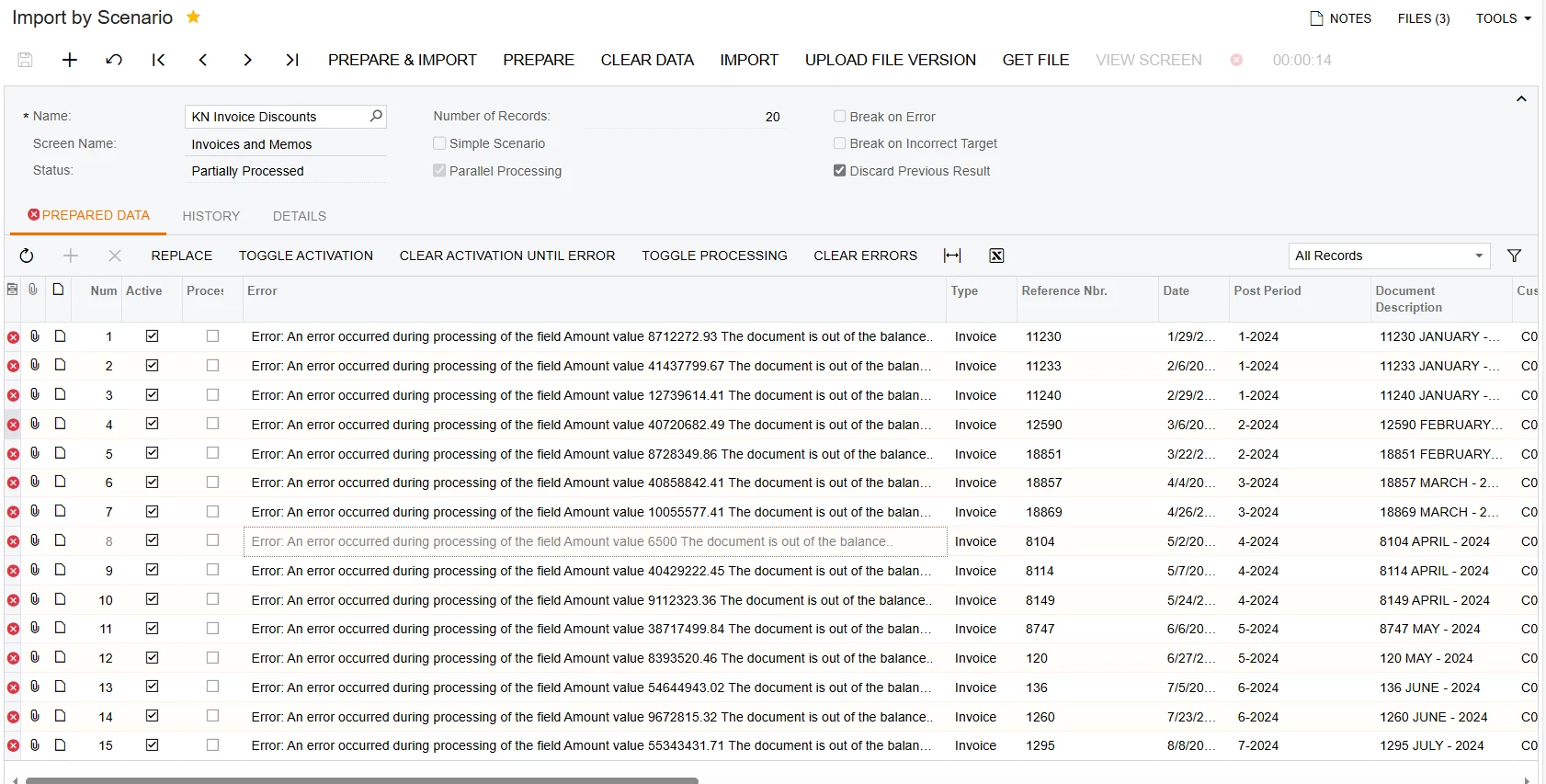
Please help to solve this error:

“Error: An error occurred during processing of the field Amount value 6500 The document is out of the balance.”


Best answer by DipakNilkanth

Hi @retros,

Please confirm that the amount values you are passing from the Excel/CSV file are correct and that they balance as expected for each transaction.

You can use already created ACU Import AR Invoices import scenario from the sales demo to import the Invoices.
Hope, it helps!

3 replies

DipakNilkanth
Pro III
Forum|alt.badge.img+13
  • Pro III
  • Answer
  • November 14, 2024

Hi @retros,

Please confirm that the amount values you are passing from the Excel/CSV file are correct and that they balance as expected for each transaction.

You can use already created ACU Import AR Invoices import scenario from the sales demo to import the Invoices.
Hope, it helps!


Laura03
Captain II
Forum|alt.badge.img+19
  • Captain II
  • November 14, 2024

Hello,

In addition to Dipak’s recommendations, it’s helpful if we can see all the Amount fields in your Excel, with column labels, and see your Import Scenario mapping.


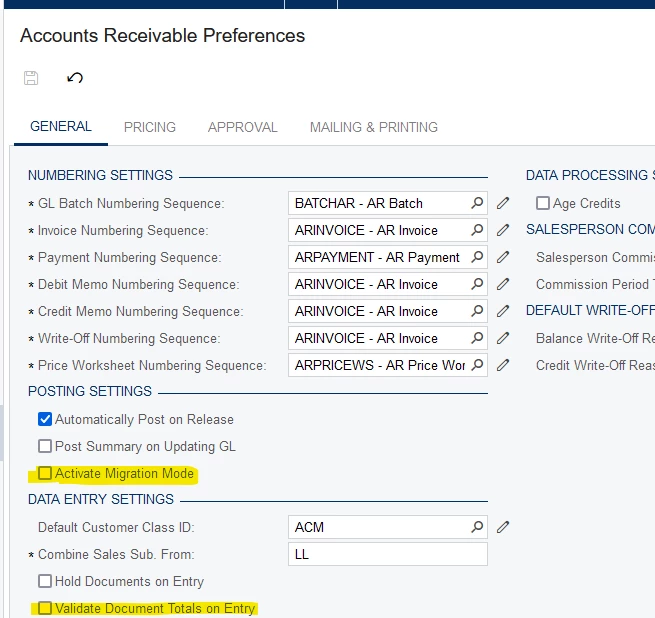
In AR Preferences, Is Migration Mode on? Are Invoice Totals Validated on Entry?

It’s impossible to guess the solution without seeing these details.

Thank you.

Laura


Manikanta Dhulipudi
Captain II
Forum|alt.badge.img+15

@retros Please review the recommendations as well.