



-Version 25 R1
-Ms Edge autofill is turned off (e.g. edge://settings/autofill/personalInfo).
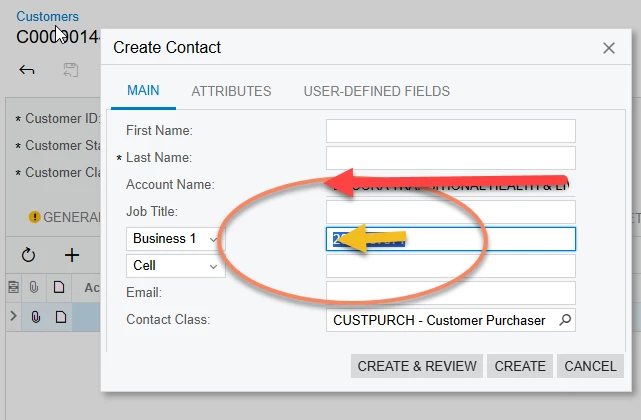
On the customer master general screen (or on the customer contact screen), when I enter the customer contact phone, I get blocked. Specifically, I select the field by either tabbing or clicking on the field and one of our IT admin phone numbers is displayed, but not entered.
I can’t enter a phone number while I have the field selected, thus I am not allowed to enter a phone number. Here it is:
When loading the customers, I did use a generic email address at my first loading for all our customers and this phone number was used with this because I didn’t want testing correspondence to go to customers.
Future import scenarios removed this email address and phone number.
→ I tested with other accounts
→ I tested with InPrivate mode.
→ We have active directory configured for our user accounts