Solved

“turn off autocomplete” in user profile

  • June 28, 2021
  • 9 replies
  • 336 views
  • Translate All

Forum|alt.badge.img

Hi 

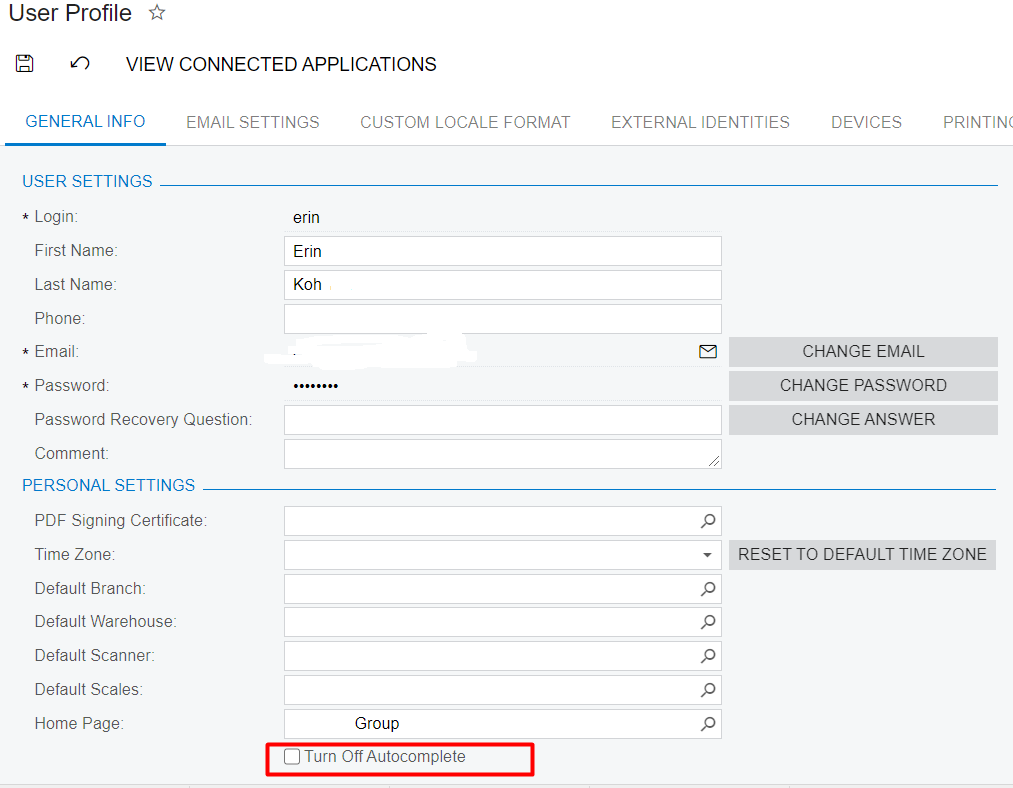
Anyone know what is the “turn off autocomplete” in user profile?


Best answer by Naveen Boga

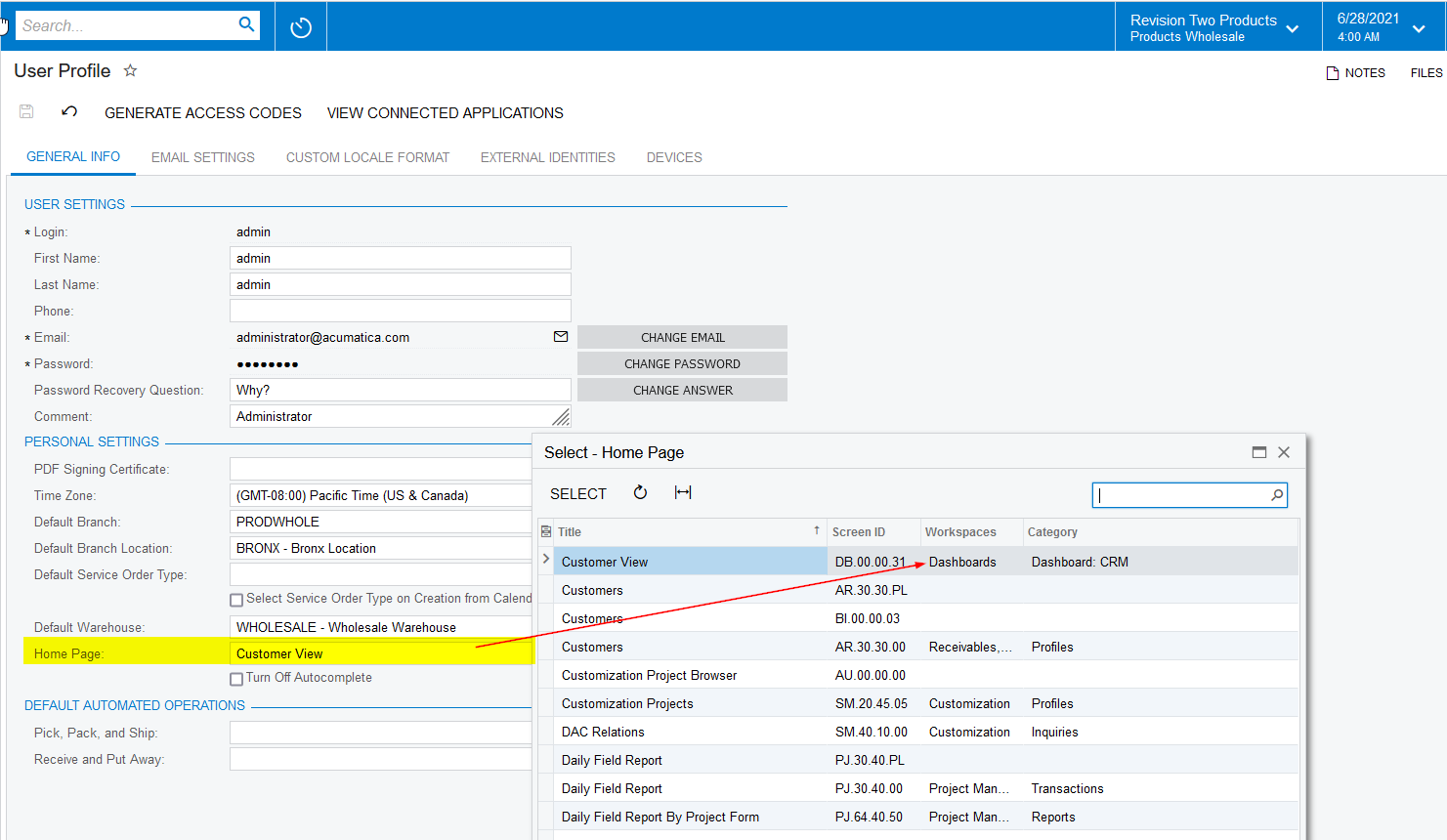
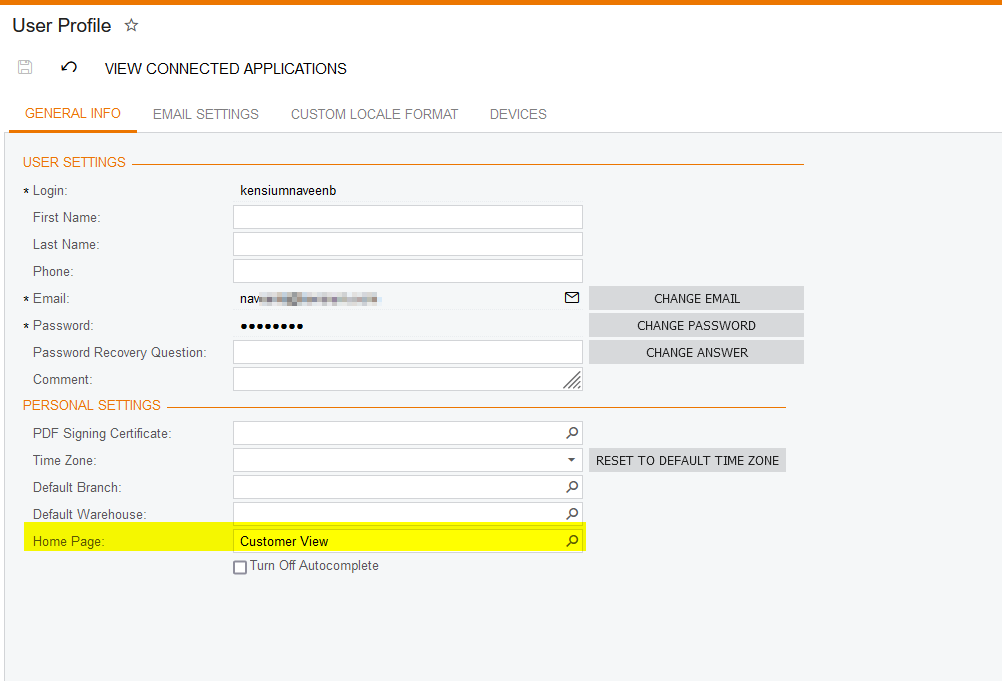
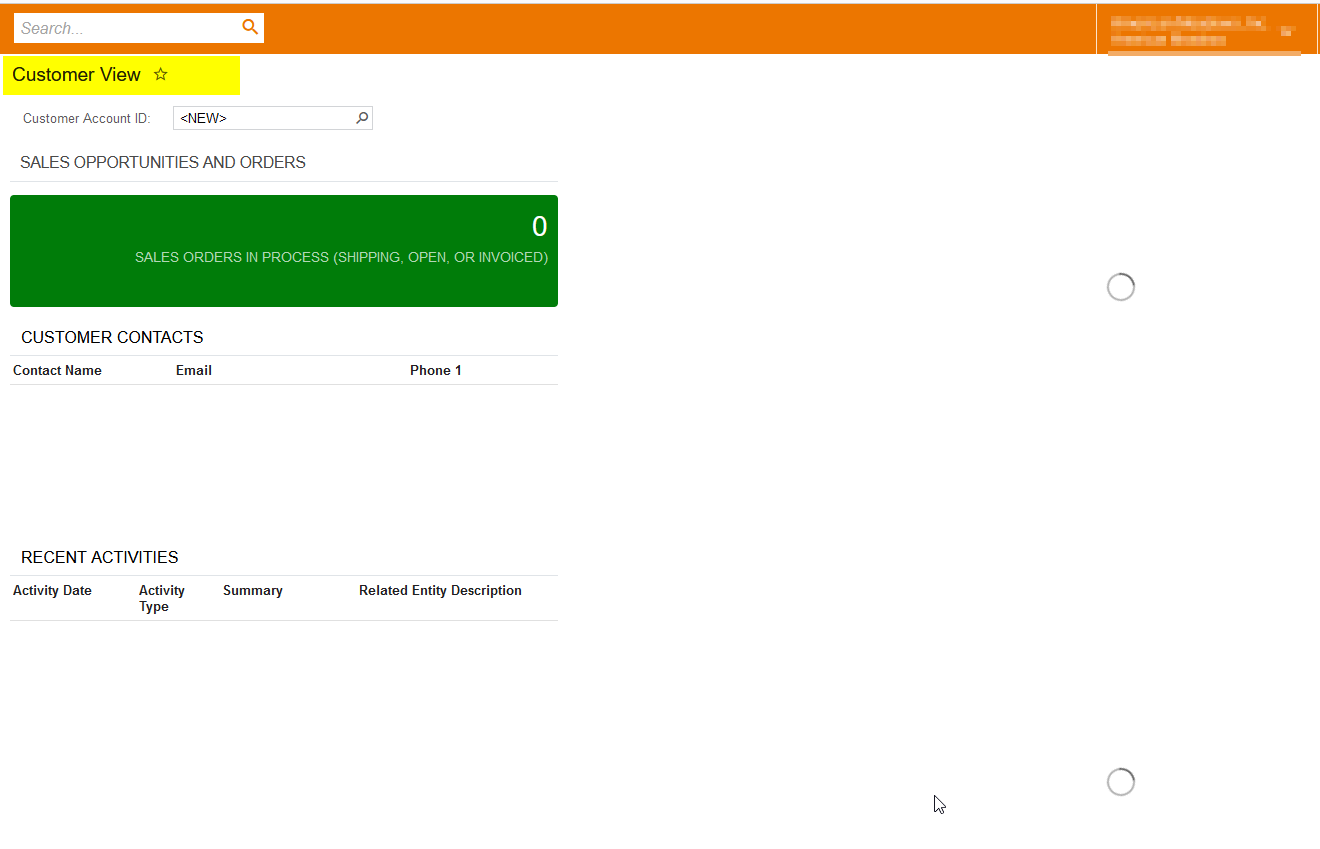
I just verified in sandbox instance, by changing the Home Page in User Profile screen and it is working great :) . please find the screenshots below
View original

9 replies

Naveen Boga
Captain II
Forum|alt.badge.img+20

Hi @erin By default Acumatica enable the “Auto Complete” feature.

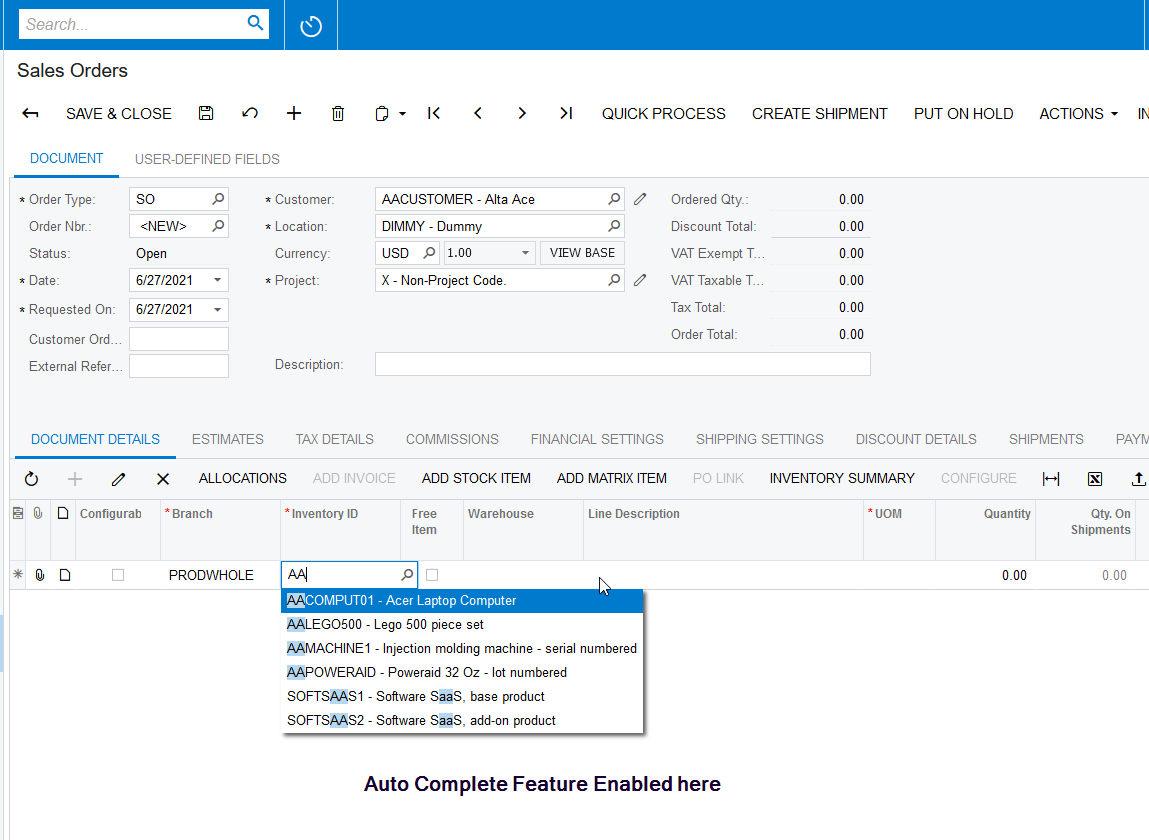
Auto Complete Feature: When we type text in lookup or dropdown fields, system will provide the suggestions.. just like below (attached screenshot for reference)

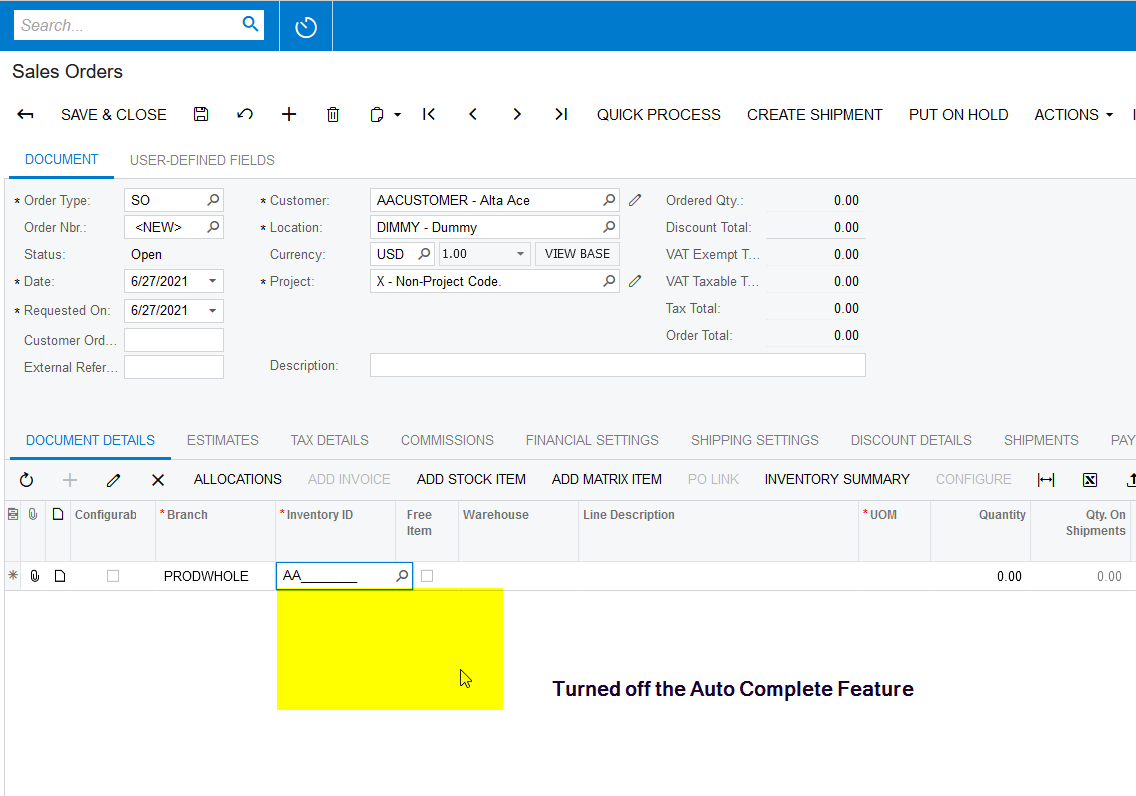
If required, we can turn off this feature from User Profiler. 


Translate

Forum|alt.badge.img
  • Author
  • Jr Varsity II
  • June 28, 2021

Hi Naveen


Thank you for your prompt reply always :)

I did set the home page - my dashboard but when i log in to system , the first page is not my dashboard. by right  , system should show my dashboard as first page that i log in.

Not sure if there is somewhere go wrong?

Hope to hear from you soon.


Translate

Naveen Boga
Captain II
Forum|alt.badge.img+20

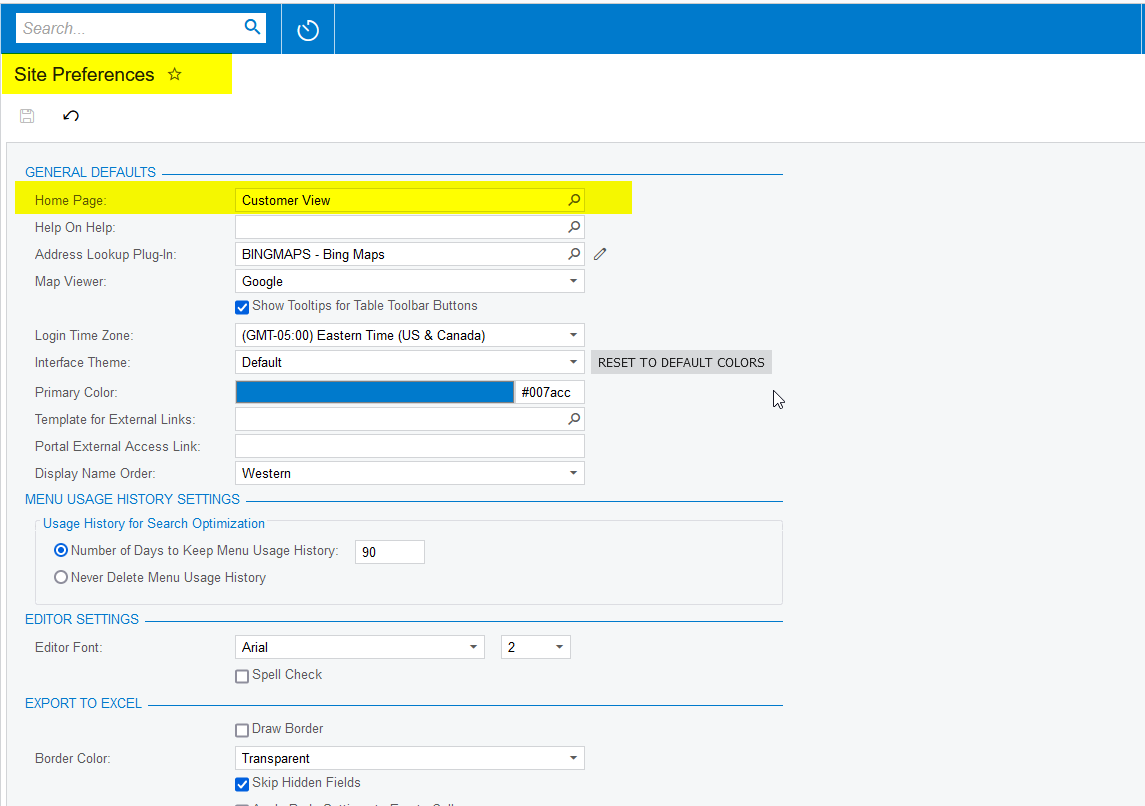
Have you selected your home page in User Profile and Site Preference? Try to set in both places and check once.


Translate

Forum|alt.badge.img
  • Author
  • Jr Varsity II
  • June 29, 2021

Hi Naveen


Do the setting inSITE Preference, is not for every user right ? only for my home page, am i right?

Translate

Naveen Boga
Captain II
Forum|alt.badge.img+20

Hi Erin,

Site Preference is applicable to all the users, where as user profile is applicable to only single user (logged in user).

Translate

Forum|alt.badge.img
  • Author
  • Jr Varsity II
  • June 29, 2021

Hi Naveen

I only applicable for single user, however system seem like not reflected even i set the dashboard as a homepage under user profile.

Translate

Naveen Boga
Captain II
Forum|alt.badge.img+20

I just verified in sandbox instance, by changing the Home Page in User Profile screen and it is working great :) . please find the screenshots below

Translate

Forum|alt.badge.img
  • Author
  • Jr Varsity II
  • June 29, 2021

Hi Naveen

Yes, done, i know what is the problem that i cannot set for it as i default set in one branch.

Now is everything done and well.


Translate

Naveen Boga
Captain II
Forum|alt.badge.img+20

Great :) Thanks for sharing the update.

Translate