Answer

Trial Balance Summary Page Break

  • March 5, 2025
  • 3 replies
  • 67 views

Forum|alt.badge.img

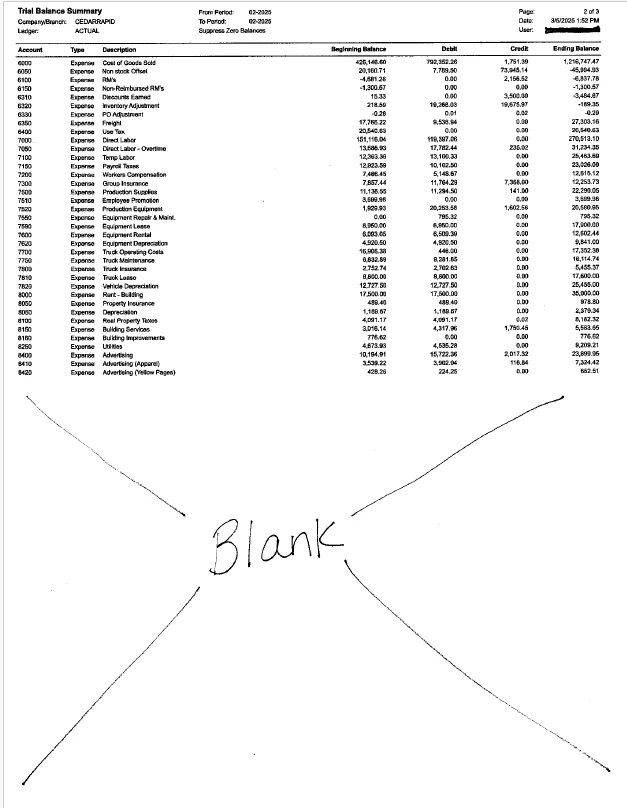
Is there a way to remove the page break on the Trial Balance Summary?  Ours currently prints on 3 half pages.  That is a lot of wasted space and paper.

Best answer by iqraharrison

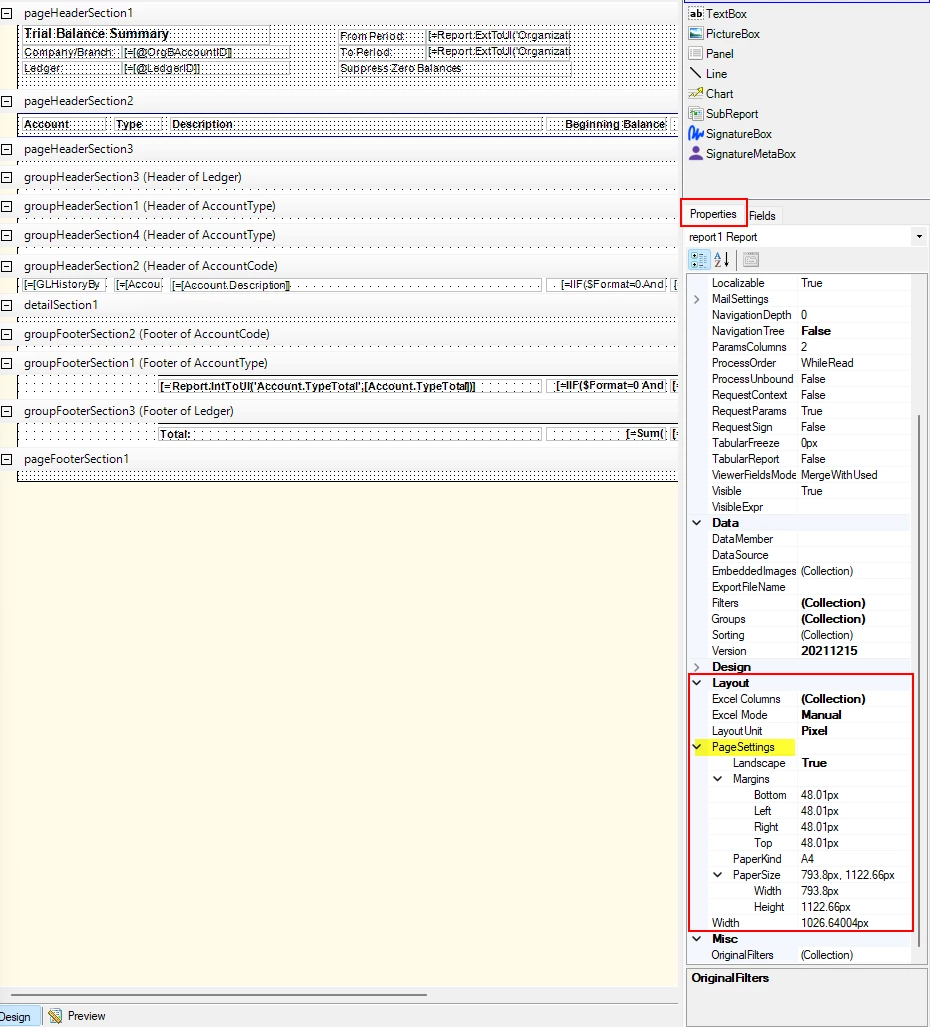
@MFarnsworth10 i ran the trial balance summary in the sales demo and it fills up the whole page before going to the next one.  do you know if this report has been modified previously? if not, i would edit the report (you’ll want to make sure you have report designer checked for your user) and one that report is open, you can look at the page settings found on the right side.  here’s what my page settings look like: 


3 replies

iqraharrison
Captain II
Forum|alt.badge.img+8
  • Captain II
  • Answer
  • March 5, 2025

@MFarnsworth10 i ran the trial balance summary in the sales demo and it fills up the whole page before going to the next one.  do you know if this report has been modified previously? if not, i would edit the report (you’ll want to make sure you have report designer checked for your user) and one that report is open, you can look at the page settings found on the right side.  here’s what my page settings look like: 


Forum|alt.badge.img+12
  • Acumatica Support Team
  • March 6, 2025

Hi ​@MFarnsworth10 

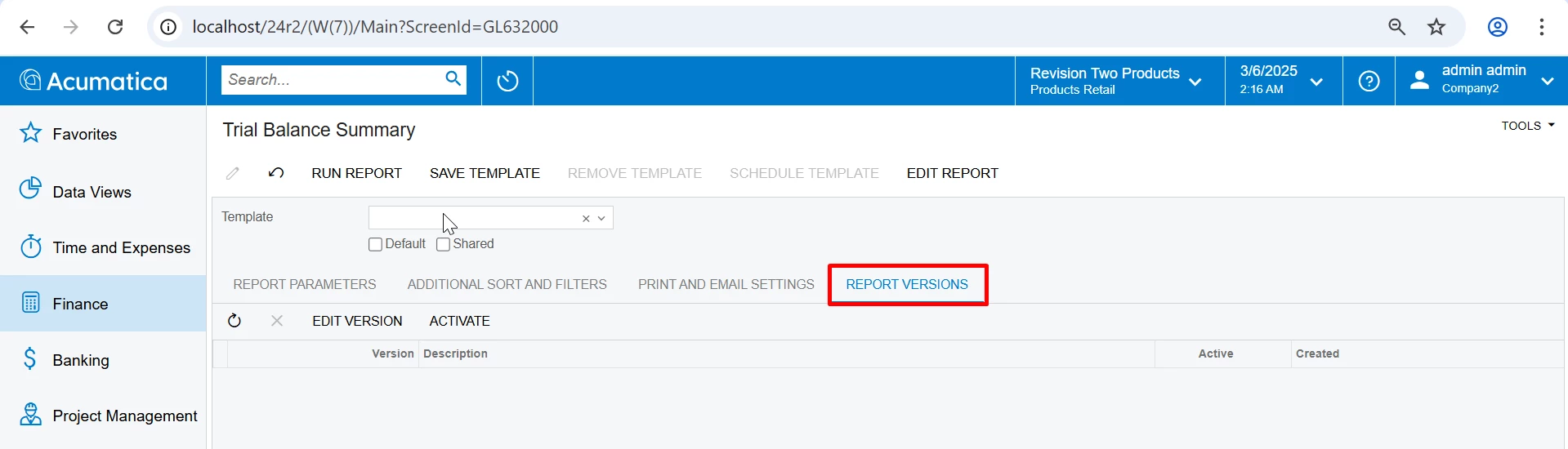
Adding to the above, check if you are using a custom report version. You can check ‘Report Versions’ tab on report parameter screen. 

If you have any custom report version reflected here and if its set to ‘Active’, you can uncheck ‘Active’ for custom report version to use default report and check the output.

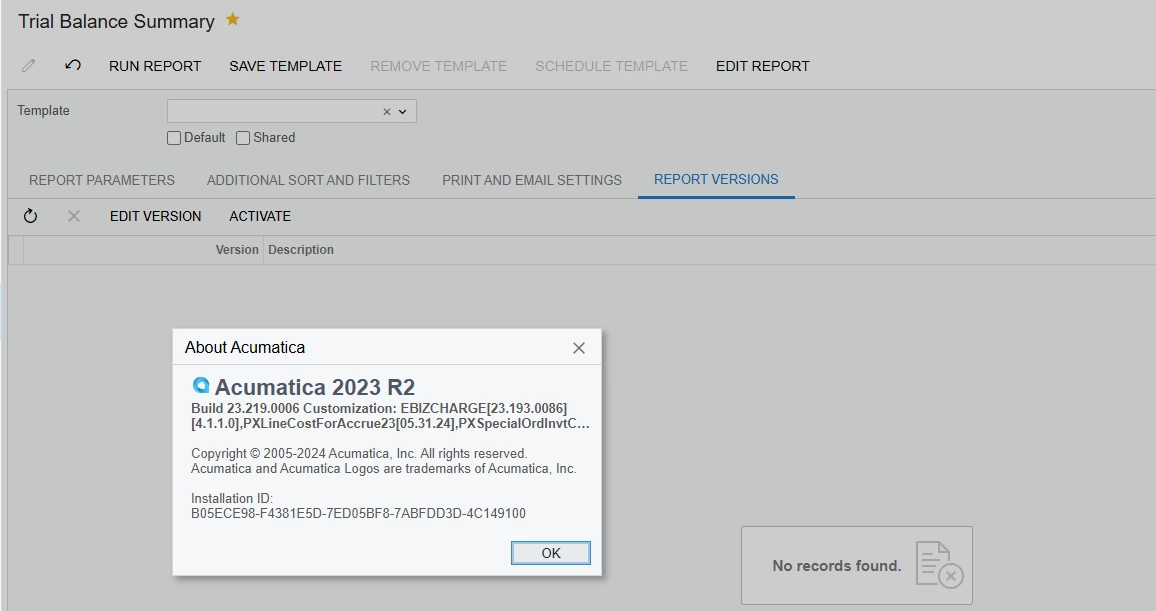
if you still get incorrect output, send us the screenshot of your report output and also the version and build of your Acumatica instance (Tools > About, gives this information). We can send a copy of default report.

Regards,


Forum|alt.badge.img
  • Author
  • Freshman I
  • March 6, 2025

It does not look like I currently have access to Report Designer even though I should have full access, so I will have to figure out how to get that.

We are also not using any custom report versions.  See below.

On Screen the report looks ok because it fills up the screen with each of the 3 pages,  but actually printing is a different story.  This is what each of the 3 pages looks like printed.