



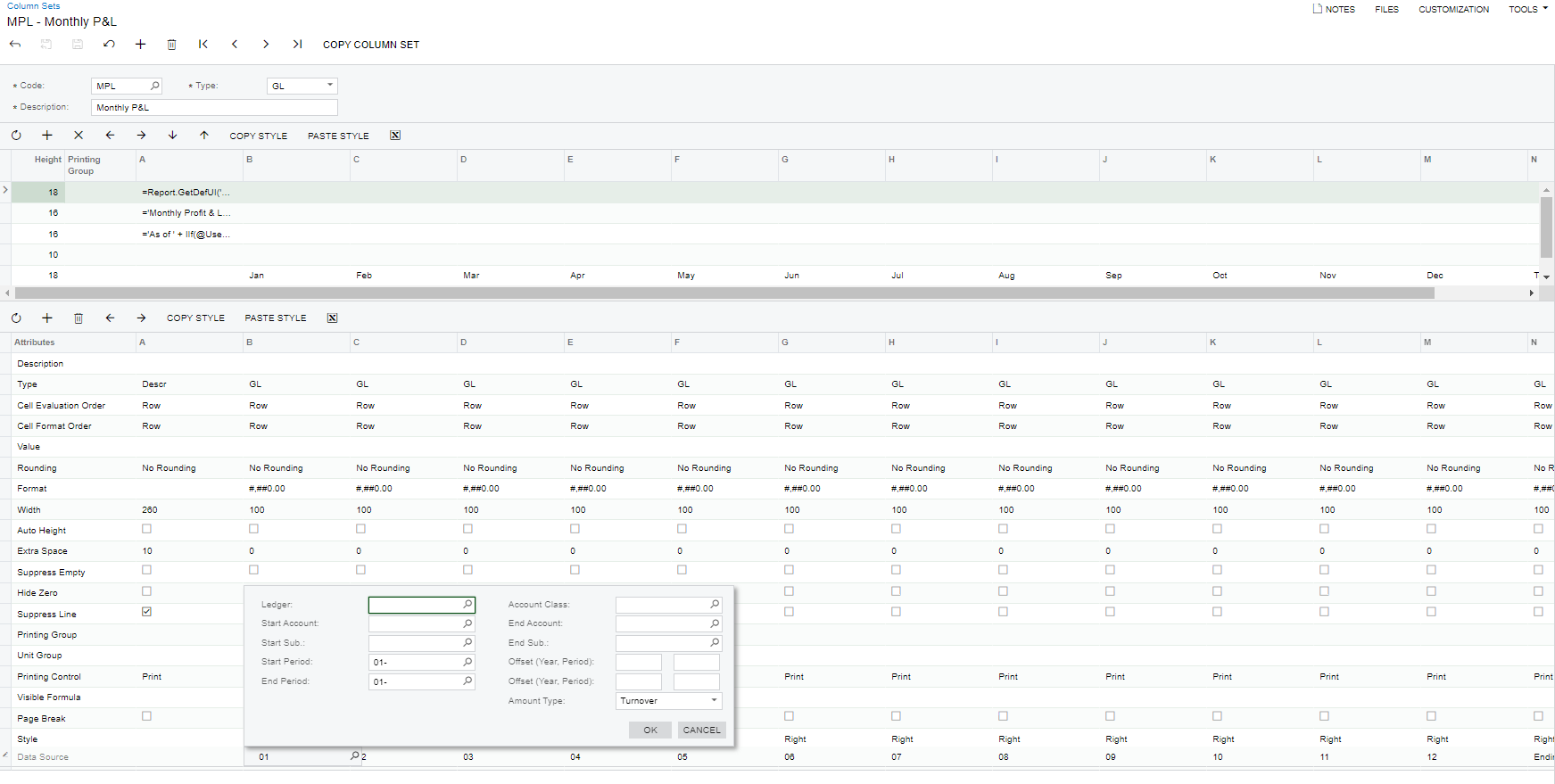
How do I create the column set to have a column for each month and a total for the year? I want to be able to select the year and then have the columns for each month.
Solved
Trending financial report
Best answer by Laura03
Hi,
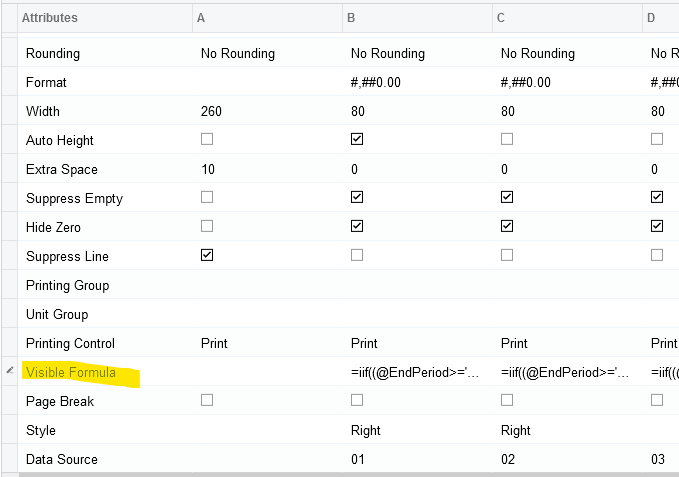
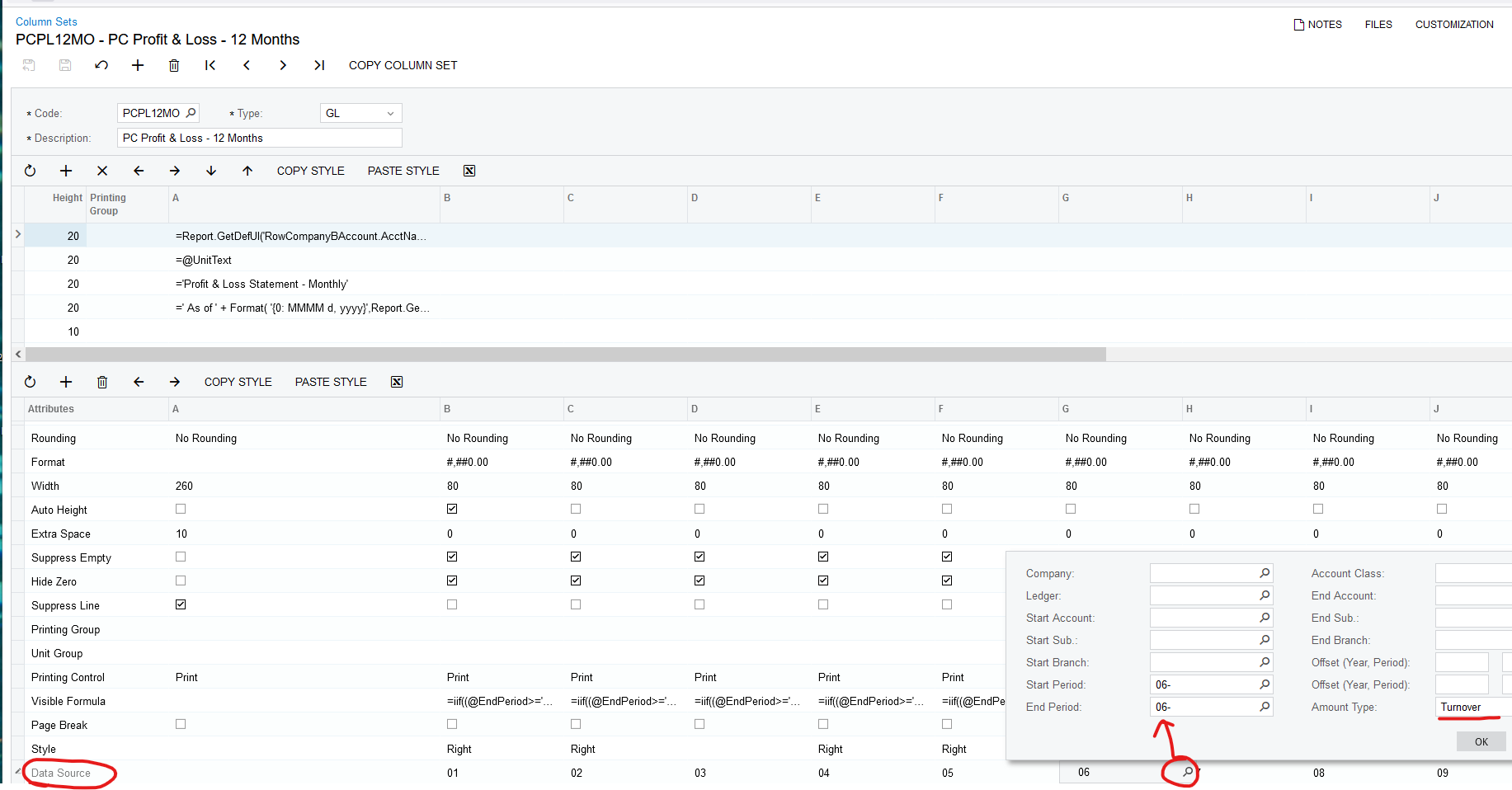
Notice the Visible Formula. you will edit the numbers in the formula for each month:
Month 4: =iif((@EndPeriod>='04' and @StartPeriod<='05'),True,False)
Month 5: =iif((@EndPeriod>='05' and @StartPeriod<='06'),True,False)
and so on.





Login to the community
No account yet? Create an account
Social Login
Login with your Acumatica accountEnter your E-mail address. We'll send you an e-mail with instructions to reset your password.