Answer

RowSelecting Show

  • January 22, 2024
  • 2 replies
  • 73 views

Forum|alt.badge.img

Show Row Selecting Cuztomize Screen
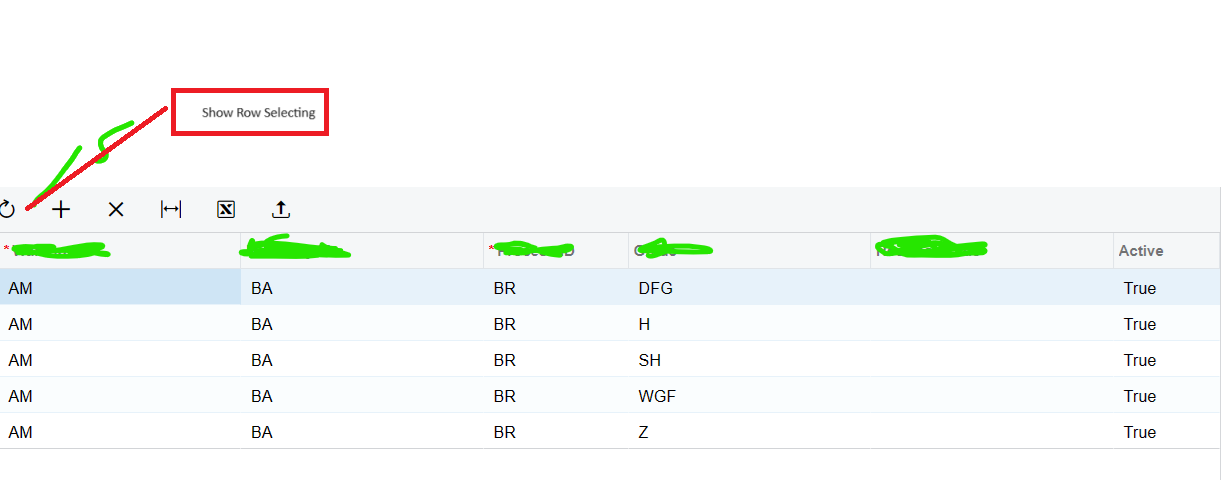
can help me show like this


Can u help for this case ?

Thanks 

Best answer by jharris

Hi @Febri,

Please check out the Developers blog article here: https://asiablog.acumatica.com/2015/10/customizing-selector-attributes.html

It talks about adding the selector you’re looking for.  There’s also additional information in the comments.  

Happy Coding!  ;) 

2 replies

jharris
Semi-Pro I
Forum|alt.badge.img+7
  • Semi-Pro I
  • Answer
  • January 22, 2024

Hi @Febri,

Please check out the Developers blog article here: https://asiablog.acumatica.com/2015/10/customizing-selector-attributes.html

It talks about adding the selector you’re looking for.  There’s also additional information in the comments.  

Happy Coding!  ;) 


Naveen Boga
Captain II
Forum|alt.badge.img+19
  • Captain II
  • January 24, 2024

@Febri  If I understood your requirement correctly, you're seeking a checkbox field that allows you to select a row and process the corresponding record. If that's the case, consider adding a checkbox field in the DAC (Data Access Class). In the .aspx page, ensure you set AllowCheckAll="True". This configuration will provide a checkbox in the grid header, allowing you to conveniently select multiple records in bulk.

 <px:PXGridColumn AllowCheckAll="True" AllowNull="False" DataField="Selected" TextAlign="Center" Type="CheckBox" />