

Solved

Rest API resource owner password token

  • March 17, 2026
  • 3 replies
  • 37 views

Hello,

I am trying to process application in Acumatica to create invoice. I used Resource Owner Password to generate the token

HTTPPOST

<Acumatica ERP Instance URL>/identity/connect/token

var request = new HttpRequestMessage(HttpMethod.Post, configuration["Acumatica:TokenUrl"]);
var collection = new List<KeyValuePair<string, string>>
{
new("grant_type", "password"),
new("client_id", configuration["Acumatica:ClientId"]),
new("client_secret", configuration["Acumatica:ClientSecret"]),
new("username", configuration["Acumatica:Username"]),
new("password", configuration["Acumatica:Password"]),
new("scope", configuration["Acumatica:scope"])
};
var content = new FormUrlEncodedContent(collection);
request.Content = content;
var response = await client.SendAsync(request);
response.EnsureSuccessStatusCode();

I am getting error API Login Limit
for the first time call. 

any help would be appreciated. 
Best answer by Samvel Petrosov

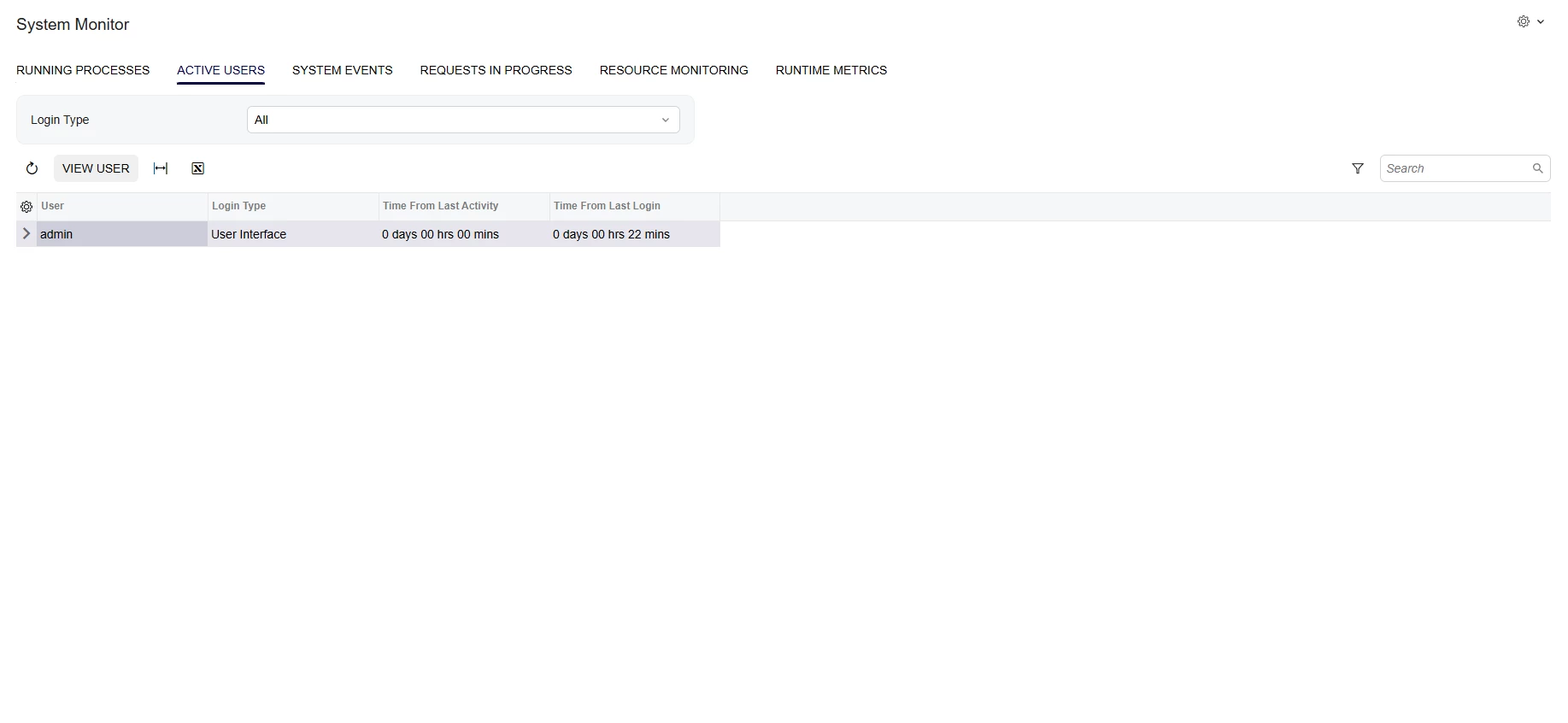
Check the System Monitor page. It should show how many active users/sessions are in the system.

Most likely you have a number of sessions that never were signed out.

Unfortunately there is no easy way to drop the sessions, you will either have to wait till the sessions expire or restart the system from Apply Updates->Restart Application.


3 replies

Forum|alt.badge.img+3

Hi ​@swassouf may these points helps you:

  • Each token request creates a new server-side session, consuming a license slot

  • Previous unclosed sessions from testing pile up and exhaust the limit so Restart the IIS Application Pool once to release all sessions stuck from testing

  • Missing session cookie causes Acumatica to treat every request as a new login

  • Don’t request token every time

  • Use token caching


  • Author
  • Freshman I
  • March 18, 2026

@Abhishek Niikam 

but I am using Rest API Resource Owner Password to get the token using  /connect/token url

I am not using session cookie to login and out.

I am caching and validating the token for the life of the token (expiration) 

var savedToken = cacheHelper.GetValue<AcumaticaTokenDetail>("ACUMATICA_TOKEN");

if (savedToken != null && IsValideToken(savedToken))
{
return await Task.FromResult(savedToken);
}
private static bool IsValideToken(AcumaticaTokenDetail tokenDetail)
{
if (!tokenDetail.TokenStartTime.HasValue) return false;

var tokenExpirationTime = tokenDetail.TokenStartTime.Value.AddSeconds(tokenDetail.ExpireIn);

if (tokenExpirationTime < DateTimeOffset.UtcNow) { return false; }

return true;

}


Samvel Petrosov
Jr Varsity III
Forum|alt.badge.img+9

Check the System Monitor page. It should show how many active users/sessions are in the system.

Most likely you have a number of sessions that never were signed out.

Unfortunately there is no easy way to drop the sessions, you will either have to wait till the sessions expire or restart the system from Apply Updates->Restart Application.

