

Answer

Release Payment adding new column

  • March 15, 2023
  • 3 replies
  • 58 views

Forum|alt.badge.img

Hi Team,

Asking on your end if it is possible to add a new column from this screen.
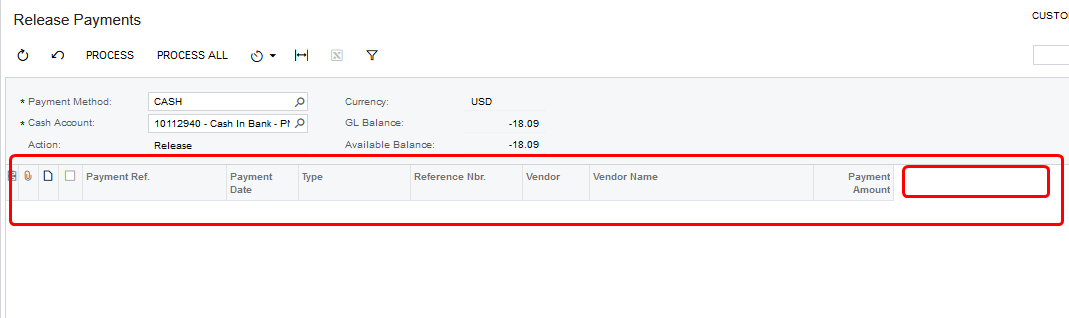
 

Regards,

Best answer by Manikanta Dhulipudi

Hi @Fie We can do a customization to add a column in processing centre if needed.

https://www.crestwood.com/2018/07/25/how-to-add-columns-to-a-screen-in-acumatica-even-if-the-field-isnt-in-the-list-to-add/


3 replies

Manikanta Dhulipudi
Captain II
Forum|alt.badge.img+15

Hi @Fie We can do a customization to add a column in processing centre if needed.

https://www.crestwood.com/2018/07/25/how-to-add-columns-to-a-screen-in-acumatica-even-if-the-field-isnt-in-the-list-to-add/


Robert Sternberg
Captain II
Forum|alt.badge.img+7

@Fie could you give us any more details on what column you are looking to add and where it would pull information from?


Thanks


Naveen Boga
Captain II
Forum|alt.badge.img+19
  • Captain II
  • March 17, 2023

@Fie   It is definitely possible to add a field in the "Release Payments" screen. To do this, you can follow the same process that you used to create other screens.  

Once the field is added, you will need to populate it with data. If you require any assistance with this, please don't hesitate to let us know. We are happy to help you.



