



Hi Team,
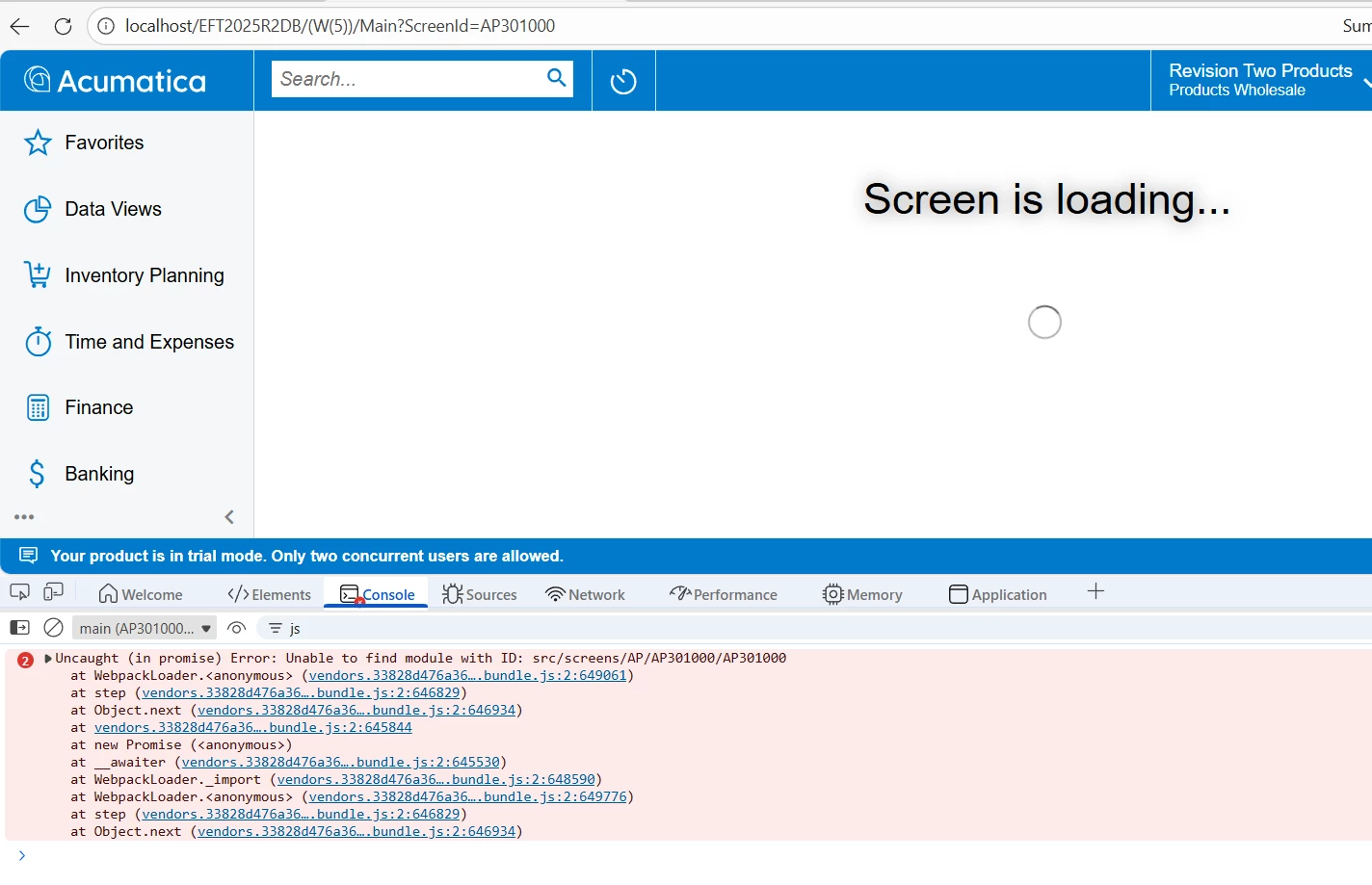
Loading issue .
controls.0e1524f82c6d60c668f2.bundle.js:1 Extension AP301000_Approvals registered for the AP301000 screen view model
controls.0e1524f82c6d60c668f2.bundle.js:1 featureInstalled: PX.Objects.CS.FeaturesSet+Construction
controls.0e1524f82c6d60c668f2.bundle.js:1 Extension AP301000_Compliance registered for the AP301000 screen view model
controls.0e1524f82c6d60c668f2.bundle.js:1 Extension AP301000_ComplianceDocuments registered for the ComplianceDocuments view
controls.0e1524f82c6d60c668f2.bundle.js:1 Extension AP3010000_JointChecks registered for the AP301000 screen view model
controls.0e1524f82c6d60c668f2.bundle.js:1 Extension AP301000_DuplicateReference registered for the AP301000 screen view model
controls.0e1524f82c6d60c668f2.bundle.js:1 Extension AP3010000_PO_FillingInvoiceWithPOEntities registered for the AP301000 screen view model
controls.0e1524f82c6d60c668f2.bundle.js:1 Applying mixins for the the AP301000 screen view model
vendors.33828d476a3649b7bfc8.bundle.js:2 WARN [templating-binding-language] Detected string literal in let bindings. Did you mean "viewName.bind=$parent.viewName" or "viewName=${$parent.viewName}" ?
warn @ vendors.33828d476a3649b7bfc8.bundle.js:2
(anonymous) @ vendors.33828d476a3649b7bfc8.bundle.js:2
TemplatingBindingLanguage.createLetExpressions @ vendors.33828d476a3649b7bfc8.bundle.js:2
ViewCompiler._compileElement @ vendors.33828d476a3649b7bfc8.bundle.js:2
ViewCompiler._compileNode @ vendors.33828d476a3649b7bfc8.bundle.js:2
ViewCompiler._compileNode @ vendors.33828d476a3649b7bfc8.bundle.js:2
ViewCompiler.compile @ vendors.33828d476a3649b7bfc8.bundle.js:2
ViewCompiler._compileElement @ vendors.33828d476a3649b7bfc8.bundle.js:2
ViewCompiler._compileNode @ vendors.33828d476a3649b7bfc8.bundle.js:2
ViewCompiler._compileNode @ vendors.33828d476a3649b7bfc8.bundle.js:2
ViewCompiler.compile @ vendors.33828d476a3649b7bfc8.bundle.js:2
ViewCompiler._compileElement @ vendors.33828d476a3649b7bfc8.bundle.js:2
ViewCompiler._compileNode @ vendors.33828d476a3649b7bfc8.bundle.js:2
ViewCompiler._compileElement @ vendors.33828d476a3649b7bfc8.bundle.js:2
ViewCompiler._compileNode @ vendors.33828d476a3649b7bfc8.bundle.js:2
ViewCompiler._compileNode @ vendors.33828d476a3649b7bfc8.bundle.js:2
ViewCompiler.compile @ vendors.33828d476a3649b7bfc8.bundle.js:2
HtmlBehaviorResource.compile @ vendors.33828d476a3649b7bfc8.bundle.js:2
ViewCompiler._compileElement @ vendors.33828d476a3649b7bfc8.bundle.js:2
ViewCompiler._compileNode @ vendors.33828d476a3649b7bfc8.bundle.js:2
ViewCompiler._compileNode @ vendors.33828d476a3649b7bfc8.bundle.js:2
ViewCompiler.compile @ vendors.33828d476a3649b7bfc8.bundle.js:2
(anonymous) @ vendors.33828d476a3649b7bfc8.bundle.js:2
vendors.33828d476a3649b7bfc8.bundle.js:2 INFO [aurelia] Aurelia Started
controls.0e1524f82c6d60c668f2.bundle.js:1 Applying mixins for the the ComplianceDocuments view
vendors.33828d476a3649b7bfc8.bundle.js:2 Uncaught (in promise) Error: Unable to find module with ID: src/screens/AP/AP301000/AP301000
at WebpackLoader.<anonymous> (vendors.33828d476a3649b7bfc8.bundle.js:2:649061)
at step (vendors.33828d476a3649b7bfc8.bundle.js:2:646829)
at Object.next (vendors.33828d476a3649b7bfc8.bundle.js:2:646934)
at vendors.33828d476a3649b7bfc8.bundle.js:2:645844
at new Promise (<anonymous>)
at __awaiter (vendors.33828d476a3649b7bfc8.bundle.js:2:645530)
at WebpackLoader._import (vendors.33828d476a3649b7bfc8.bundle.js:2:648590)
at WebpackLoader.<anonymous> (vendors.33828d476a3649b7bfc8.bundle.js:2:649776)
at step (vendors.33828d476a3649b7bfc8.bundle.js:2:646829)
at Object.next (vendors.33828d476a3649b7bfc8.bundle.js:2:646934)
(anonymous) @ vendors.33828d476a3649b7bfc8.bundle.js:2
step @ vendors.33828d476a3649b7bfc8.bundle.js:2
(anonymous) @ vendors.33828d476a3649b7bfc8.bundle.js:2
(anonymous) @ vendors.33828d476a3649b7bfc8.bundle.js:2
__awaiter @ vendors.33828d476a3649b7bfc8.bundle.js:2
WebpackLoader._import @ vendors.33828d476a3649b7bfc8.bundle.js:2
(anonymous) @ vendors.33828d476a3649b7bfc8.bundle.js:2
step @ vendors.33828d476a3649b7bfc8.bundle.js:2
(anonymous) @ vendors.33828d476a3649b7bfc8.bundle.js:2
(anonymous) @ vendors.33828d476a3649b7bfc8.bundle.js:2
__awaiter @ vendors.33828d476a3649b7bfc8.bundle.js:2
WebpackLoader.loadModule @ vendors.33828d476a3649b7bfc8.bundle.js:2
(anonymous) @ vendors.33828d476a3649b7bfc8.bundle.js:2
WebpackLoader.loadAllModules @ vendors.33828d476a3649b7bfc8.bundle.js:2
ViewEngine.importViewResources @ vendors.33828d476a3649b7bfc8.bundle.js:2
ViewEngine.loadTemplateResources @ vendors.33828d476a3649b7bfc8.bundle.js:2
(anonymous) @ vendors.33828d476a3649b7bfc8.bundle.js:2
vendors.33828d476a3649b7bfc8.bundle.js:2 Uncaught (in promise) Error: Unable to find module with ID: src/screens/AP/AP301000/AP301000
at WebpackLoader.<anonymous> (vendors.33828d476a3649b7bfc8.bundle.js:2:649061)
at step (vendors.33828d476a3649b7bfc8.bundle.js:2:646829)
at Object.next (vendors.33828d476a3649b7bfc8.bundle.js:2:646934)
at vendors.33828d476a3649b7bfc8.bundle.js:2:645844
at new Promise (<anonymous>)
at __awaiter (vendors.33828d476a3649b7bfc8.bundle.js:2:645530)
at WebpackLoader._import (vendors.33828d476a3649b7bfc8.bundle.js:2:648590)
at WebpackLoader.<anonymous> (vendors.33828d476a3649b7bfc8.bundle.js:2:649776)
at step (vendors.33828d476a3649b7bfc8.bundle.js:2:646829)
at Object.next (vendors.33828d476a3649b7bfc8.bundle.js:2:646934)
(anonymous) @ vendors.33828d476a3649b7bfc8.bundle.js:2
step @ vendors.33828d476a3649b7bfc8.bundle.js:2
(anonymous) @ vendors.33828d476a3649b7bfc8.bundle.js:2
(anonymous) @ vendors.33828d476a3649b7bfc8.bundle.js:2
__awaiter @ vendors.33828d476a3649b7bfc8.bundle.js:2
WebpackLoader._import @ vendors.33828d476a3649b7bfc8.bundle.js:2
(anonymous) @ vendors.33828d476a3649b7bfc8.bundle.js:2
step @ vendors.33828d476a3649b7bfc8.bundle.js:2
(anonymous) @ vendors.33828d476a3649b7bfc8.bundle.js:2
(anonymous) @ vendors.33828d476a3649b7bfc8.bundle.js:2
__awaiter @ vendors.33828d476a3649b7bfc8.bundle.js:2
WebpackLoader.loadModule @ vendors.33828d476a3649b7bfc8.bundle.js:2
(anonymous) @ vendors.33828d476a3649b7bfc8.bundle.js:2
WebpackLoader.loadAllModules @ vendors.33828d476a3649b7bfc8.bundle.js:2
ViewEngine.importViewResources @ vendors.33828d476a3649b7bfc8.bundle.js:2
ViewEngine.loadTemplateResources @ vendors.33828d476a3649b7bfc8.bundle.js:2
(anonymous) @ vendors.33828d476a3649b7bfc8.bundle.js:2
once i publish i am getting this error in loading Vendor.
Regards,
Sakthi


