If I were to cut a handful of refund checks to customers and a few days later those are all cashed.
What is the best process or most straight forward process Acumatica offers to reconcile those against the bank deposit?
Best answer by ChandraM
Hi @rfrantz The best process is
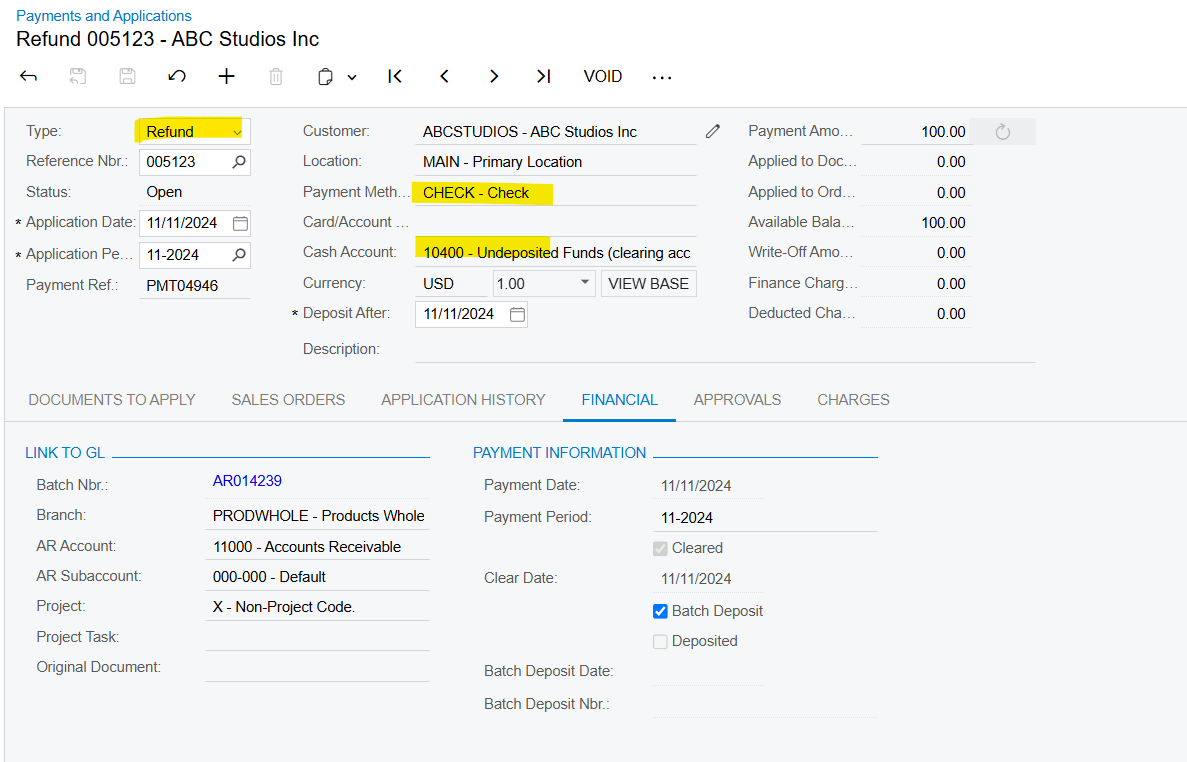
Record the Refund Check to the Clearing Account in Payments and Application Screen → Type=Refund. Note the Clearing Account should be associated to the Main Cash Account.
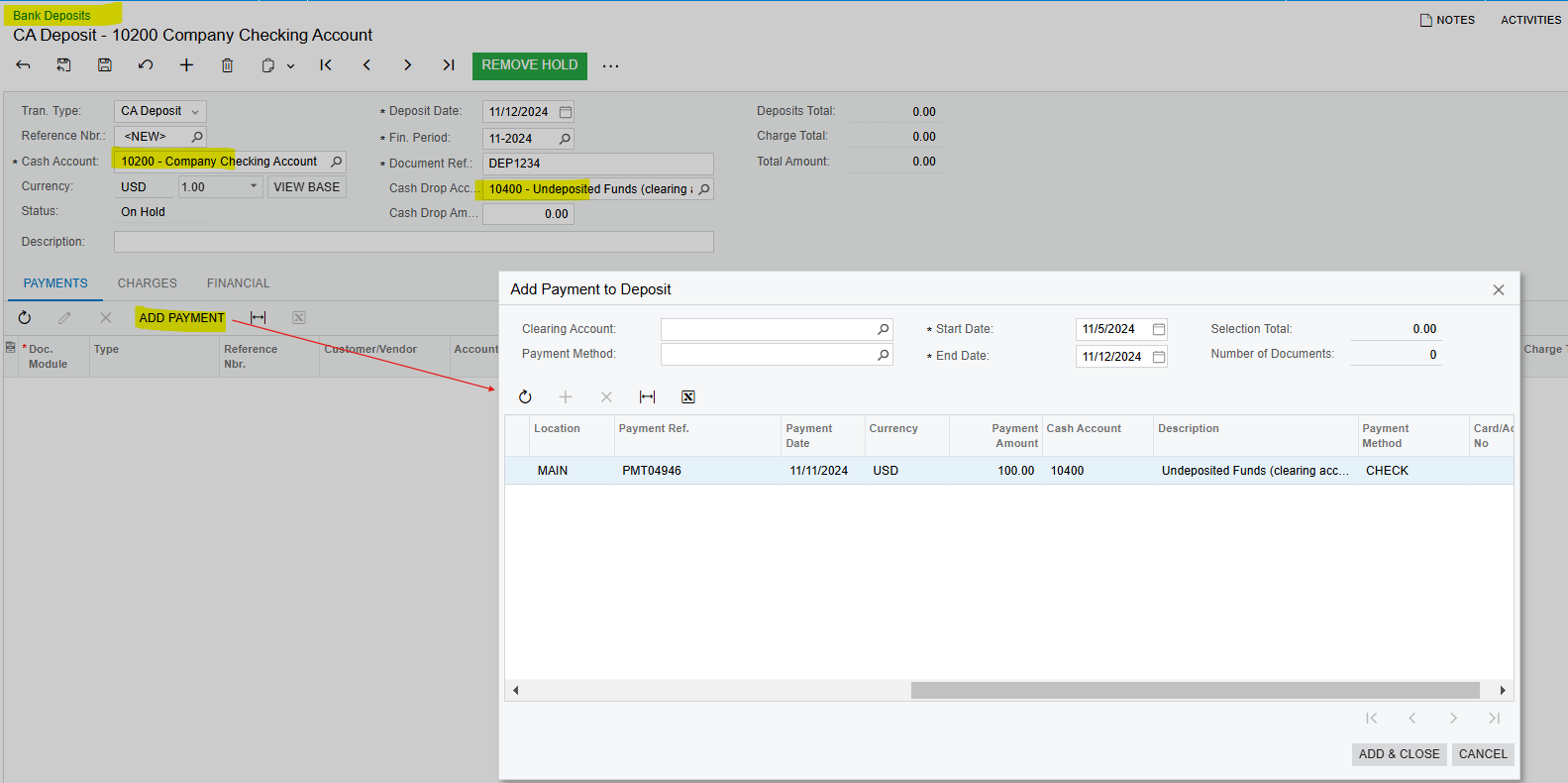
After the Check is deposited to the Bank - Goto the “BANK DEPOSITS” screen, add the check payment which is cashed and Release the Bank Deposit.
Record the Refund Check to the Clearing Account in Payments and Application Screen → Type=Refund. Note the Clearing Account should be associated to the Main Cash Account.
After the Check is deposited to the Bank - Goto the “BANK DEPOSITS” screen, add the check payment which is cashed and Release the Bank Deposit.