Answer

"Reassign" Approval for AP BIll Security

  • June 6, 2025
  • 2 replies
  • 44 views

cdiangelo46
Freshman II

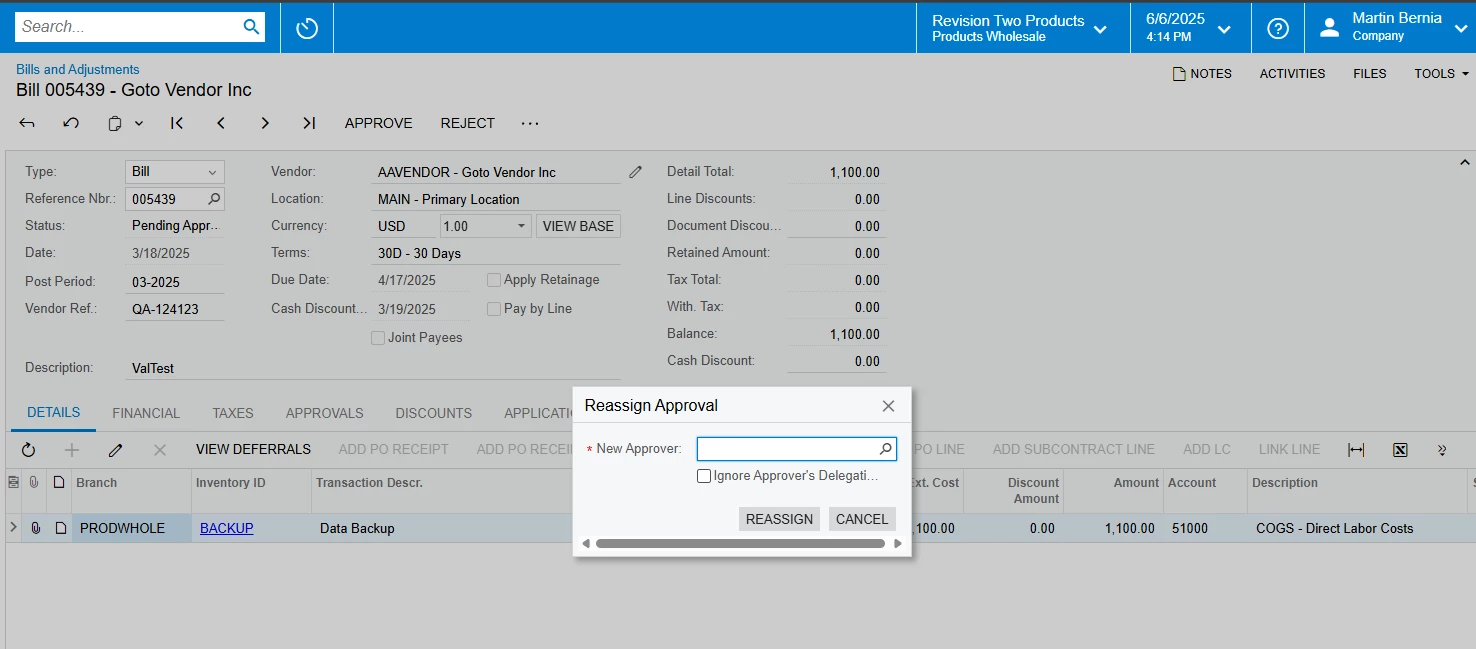
In AP Bills and Adjustments, the AP Viewer default Role does not have the ability to reassign the Approver if the Approval Map is designed to allow for it. AP Clerk can do this. I reviewed the Security but can’t determine what allows the field to be modified. Currently, the AP Viewer gets the pop up window for the approval but can’t select a New Approver. 

I gave AP Viewer Edit access to Bills and Adjustments>>Approvals. I also played with some of the Approver ID fields in different sections.

Appreciate any help,


Chris
Best answer by valentynbeznosiuk

Hi ​@cdiangelo46 

The only working combination that I was able to find is the following:

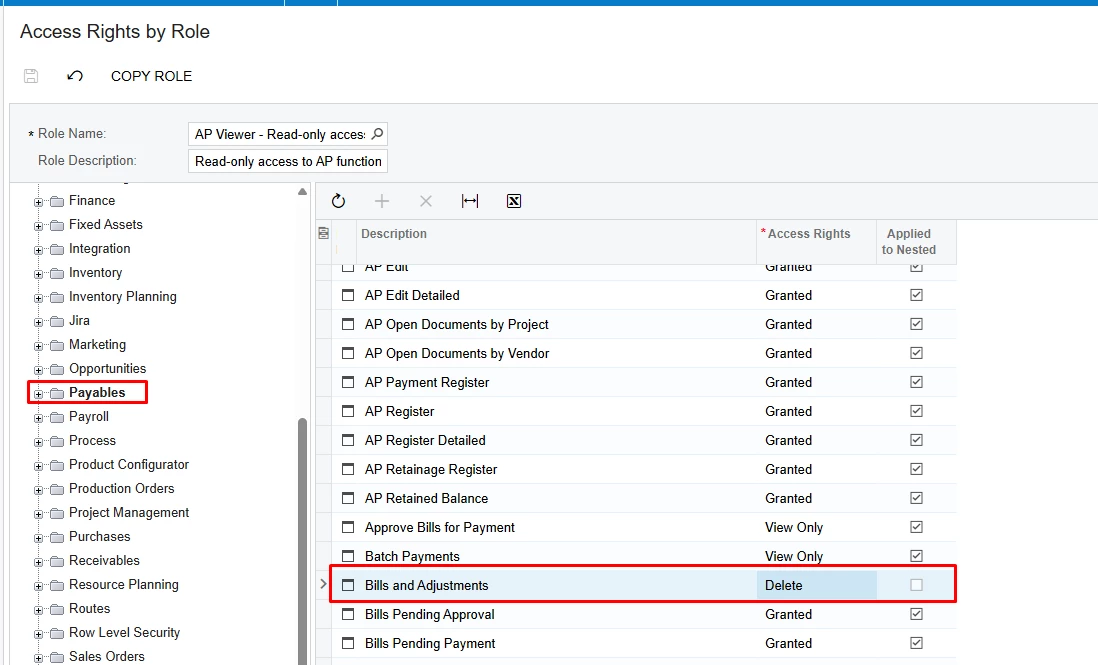
 Set Deleted access to the Bills and Adjustments screen

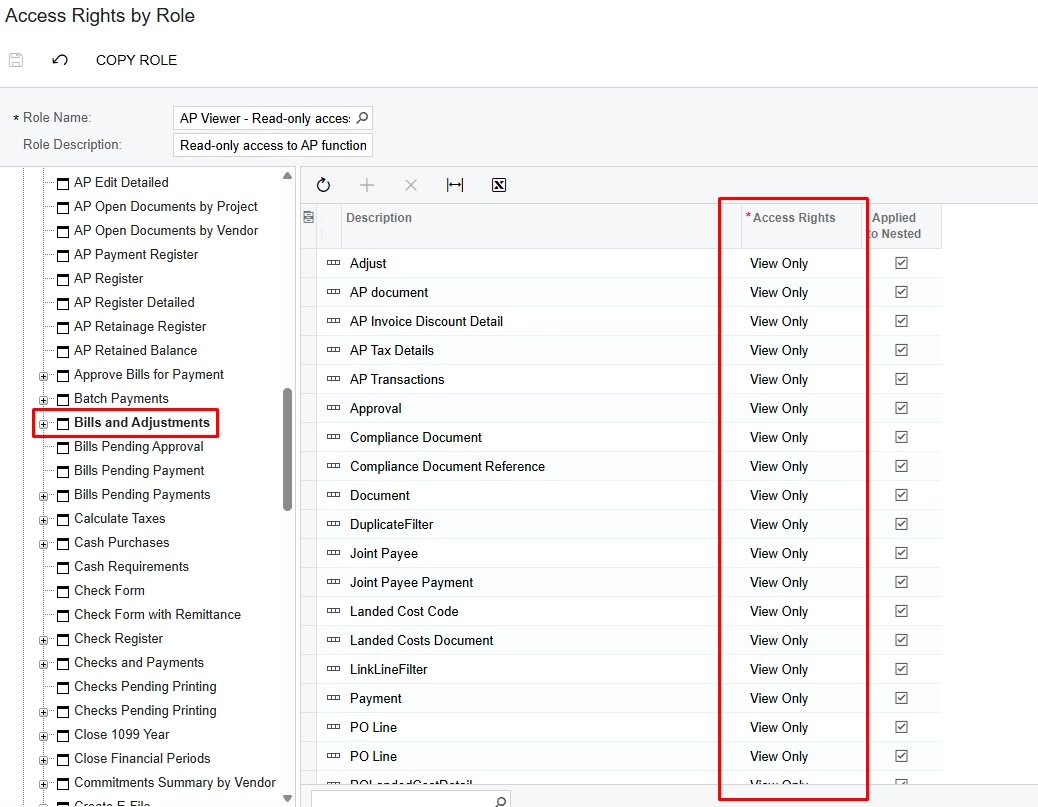
 And then set View Only access to all lines under Bills and Adjustments

In this way, the Reassign Approval dialog will become available, but the user still will have View Only access to all other fields and buttons


2 replies

valentynbeznosiuk
Jr Varsity I
Forum|alt.badge.img+3

Hi ​@cdiangelo46 

The only working combination that I was able to find is the following:

 Set Deleted access to the Bills and Adjustments screen

 And then set View Only access to all lines under Bills and Adjustments

In this way, the Reassign Approval dialog will become available, but the user still will have View Only access to all other fields and buttons


cdiangelo46
Freshman II
  • Author
  • Freshman II
  • June 16, 2025

Appreciate you figuring this out!