We’d like a new window to open automatically when printing an invoice through AR. It currently re-loads the page, and you have to click the back button in order to get back to the invoice.
Is this possible? I have tried adding this to the GI Navigation Tab, but that appears to be incorrect.
Best answer by jhalling52
Hi @JelenaS,
To add a link to the GI, you can do the following:
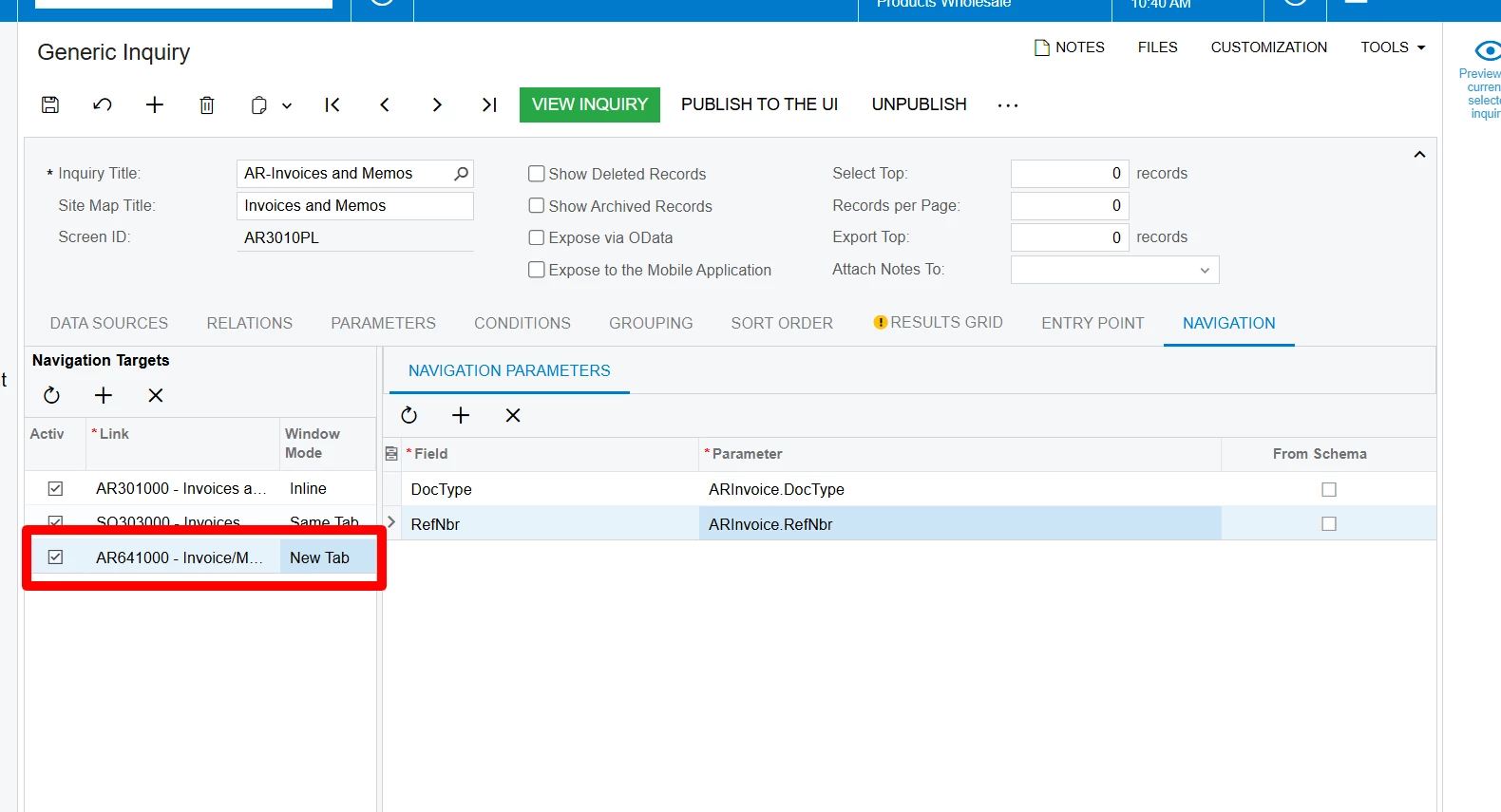
Add the screen (AR641000) to the Navigation Target and set to New Tab.
Add the Navigation Parameters for Doc Type and Ref Nbr.
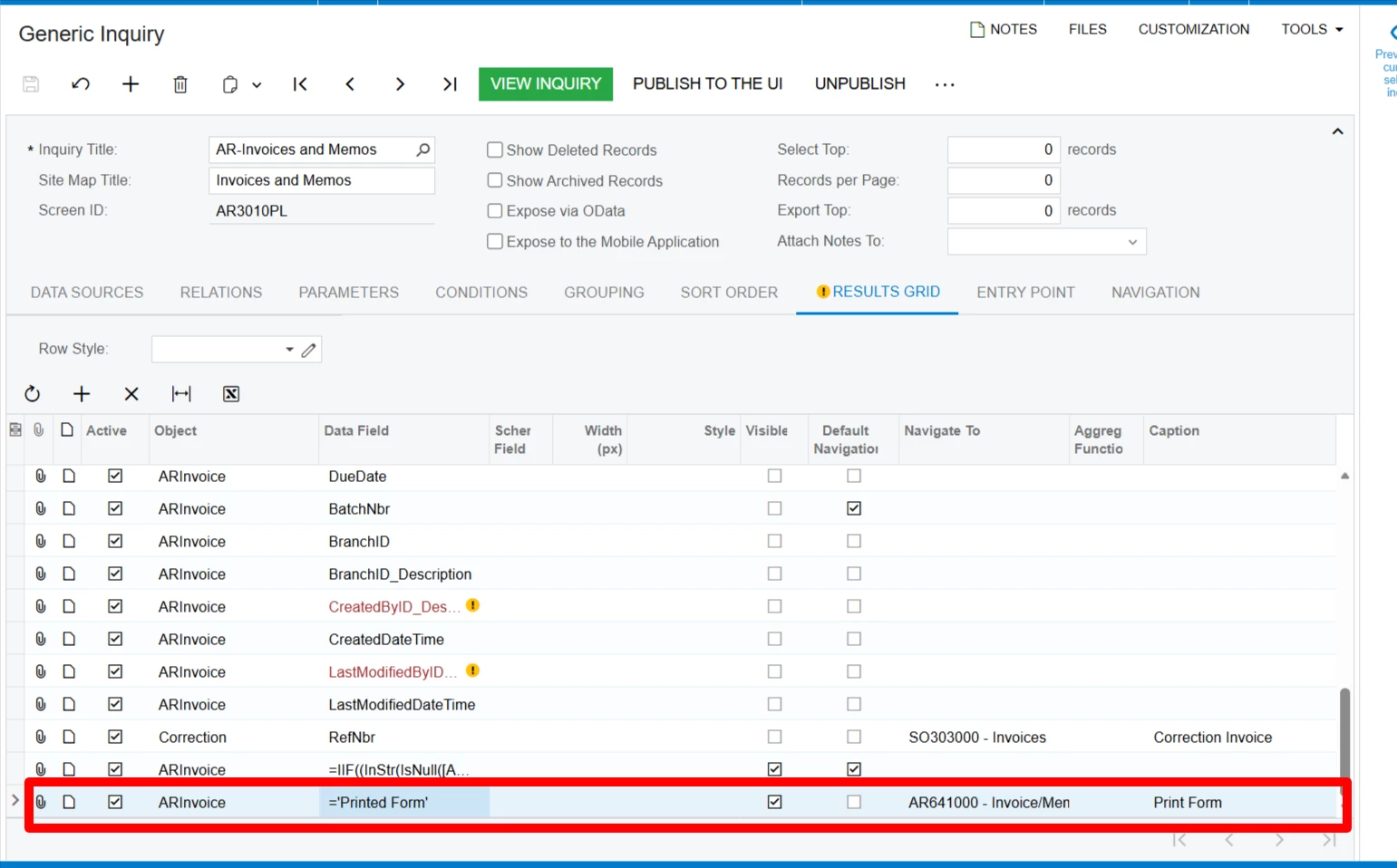
In the results grid, create a new row and populate with =’Printed Form’. Add the Navigate To field and update Caption.
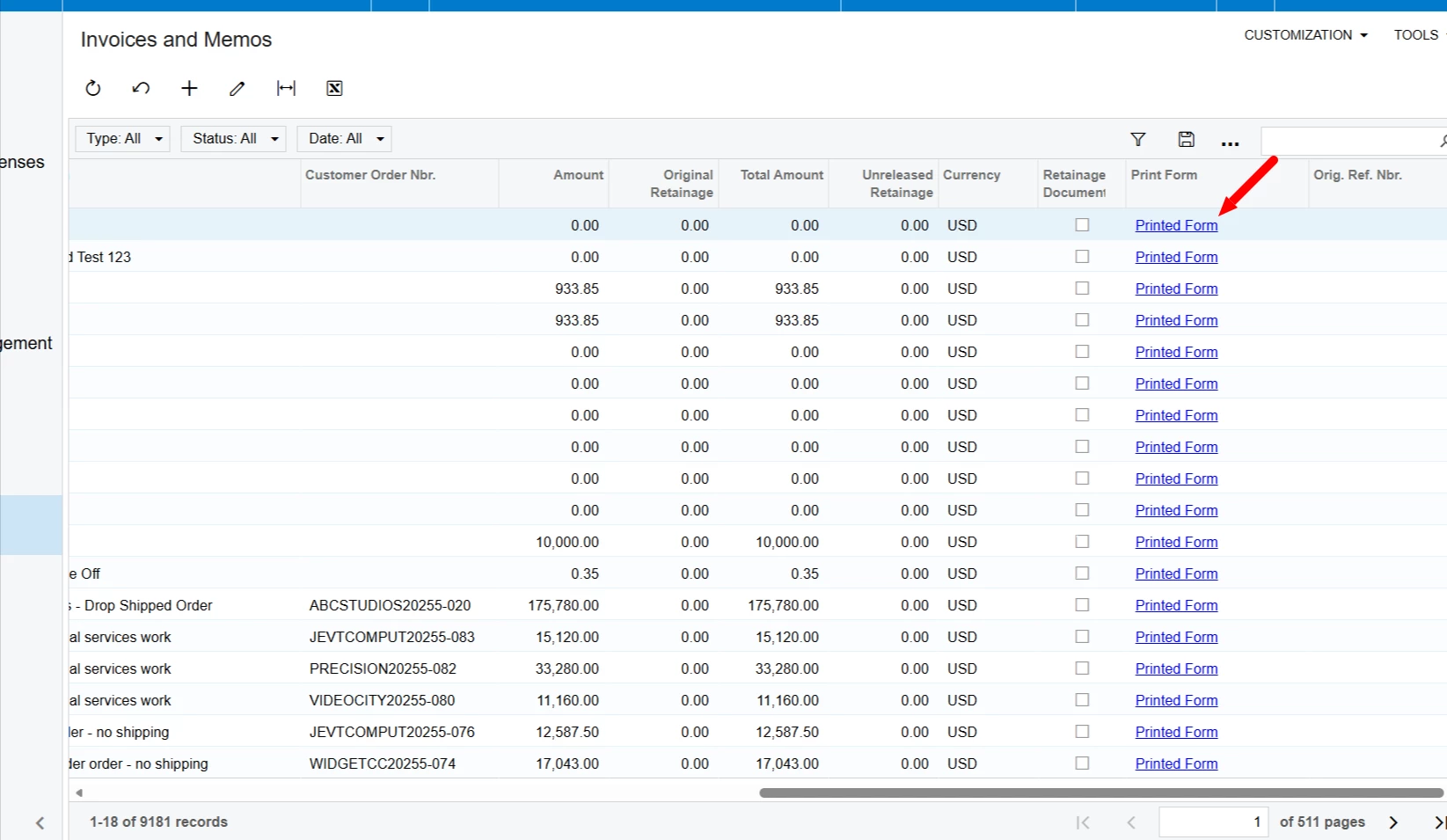
The link will display in the GI and open a new tab with the printed form. You can name the field whatever you want.
Thank you for providing the steps on how to add the link to the actual GI when one can then print the invoice. That works very nicely!
Is there a way to set it up, that when the user is in the actually invoice document, and clicks the more menu to print from there, that is will then either open up as a pop up or in a new tab?
I think you would need to customization the graph to update the existing Print action via code.
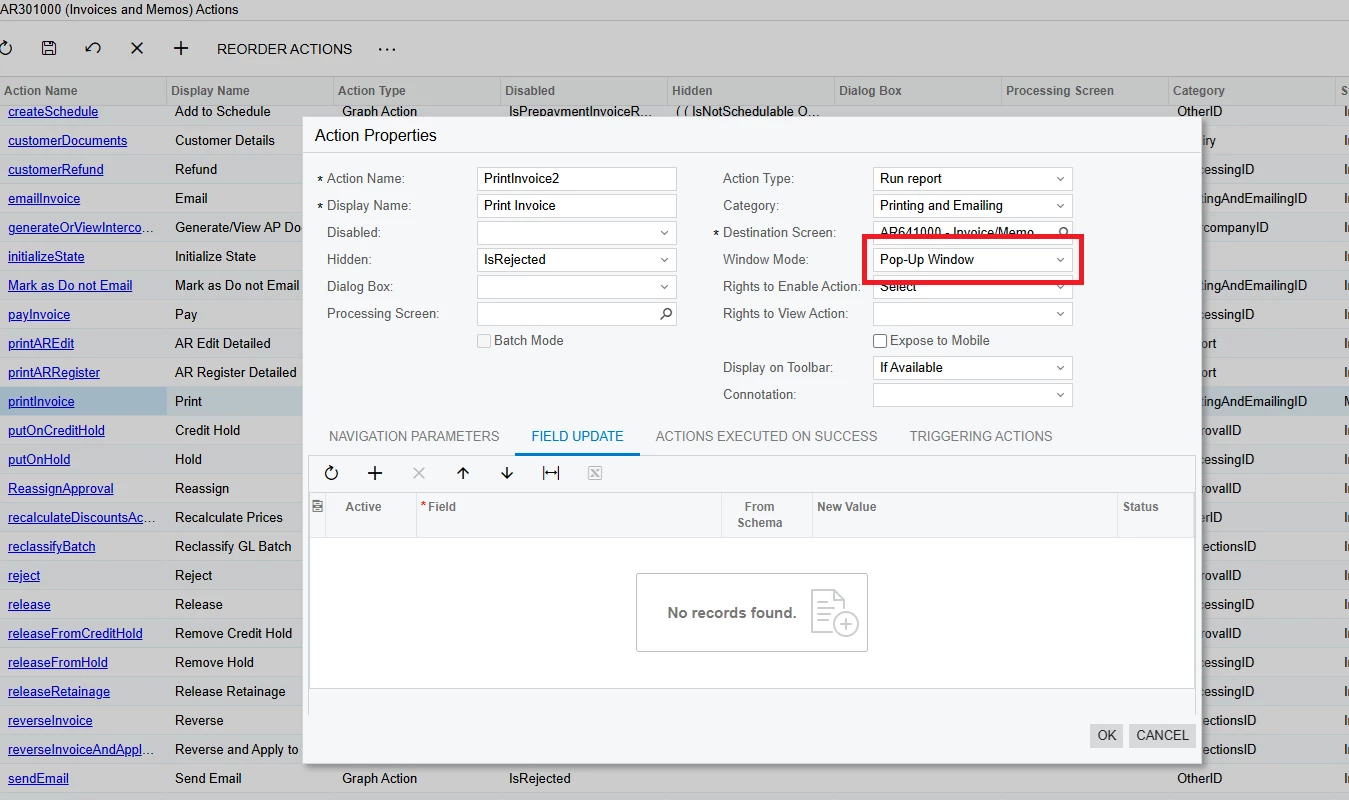
An alternative would be to create a new custom action, then specify the Window Mode as Pop-Up Window. You would then have to make sure the OOB action is not visible.
Either way, I believe it would require some sort of customization.
As a workaround, if the user holds the Ctrl key before clicking the action, it does create a new tab.
I did not know about this little trick. I think that this is a much better solution that a customization at this point in time. I also added it to the GI, so the AR clerk can just print from that option if they would like while viewing the invoice doc via the side panel.