Answer

P&L Branch Grouping

  • May 3, 2023
  • 5 replies
  • 110 views

Forum|alt.badge.img

How can I group a p&L for individual branches? 


Best answer by Laura03

Hello @enriquey ,

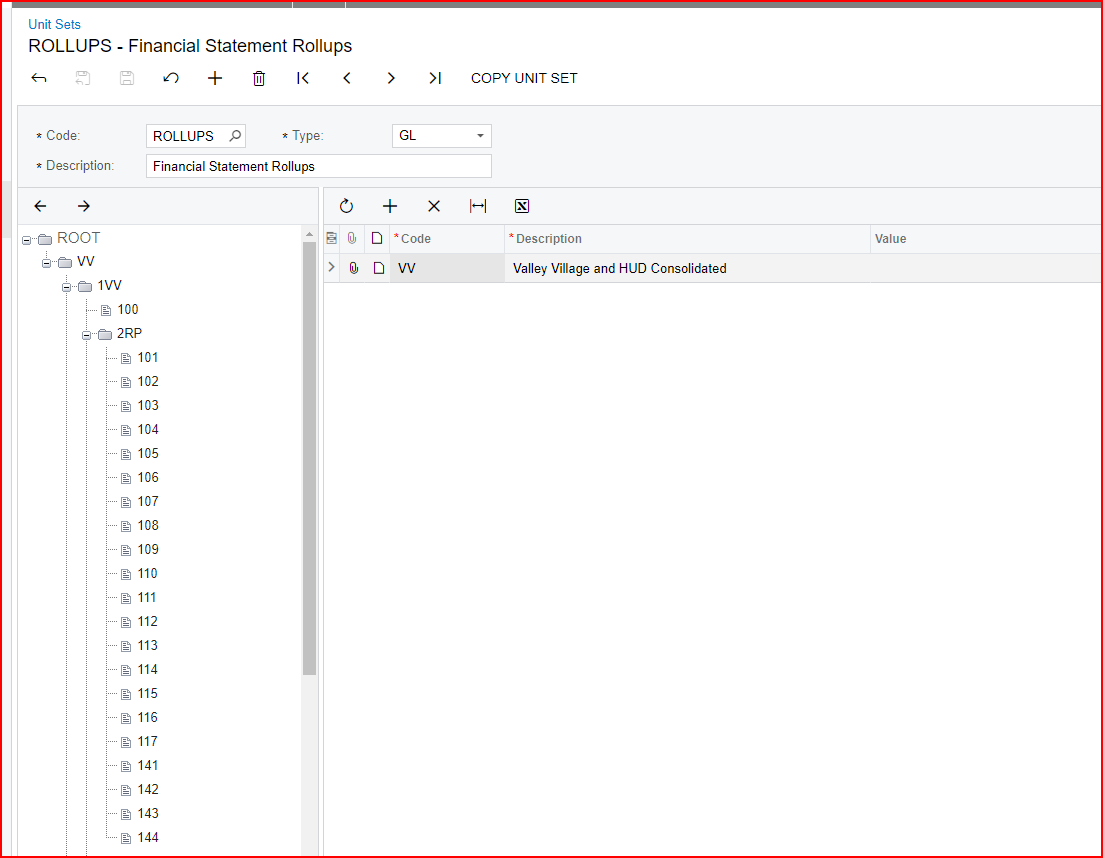
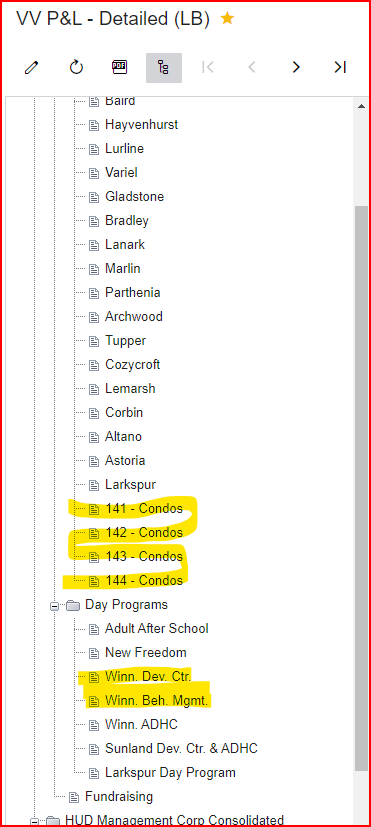
Do you want a new Unit Set like shown below, ability to print 141, 142, 143, 144 individually and also  with option to print 14x combined in one report?:

14x

--------141 Condos

--------142 Condos

--------143 Condos

--------144 Condos
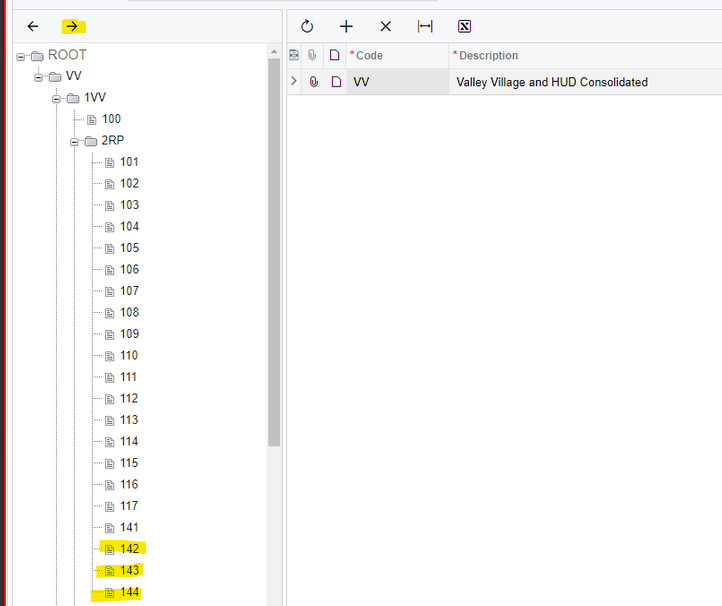
  1. If yes, Click 142 and click right arrow; it will become a child of 141.
  2. Repeat with 143, 144.
  3. Then click on node 2RP and change name of 141 to 14x and remove Data Source for 14x.
  4. Then click on 14x and add 141 on the right side, with Datasource = Branch 141.

If I guessed wrong, please provide an example of what you are looking for. Thank you!

5 replies

Kandy Beatty
Captain II
Forum|alt.badge.img+17

HI @enriquey 

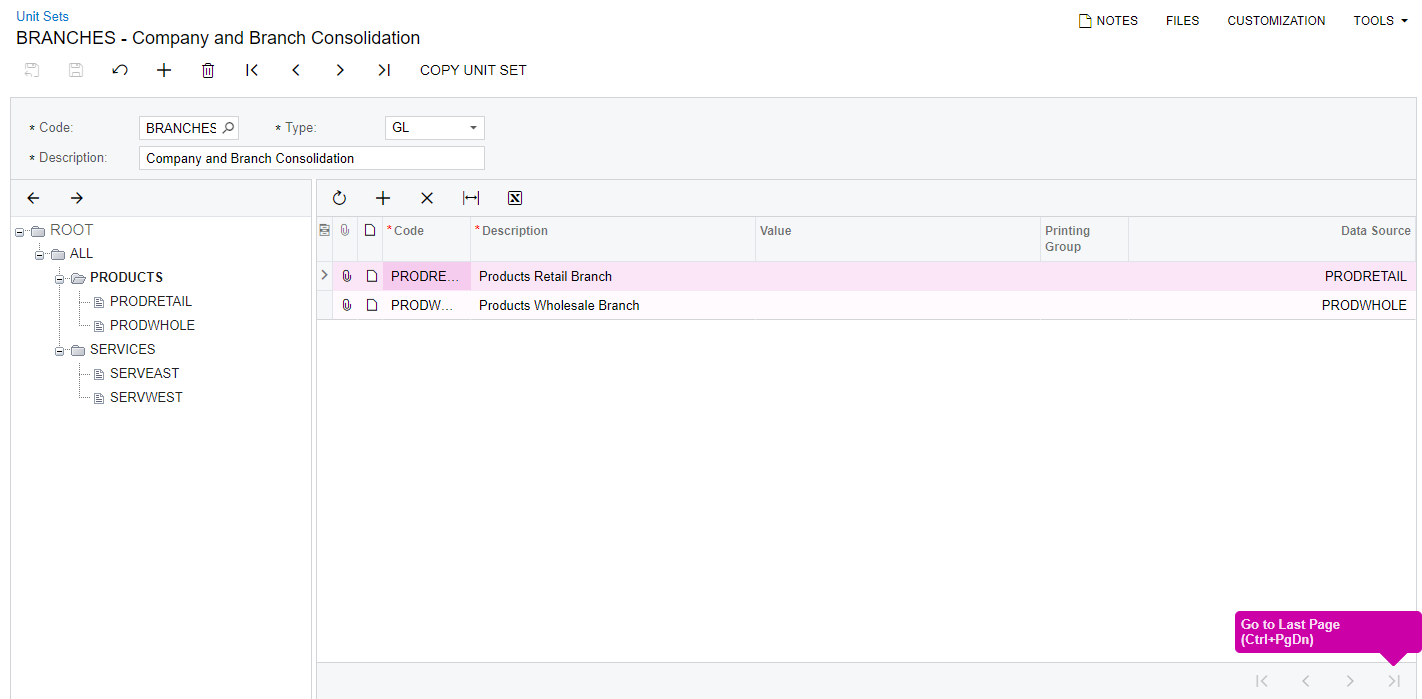
Do you have Unit Sets setup for branches?


Forum|alt.badge.img
  • Author
  • Freshman I
  • May 3, 2023


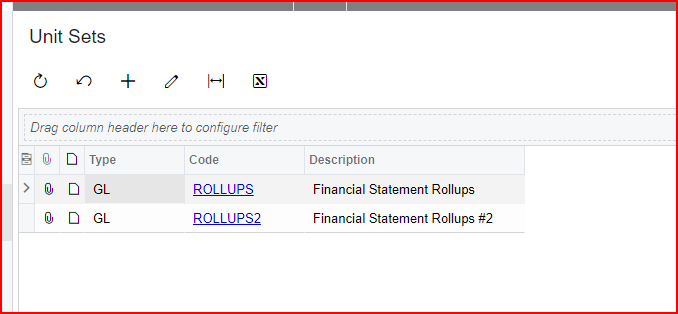
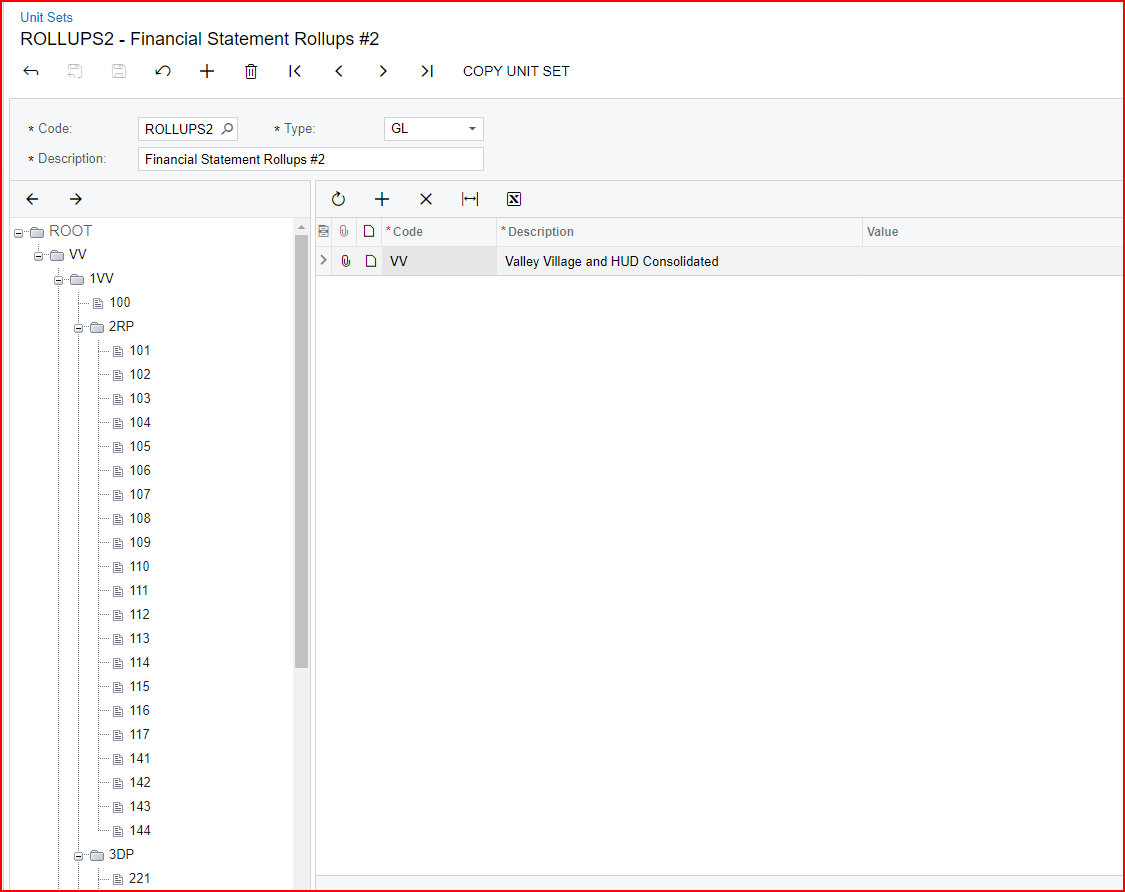
Hi @kandybeatty49 these are the unit sets. 


Laura03
Captain II
Forum|alt.badge.img+19
  • Captain II
  • Answer
  • May 3, 2023

Hello @enriquey ,

Do you want a new Unit Set like shown below, ability to print 141, 142, 143, 144 individually and also  with option to print 14x combined in one report?:

14x

--------141 Condos

--------142 Condos

--------143 Condos

--------144 Condos

  1. If yes, Click 142 and click right arrow; it will become a child of 141.
  2. Repeat with 143, 144.
  3. Then click on node 2RP and change name of 141 to 14x and remove Data Source for 14x.
  4. Then click on 14x and add 141 on the right side, with Datasource = Branch 141.

If I guessed wrong, please provide an example of what you are looking for. Thank you!


Forum|alt.badge.img
  • Author
  • Freshman I
  • May 3, 2023

This is exactly was I want. Combined 141 - 144 and individually. Do I click 142 and right arrow?


Laura03
Captain II
Forum|alt.badge.img+19
  • Captain II
  • May 4, 2023

Yes, 142 and right arrow. The same to move 143 and 144, I think.
 

Also ok to simply delete 142, 143, 144. Then click directly on 141, change its ID code to something new like 14x, and then manually add 141, 142, 143, and 144 under the new 14x roll up node.