

Question

Multiple Signatures on a Cash Account

  • June 8, 2026
  • 4 replies
  • 47 views

Good morning,

    Does anyone know how to add multiple signatures to a Cash Account?


4 replies

nhatnghetinh
Captain II
Forum|alt.badge.img+13

Hi ​@JenniferBurgener 

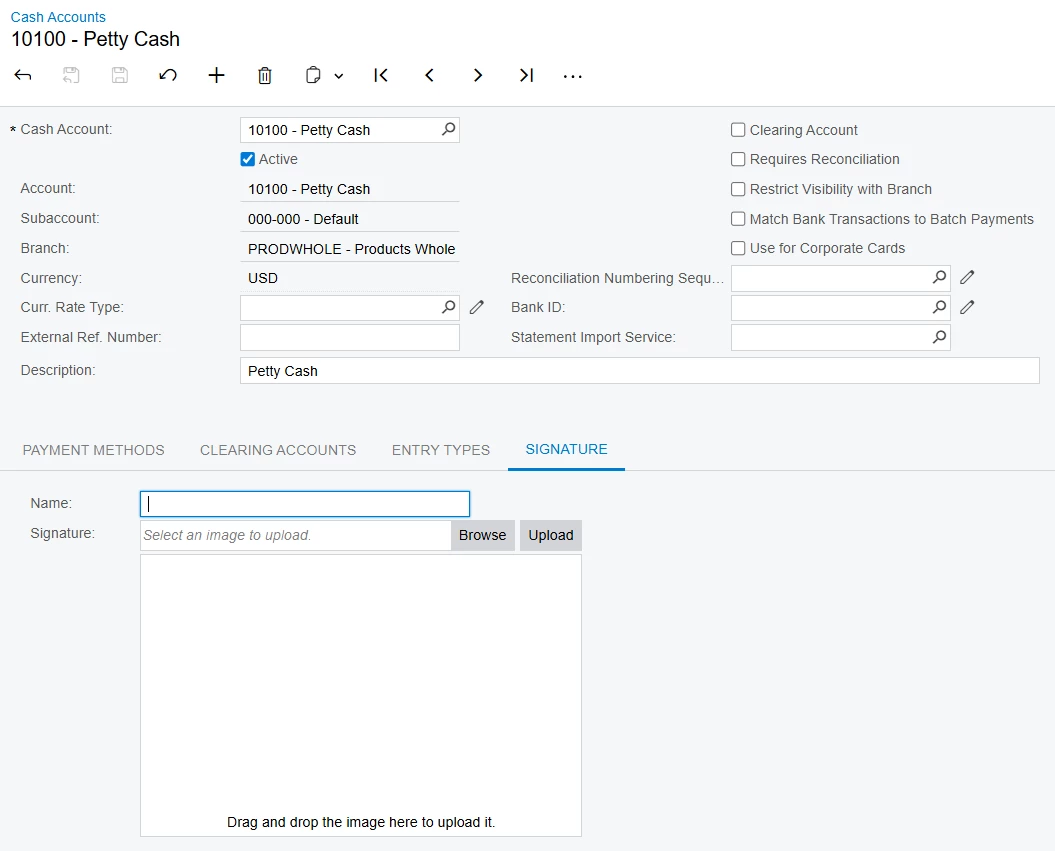
Based on the standard Cash Account setup, the Signature tab only supports a single signature image per Cash Account. There is no built-in option to maintain multiple signatures for the same Cash Account.

If you need multiple signatures on checks or payment documents, common approaches are to combine multiple signatures into a single image, customize the report layout, or develop a customization to support multiple signature records.
 

Best Regards,

NNT


Forum|alt.badge.img

In this situation I have embedded both signatures in the report - this also allowed me to set dollar limits so that signatures would or would not print based on check amount.


Thank you!


Hi,

You can add multiple signatures to a Cash Account using the Signature Tab and ensure that the images comply with the specified file types and size limits.

  1. Navigate to the Cash Account form.
  2. Locate the Signature Tab within the Cash Account record.
  3. To add a signature, add name.
  4. Click on the option to upload an image.
  5. Select an image file and upload.
  6. Repeat the upload process to add additional signatures as needed.
  7. Save the Cash Account record after adding the signatures.

After uploading complete can preview the signatures with preview window that displays the uploaded images. You can go through the images by pressing Ctrl+Left Arrow or Ctrl+Right Arrow.

Further please note on the File Upload Preferences (SM202550) form, the value specified in the Maximum File Upload Size in KB box is applied to all files uploaded in the system, including the files that you can upload on the current tab.

I hope the article below provides more details about the available options.

Cash Accounts


Thank you.


