How can I correct this error? A staff member ran a payment with the wrong cash branch and invoices.
We did not purchase the inter-branch transaction feature. This is zero impact entry.
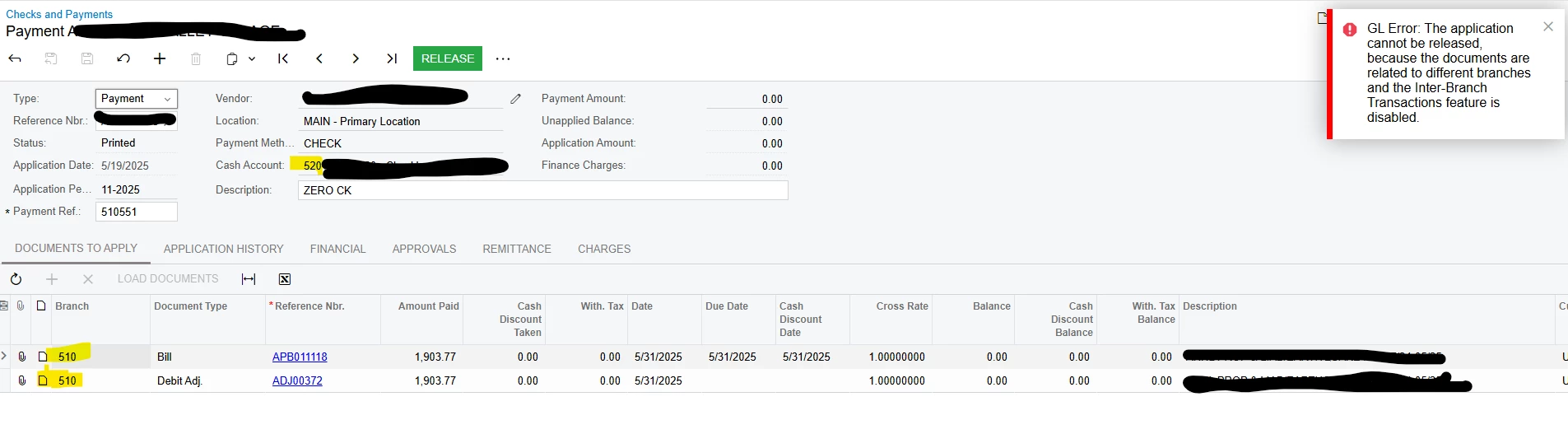
How can I correct this error? A staff member ran a payment with the wrong cash branch and invoices.
We did not purchase the inter-branch transaction feature. This is zero impact entry.
Best answer by mblassingame35
On the Release Payments screen, select either Reprint, or Reprint with new number. That should then allow to delete the payment from the Checks and Payments screen.
Enter your E-mail address. We'll send you an e-mail with instructions to reset your password.