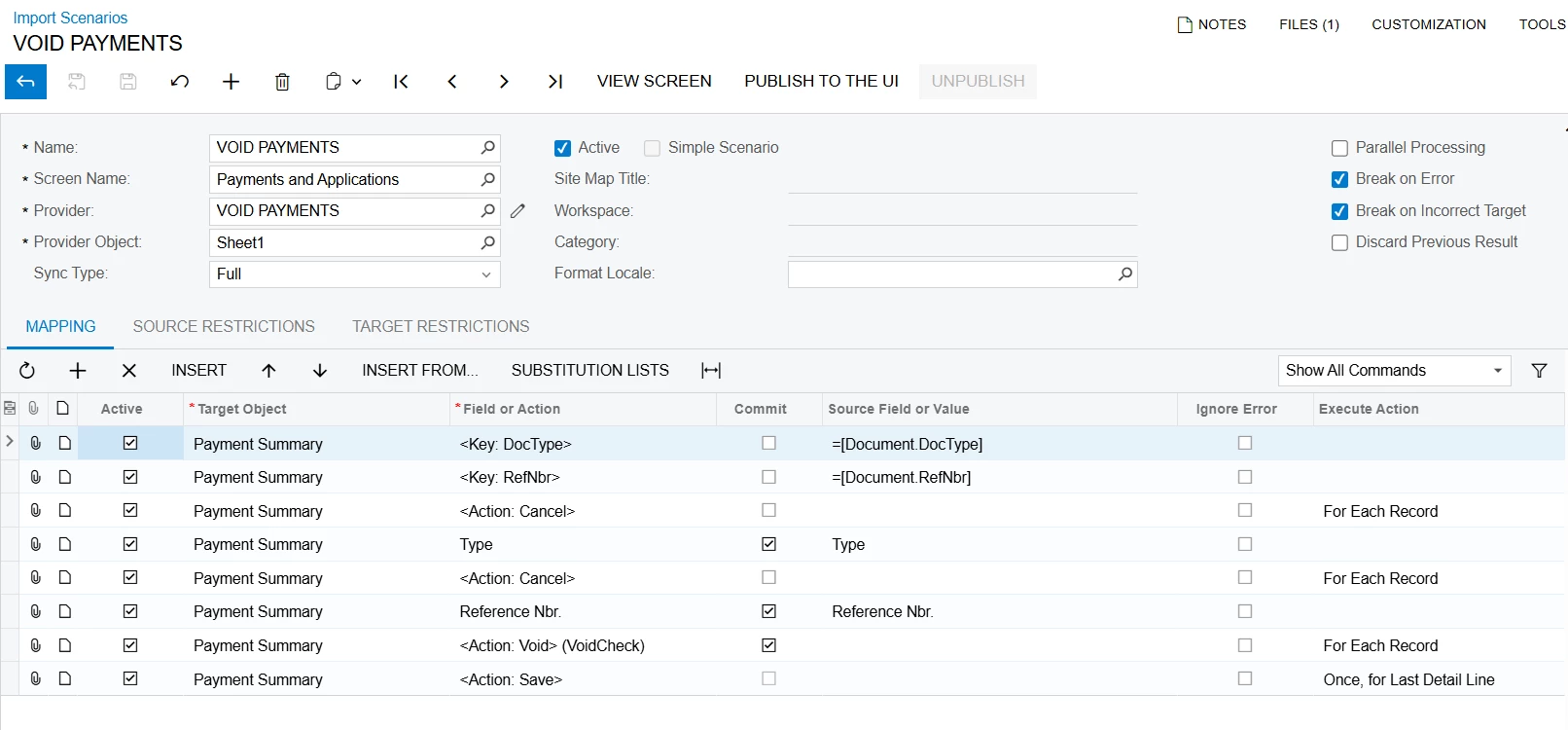
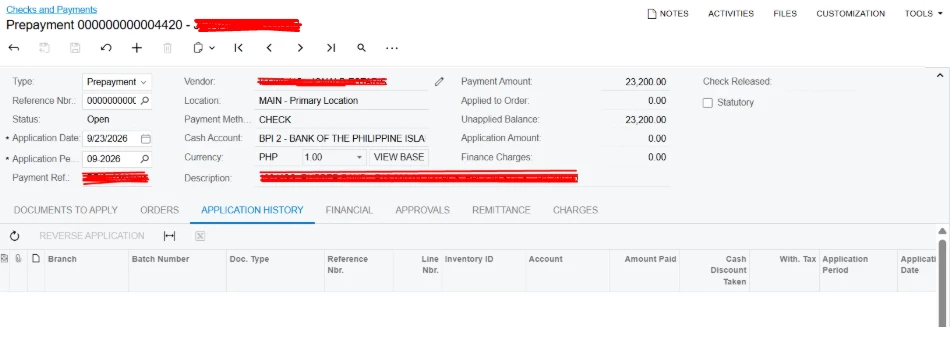
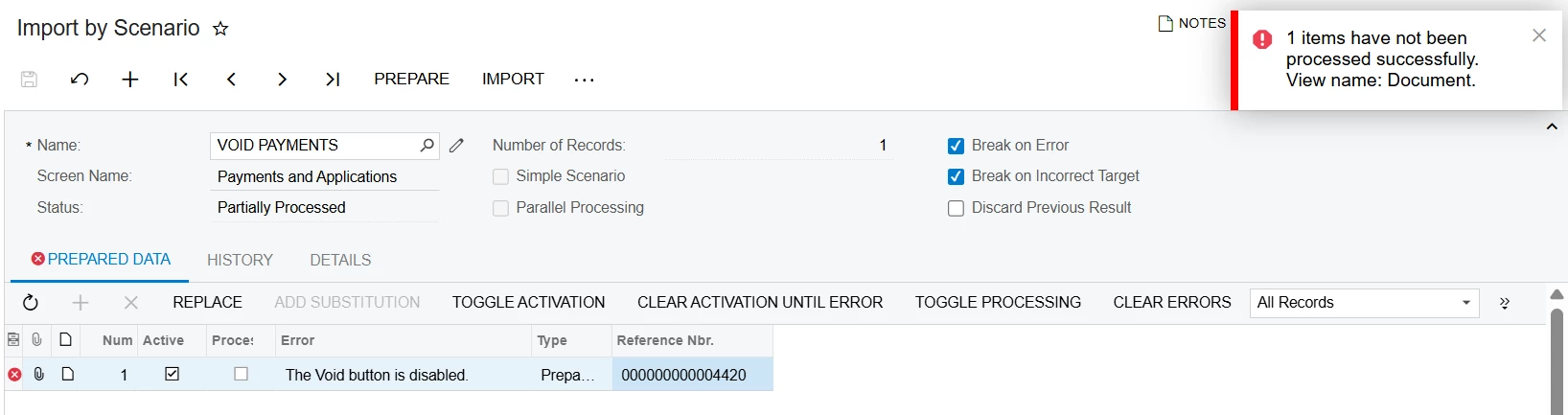
@Fie your scenario is built on the wrong screen. Check the Screen Name box in your first screenshot: it says Payments and Applications. That's the AR screen for customer payments. Your prepayment 000000000004420 is a vendor document on Checks and Payments, so the scenario is looking for a customer prepayment with that number instead of yours.
Create a new scenario with Screen Name set to Checks and Payments and keep the same mapping lines. I rebuilt your exact mapping both ways in a 2026 R1 test tenant. On Payments and Applications it failed with the same "The Void button is disabled." On Checks and Payments it voided the prepayment.
Two things to plan for.
Each void creates a Voided Payment with the same reference number, and the prepayment stays Open until that Voided Payment is released. If your Voided Payments come in On Hold (Hold Documents on Entry in AP Preferences does that), add <Action: Remove Hold> right after the Void line.
Don't add Release to the scenario. In my test it either errored or did nothing. Release them all at once on Release AP Documents (AP501000) instead. After that the prepayments show as Voided.
Try it on two or three prepayments before you run the whole list.