Answer

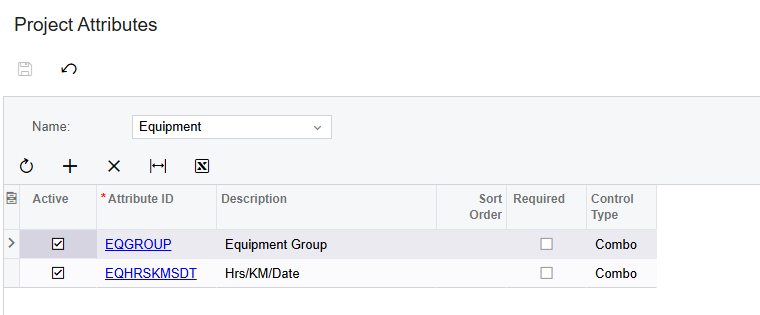
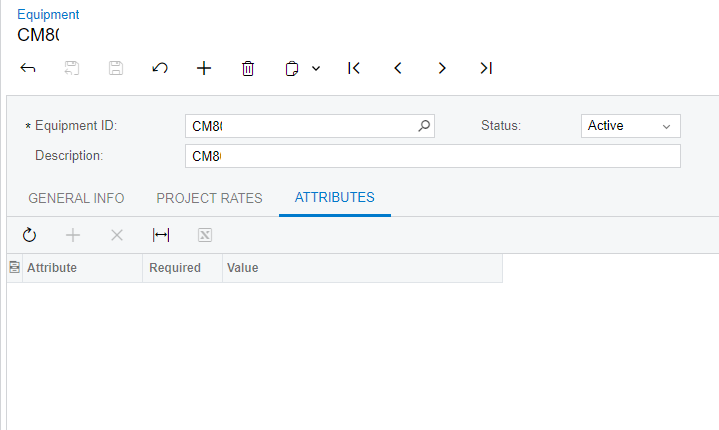
I created 2 attributes on the Attributes screen. How to add these attributes to the Equipment screen in Acumatica ?

  • August 26, 2024
  • 2 replies
  • 174 views

Forum|alt.badge.img


Best answer by iqraharrison

@skumar98 Hi! so funny, i was looking at this exact same issue earlier today.

I found another topic on the portal that explained that the attributes are only available in the service module is enabled.  If the service module is enabled, then you will need to add the attributes to the equipment type first.

Here’s the link to the post: 


2 replies

iqraharrison
Captain II
Forum|alt.badge.img+8
  • Captain II
  • Answer
  • August 26, 2024

@skumar98 Hi! so funny, i was looking at this exact same issue earlier today.

I found another topic on the portal that explained that the attributes are only available in the service module is enabled.  If the service module is enabled, then you will need to add the attributes to the equipment type first.

Here’s the link to the post: 


  • Freshman I
  • December 10, 2024

You define the attributes for Equipment on the Project Attributes form, after selecting Name = Equipment