Solved

How to set up Release button for certain users only?

  • May 3, 2022
  • 3 replies
  • 273 views
  • Translate All

Forum|alt.badge.img

For internal control purposes, how to restrict certain users from having access to “release” button for journal entries and have all JE release thru specific user only?

Thanks ahead.


Regards,

Aaren

Best answer by Naveen Boga

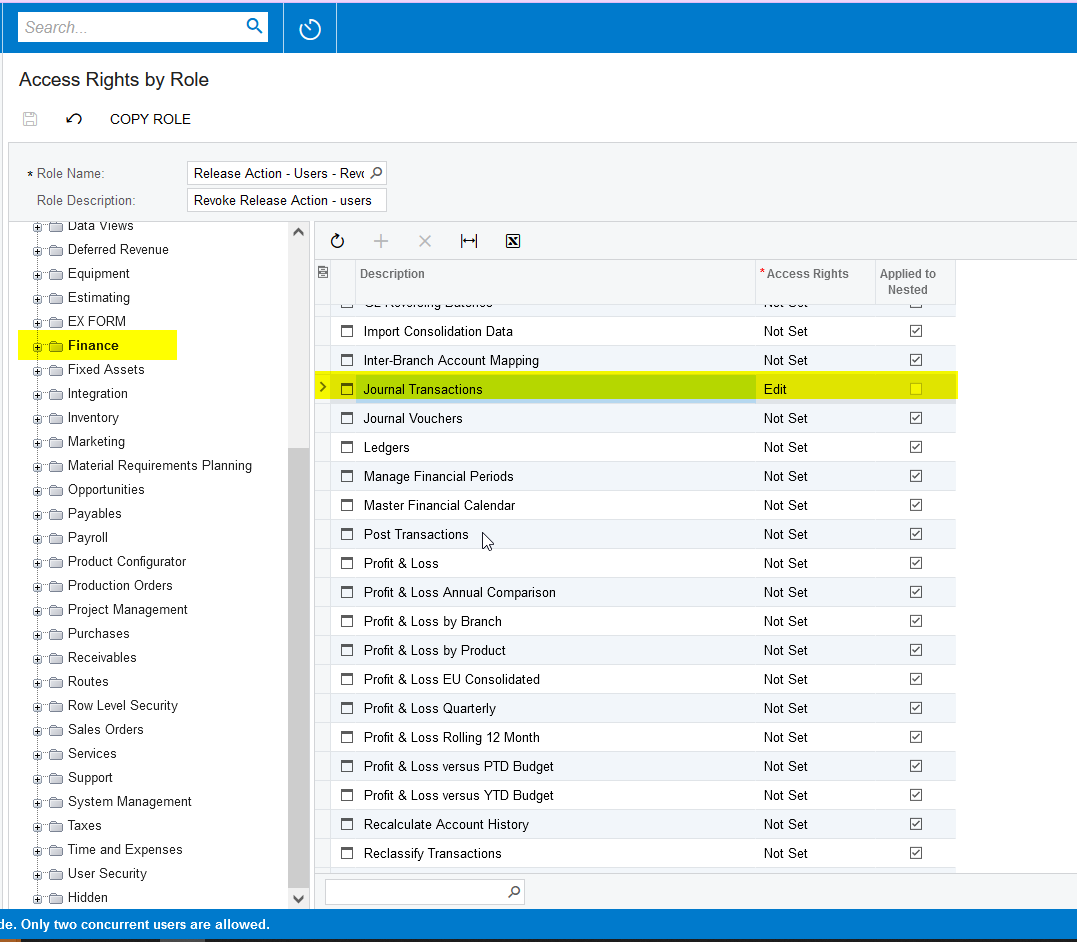
@atai  More details here, hope this helps you!!


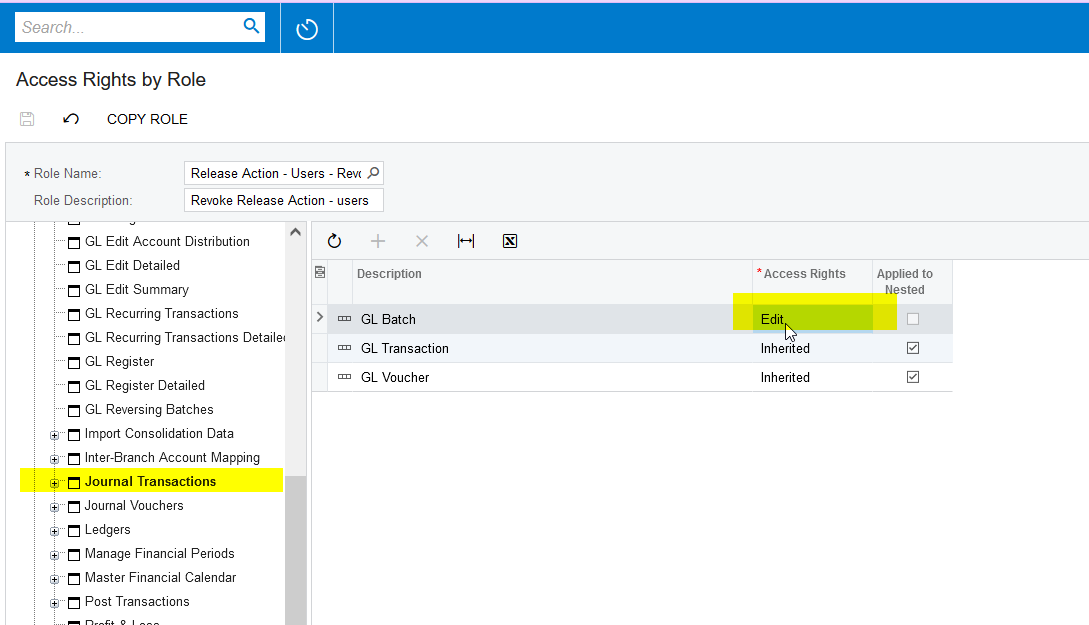
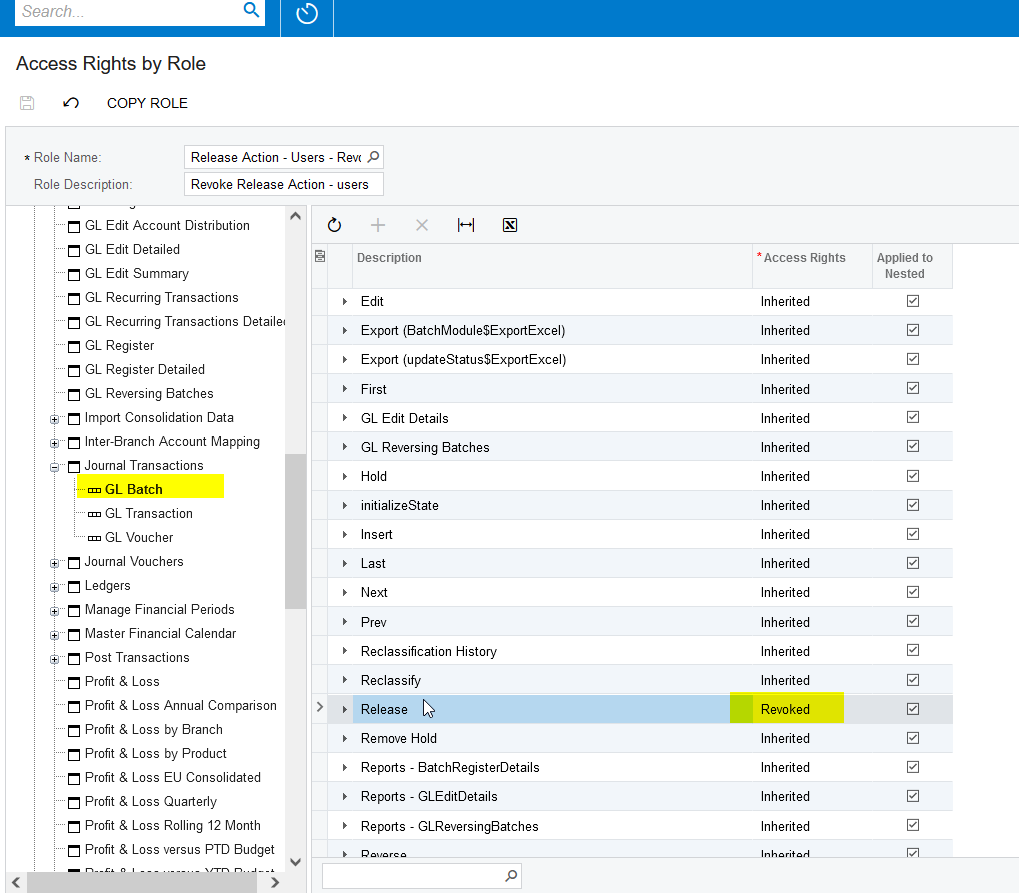
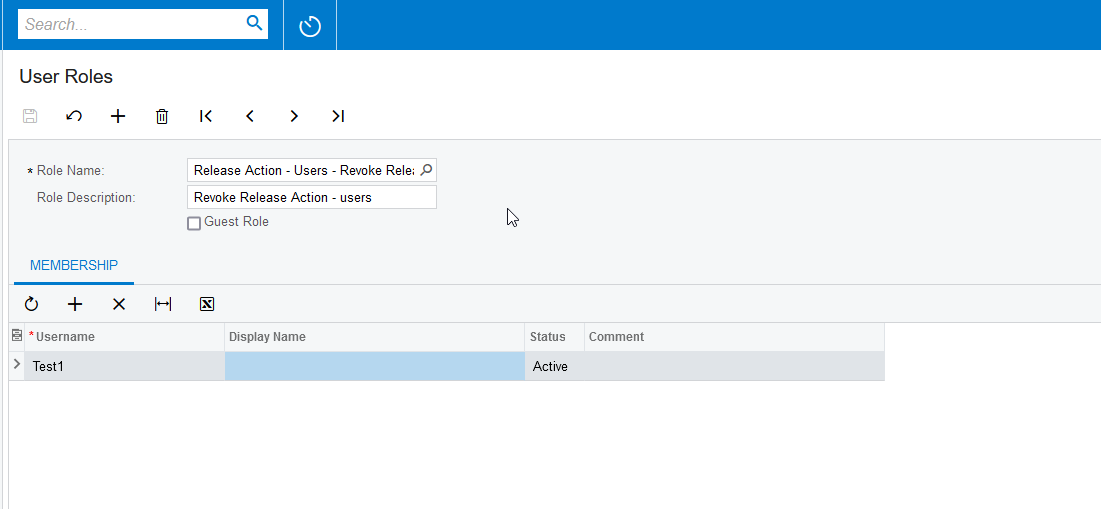
  1. I have created a ROLE, not to access the associated users.
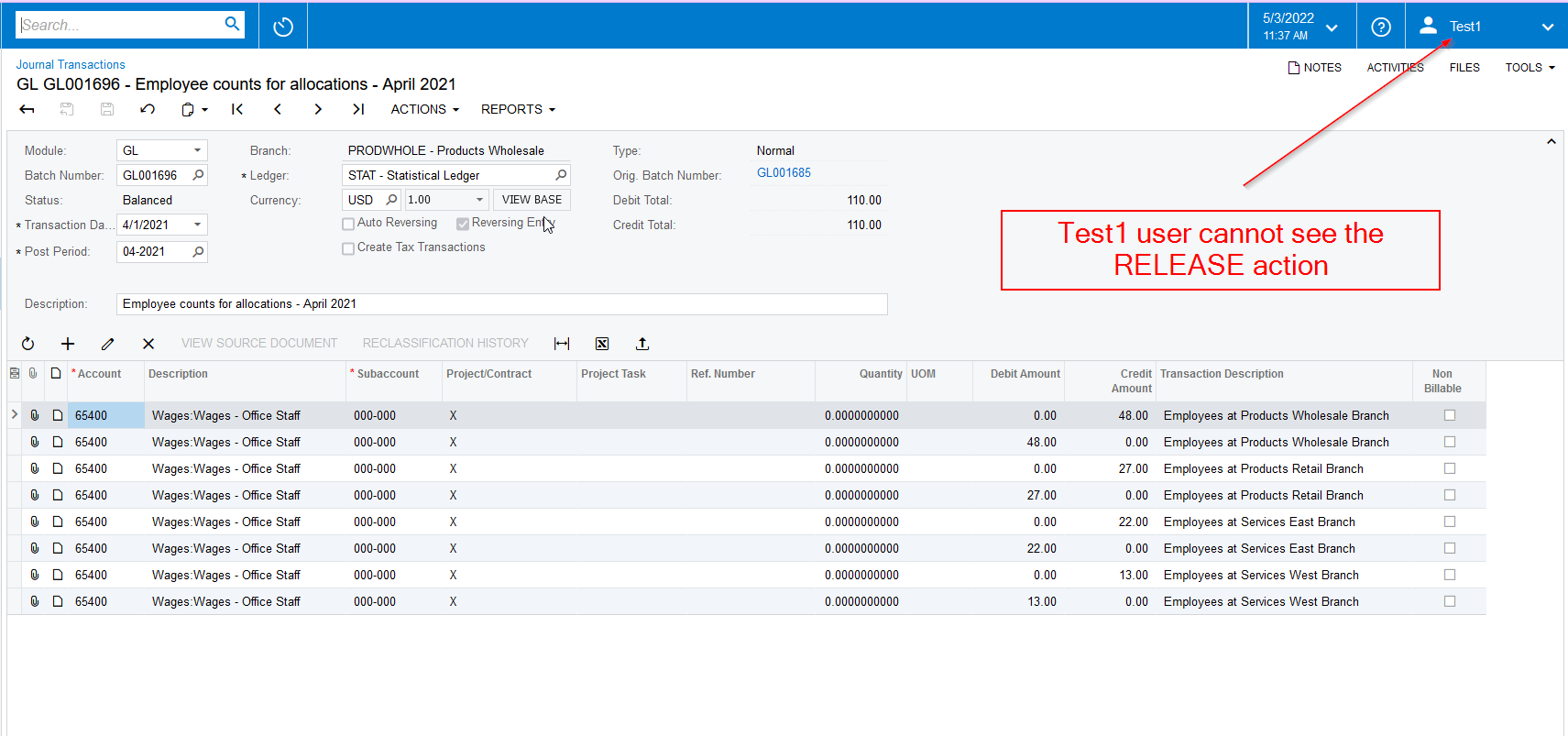
  2. Created Test1 user and assigned to the newly created role.
  3. In the Access Rights by role screen, revoked the Release action for this ROLE.

Please find the screenshots for reference.


View original

3 replies

Naveen Boga
Captain II
Forum|alt.badge.img+20

Hi @atai  Please create a new User ROLE, and assign this Role to the internal users only to access the RELEASE action in the access rights screen.

Translate

Forum|alt.badge.img
  • Author
  • Freshman I
  • May 3, 2022

Thank you, Naveen,

I am going to try it out!

Aaren

Translate

Naveen Boga
Captain II
Forum|alt.badge.img+20

@atai  More details here, hope this helps you!!


  1. I have created a ROLE, not to access the associated users.
  2. Created Test1 user and assigned to the newly created role.
  3. In the Access Rights by role screen, revoked the Release action for this ROLE.

Please find the screenshots for reference.


Translate