Question

How to Make ARM Column Set Values Dynamic Based on From/To Period Range?

  • February 11, 2026
  • 3 replies
  • 28 views

Forum|alt.badge.img

Hi,

I’m working on an ARM P&L Monthly report. My Column Set currently uses fixed Data Source periods (01, 02, 03 … 12).

I want to add StartPeriod and EndPeriod parameters and make the column values (not just headers) adjust dynamically based on the selected period range.

Example:
If StartPeriod = 2025-03 and EndPeriod = 2025-06, the report should only calculate/show Mar–Jun.

What is the correct way to achieve this in ARM?
Should I modify the Data Source, use Visible Formula, or handle it in the Report Definition?

Thanks in advance!

3 replies

Forum|alt.badge.img+1

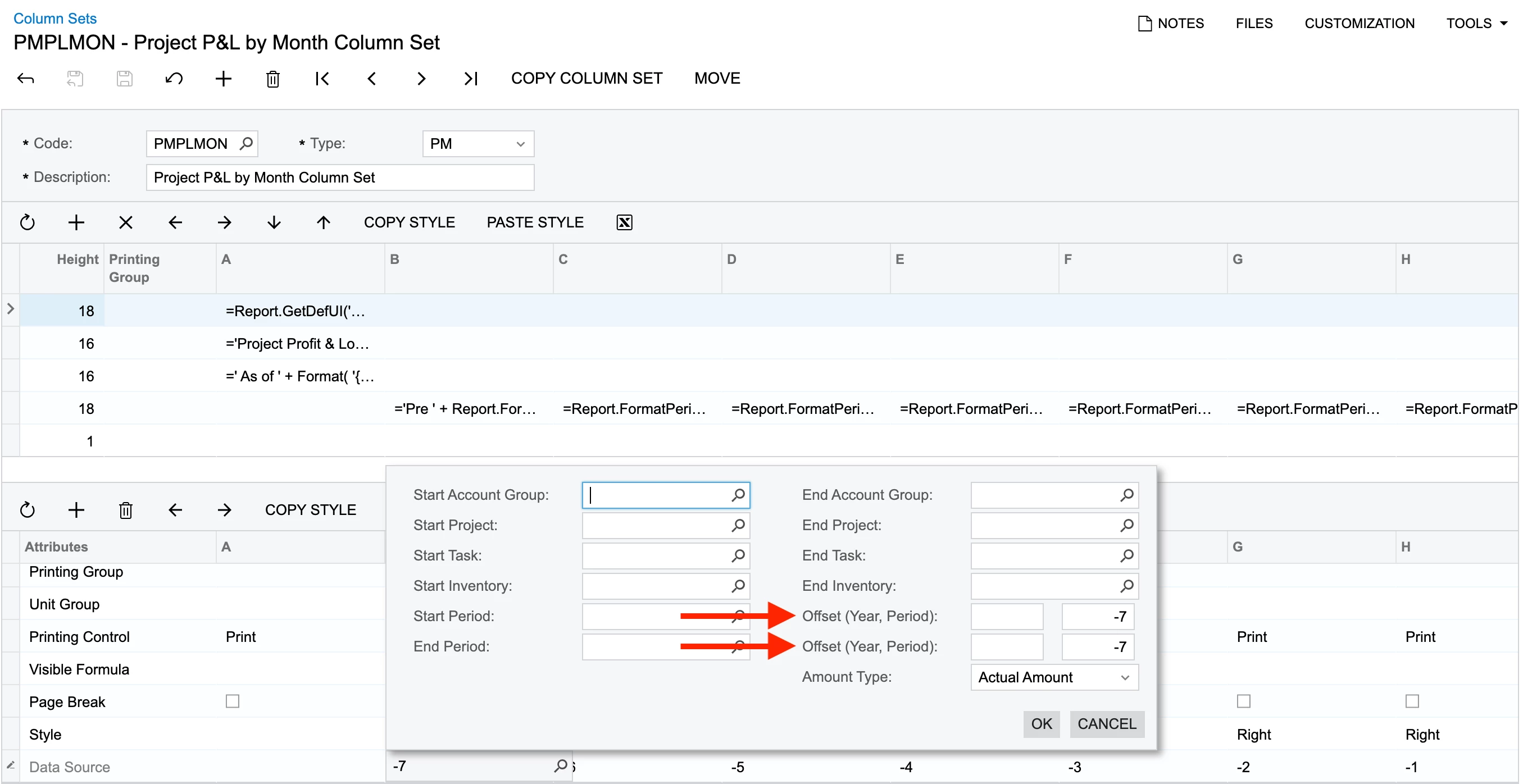
Hi ​@tharinduweerasooriya90 , in the column set screen we have the offset field to which we can define how the coulmn names should be displayed based in the start & end periods → the calculation for the Period section under the field.


Hope this helps!


Laura03
Captain II
Forum|alt.badge.img+20
  • Captain II
  • February 11, 2026

Hello ​@tharinduweerasooriya90 ,

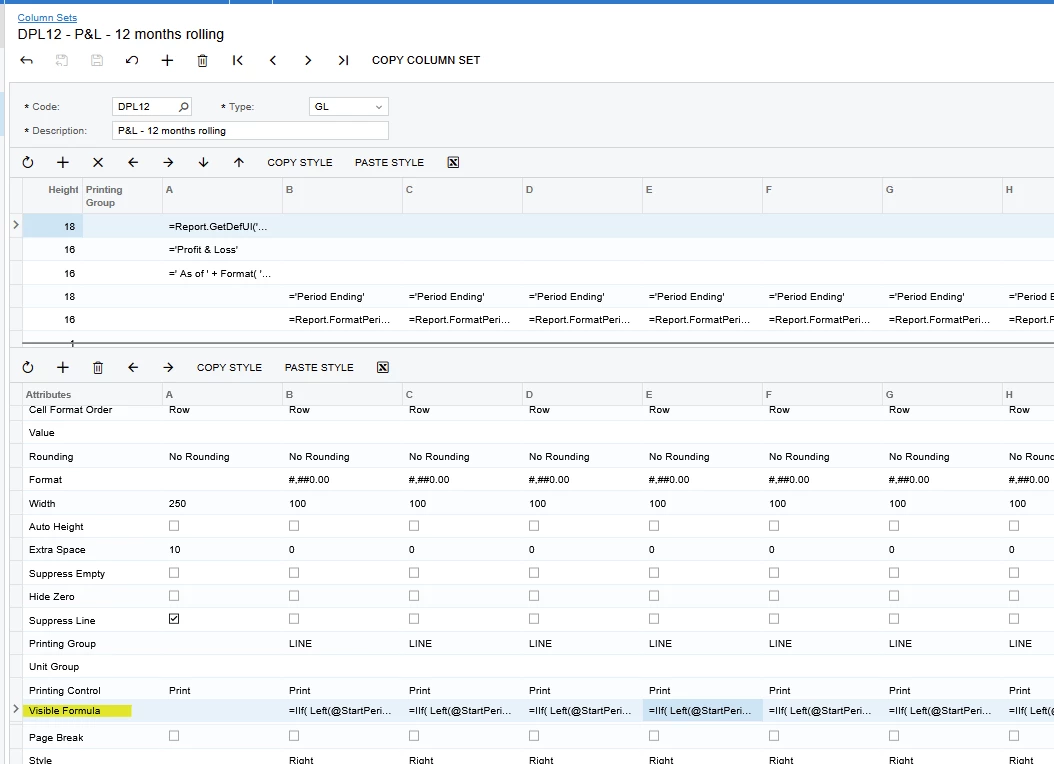
I tried, and failed to create a Profit & Loss report for a customer, where users can choose *any* begin/end period.  Visible Formula setting in the Column Set can control whether a column appears, based on the User Input.  Example:  =IIf( Left(@StartPeriod,2) =3, false, true)

Outcome:  In my case, the IIf statement required to consider *any* range of periods the user may enter was too large for the size limit on Visible Formula cell of Column Sets.

We used a 12-months Rolling column design instead, and it satisfied our customer.  You can find a good example of 12 Months Rolling in Acumatica’s Sales Demo tenant. I hope this helps you.


Laura03
Captain II
Forum|alt.badge.img+20
  • Captain II
  • February 11, 2026

Hi,

I am still thinking about your report and remembered seeing someone else provide a best answer to the same issue.  Please try the suggestion on this post.  Hope this helps you!