Solved

How to input Current Cost in the Stock Items

  • May 4, 2023
  • 5 replies
  • 403 views

Forum|alt.badge.img

Hi,

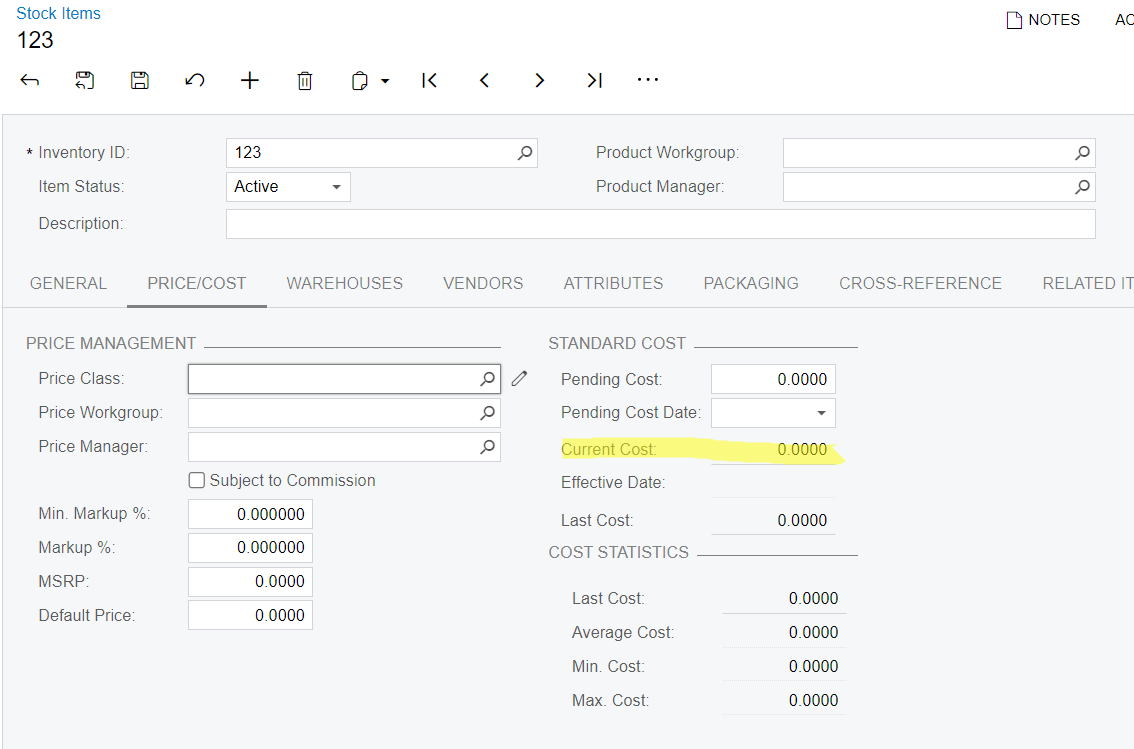
May I know the process on how to input the current cost of a stock item? I am using standard valuation method.
 Or is there other process outside the stock item fields to have the current cost.

Thanks.


Best answer by estebanperalta54

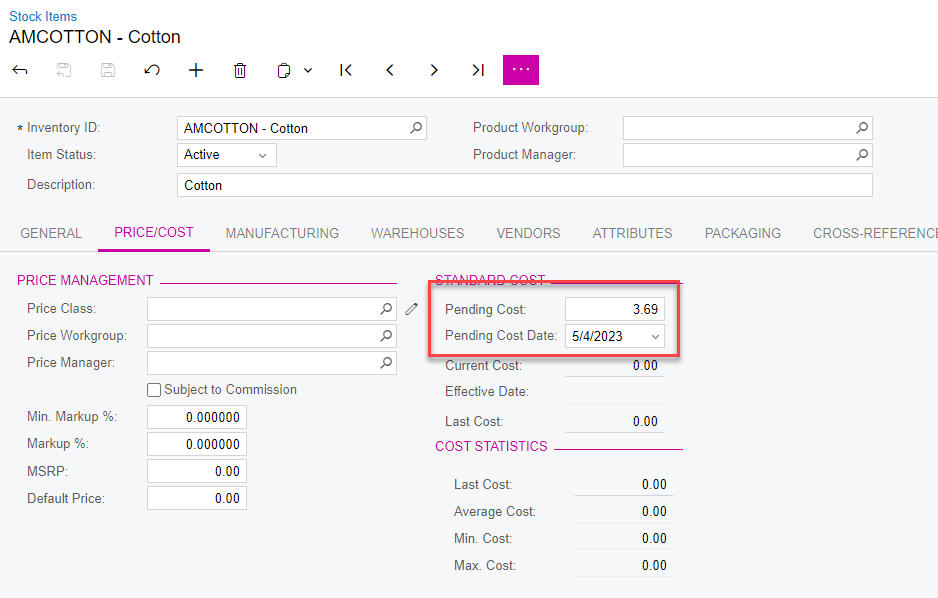
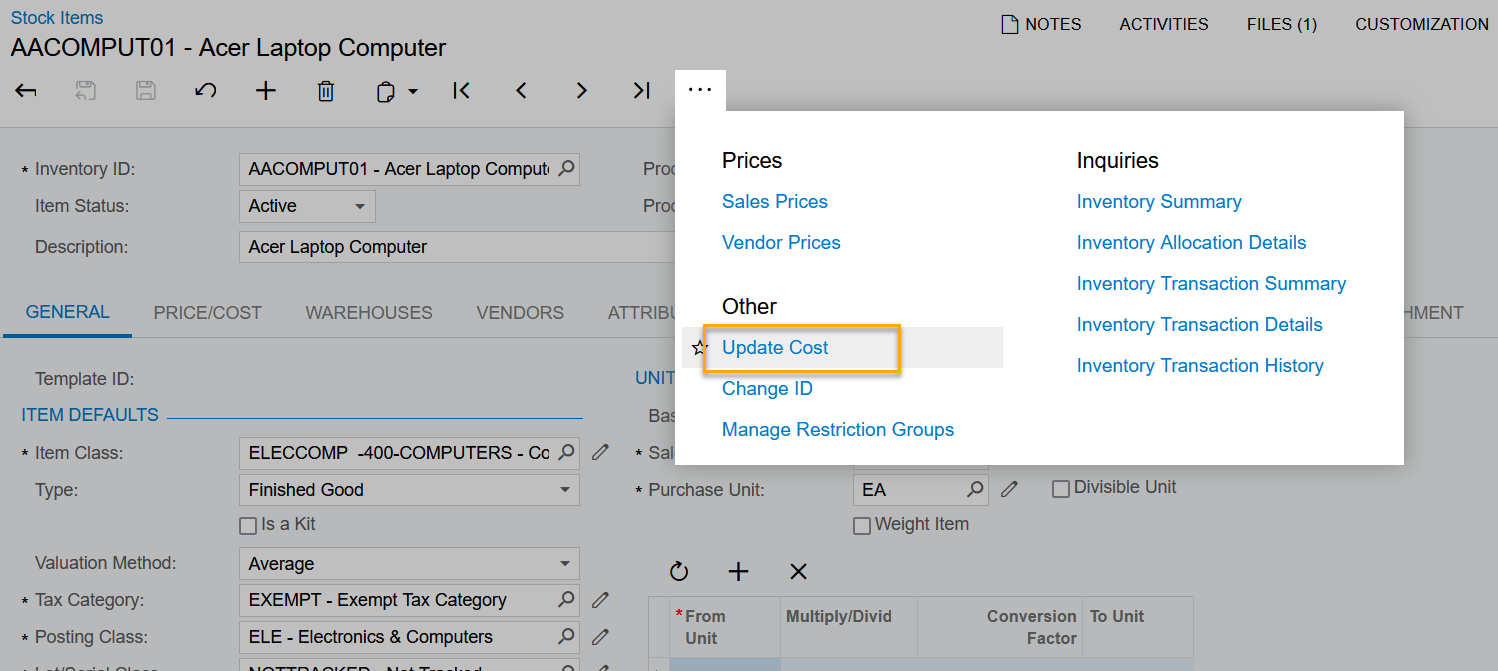
Hi @bernadeth58 make sure to run the update cost action to go into effect:
 

5 replies

estebanperalta54
Captain II
Forum|alt.badge.img+4

Hi @bernadeth58 make sure to run the update cost action to go into effect:


Kandy Beatty
Captain II
Forum|alt.badge.img+17

HI @bernadeth58 

Here is the help article for that:

https://help.acumatica.com/(W(14))/Help?ScreenId=ShowWiki&pageid=d2036919-67cb-44ca-ab1d-c9d92ed52af7

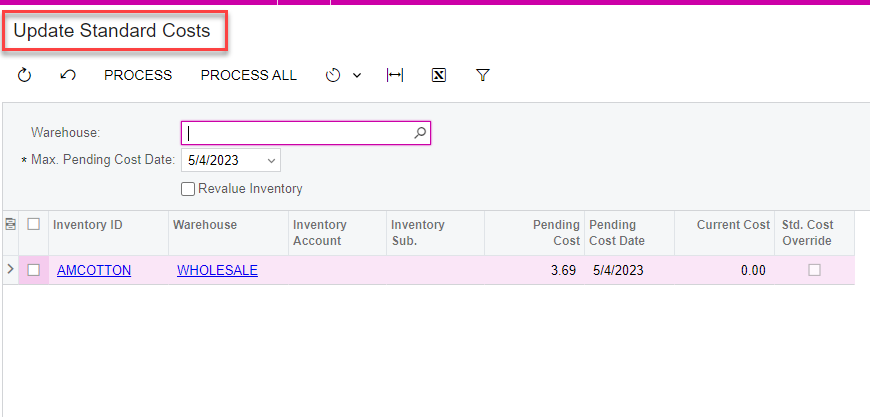
Along with what @estebanperalta54 you can run it for all items on update standard cost:

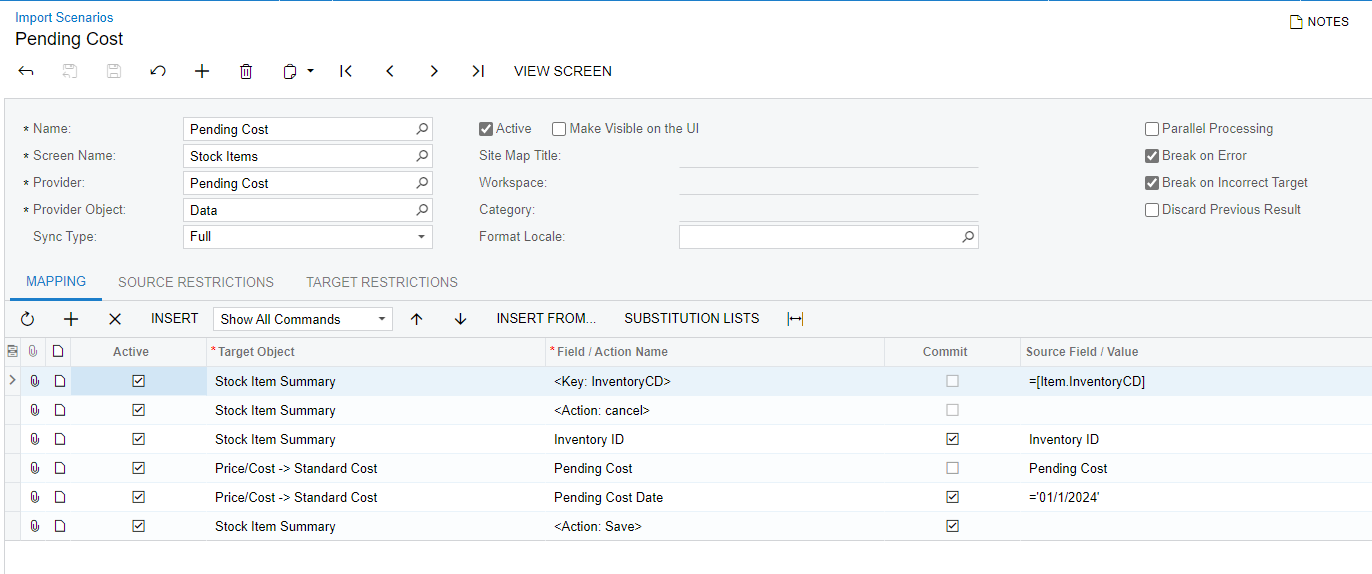
You can also write an import scenario to import all pending costs at once:


Naveen Boga
Captain II
Forum|alt.badge.img+19
  • Captain II
  • May 4, 2023

@bernadeth58  Yes,

  1. Provide the value in the Pending Cost field under the Standard Cost section
  2. Select the Pending Cost Date, from when you wanted to affect this Cost
  3. Click on the Update Cost to affect in the Acumatica system as as shown above. 

Forum|alt.badge.img
  • Author
  • Jr Varsity III
  • May 5, 2023

Thank you all! 


Forum|alt.badge.img
  • Jr Varsity III
  • December 8, 2023

HI @bernadeth58 

Here is the help article for that:

https://help.acumatica.com/(W(14))/Help?ScreenId=ShowWiki&pageid=d2036919-67cb-44ca-ab1d-c9d92ed52af7

Along with what @estebanperalta54 you can run it for all items on update standard cost:

You can also write an import scenario to import all pending costs at once:


we are interested in doing it this way. But do you know if it’s possible in the import scenario to also run the update cost as well? or is setting the pending cost and date sufficient for them to roll through as you would expect?


Thank you!

Julia