Solved

How to import several corporate cards into Acumatica?

  • April 28, 2025
  • 1 reply
  • 87 views
  • Translate All

Hello all,

I’m trying to find a way to import multiple corporate cards at once. My company has a lot of employees and each of them have a card that needs to be in the system. I see where you can enter each individual card, but I can’t find a way to mass-import all of these. Any help on this would be appreciated.

Thank you.
Best answer by nhatnghetinh

Hi ​@benmccabe 

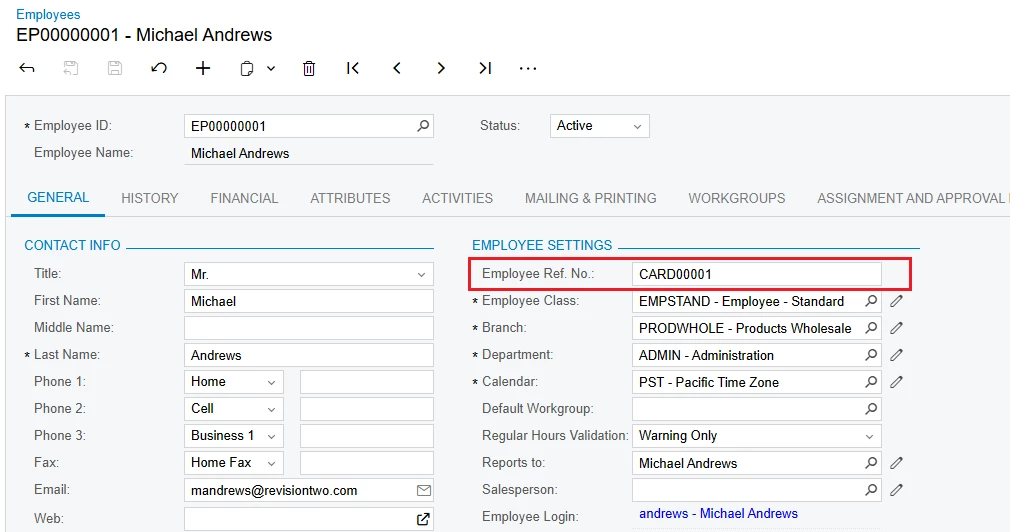
You will import "corporate cards" into the field "Employee Ref. No." on the Employees screen.


Step 1: Create a Generic Inquiry to create an excel template file for import. On GI you only need the main fields as below.


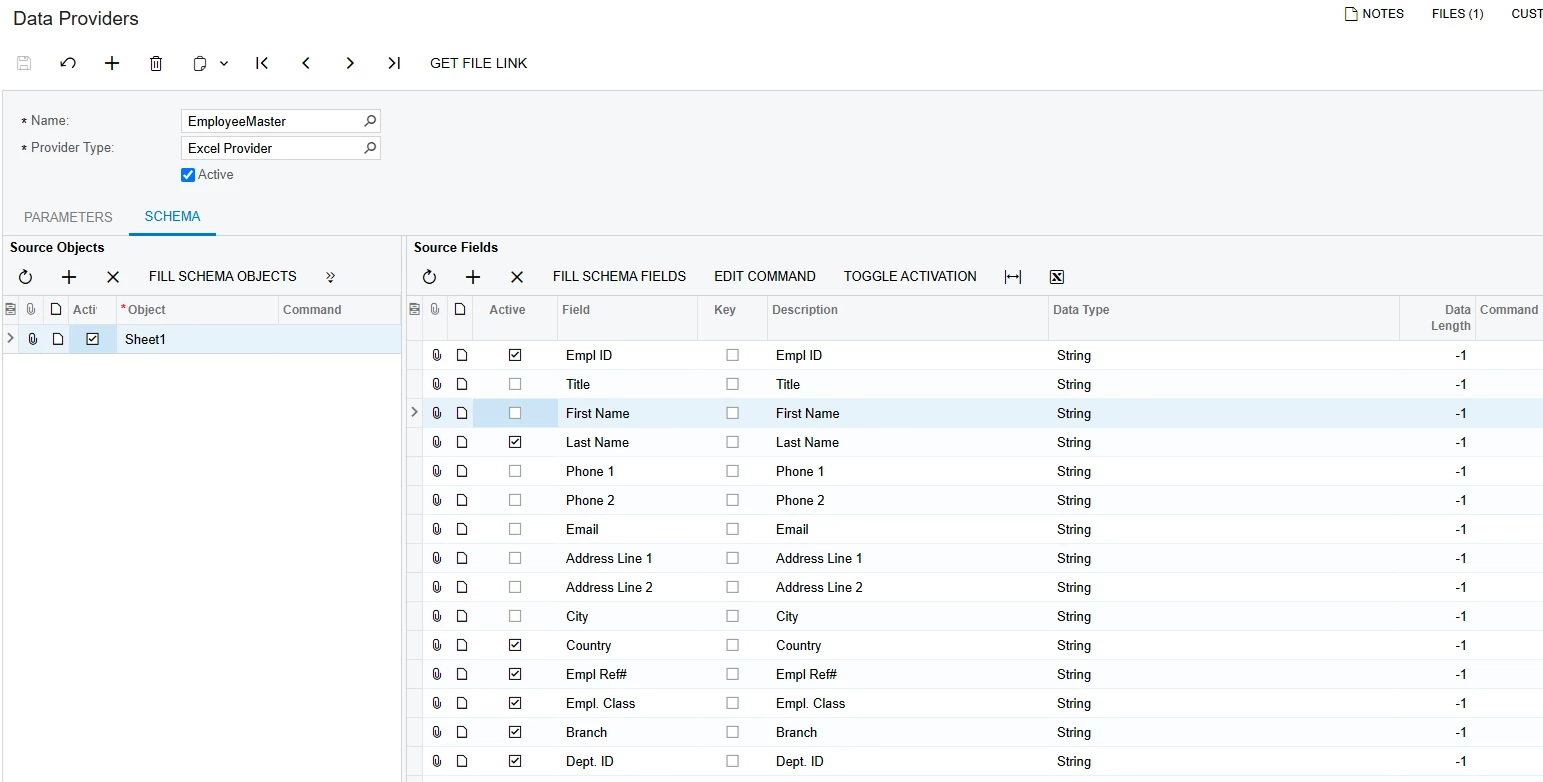
Step 2: Create Data Providers. Please import the XML file I attached (EmployeeMaster)


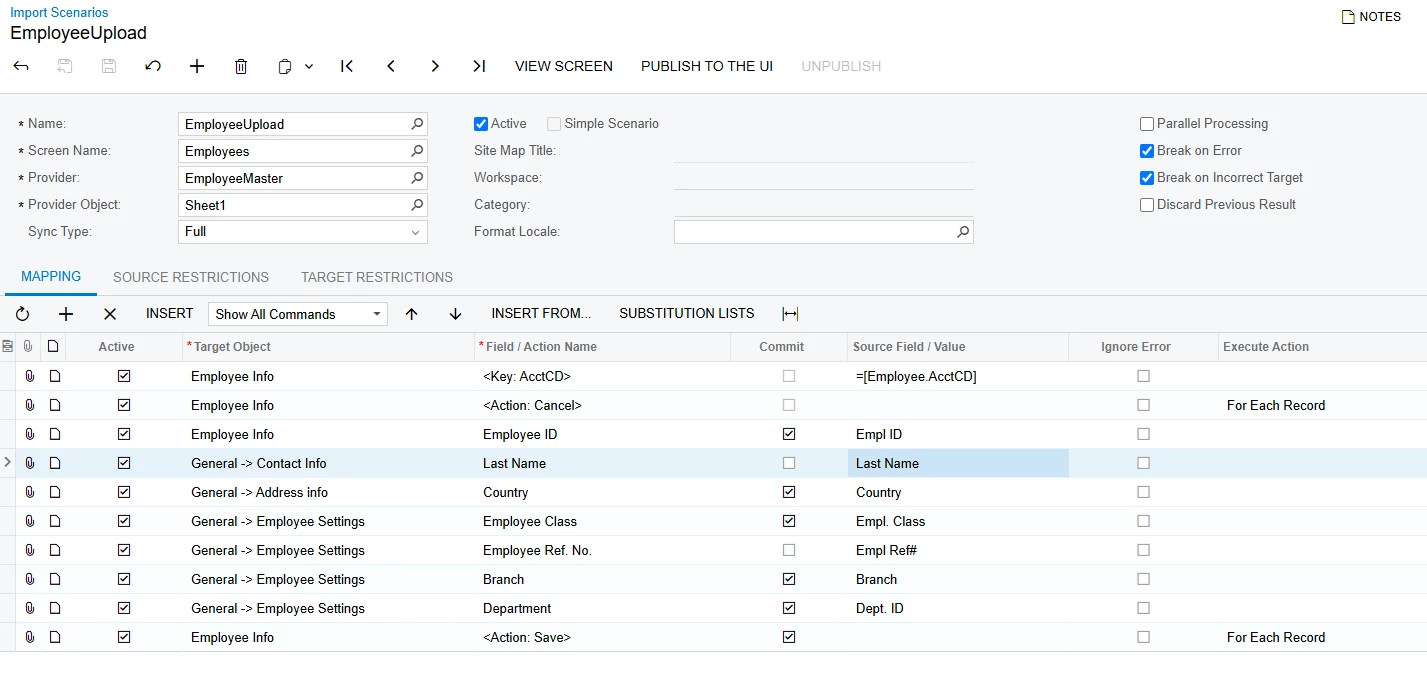
Step 3: Create Import Scenarios. Import the XML file I attached (EP203000-EmployeeUpload)


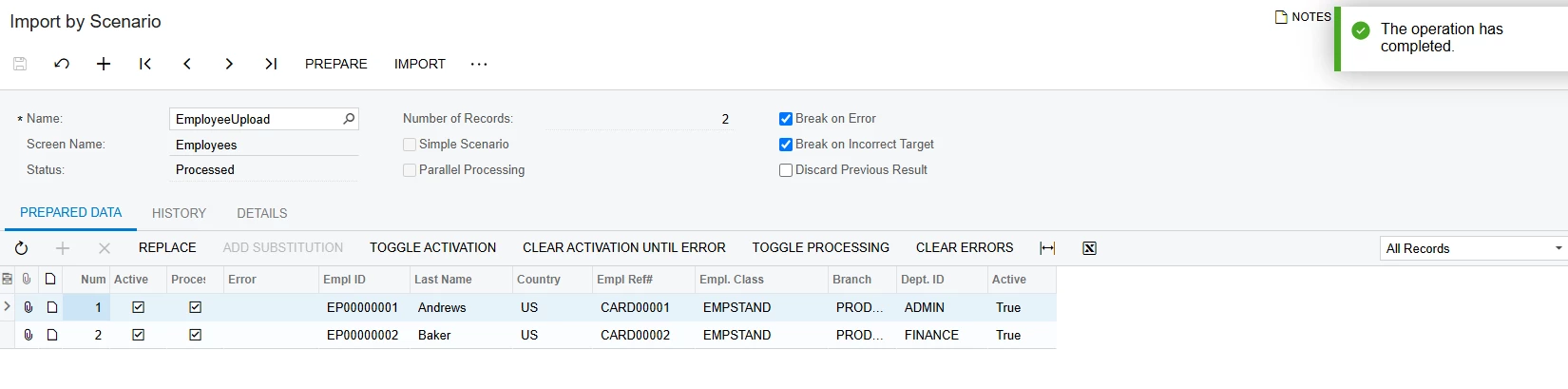
Step 4: Go to "Import by Scenario" screen > Import


Step 5: View results


Note: Only import the first 5 EmployeeIDs > Then see the results before mass importing.


Best Regards,

NNT

View original

1 reply

nhatnghetinh
Captain II
Forum|alt.badge.img+14

Hi ​@benmccabe 

You will import "corporate cards" into the field "Employee Ref. No." on the Employees screen.


Step 1: Create a Generic Inquiry to create an excel template file for import. On GI you only need the main fields as below.


Step 2: Create Data Providers. Please import the XML file I attached (EmployeeMaster)


Step 3: Create Import Scenarios. Import the XML file I attached (EP203000-EmployeeUpload)


Step 4: Go to "Import by Scenario" screen > Import


Step 5: View results


Note: Only import the first 5 EmployeeIDs > Then see the results before mass importing.


Best Regards,

NNT

Translate