Question

How to get "Total of all Debit Balance Account " for a Account Class in ARM report

  • August 25, 2025
  • 10 replies
  • 116 views

bigil
Freshman II
Forum|alt.badge.img

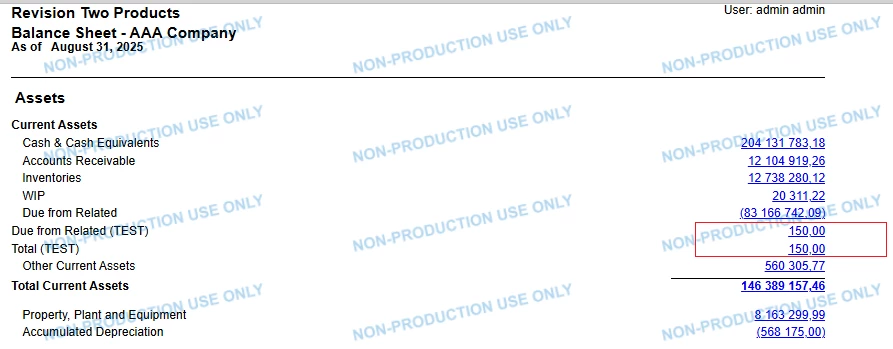
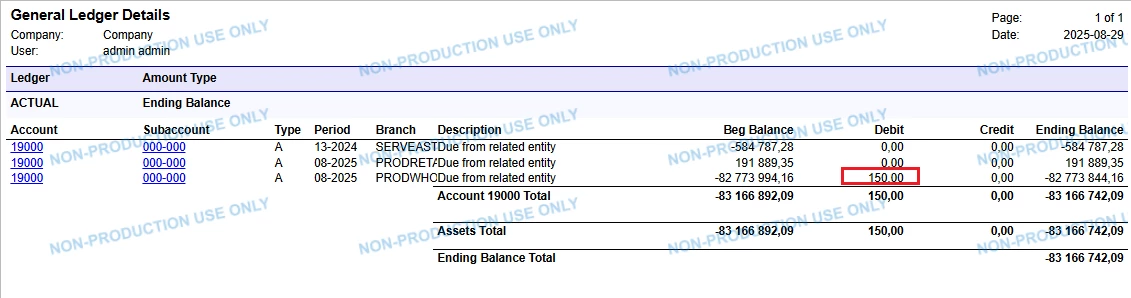
I am creating a Balance sheet .  Is it possible to show “Sum of all Debit Balance Totals”  in one Row. ?

Example

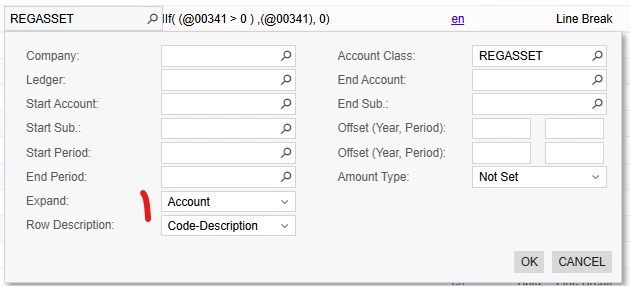
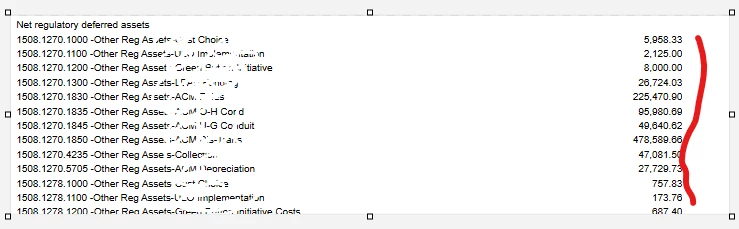
Row 00341 - Net regulatory deferred assets**formula - listing all Debit Account Balance. Which is correct .

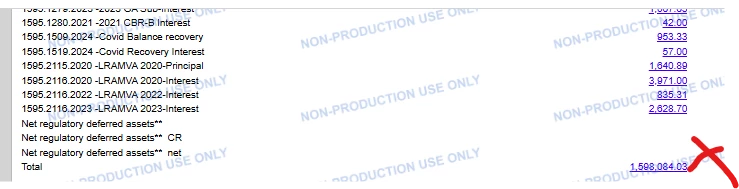
But when the Row 00350 is not showing the correct Total Value . It is just showing Total of “Ending Balance of Row 00341 .

I need the Sum of each Expanded Account Balance which is showing on the below screen based on Value formula given on Row 00341 ( IIf( (@00341 > 0 ) ,(@00341), 0) )

Is it possible in ARM ?


10 replies

nhatnghetinh
Captain II
Forum|alt.badge.img+11
  • Captain II
  • August 26, 2025

Hi ​@bigil 

I tested and got the result as you expected.
Please try again as follows:
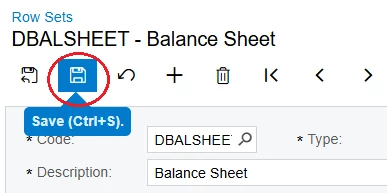
On the Row Sets screen => Click SAVE
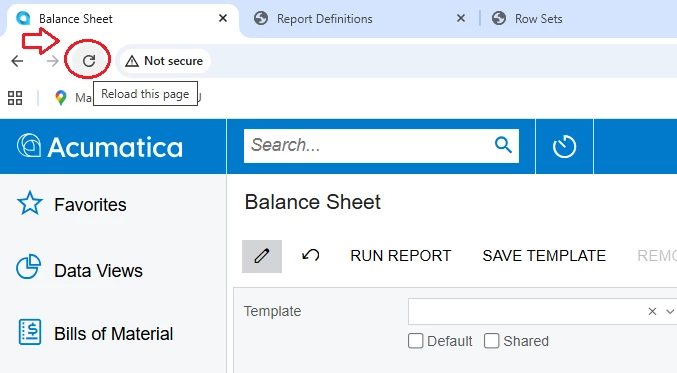
On the Balance Sheet Report => Click Reload website before RUN REPORT


Best Regards,

NNT


bigil
Freshman II
Forum|alt.badge.img
  • Author
  • Freshman II
  • August 26, 2025

Hi ​@bigil 

I tested and got the result as you expected.
Please try again as follows:
On the Row Sets screen => Click SAVE
On the Balance Sheet Report => Click Reload website before RUN REPORT


Best Regards,

NNT

Sorry I did not follow. Did you miss some steps while coping?.


bigil
Freshman II
Forum|alt.badge.img
  • Author
  • Freshman II
  • August 26, 2025

Sorry I did not follow. Did you miss some steps while coping?.


nhatnghetinh
Captain II
Forum|alt.badge.img+11
  • Captain II
  • August 27, 2025

Hi ​@bigil 

I mean I tested and got the result as you expected.
I just remind you => on the Row Sets screen => Click SAVE after executing the formula for the rows.


Then on the Balance Sheet Report => Click Reload website before RUN REPORT.


Best Regards,

NNT


bigil
Freshman II
Forum|alt.badge.img
  • Author
  • Freshman II
  • August 27, 2025

These  steps were already done. That is not the issue .

The Totals on row  00350 is wrong . System always bring the Ending Balance , it is not considering the Screen Formula Value.


nhatnghetinh
Captain II
Forum|alt.badge.img+11
  • Captain II
  • August 28, 2025

Hi ​@bigil 

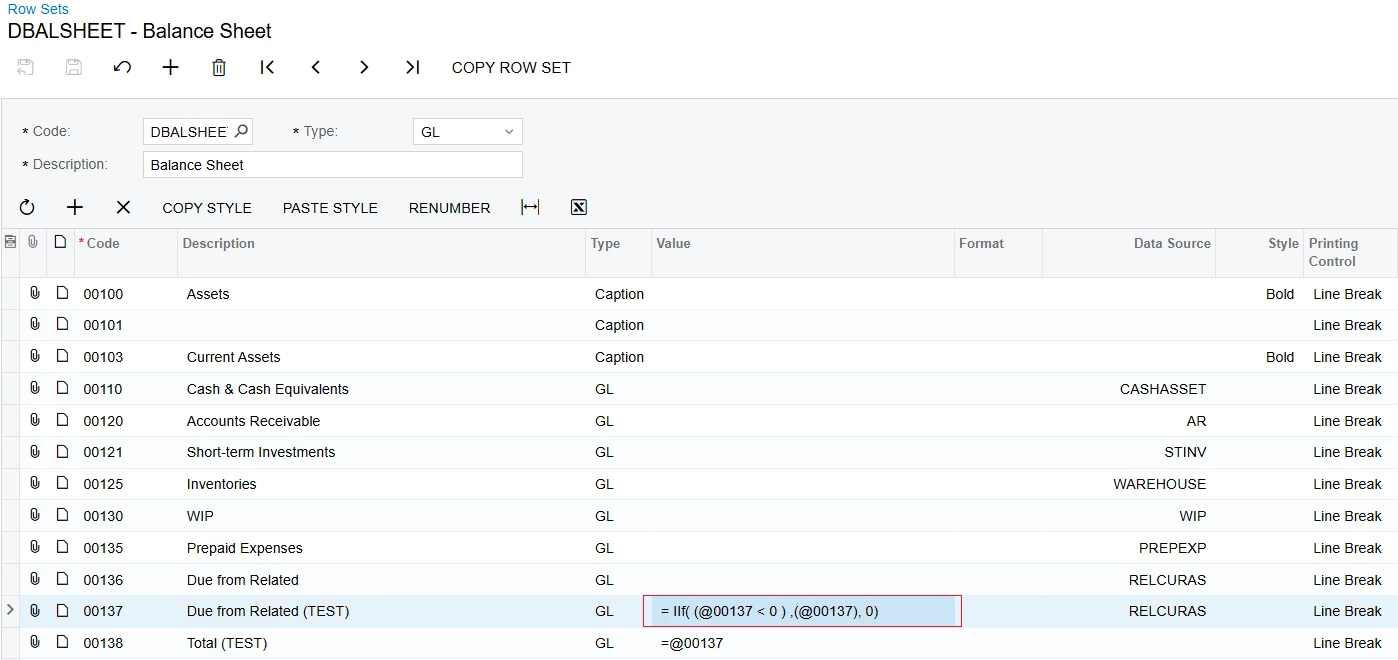
I send you my test script as follows

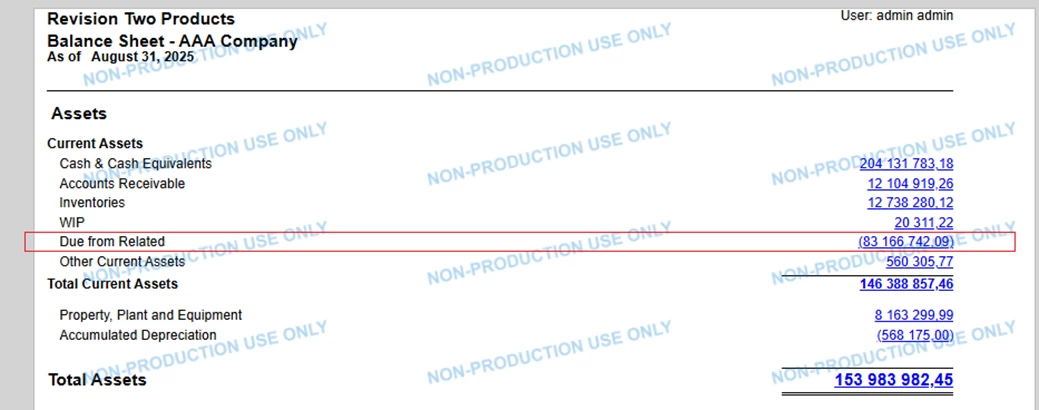
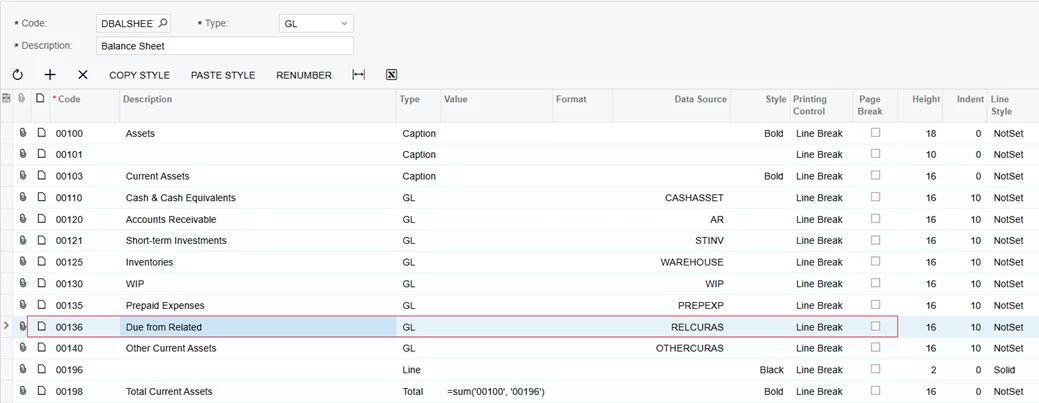
1/. Initial data has not applied the formula like yours. The test data has the line "Due from Related"


2/. The formula is applied as yours and the test result.

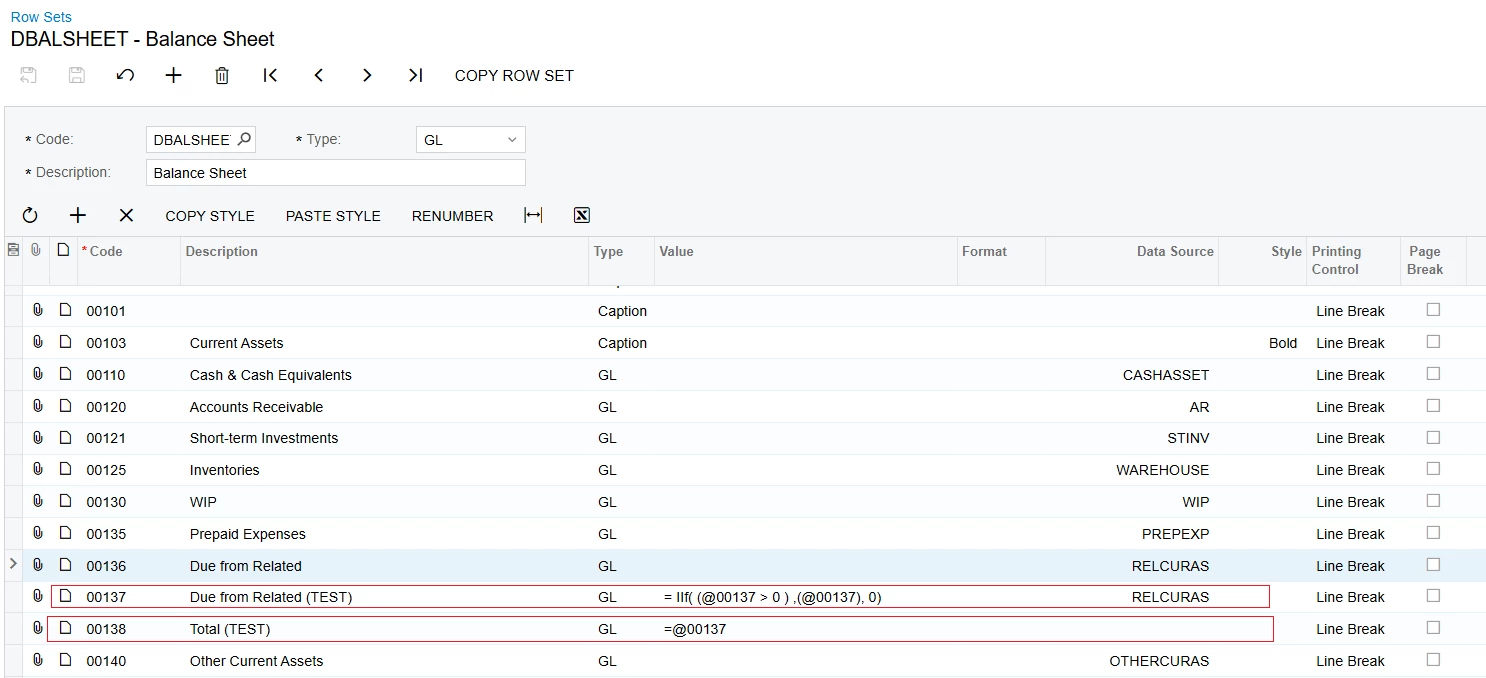
  • I create 2 more lines 00137 & 00138. and create the formula like yours.

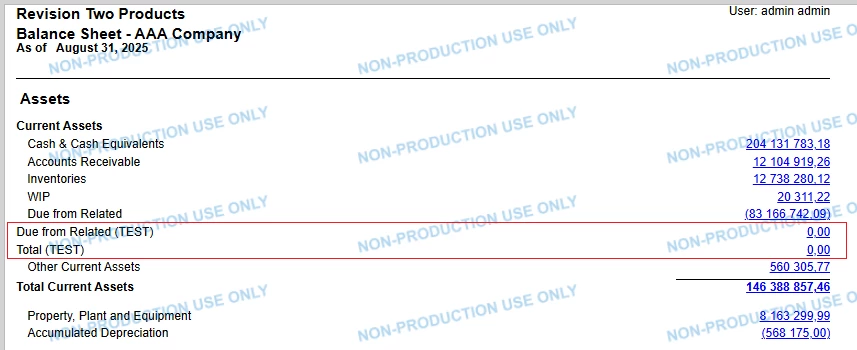
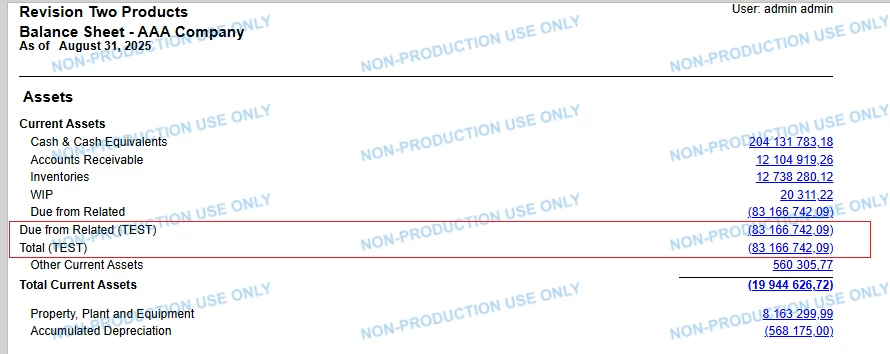
The result is as follows.


  • Change the formula for line 00137


The result is as follows.


You see both test scripts give the results as you expected.


Best Regards,

NNT


bigil
Freshman II
Forum|alt.badge.img
  • Author
  • Freshman II
  • August 28, 2025

Your case is different . You are checking If Net Account Balance is  + then show it on one line and if it is -ve show it in another line .


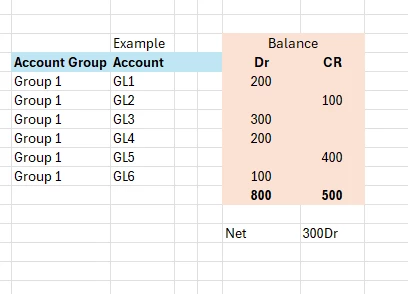
What I need is Sum of all the GL account with Dr Balances in the Account Class. System is listing these GL accounts in Rows but the Total Value is wrong.

In below example

I look for the Value Total 800 in Total Line  , but system gives the Value Net 300Dr.

hope this helps ?


nhatnghetinh
Captain II
Forum|alt.badge.img+11
  • Captain II
  • August 29, 2025

Hi ​@bigil ,

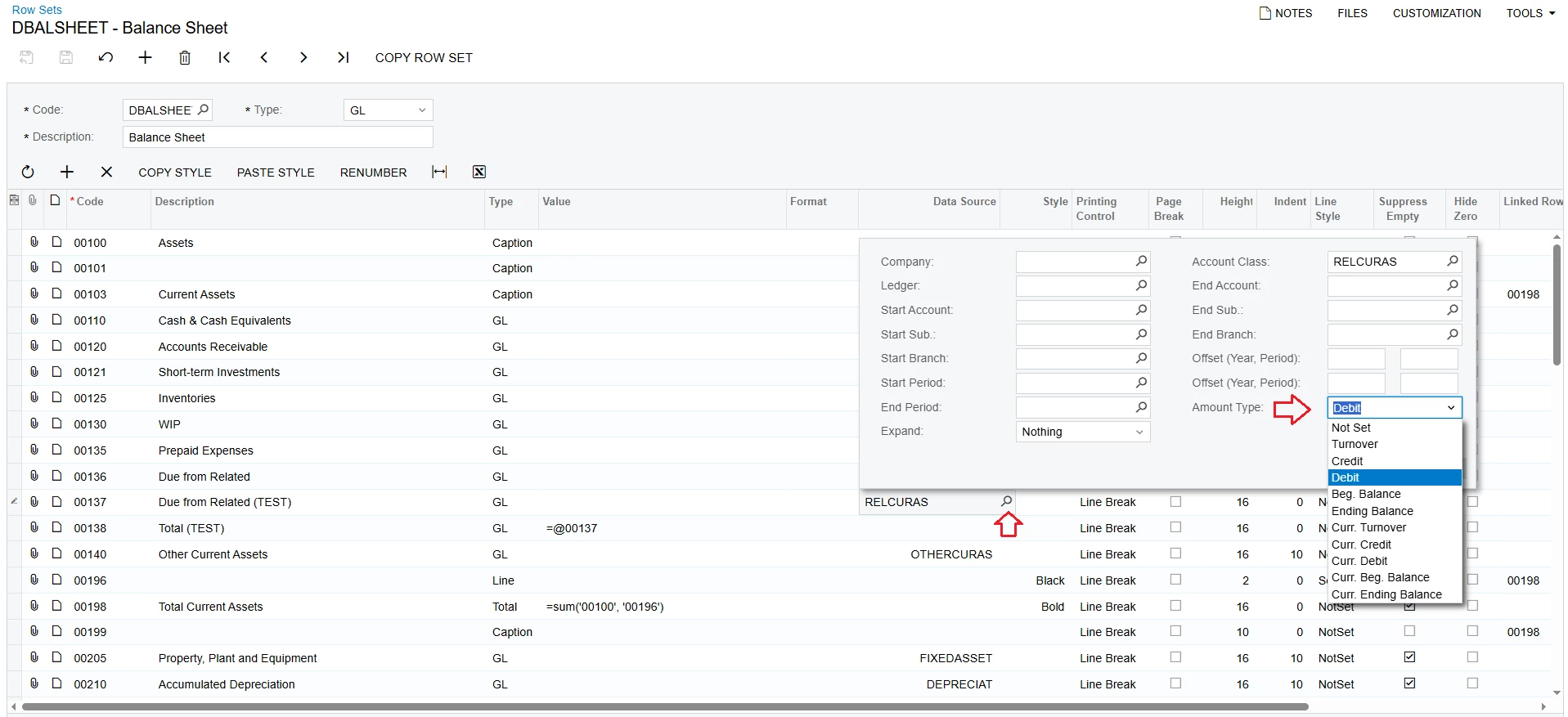
Try selecting Amount Type in Data Source as shown in the screenshots below.

Note that the formula in Value does not use.


The result is as follows.


Best Regards,

NNT


bigil
Freshman II
Forum|alt.badge.img
  • Author
  • Freshman II
  • August 29, 2025

This wont work . This will show only the “Total of all Debit “  ,

What I need is the “Total of all GL with Debit Balances”  


Chris Hackett
Community Manager
Forum|alt.badge.img
  • Acumatica Community Manager
  • September 26, 2025

Hi ​@bigil were you able to find a solution? Thank you!