Answer

How to format "Expand" results in report designer

  • September 22, 2025
  • 1 reply
  • 44 views

nmizzell9000
Varsity I
Forum|alt.badge.img

Hi Acumatica!

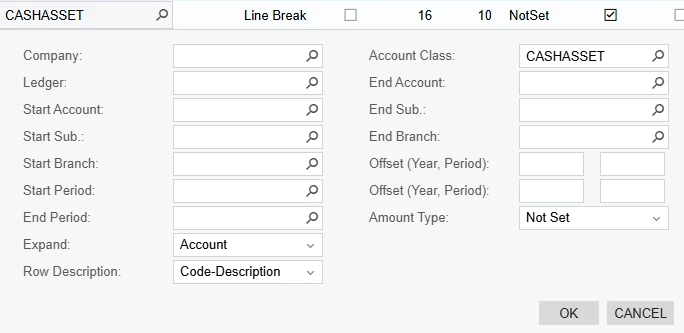
In my row sets → data source section, I chose expand code-description for a range of GL codes.

How can I remove the spaces between the last digit of the GL code and the dash? The way it currently displays the GL codes looks awkward.
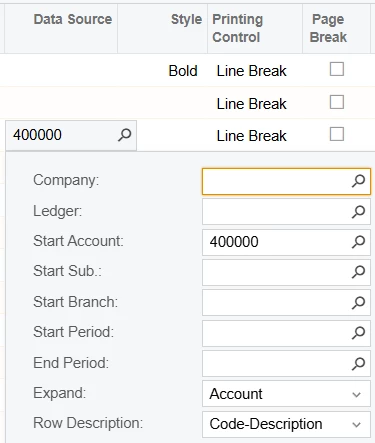
selected code-description to expand the GL codes for a range of GLs
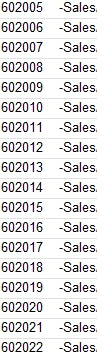
Output places 4 spaces between last digit of GL code and first letter of GL Description. I'd like to remove these spaces.

Thanks!

Best answer by nhatnghetinh

Hi ​@nmizzell9000 

Maybe you are using an older version of Acumatica. I see Version 2020, 2021 display like that.

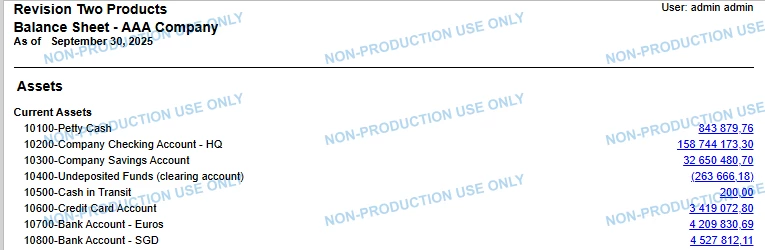
The screenshot below is from Acumatica Version 2024R1. This Code-Description Field is hardcoded and cannot be edited.


This report belongs to ARM Report, not Report Designer as you said. The advantage of ARM Report is that it is easy to use, the limitation is that it cannot be customized like Report Designer.


Best Regards,

NNT

1 reply

nhatnghetinh
Captain II
Forum|alt.badge.img+11
  • Captain II
  • Answer
  • September 23, 2025

Hi ​@nmizzell9000 

Maybe you are using an older version of Acumatica. I see Version 2020, 2021 display like that.

The screenshot below is from Acumatica Version 2024R1. This Code-Description Field is hardcoded and cannot be edited.


This report belongs to ARM Report, not Report Designer as you said. The advantage of ARM Report is that it is easy to use, the limitation is that it cannot be customized like Report Designer.


Best Regards,

NNT