How to disable Action buttons (Pay, Void) on AR301000 for a Read-Only role?

  • September 3, 2026
  • 5 replies
  • 55 views

Hi community,

I need to configure a custom role (Fact Viewer) that should have Read-Only access to Invoices and Memos (AR301000) and Shipments (SO302000).

The issue is that even though the screen access is set to View Only, when users open an existing invoice, certain Action buttons (like Pay, Void, etc.) in the toolbar are still visible and enabled.

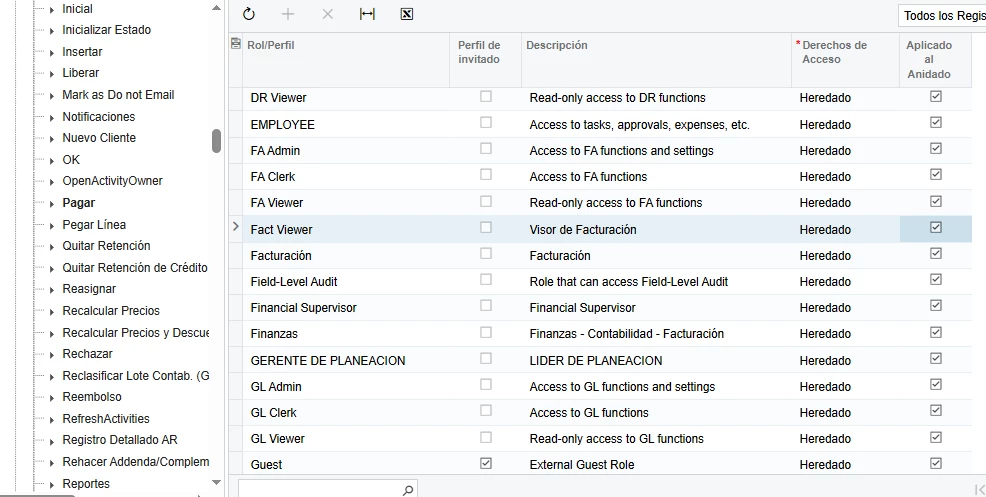
When I try to restrict these actions specifically in Access Rights by Role (SM201025), expanding the AR301000 node does not display the individual Action members to set them to Revoked.

  • User has no other overlapping roles.

  • Setting screen permissions to View Only didn't hide toolbar actions driven by the underlying workflow.

What is the recommended way to fully hide or disable toolbar actions for a read-only role without breaking the screen workflow? Is this achievable via standard security configuration or required through a Workflow customization / Graph extension?

Thanks in advance!
5 replies

jinin
Pro I
Forum|alt.badge.img+12
  • Pro I
  • September 3, 2026

Hi ​@Ariyair 

The standard security configuration won’t fully handle this. AR301000 and SO302000 are workflow-driven, and the workflow reapplies the action visibility and enabled state for each status at runtime, which overrides the access rights settings.

Could you please try the sample below once?

public class ARInvoiceEntry_Ext : PXGraphExtension<ARInvoiceEntry>
{
    public static bool IsActive() => true;

    private bool? _readOnly;
    private bool IsReadOnlyRole =>
        _readOnly ??= PXAccess.GetRoles()
            .Contains("Fact Viewer", StringComparer.OrdinalIgnoreCase);

    protected virtual void _(Events.RowSelected<ARInvoice> e, PXRowSelected baseHandler)
    {
        baseHandler?.Invoke(e.Cache, e.Args);   // workflow runs first
        if (e.Row == null || !IsReadOnlyRole) return;

        Base.release.SetVisible(false);
        Base.voidCheck.SetVisible(false);
        Base.payInvoice.SetVisible(false);
        // etc.
    }
}


Laura03
Captain II
Forum|alt.badge.img+20
  • Captain II
  • September 3, 2026

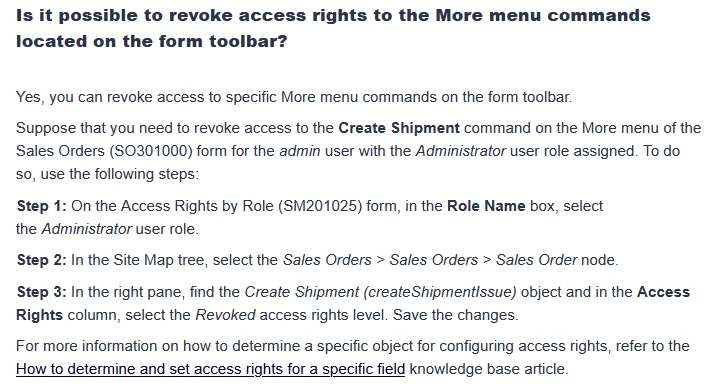
Details can be found about 2/3 of the way down this helpful article (link) by Julia G, Acumatica Employee.

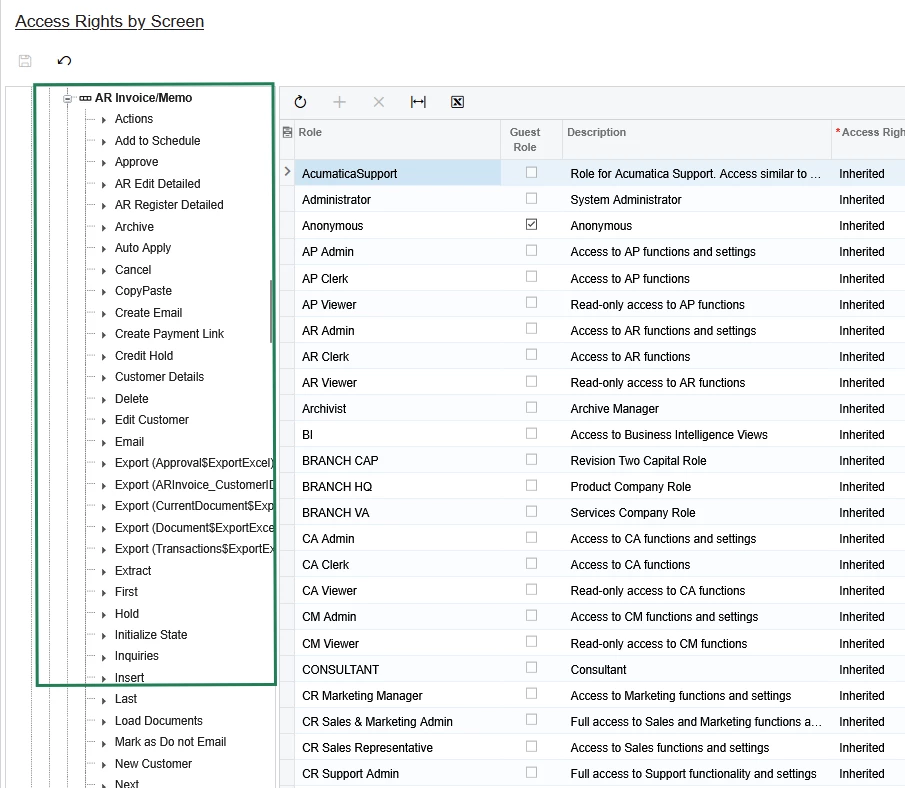
In Access Rights by Screen, Expand Receivables, then Invoices and Memos, then AR Invoice/Memo and you will see and be able to adjust rights for, all the possible Actions that may be taken from [...] menu:

HTH,


Laura


  • Author
  • Freshman I
  • September 3, 2026

Hi Laura,

Thank you for your reply!

I tried following your steps in Access Rights by Screen (SM201020). However, when I expand AR Invoice/Memo > Actions > Pay and try to set the access right to Revoked for the Fact Viewer role, Acumatica automatically reverts the selection back to Inherited.

It seems the inheritance logic doesn't allow saving Revoked at the action level when the main screen is set to Read-Only.

Is there any step I might be missing in SM201020 to make that setting stick for this specific role?

Thanks again for your help!


Laura03
Captain II
Forum|alt.badge.img+20
  • Captain II
  • September 3, 2026

Hello, 

Yes, if the new Access Right doesn’t stay after you change it, try going one level above what you just changed → I think it’s Invoices and Memos in this example -  and change THAT node from (whatever it is) to something explicit like Granted or Read-only.  Then comeback down to the Actions and you will be able to update Pay to View Only…. and the new setting will stick.


Laura


  • Author
  • Freshman I
  • September 3, 2026

Hi ​@Laura03 ,

That worked perfectly! Changing the main node (AR Invoice/Memo) to an explicit status (Read-Only) first allowed me to save the Revoked access right on the Pay action without it reverting to Inherited.

Thank you so much for your help and guidance!