Answer

how to copy a arm report from one tenant to another

  • July 16, 2024
  • 6 replies
  • 174 views

Forum|alt.badge.img

Hi All,


I am trying to copy an arm report from one tenant to another. For some reason I am doing something wrong because I cannot see it on the tenant I imported it to.

Best answer by meganfriesen37

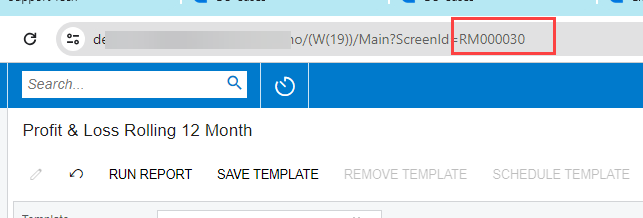
On your report screen, does the URL include an actual screen ID (for ARM reports its typically RM######).  Or is the screen ID just 00000000?  The screen ID should be something other than “00000000” for you to be able to set the access rights. 


6 replies

meganfriesen37
Captain II
Forum|alt.badge.img+12

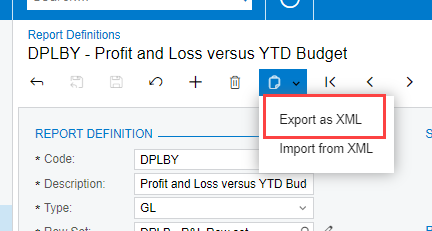
To export it from one tenant, use the “Export as XML” option from the Report Definition page.


Then, in your new tenant, make sure you don’t already have a report with that report Code.  Then in the new tenant, use the Import from XML option and find the downloaded XML file from the other tenant.

What version of Acumatica are you in?

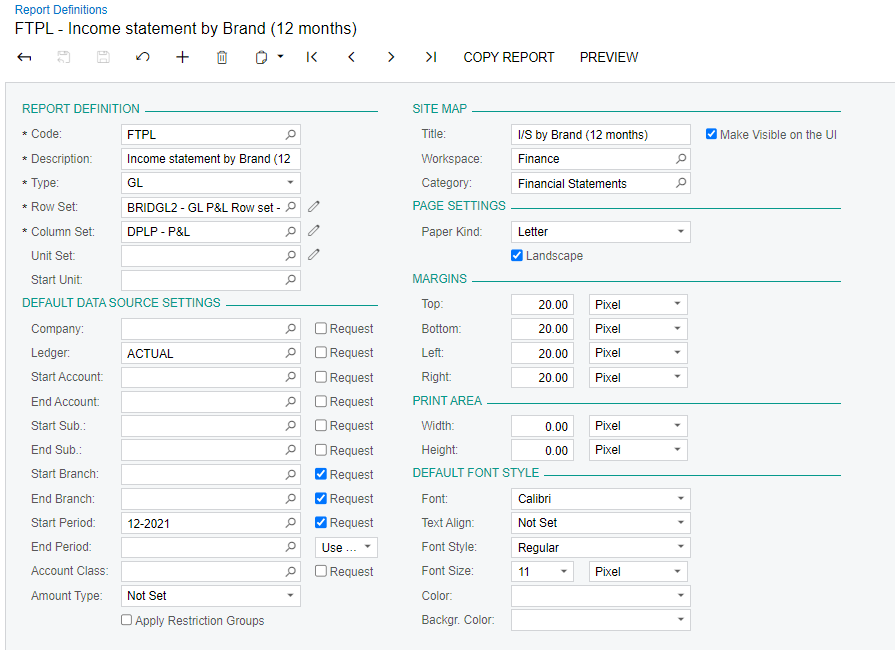
  • In 23R2 and older, if you cannot see it on the workspace, check that the Site Map information has been populated.  If a report with this code previously existed in your tenant, it may be that you don’t have access rights.  If it’s a brand new report, make sure to add the access rights or everyone will have access to it.
  • In 24R1 (and future versions) use the Publish to UI option to select where in the system to have the report available and the initial access rights.

Forum|alt.badge.img
  • Author
  • Jr Varsity III
  • July 16, 2024

Hi meganfriesen37,


thank you so much for your assistance. I managed to export and import it but I am not sure how to check the access right.  Can you please guide me in how to check the access rights?


meganfriesen37
Captain II
Forum|alt.badge.img+12

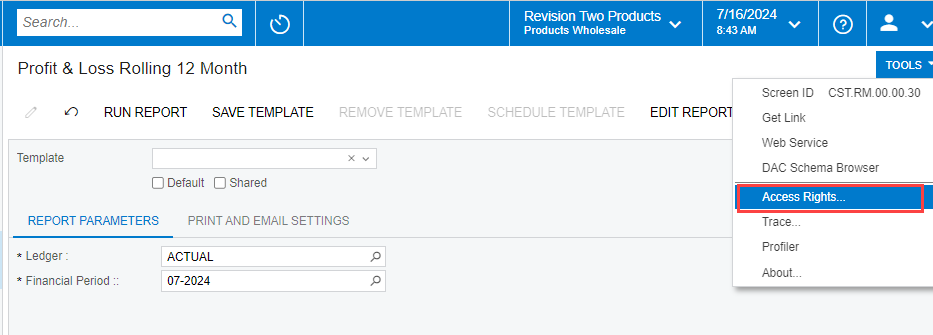
Open the report from the menu, then under the “Tools” menu in the top right corner, select the “Access Rights” option:


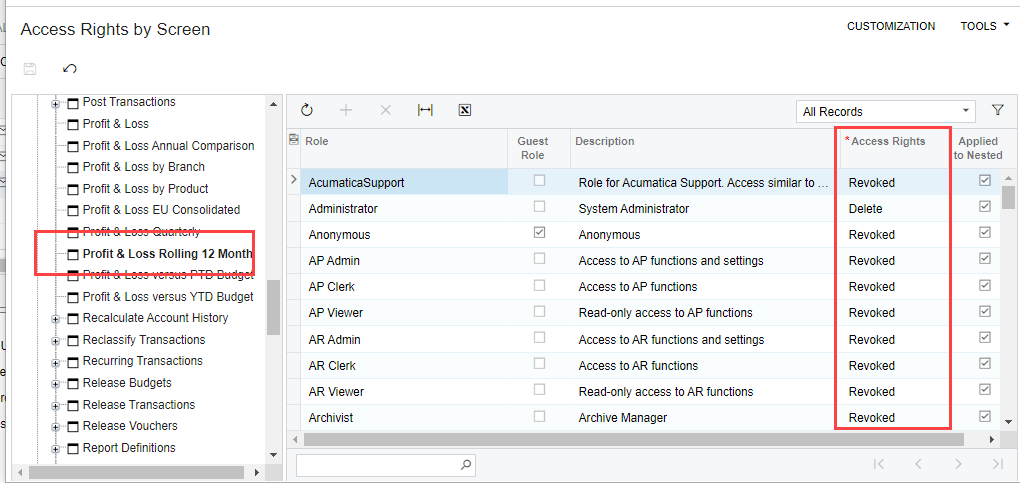
Once you’re in the Access rights by Screen form, check which roles have access.  Update the access rights as required, then press Save.


Forum|alt.badge.img
  • Author
  • Jr Varsity III
  • July 16, 2024

Hi meganfriesen37,


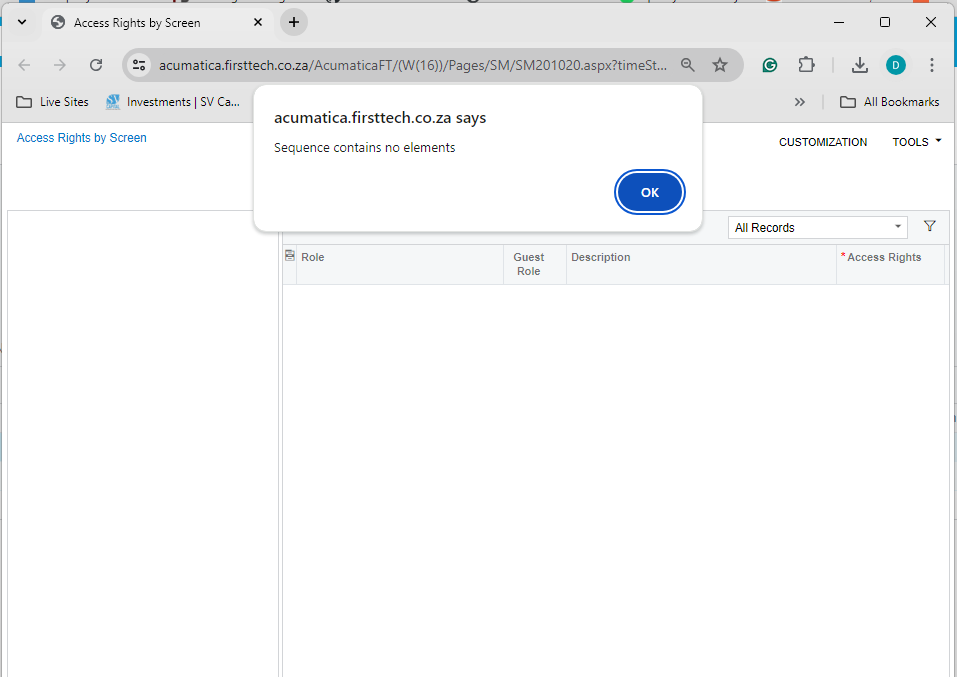
I am getting this error when i try to access the rights screen


meganfriesen37
Captain II
Forum|alt.badge.img+12

On your report screen, does the URL include an actual screen ID (for ARM reports its typically RM######).  Or is the screen ID just 00000000?  The screen ID should be something other than “00000000” for you to be able to set the access rights. 


Forum|alt.badge.img
  • Author
  • Jr Varsity III
  • July 16, 2024

Hi meganfriesen37,


thank you so much for your assistance. We need more of you.


Regards,

Dries