Question

How to auto-default a unique Subaccount based on the selected Account (AP301000 & GL301000)?

  • August 7, 2026
  • 1 reply
  • 13 views

Forum|alt.badge.img

Hi All,

Is there a standard way to automatically populate a specific Subaccount when a user selects an Account on detail lines?


When entering a new line in Bills and Adjustments (AP301000)or Journal Transactions (GL301000):

  • Select Account = 632 ➔ Subaccount automatically fills as SUB-632.

  • Select Account = 641 ➔ Subaccount automatically fills as SUB-641.


The Use Default Subaccount checkbox on the Chart of Accounts only pulls the single system-wide default from GL102000, which doesn't allow mapping unique Subaccounts per Account.


Is this possible via standard configuration (without custom code)?

Thanks!
1 reply

nhatnghetinh
Captain II
Forum|alt.badge.img+13
  • Captain II
  • August 7, 2026

Hi ​@nomii 

Try the following standard configuration methods without custom code:

1. Method 1: Configure default Subaccount according to Vendor:
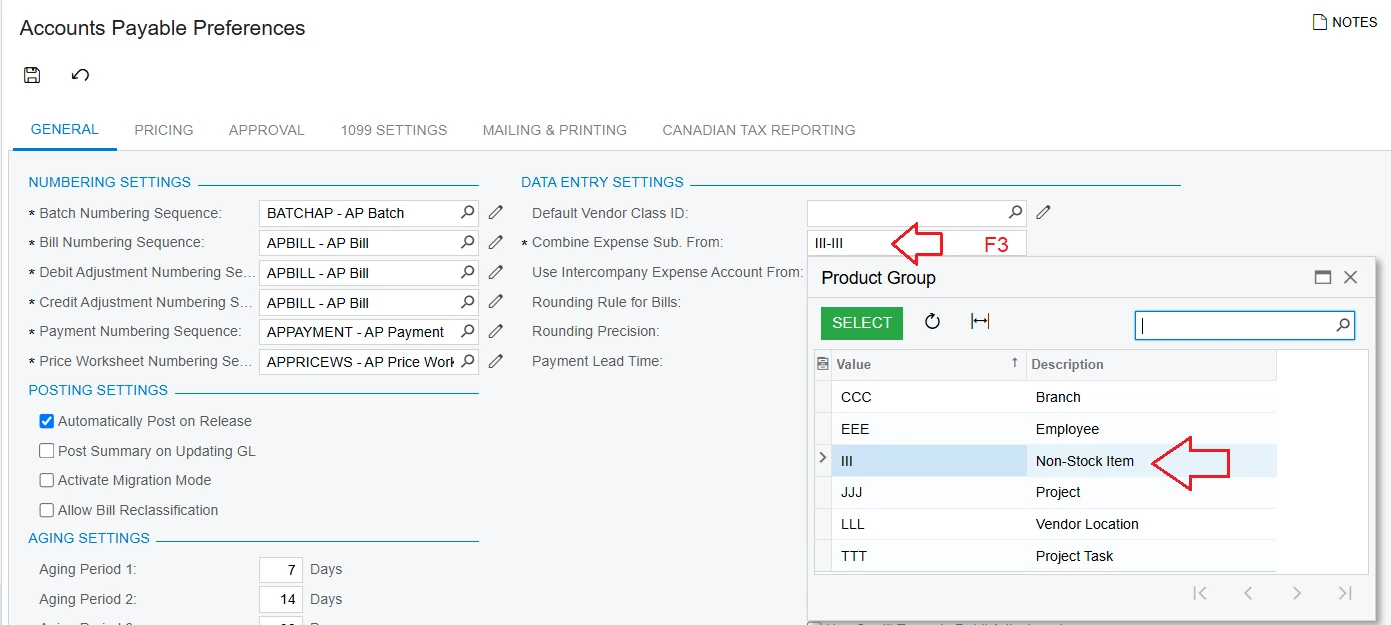
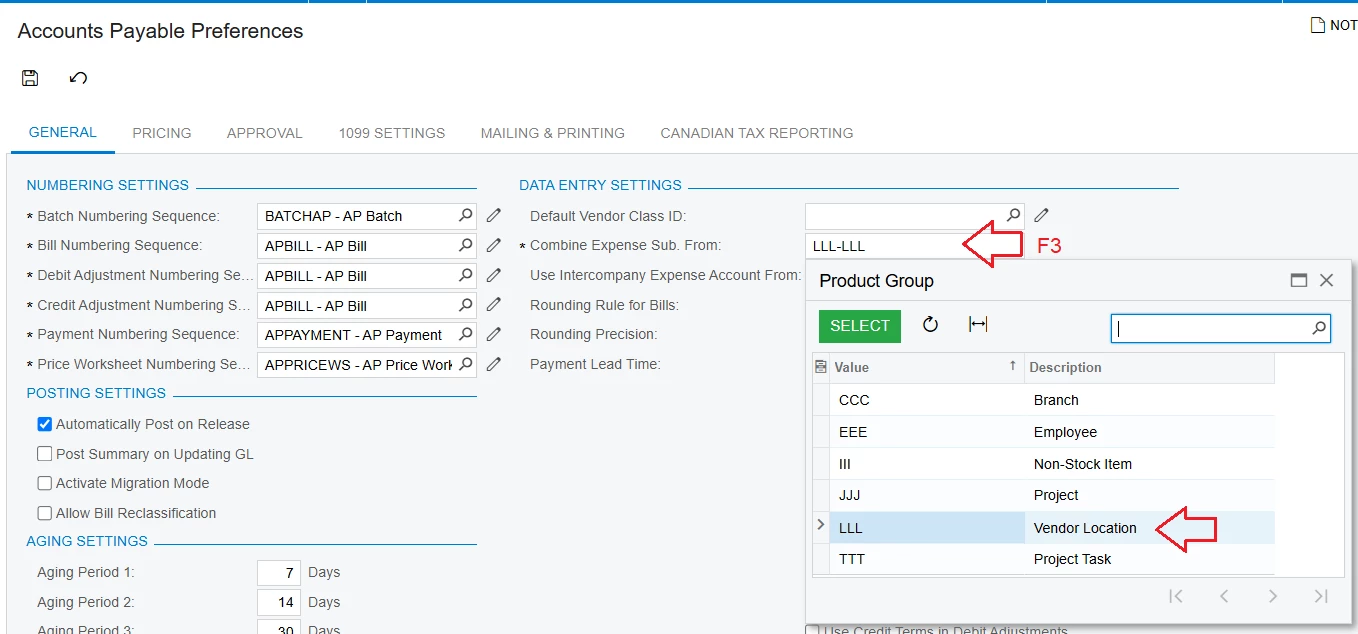
+ Go to Accounts Payable Preferences > Combine Expense Sub screen. From: Press F3, select "Vendor Location" > Press SAVE


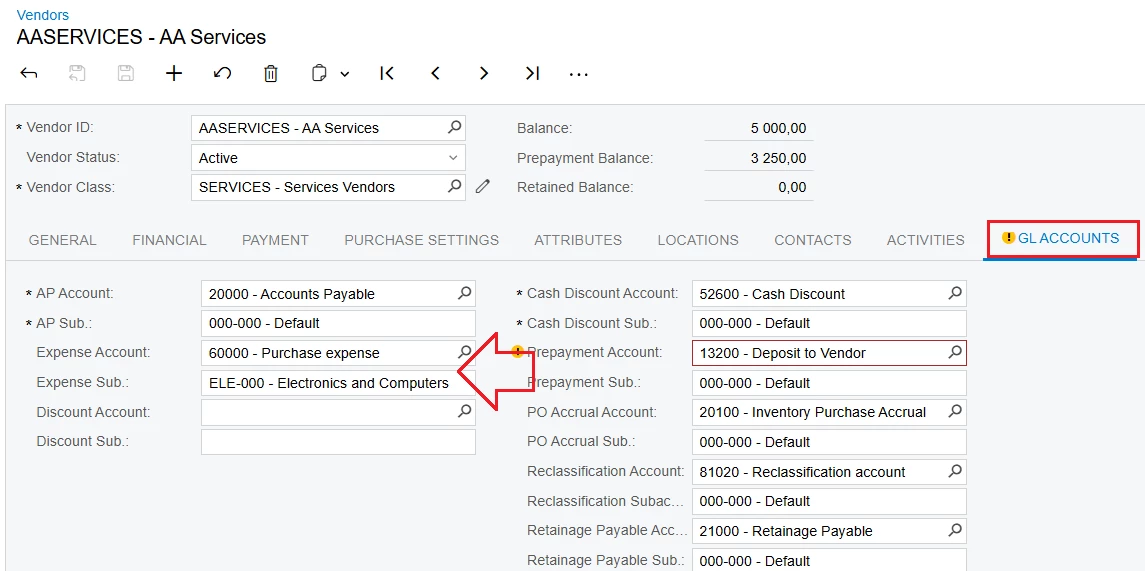
+ Go to the Vendor screen > GL ACCOUNTS Tab:

- Expense Account: Select the default account > Press SAVE

- Expense Sub.: Select the default subaccount > Press SAVE


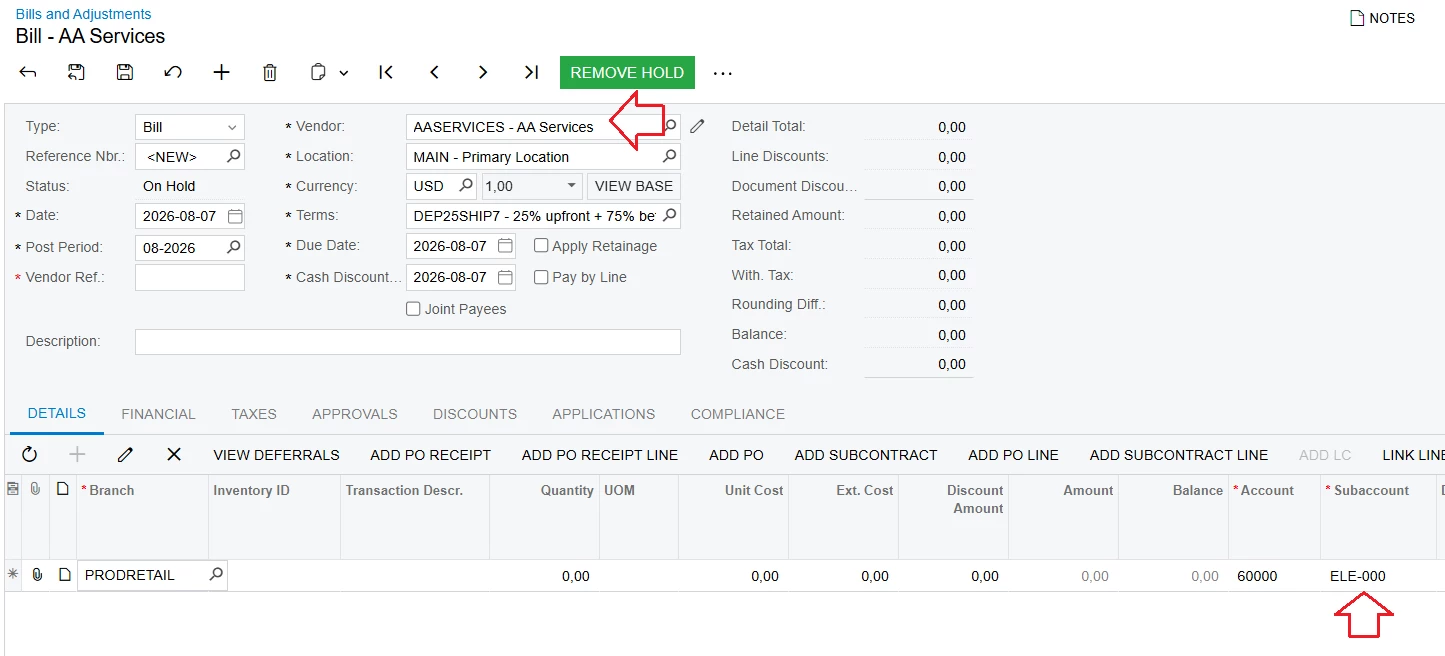
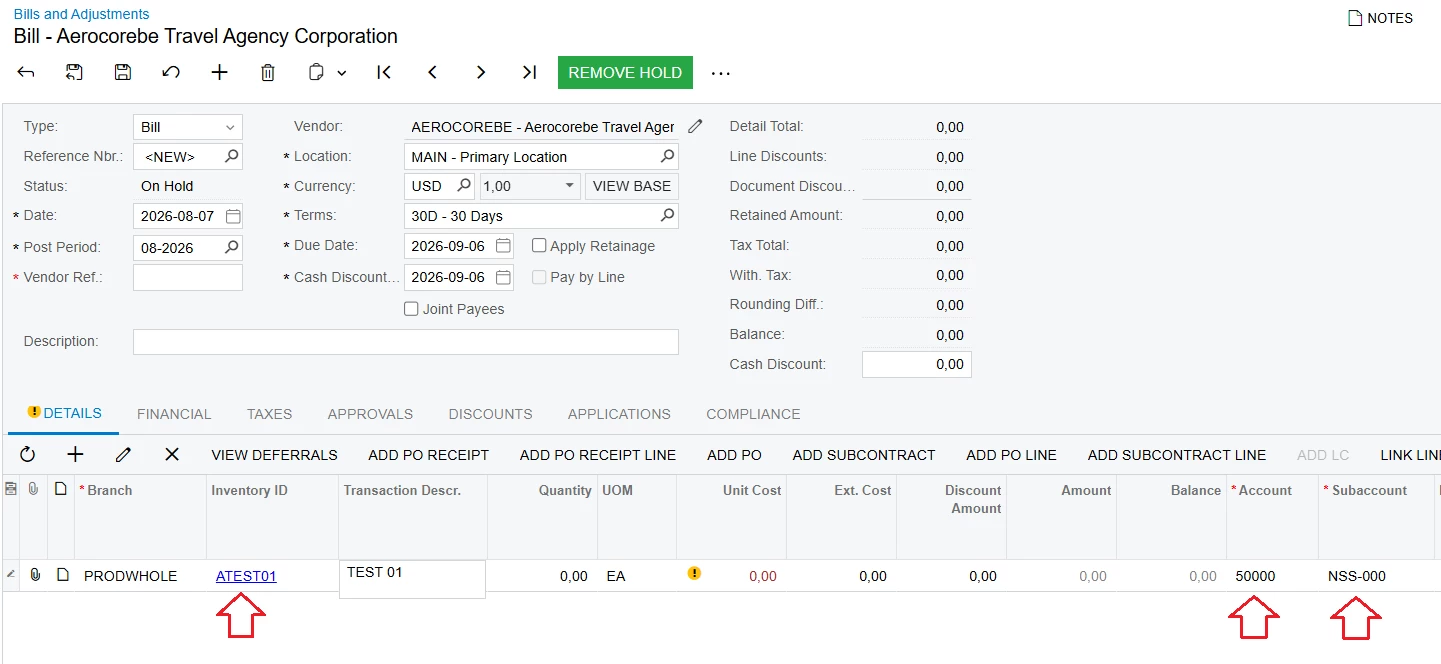
+ Testing:


2. Method 2: Configure default subaccount according to Non-Stock Item
+ Go to the Accounts Payable Preferences screen > Combine Expense Sub. From: Press F3, select "Non-Stock Item" > Press SAVE


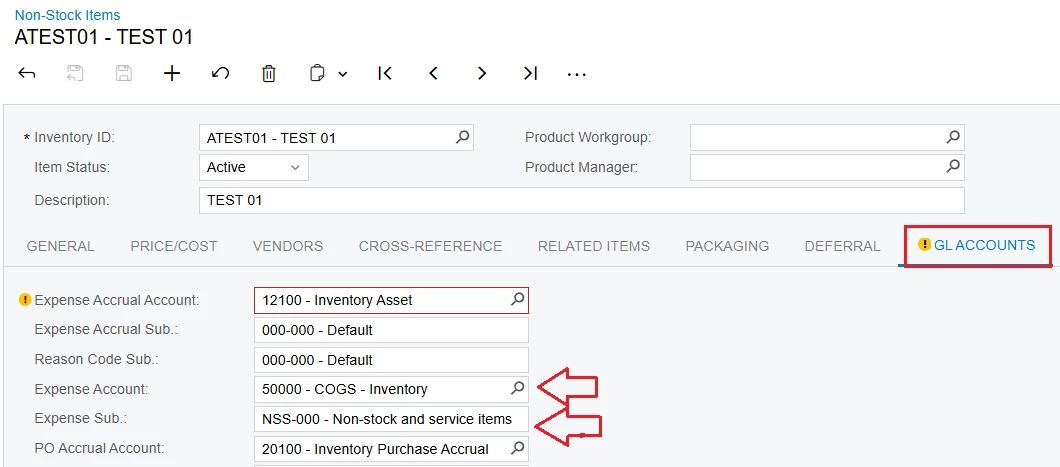
+ Create Non-Stock Item > GL ACCOUNTS Tab:

- Expense Account: Select the default account > Press SAVE

- Expense Sub.: Select the default subaccount > Press SAVE


+ Testing:


Best Regards,

NNT