Hello all,
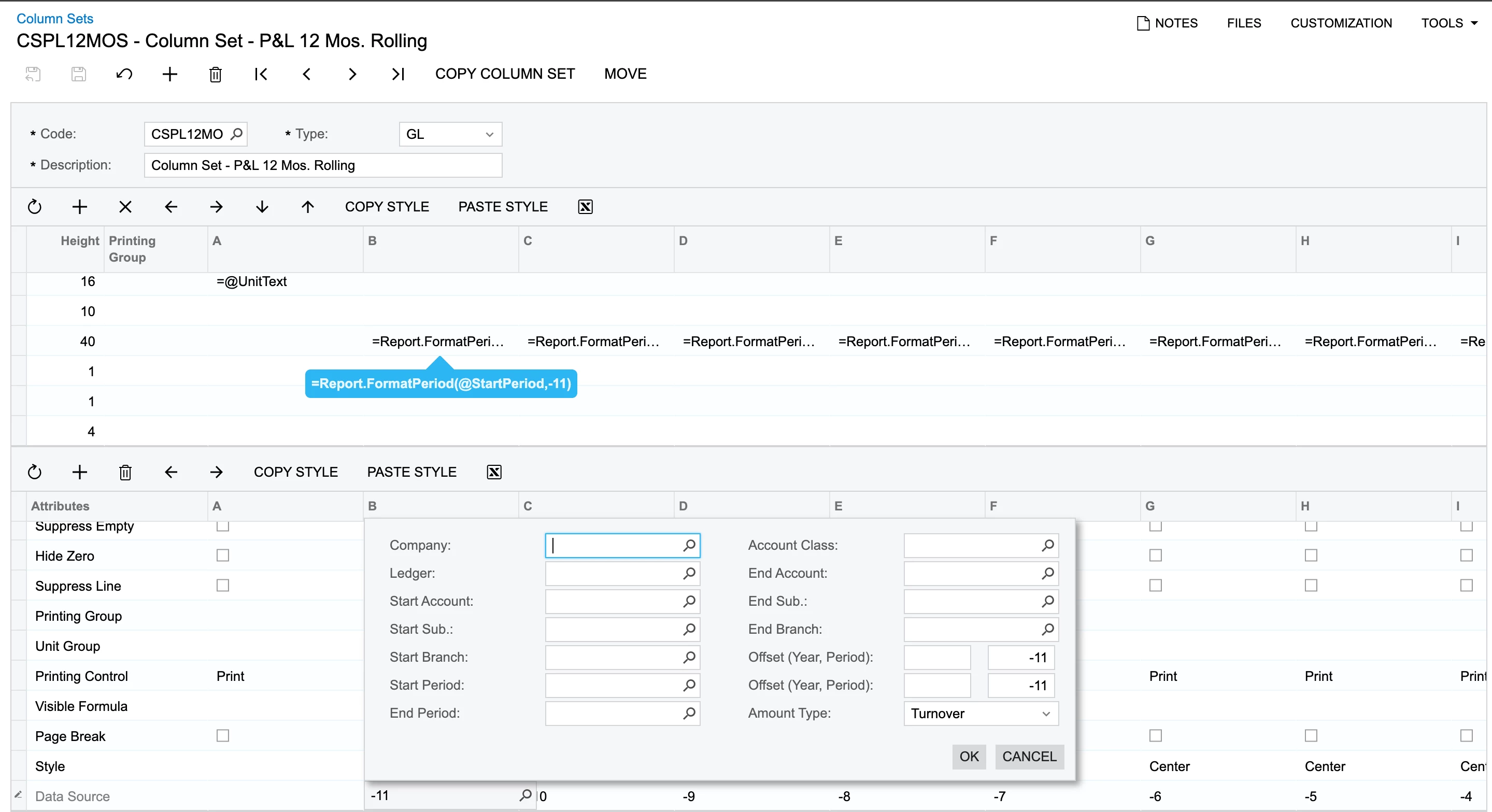
i have built a 12 Mos rolling report & the coulmns seem to be carrying forward the balance to the next months and soo. I only want to display the figures relevant to current period. How to do so under Column sets?
Hello all,
i have built a 12 Mos rolling report & the coulmns seem to be carrying forward the balance to the next months and soo. I only want to display the figures relevant to current period. How to do so under Column sets?
Best answer by Laura03
Hello,
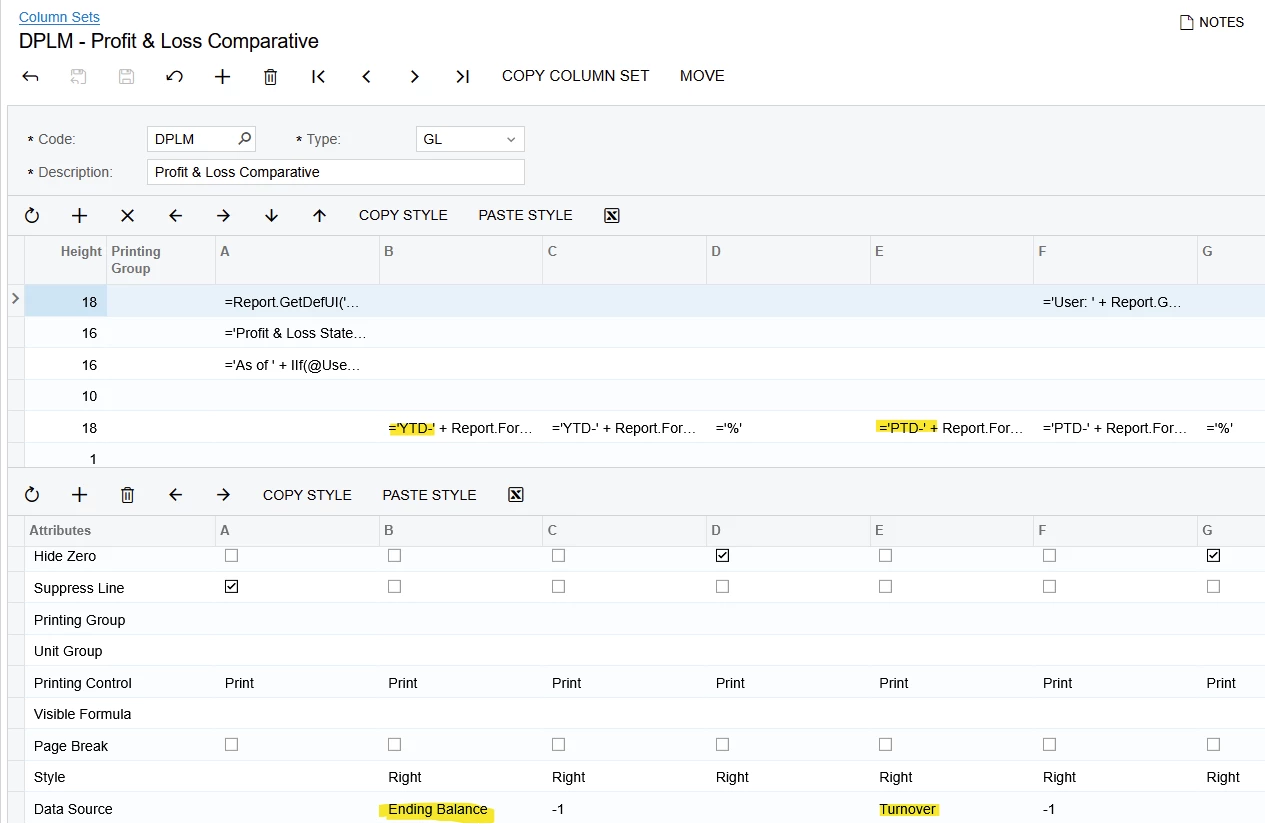
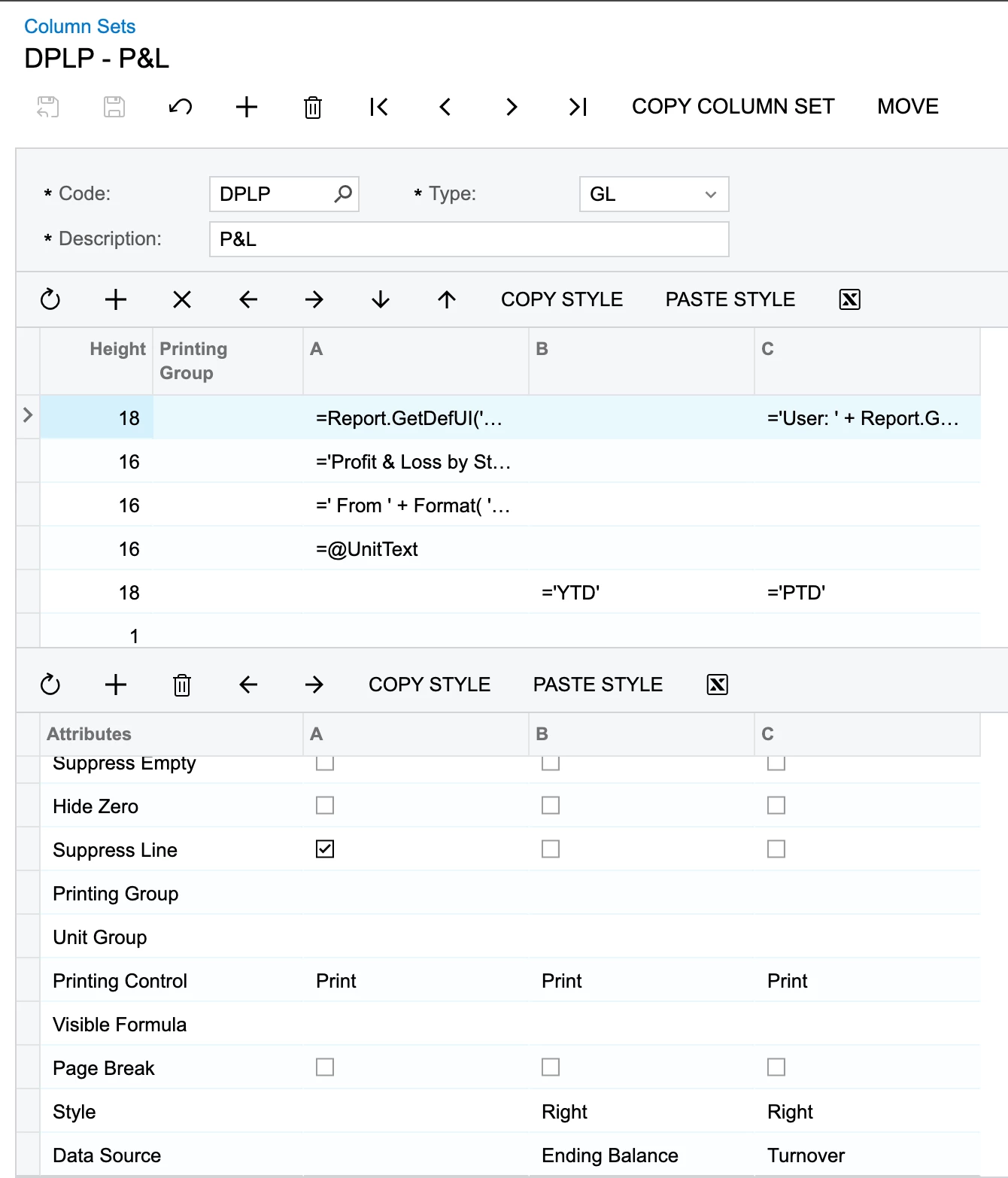
This example copied below is backwards; should be: PTD = Turnover, YTD = Ending Balance.

Otherwise, are you 100% certain the client is using the same reports that you have shown? What period did they print? (In period 1, Period to date will match YTD on a P & L.) I think we need screenshots of what they are seeing - Have they sent examples, with Trial Balance for the same month, for comparison?
Enter your E-mail address. We'll send you an e-mail with instructions to reset your password.