Solved

Generic Inquiry - Can do the calculation?

  • Jun 22, 2021 2:04 AM UTC
  • 20 replies
  • 2194 views
  • Translate All

Forum|alt.badge.img

Hi Everyone

Currently , we have create a generic inquiry to combine table invoice and memo  and table payment and check  in order to get the column for “ due date “ and “ payment date”  


If we would like to get system to calculate the day of over due , which mean “due date” minus “ payment date” in order to get the day of over due.  May i know how to do this in generic inquiry? 


Hope to hear from you soon.
 

Best answer by Naveen Boga

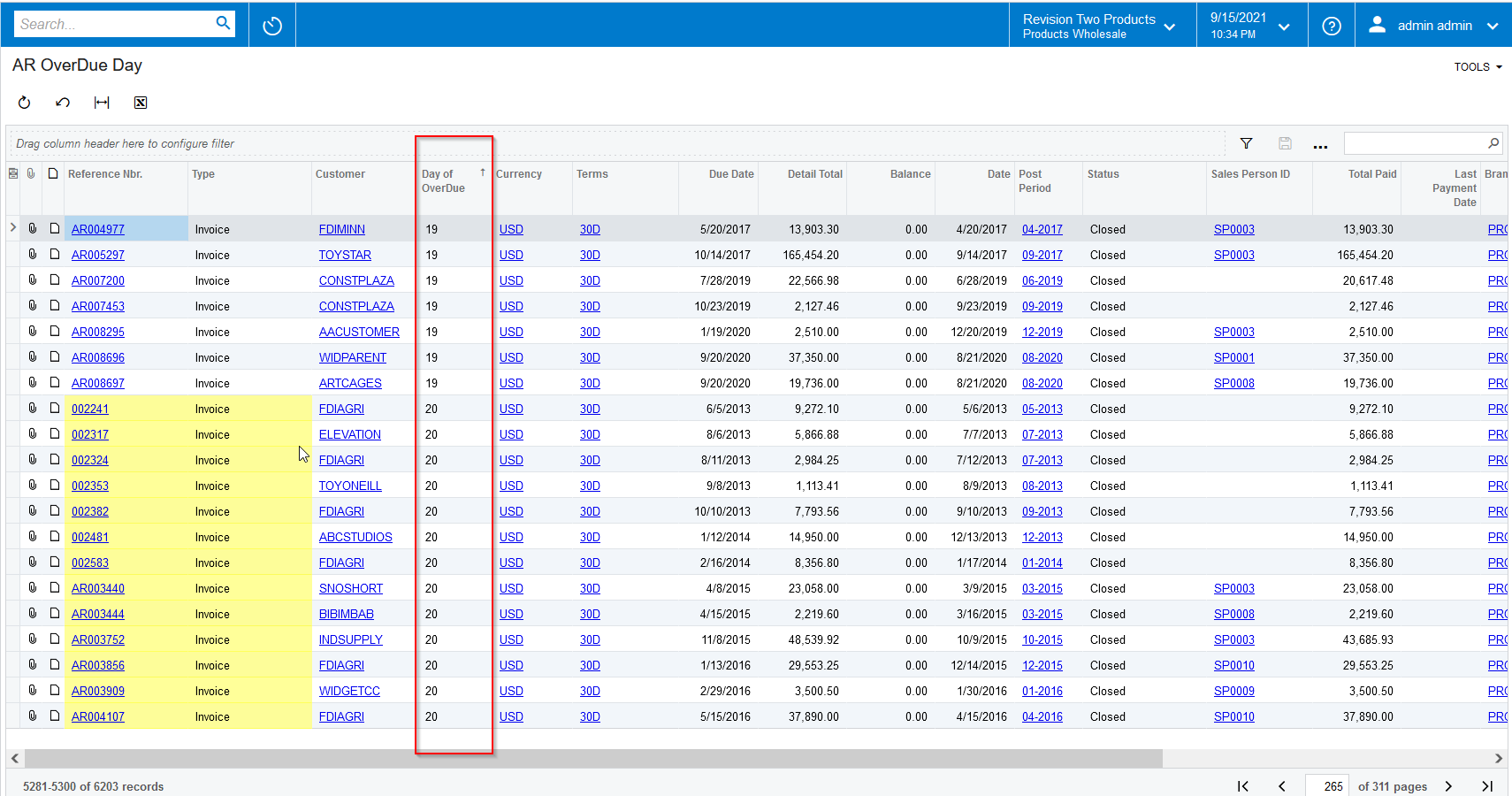
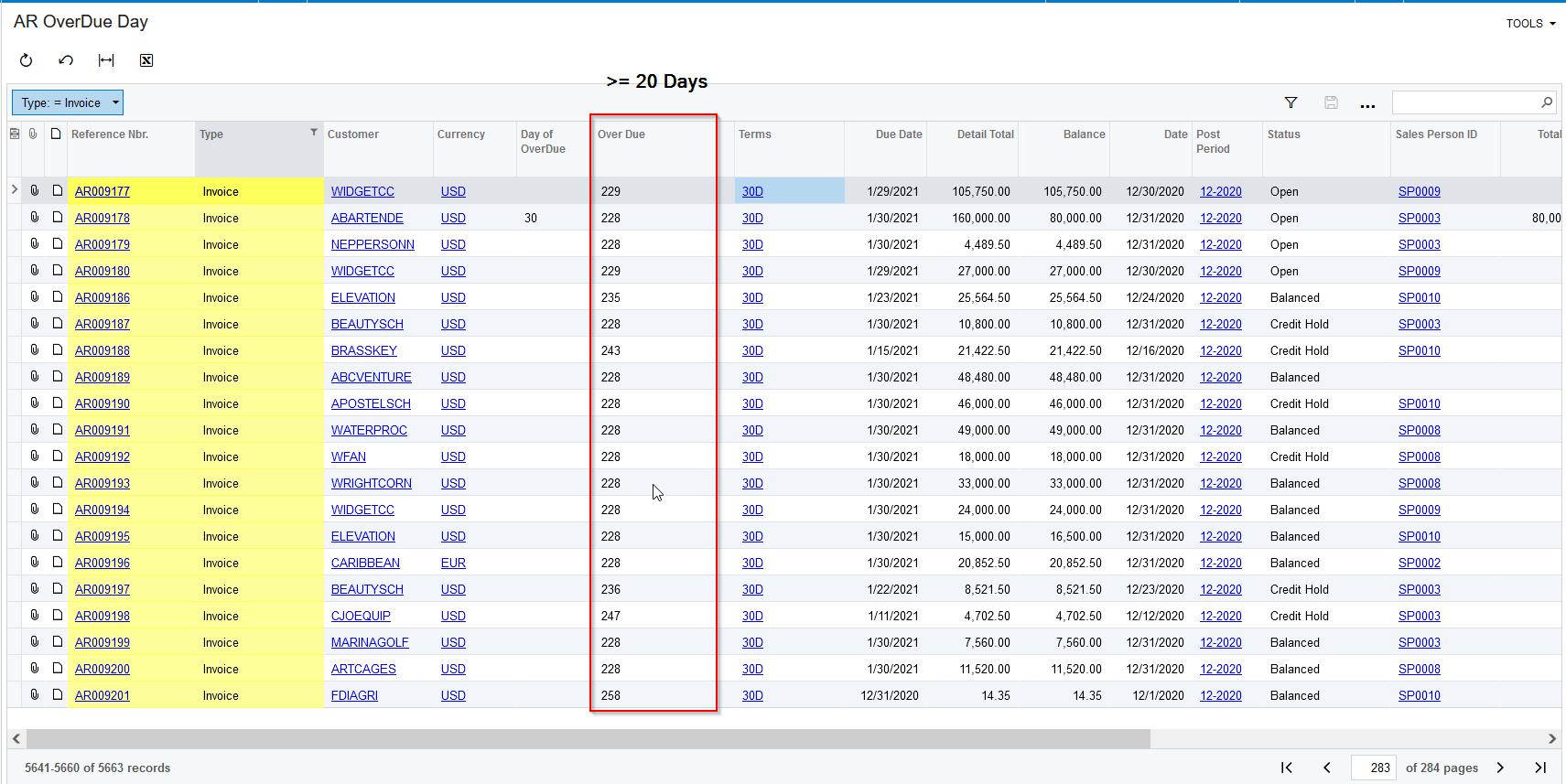
Hi @erin  Modified the provided GI, and I’m highlighting the records with Yellow color in the GI if OverDue is more than 20 days. Please find the screenshot and the GI. 


View original

20 replies

Naveen Boga
Captain II
Forum|alt.badge.img+20
  • Captain II
  • Jun 22, 2021 2:26 AM UTC

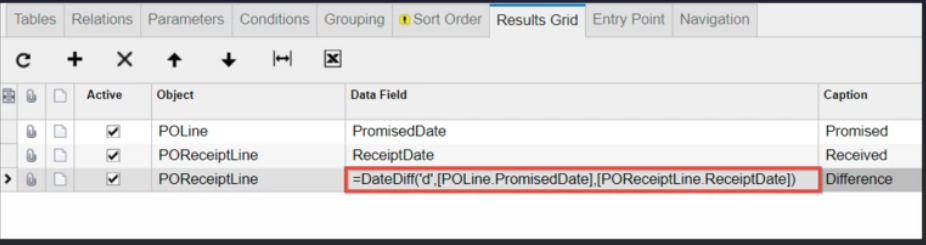
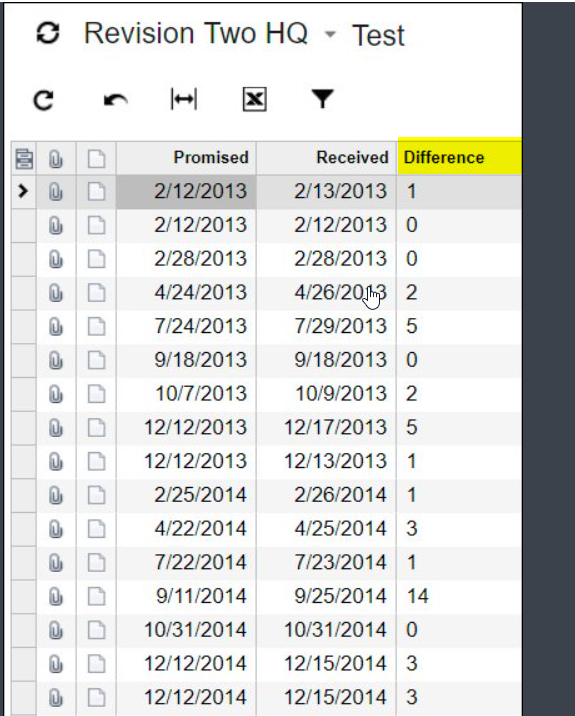
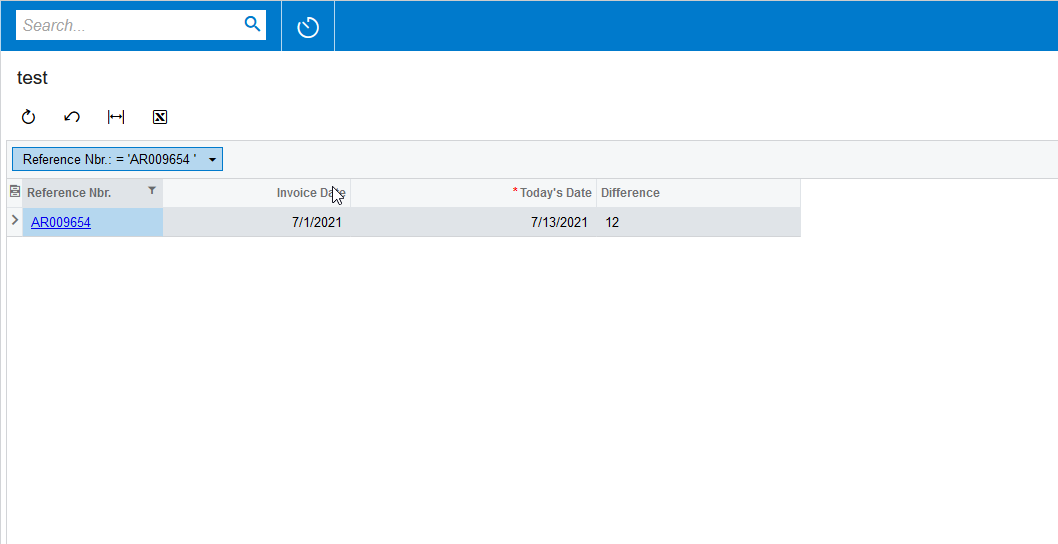
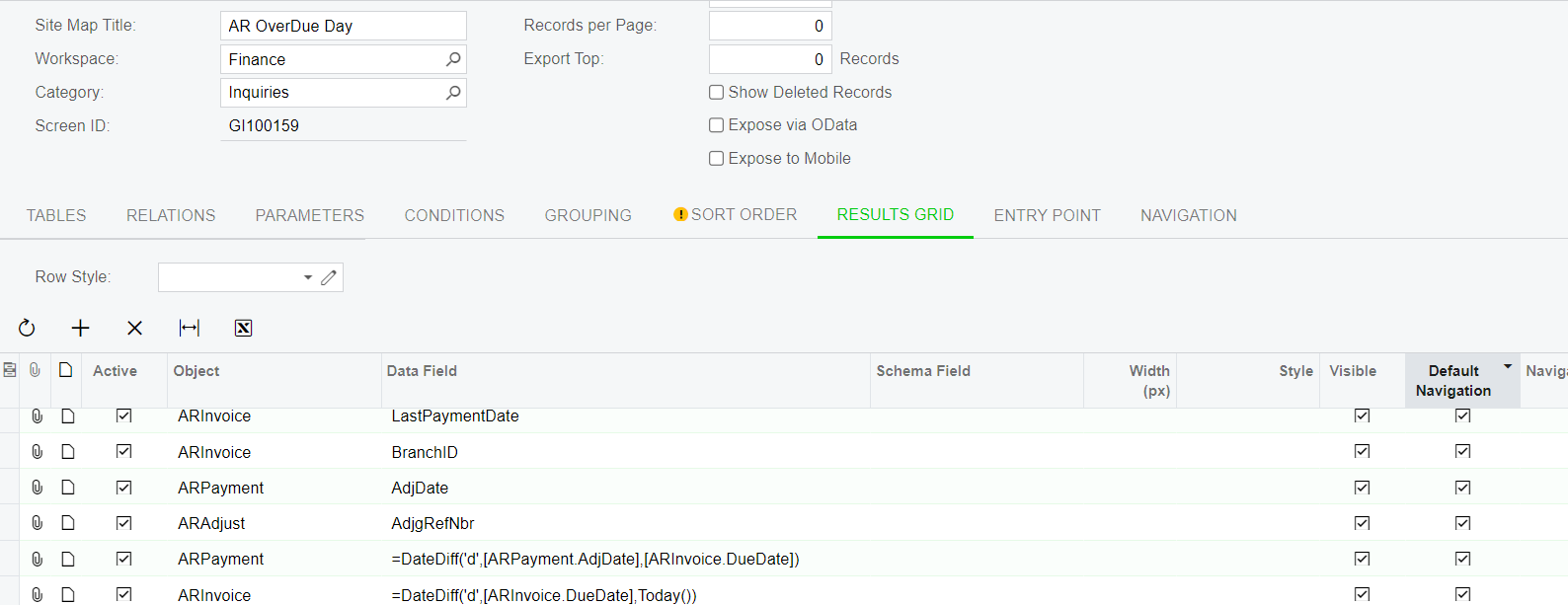
Hi @erin  You can use the DateDiff function to get the differences between the 2 dates. Please find the screenshots for references. (screenshots from other forum)


Hope this helps!!


Translate

Forum|alt.badge.img
  • Author
  • Jr Varsity II
  • Jun 27, 2021 10:31 AM UTC

Hi Naveen

Thank you very much!!!

By the way, not sure if we can copy the existing generic inquiry into another one and named in different title?

Translate

Naveen Boga
Captain II
Forum|alt.badge.img+20
  • Captain II
  • Jun 27, 2021 10:49 AM UTC

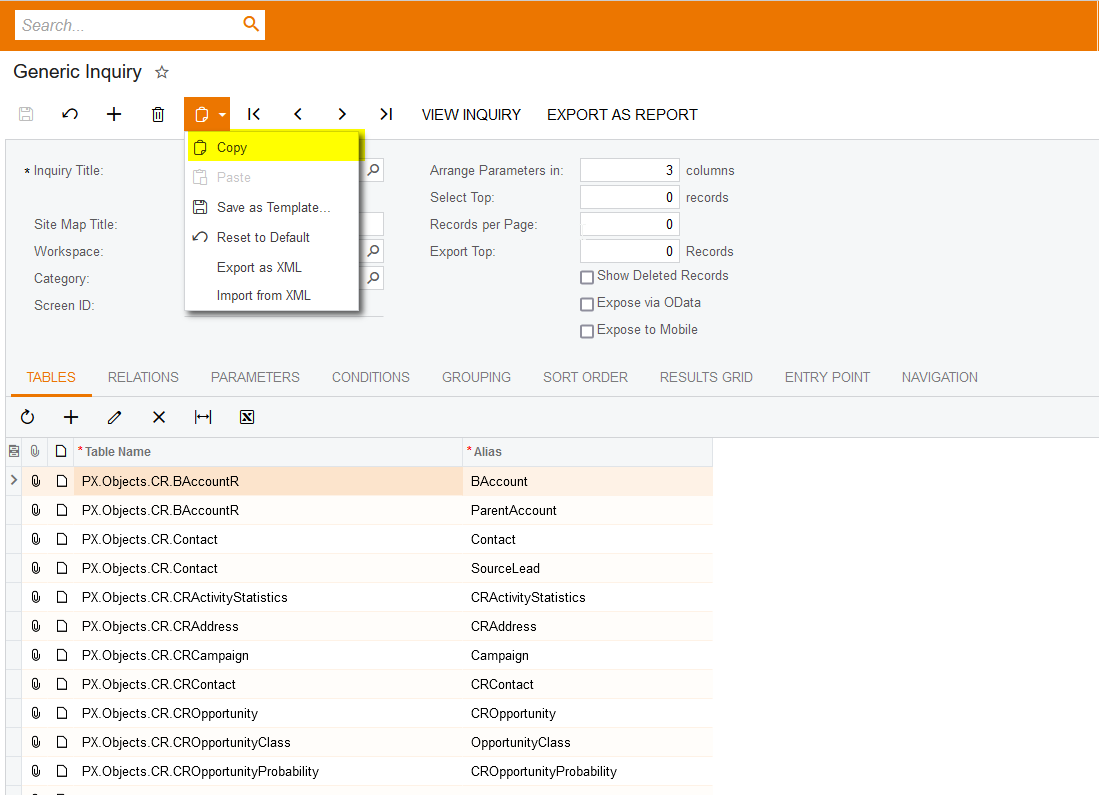
Yes… we can do copy and paste it with different title..

  • Copy the existing GI
  • Click on new GI (+) button
  • Provide new GI Title
  • Click on the Paste button

Translate

Forum|alt.badge.img
  • Author
  • Jr Varsity II
  • Jul 13, 2021 12:13 AM UTC

Hi @erin  You can use the DateDiff function to get the differences between the 2 dates. Please find the screenshots for references. (screenshots from other forum)


Hope this helps!!


Hi Naveen

If we want calculate the invoice due date and today date so that we know the day of over due, what is the formula that we need enter in generic inquiry-result grid? DateDiff(‘d”[?????],[????])

Translate

Naveen Boga
Captain II
Forum|alt.badge.img+20
  • Captain II
  • Jul 13, 2021 3:38 AM UTC

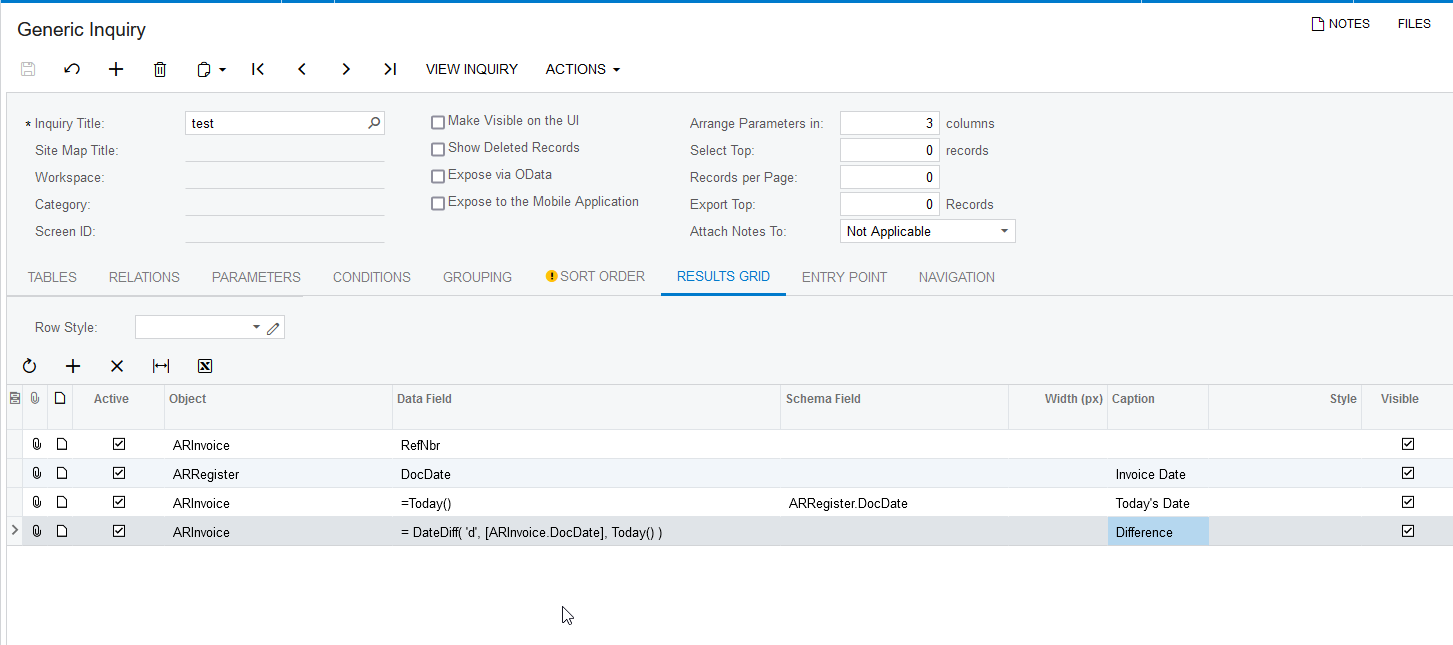
Hi @erin  Please try with the below formula.

=  DateDiff( 'd', [ARInvoice.DocDate], Today() )


Translate

Forum|alt.badge.img
  • Author
  • Jr Varsity II
  • Jul 17, 2021 7:34 AM UTC

HI Naveen


Got it ! thank you very much

Translate

Naveen Boga
Captain II
Forum|alt.badge.img+20
  • Captain II
  • Jul 17, 2021 10:23 AM UTC

@erin Glad to know that you can able to do the calculation in GI. :)

Translate

Forum|alt.badge.img
  • Author
  • Jr Varsity II
  • Aug 9, 2021 4:03 PM UTC

@erin Glad to know that you can able to do the calculation in GI. :)


Hi Naveen

A quick check , the result of calculation is in “font” type instead of “number” so that we cannot use the filter to filter the number from ascending or descending .Not sure if there is any way change to “ number” type?

Translate

Naveen Boga
Captain II
Forum|alt.badge.img+20
  • Captain II
  • Aug 9, 2021 6:27 PM UTC

Hi @erin  I don’t think that is possible in standard Acumatica.

Translate

Forum|alt.badge.img
  • Author
  • Jr Varsity II
  • Sep 12, 2021 8:42 AM UTC

Hi @erin  I don’t think that is possible in standard Acumatica.


Hi Naveen

Thanks for your reply and noted.

By the way, is there any way that highlight the font in different color to differentiate and highlight us for those long over due invoice , example more than 20 days, system can highlight the color in RED?

Translate

Naveen Boga
Captain II
Forum|alt.badge.img+20
  • Captain II
  • Sep 12, 2021 9:15 AM UTC

Hi @erin,

Yes, we can highlight the records based on the condition.

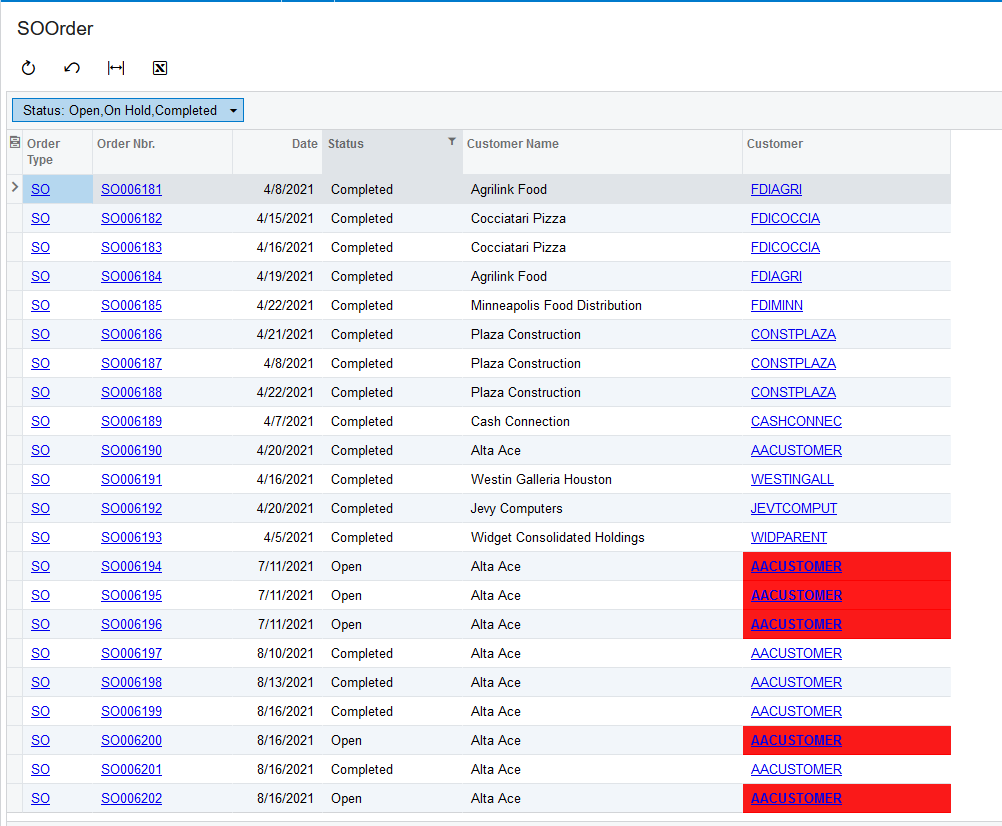
I just did a sample example to highlight with RED color for the OPEN status Sales Orders. Please find the screenshot for reference.


Translate

Forum|alt.badge.img
  • Author
  • Jr Varsity II
  • Sep 12, 2021 10:16 AM UTC

Hi @erin,

Yes, we can highlight the records based on the condition.

I just did a sample example to highlight with RED color for the OPEN status Sales Orders. Please find the screenshot for reference.


Great! Can you guide me how to do that? 


Translate

Forum|alt.badge.img
  • Author
  • Jr Varsity II
  • Sep 12, 2021 10:19 AM UTC

Hi @erin,

Yes, we can highlight the records based on the condition.

I just did a sample example to highlight with RED color for the OPEN status Sales Orders. Please find the screenshot for reference.


Great! Can you guide me how to do that? 


This is generic inquiry , not sure if it is workable? as we use formula to count out the over due date and we would like highlight those over due date is over 20 


Translate

Naveen Boga
Captain II
Forum|alt.badge.img+20
  • Captain II
  • Sep 12, 2021 12:31 PM UTC

@erin  Can you please attach your Generic Inquiry here.

Translate

Forum|alt.badge.img
  • Author
  • Jr Varsity II
  • Sep 15, 2021 2:08 PM UTC

@erin  Can you please attach your Generic Inquiry here.

Hi Naveen


Please confirm if the file is your referring to?

Translate

Naveen Boga
Captain II
Forum|alt.badge.img+20
  • Captain II
  • Answer
  • Sep 15, 2021 4:08 PM UTC

Hi @erin  Modified the provided GI, and I’m highlighting the records with Yellow color in the GI if OverDue is more than 20 days. Please find the screenshot and the GI. 


Translate

Forum|alt.badge.img
  • Author
  • Jr Varsity II
  • Sep 16, 2021 3:29 AM UTC

Hi @erin  Modified the provided GI, and I’m highlighting the records with Yellow color in the GI if OverDue is more than 20 days. Please find the screenshot and the GI. 


Hi Naveen 

Thank you very much ! this is exactly what we need .

However , can you based on the column “ Day of Overdue” instead of “ over due”?

Do you mean i need to upload your revised GI that you attached? How to do it? can you guide me for it?

Not sure if you able to guide me where to change in GI so that i can edit by myself as i wish 

Thank you
 

Translate

Naveen Boga
Captain II
Forum|alt.badge.img+20
  • Captain II
  • Sep 16, 2021 5:36 AM UTC

Hi @erin  Modified the GI to the “Day of Overdue” . Please find the attached GI.


Translate

jdean44
Freshman I
  • Freshman I
  • Mar 22, 2024 9:03 PM UTC

Hi Naveen,

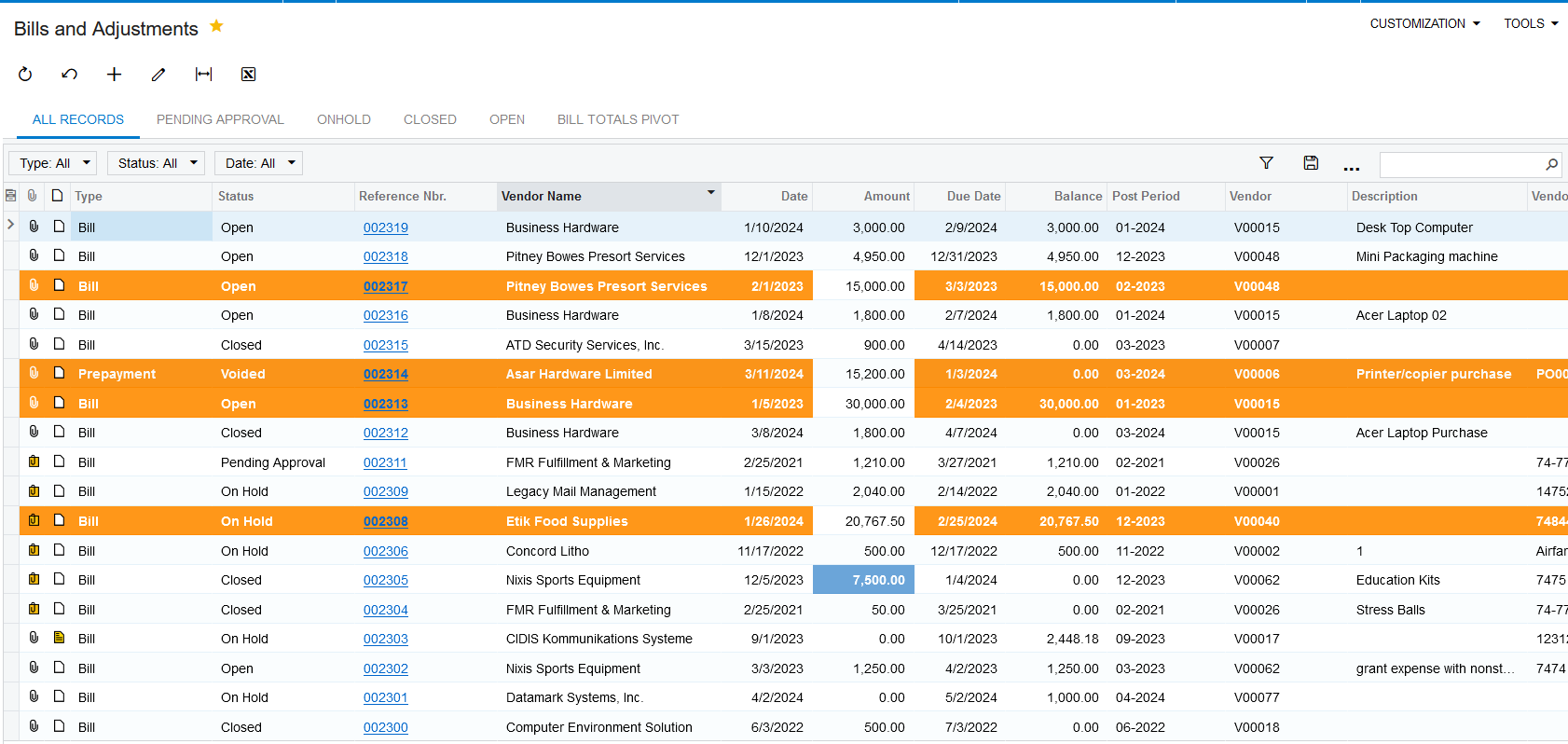
I have added row conditional highlighting to an inquiry, which works well. I also added column conditional highlighting, but now the row conditional highlighting gets stopped on that entire column accept where that specific row in the column is highlighted. Is there a way to prevent that from happening?

Thank you.


Translate

jdean44
Freshman I
  • Freshman I
  • Mar 25, 2024 8:40 PM UTC

Hi,

Can anyone help me with this question above?

Thank you.

Translate