Question

Error message when transferring an asset

  • February 24, 2025
  • 4 replies
  • 64 views

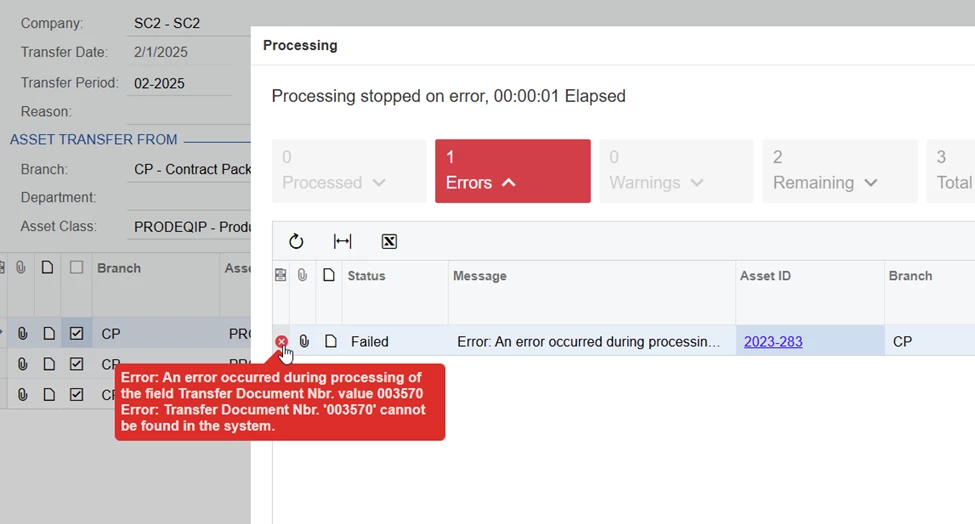
I need to transfer a a fixed asset to a different facility.  This is the error message that I am getting 
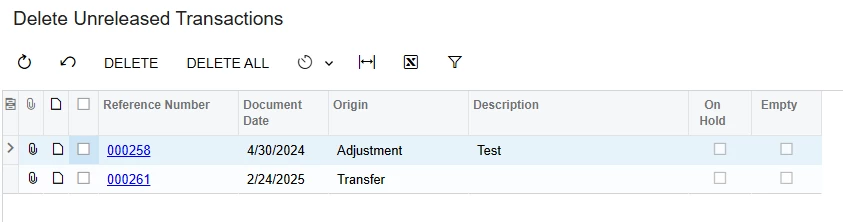
When I run the unreleased report I have no outstanding items.  Where else can I go to either clear this item or process this document number so the asset is reflected in the correct location.

4 replies

nhatnghetinh
Captain II
Forum|alt.badge.img+11
  • Captain II
  • February 25, 2025

Hi ​@jkerman 

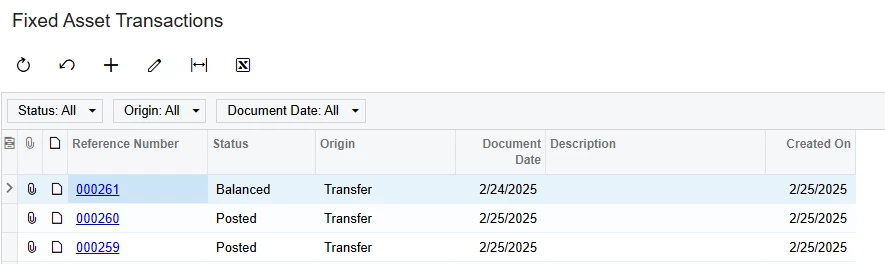
When you perform "Transfer Assets" > The system will create a Transfer Reference Number in the "Fixed Asset Transactions" screen. As shown in your screenshot > The system has created a Transfer Reference Number "003570" but for some reason the system cannot find this transfer document.

Please go to the "Fixed Asset Transactions" and "Delete Unreleased Transactions" screens > find out if there is a Transfer Reference Number "003570"? If not, try clicking "Reload" on your web browser and perform the "Transfer Assets" operation again.


Best Regards,

NNT


Forum|alt.badge.img+12
  • Acumatica Support Team
  • February 25, 2025

Hi ​@jkerman 

Please let us know the version and build your instance is on. 

Are you transferring the Asset from one Branch to another Branch or just the department/location.

Regards,


  • Author
  • Freshman I
  • February 28, 2025

We are working in version 23 not sure if it is R1 or R2 where do I go to see our version?  I logged out of the system and reloaded Acumatica, and I am still getting the same error. There are no unreleased transactions, and the transfer document number 003570 cannot be found in the system.  I am transferring assets from a department that has been closed to a different department which is in a different branch from the original location.    


Chris Hackett
Community Manager
Forum|alt.badge.img
  • Acumatica Community Manager
  • June 17, 2025

Hi ​@jkerman were you able to find a solution? Thank you!