

Answer

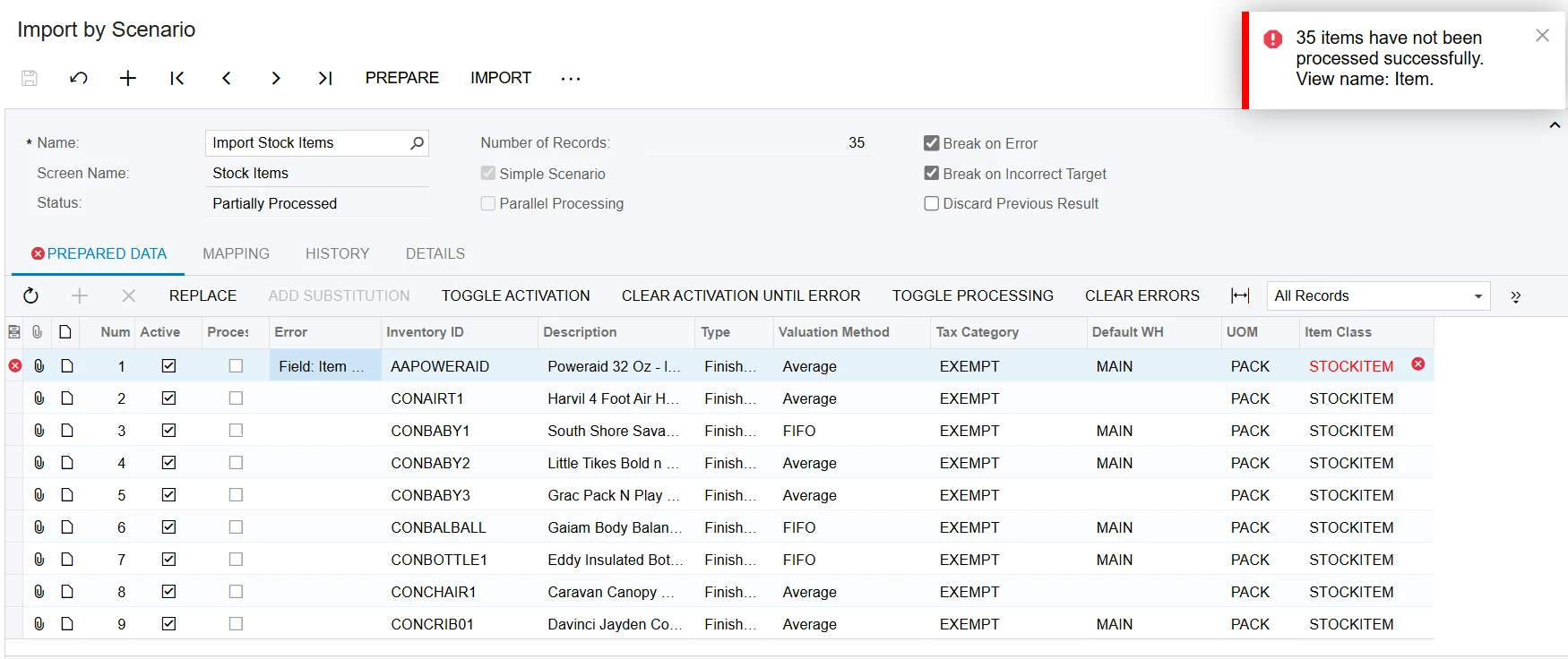
error

  • February 26, 2025
  • 3 replies
  • 49 views

Forum|alt.badge.img

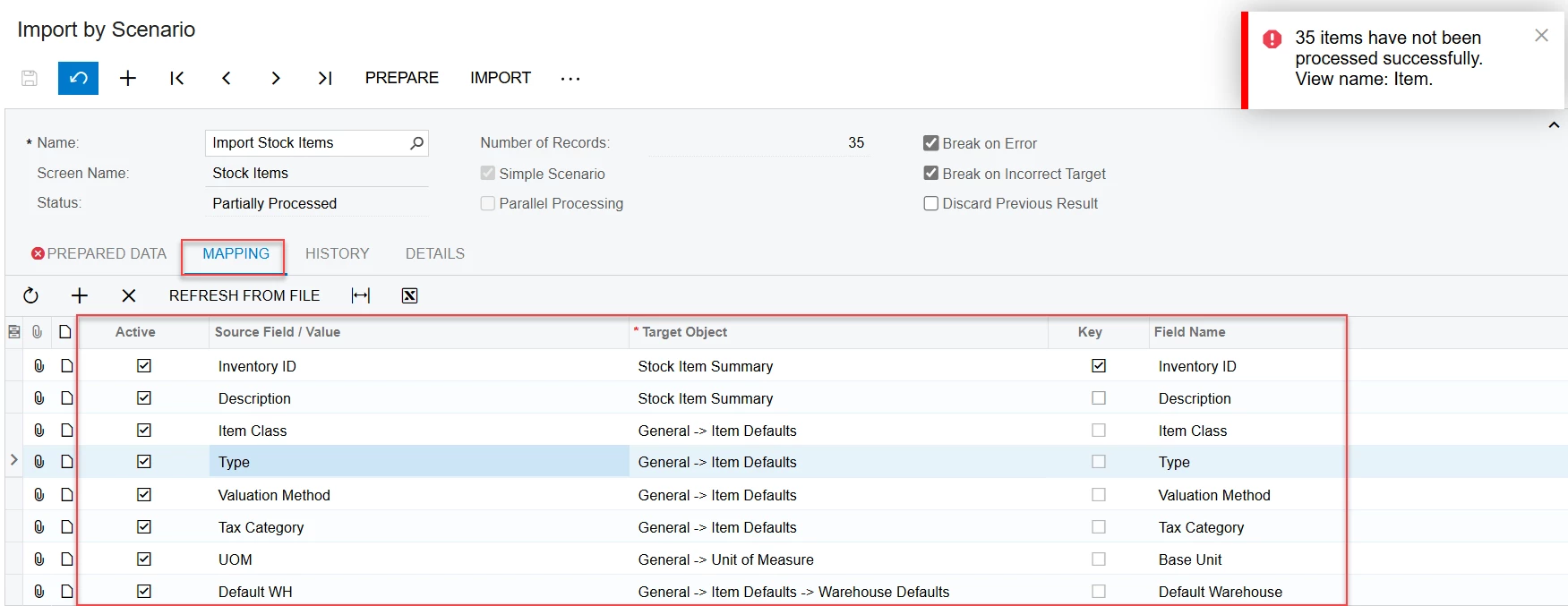
-I am trying to do as the book guild and video. I am testing it many times but it still the same error. why in the video and book, it shows can import. Please advise why I am can't do. 

-If all of have the excel file sample about AR, Customer, Vendor that can import successful in system May I, have it? because I have customers that need to import excel file to show them for demo in the next week. Thanks so much

Best answer by Naveen Boga

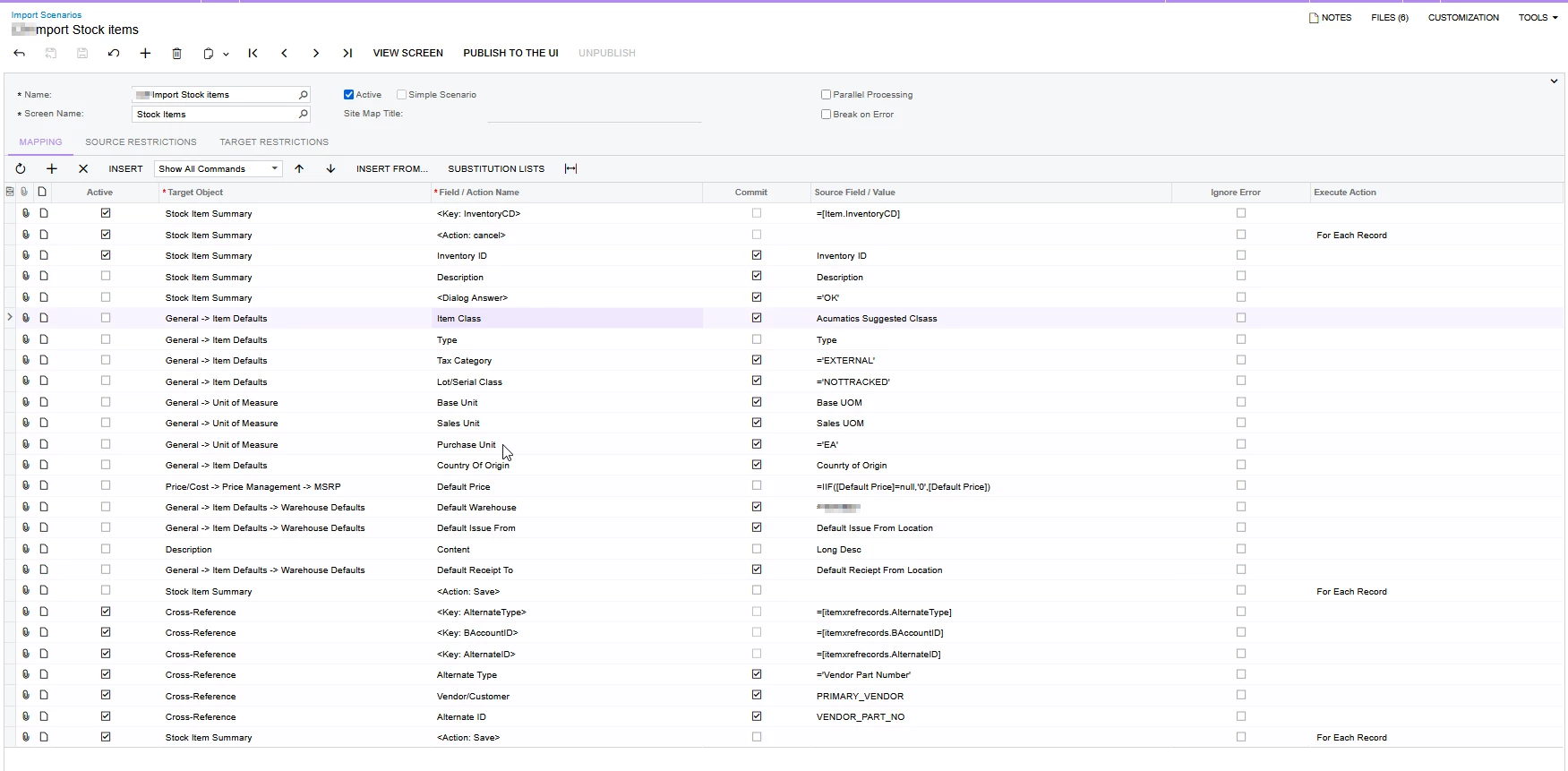
@nthea23 As Ranjith mentioned, the issue might be related to Item Class. Please check if the STOCK ITEM - Item Class exist or not in the Acumatica instance.

For your reference, below is the import scenario to import the Stock Items.


3 replies

Manikanta Dhulipudi
Captain II
Forum|alt.badge.img+15

@nthea23 Please share XML file of Import scenario,


Forum|alt.badge.img+2

@nthea23 It seems that the item class defined in your import template is not available in the system, which may be causing the error.

Additionally, Acumatica provides predefined import scenarios for most profile and transaction screens, along with corresponding import Excel templates. Have you tried using those?


Naveen Boga
Captain II
Forum|alt.badge.img+19
  • Captain II
  • Answer
  • February 26, 2025

@nthea23 As Ranjith mentioned, the issue might be related to Item Class. Please check if the STOCK ITEM - Item Class exist or not in the Acumatica instance.

For your reference, below is the import scenario to import the Stock Items.

