Answer

Email Template for AR Invoices

  • February 11, 2021
  • 10 replies
  • 499 views

I’m trying to add the primary contact’s name to my email notifications when emailing AR Invoices, e.g. Dear John Smith.

But when I try to add a data field, I only get the Primary Contact ID number, e.g. Dear 6689

In an earlier version I was able to use the “Attention” field, but now that field is greyed out in the Billing section. I have to manually override the settings and add the contact. 

Is there a way to add the greeting without having to override all my contacts? It’s too easy to overlook that tab. 

Thanks
Best answer by Ola Ayanlaja

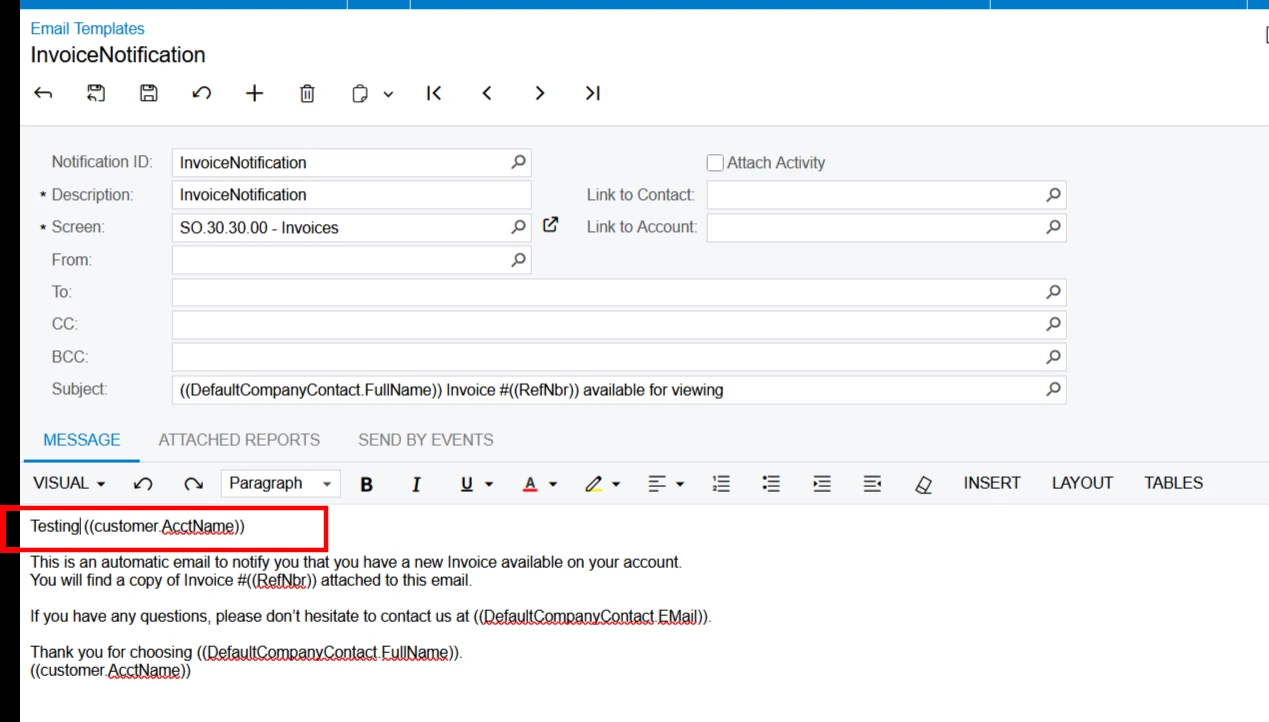
Hi ​@suphill You are picking from the variable
((customer.AcctName))


10 replies

meganfriesen37
Captain II
Forum|alt.badge.img+12

Hi,

You could probably try:

(DefaultCompanyContact.FirstName)) ((DefaultCompanyContact.LastName))   OR ((customer.DefContactID.FirstName)) ((customer.DefContactID.LastName))  (depending on what tables are available in the related Generic Inquiry.

It also looks like ((Billing_Contact.Attention)) is still available in 2020R2, but I haven’t tested it personally.


  • Author
  • Freshman I
  • February 16, 2021

Thanks, but I tried all those fields and they all came out blank.  There’s just not field to link the “Primary Contact” table to the email template. 


  • Freshman I
  • July 30, 2025

Hi, Sorry to revive an old post but was there a solution to this?


  • July 30, 2025

@suphill find a solution for it or if anyone else has? 


Forum|alt.badge.img
  • Acumatica Employee
  • July 30, 2025

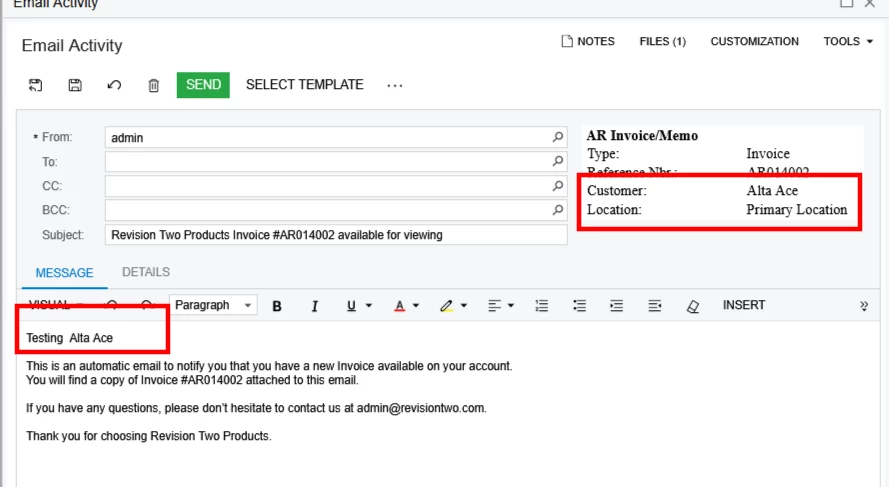
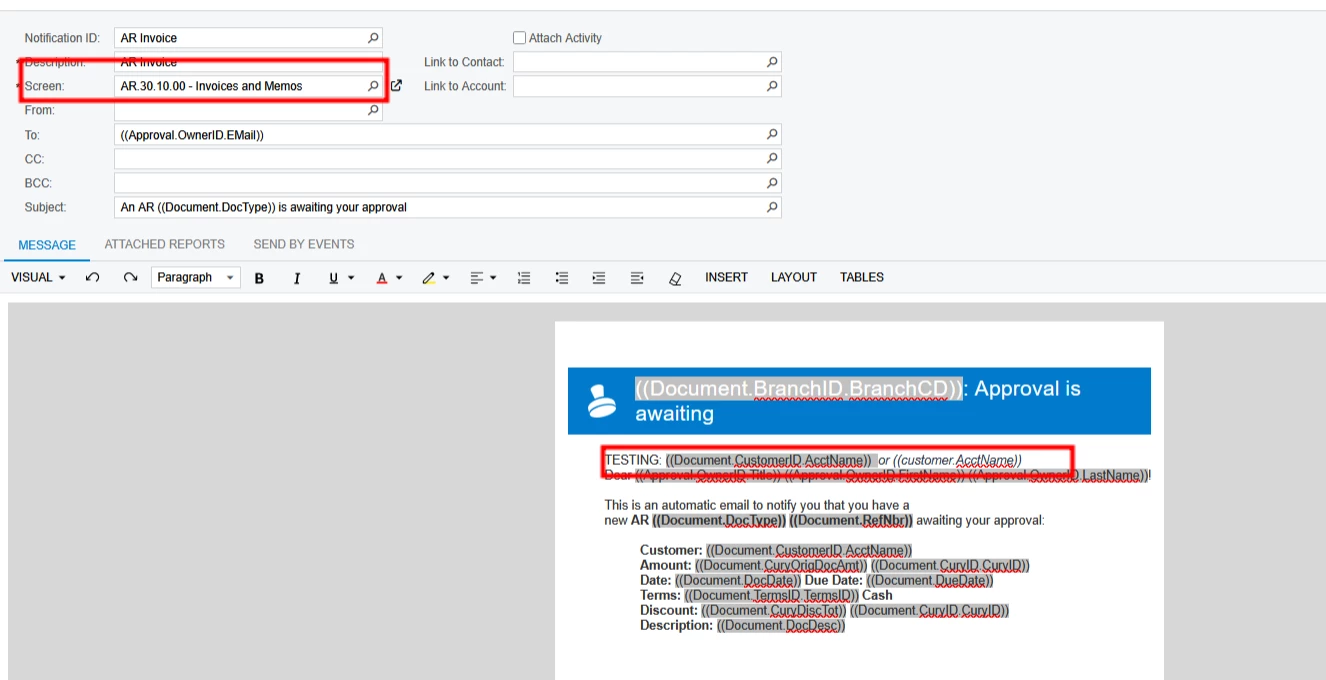
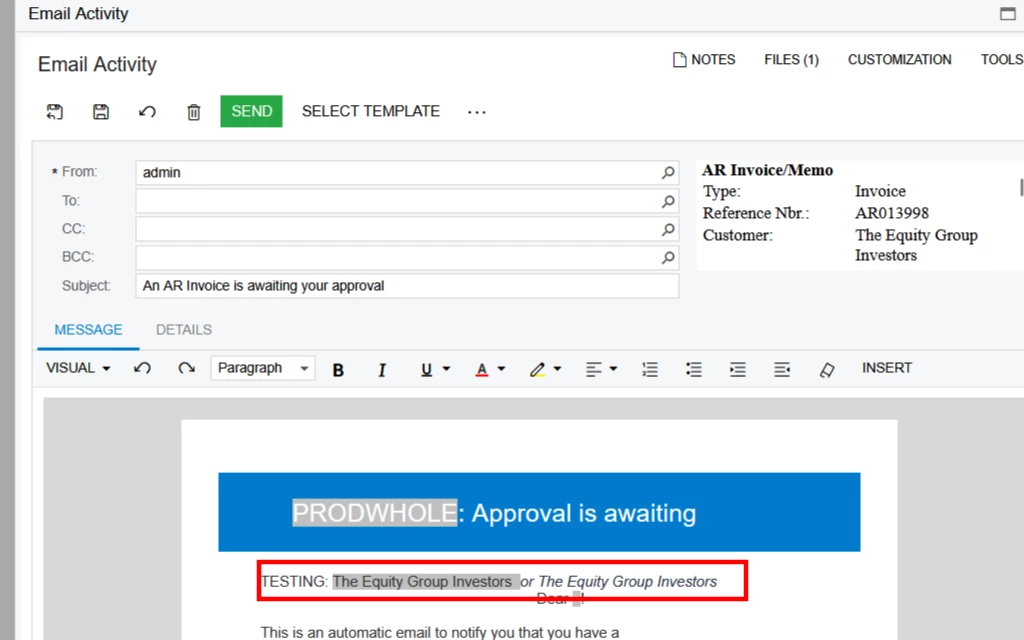
Hi ​@suphill use For AR301000 screen use  ((Document.CustomerID.AcctName)) or ((customer.AcctName))


  • Freshman I
  • July 30, 2025

Hi ​@suphill use For AR301000 screen use  ((Document.CustomerID.AcctName)) or ((customer.AcctName))

I have tried this but still only get their Internal ID not the actual name.


  • Freshman I
  • July 30, 2025

@suphill find a solution for it or if anyone else has? 

If anyone else had found a solution. I’m running into the same problem


Forum|alt.badge.img
  • Acumatica Employee
  • July 31, 2025

Hi ​@suphill if you use an out of box template, are the value populated?


Also which entity is mapped to your template?
if all these are right, I would advise to open a case, which I can take a look at it


  • Freshman I
  • July 31, 2025

Hi ​@suphill if you use an out of box template, are the value populated?


Also which entity is mapped to your template?
if all these are right, I would advise to open a case, which I can take a look at it

Hi ​@OlaAyanlaja62. Thank you for your help. 


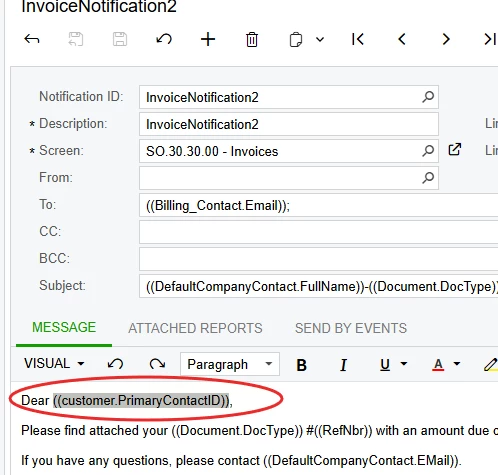
My email template is linked to SO.30.30.00 - Invoices.


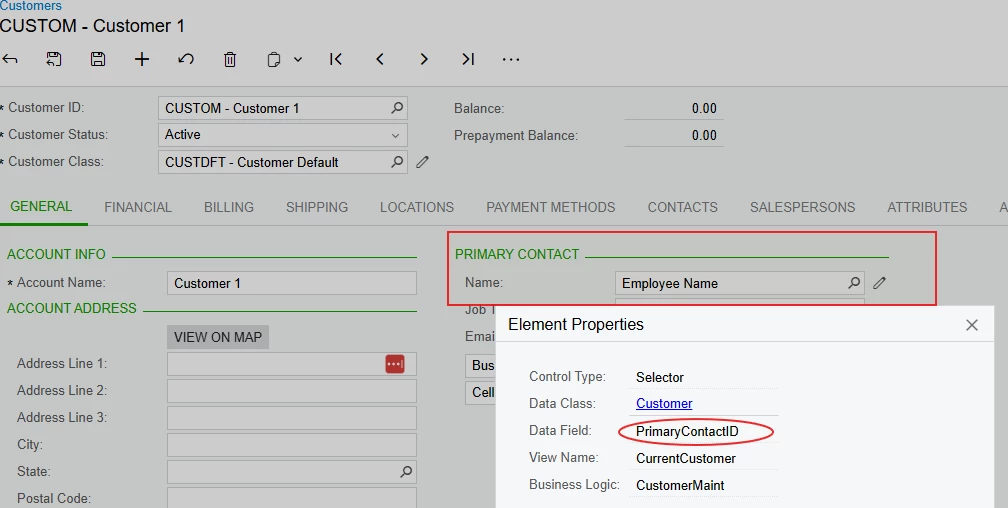
The field im trying to get is:

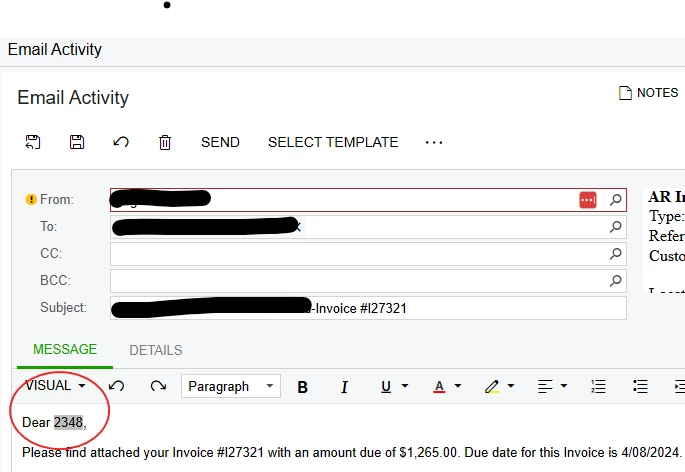
but Instead of “Employee Name” I get 


Thanks


Forum|alt.badge.img
  • Acumatica Employee
  • Answer
  • July 31, 2025

Hi ​@suphill You are picking from the variable
((customer.AcctName))