
Solved

Date format

  • Aug 27, 2024 3:19 PM UTC
  • 7 replies
  • 208 views
  • Translate All

Forum|alt.badge.img+1

Hi Community

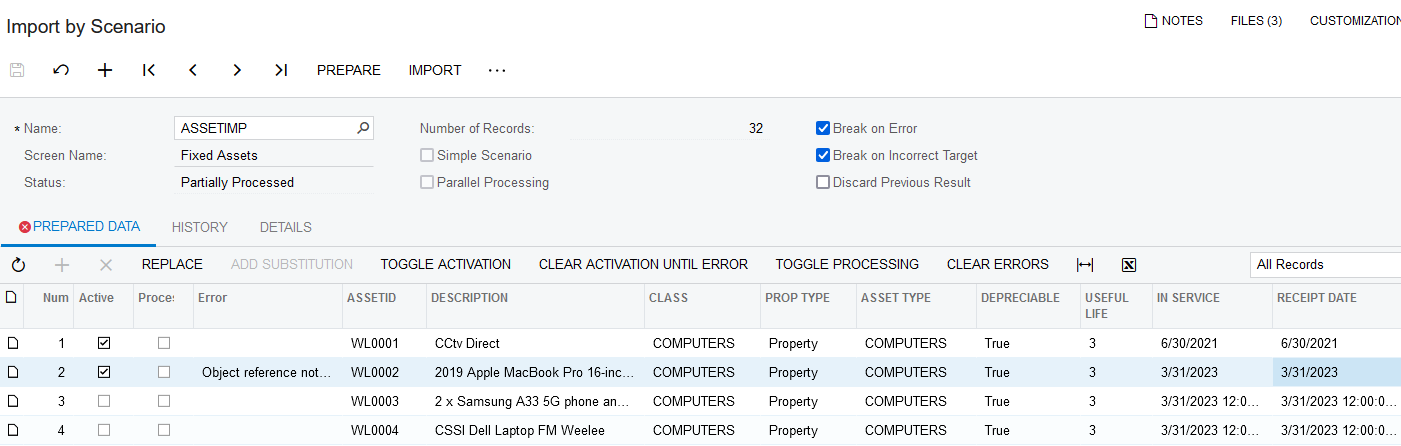
Please can someone help. I am having difficulty importing a scenario because the date format is incorrect. Error message “


Error: 'Receipt Date' cannot be empty. Error: 'Placed-in-Service Date' cannot be empty.

I have checked the system locales and changed my profile to be the same but it doesn’t seem to make a difference. I have also checked all the related articles.

System: dd-MM-yyyy

Scenario: 31-03-2023 00:00:00 am

Can anyone help me change this please? I need to get rid of the time I think.

Regards

Best answer by Laura03

Hello,

I’ve imported your XML into my demo, version 2024 R1 Build 24.101.0059. 

I see a different error from yours, using the Date exactly as it imported from your spreadsheet. The date format in your spreadsheet matches my system locale.  I tried importing with and without the Time in the date cells.

A different error appears both with/without the Time included in the date.

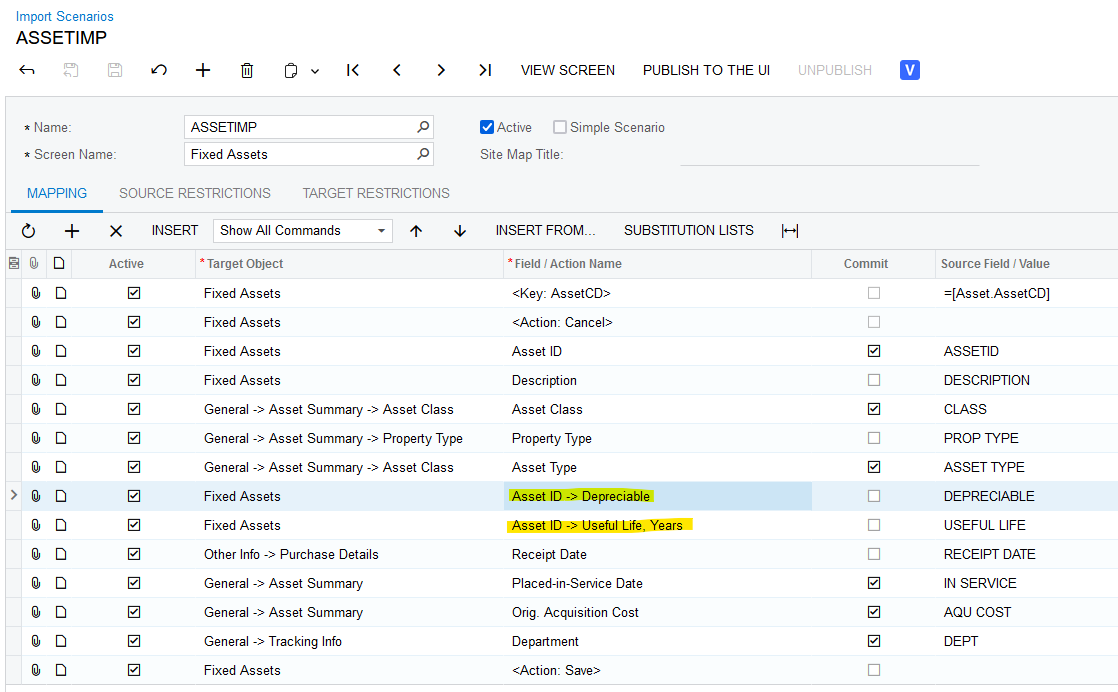
I looked next at the Import Scenario.

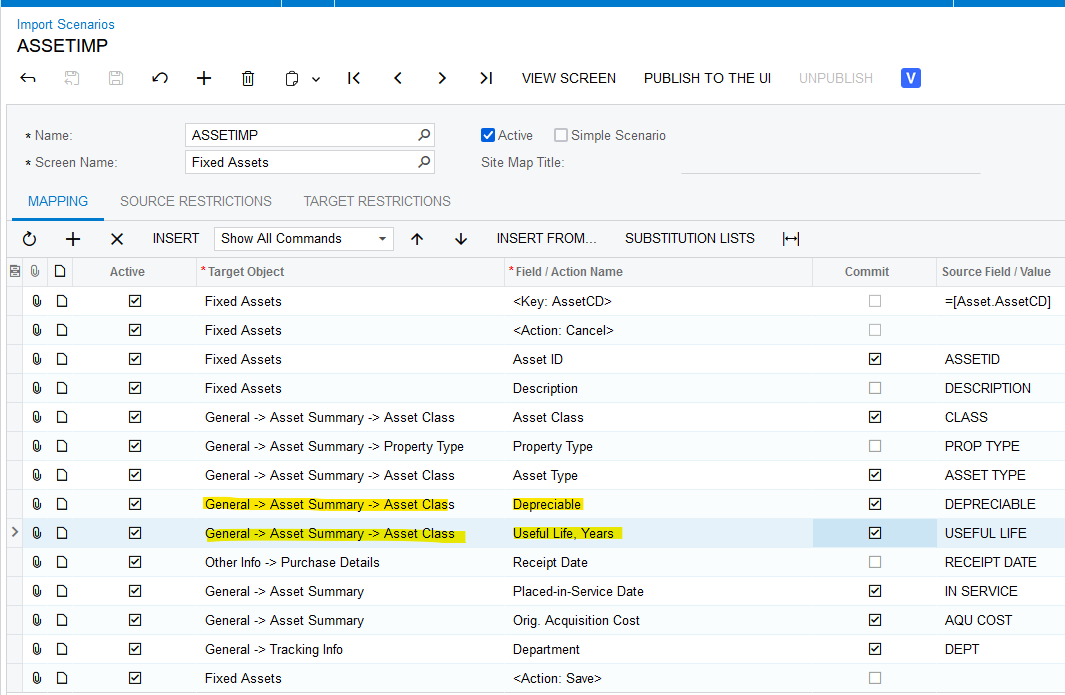
When I changed the above highlighted lines, the assets imported successfully:

Changing two fields not named in your error achieved successful import.

I hope this helps you.


Laura

View original

7 replies

Naveen Boga
Captain II
Forum|alt.badge.img+20
  • Captain II
  • Aug 27, 2024 3:55 PM UTC

Have you changed the Date format and tried?

Translate

Laura03
Captain II
Forum|alt.badge.img+20
  • Captain II
  • Aug 27, 2024 4:18 PM UTC

Hello,

Can you show us the Import Scenario mapping and the columns of the spreadsheet?  Or export your Import Scenario and attach it here.  Thank you.


Laura

Translate

Forum|alt.badge.img+1

Hi Laura

Here is he spreadsheet as well as the import scenario.

Many thanks in advance

Barbara


30-06-2021

30-06-2021       13 281.00 GEN
Translate

Laura03
Captain II
Forum|alt.badge.img+20
  • Captain II
  • Answer
  • Aug 27, 2024 8:03 PM UTC

Hello,

I’ve imported your XML into my demo, version 2024 R1 Build 24.101.0059. 

I see a different error from yours, using the Date exactly as it imported from your spreadsheet. The date format in your spreadsheet matches my system locale.  I tried importing with and without the Time in the date cells.

A different error appears both with/without the Time included in the date.

I looked next at the Import Scenario.

When I changed the above highlighted lines, the assets imported successfully:

Changing two fields not named in your error achieved successful import.

I hope this helps you.


Laura

Translate

Forum|alt.badge.img+1

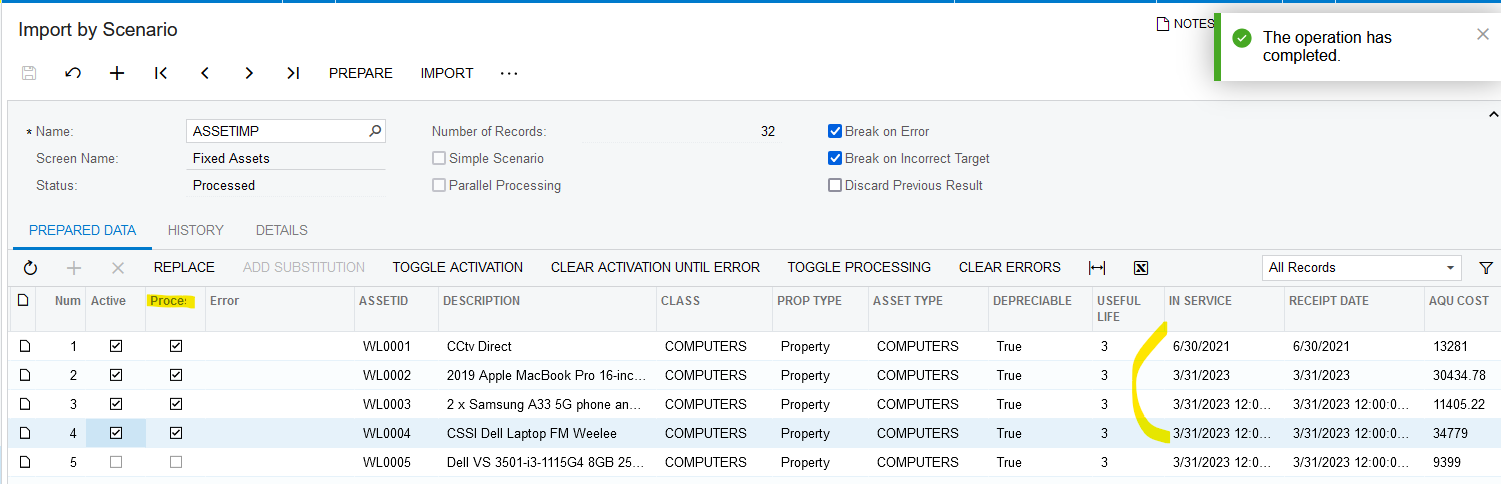
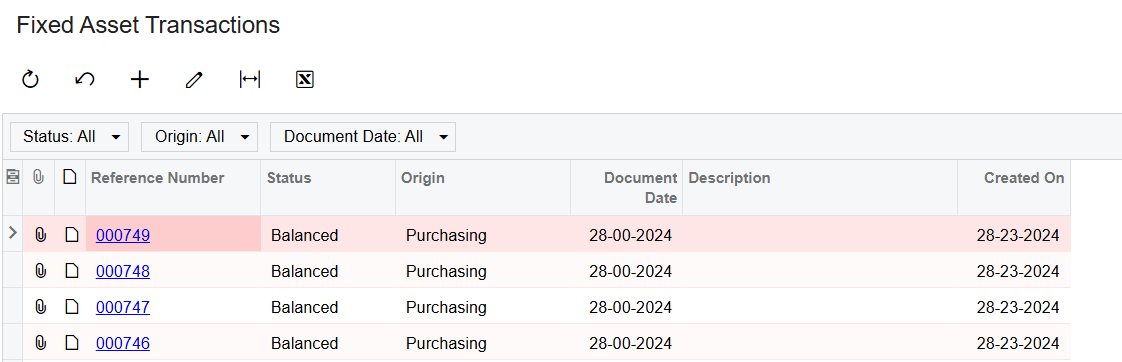
Thank you so much Laura. Changing those fields AND changing the date format did work but has resulted in a very strange thing, which I have never seen before. Do you have any idea?

The date format has changed in all modules and I can’t release/post those FA transactions.

Any ideas anyone? Thankfully this is a test system.

Regards

Barbara

Translate

Forum|alt.badge.img+1

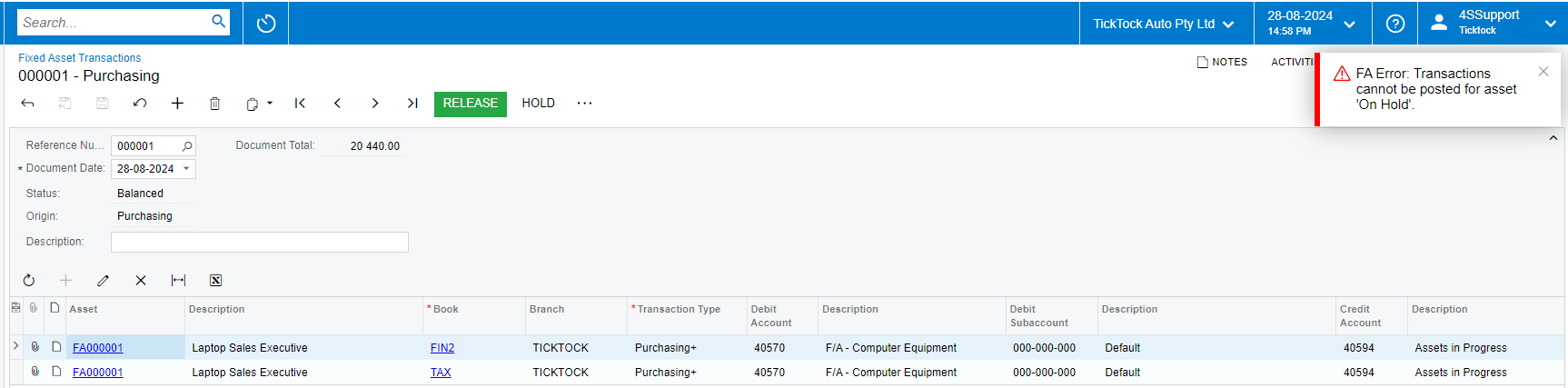
Hi again - these assets really giving m a headache. I’m ignoring the date in the Test system for now but now I am in live and still can’t release asset transactions after importing. Here is the error. There is nothing in the trace. Any ideas please?


Translate

Forum|alt.badge.img+1

Apologies to all - it seems that FA says HOLD when it needs to be released from hold instead of ON HOLD like all other modules.

Apologies for wasting everyone’s time! 😊

Translate