Answer

Customer Invoice - translation with local set in customer screen

  • November 15, 2024
  • 2 replies
  • 60 views

Hello,  


Two languages are set and active in my Acumatica instance : English and French.

I currently log with french localization.

Several of our customers need to receive their invoice in english version.

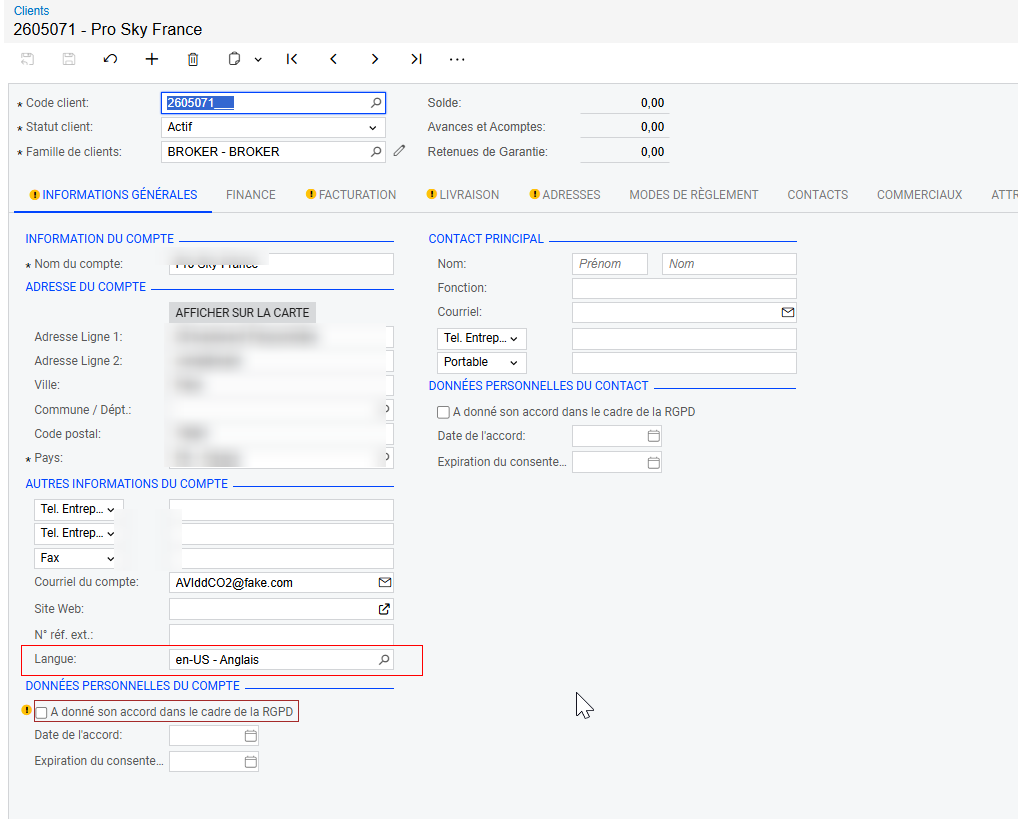
I thought that set the local field on the customer screen would provide the correct the result but no : 

The printed invoice is always displayed in french version.

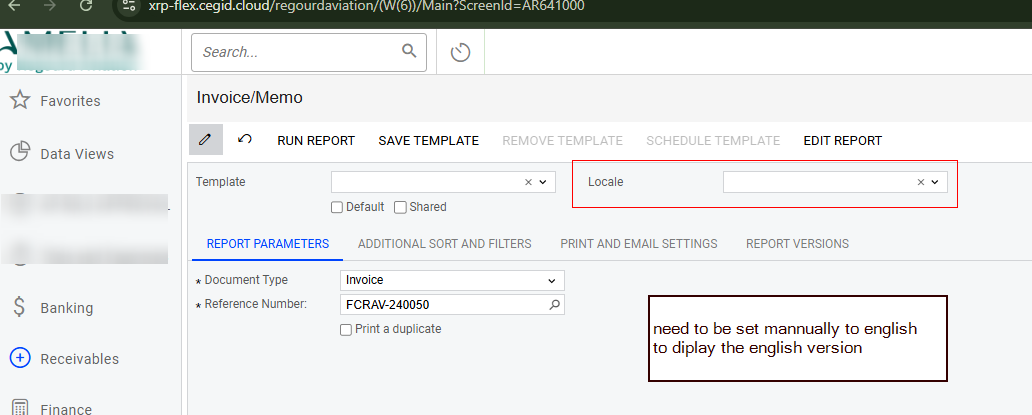
The only way I found to get the english version is that : 

  • The user who clic to print/ send the invoice is logged with english on the logging page
  • The user set “En-US” of parameters besore executing the repport .

Is there any other way to send to english customer, english version of their invoice ?
 

Best answer by cecileclep09

Hy ,  


We manage to find what was the issue.

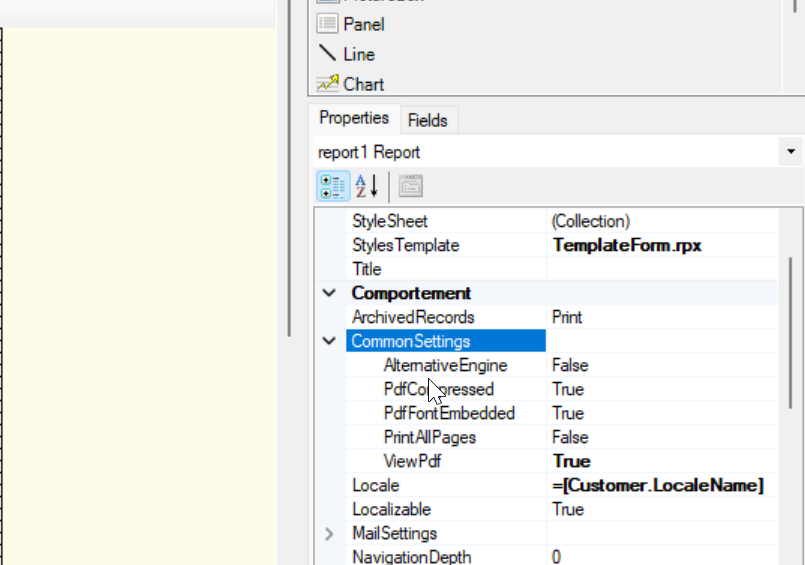
Some wrong parameter in Report Designer :  you have to put customer.localname in the Local Field.


2 replies

  • Author
  • Freshman II
  • November 15, 2024

In addition, every on my report designer is set to localisable = “true” (the report, the fields).

It was created in english and my report refers to system field sush as ‘ARinvoice.docType’ that would normally display “Invoice” and not the french translation.


  • Author
  • Freshman II
  • Answer
  • November 20, 2024

Hy ,  


We manage to find what was the issue.

Some wrong parameter in Report Designer :  you have to put customer.localname in the Local Field.