Question

Custom Unbound DAC Extension Fields Not Displaying in Mobile App (EP301020 - Expense Receipts) in 25R2

  • July 1, 2026
  • 3 replies
  • 7 views

Hi Everyone,

I am working on Acumatica 25R2 and have added three custom unbound DAC extension fields to the Expense Receipts (EP301020) screen.

 
[PXDecimal]
[PXUIField(DisplayName = "...", Enabled = false)]
public decimal? UsrReceiptLimitPerBaseUnit { get; set; }

[PXDecimal]
[PXUIField(DisplayName = "...", Enabled = false)]
public decimal? UsrMaxReceiptLimit { get; set; }

[PXDecimal]
[PXUIField(DisplayName = "...", Enabled = false)]
public decimal? UsrReceiptLimitDifference { get; set; }

These fields are calculated in a graph extension and display correctly in the web UI. They are added to the ASPX page under a custom group called Receipt Limit Details.

I am now trying to display the same fields in the Acumatica Mobile App.

I updated the Mobile Application customization with:

 
update screen EP301020 {

update container "ClaimDetails" {

add group "ReceiptLimitDetails" {
displayName = "Receipt Limit Details"
collapsable = True
collapsed = True
template = ExpansionPanel

add field "ClaimDetails#UsrReceiptLimitPerBaseUnit"
add field "ClaimDetails#UsrMaxReceiptLimit"
add field "ClaimDetails#UsrReceiptLimitDifference"
}
}
}

The customization publishes successfully with no errors.

I verified that:

  • The new Receipt Limit Details group appears when I add a standard field like UnitCost.
  • However, my custom fields do not appear in the mobile app.
  • I had to type the custom field names manually because they do not appear in the Mobile Application field suggestions.
  • The fields are available and working correctly in the browser.

My questions

  1. Does the Acumatica Mobile App support unbound DAC extension fields on EP301020?
  2. Is there an additional step required to expose custom DAC extension fields to the Mobile Application metadata?
  3. Do these fields need to be added to a Web Service Endpoint or Mobile Endpoint before they can be used?
  4. Has anyone successfully displayed calculated unbound fields in the Mobile App for Expense Receipts?

Any guidance or examples would be greatly appreciated.

Thank you!
 

3 replies

Dipak Nilkanth
Pro III
Forum|alt.badge.img+14

Hi ​@bhavyasreegedipuri73

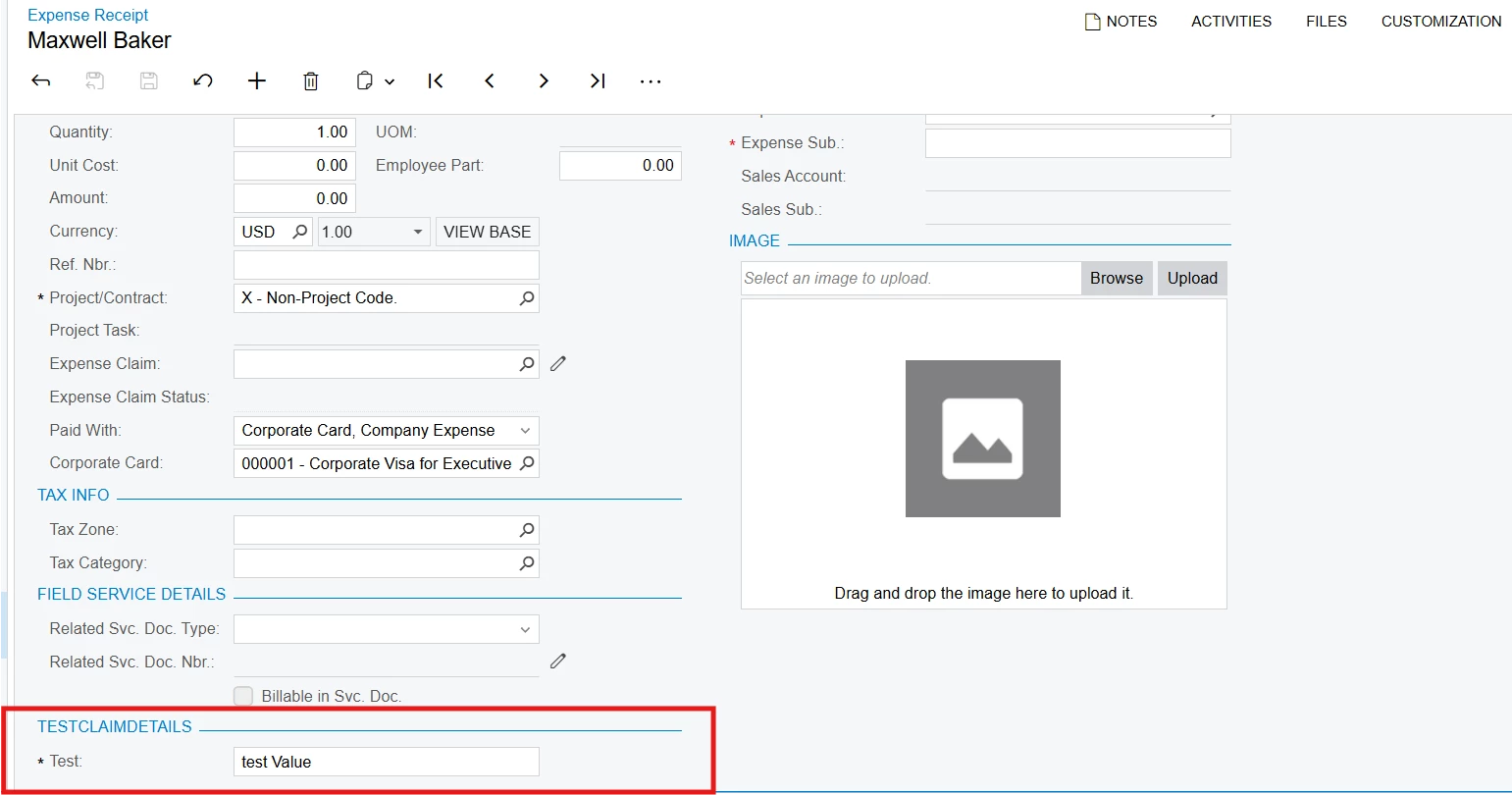
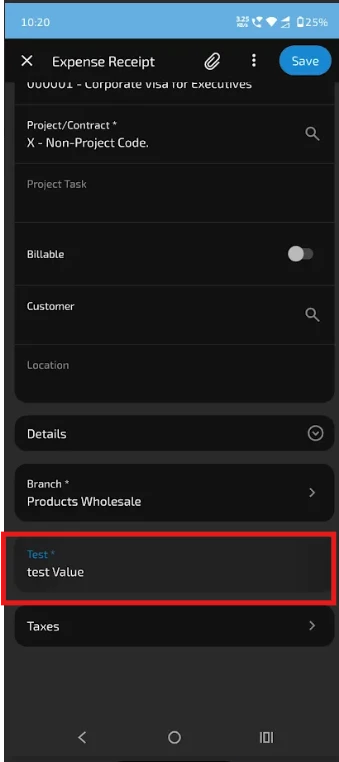
I followed the same steps and used the same code as you, and it's working fine on my end.

The custom field is displaying successfully on the custom screen without any issues.

	public class EPExpenseClaimDetailsExt : PXCacheExtension<PX.Objects.EP.EPExpenseClaimDetails>
{
#region UsrTest
[PXString(4000)]
[PXUIField(DisplayName="Test")]
[PXDefault("test Value")]
public virtual string UsrTest { get; set; }
public abstract class usrTest : PX.Data.BQL.BqlString.Field<usrTest> { }
#endregion
}


Acumatica Instance
update screen EP301020 {
update container "ClaimDetails" {

add group "DetailsTestClaimDetails" {
displayName = "Test Details"
collapsable = True
collapsed = True
template = ExpansionPanel
add field "DetailsTestClaimDetails#Test"
}
}
}
Mobile App


renosorima98
Freshman I
  • Freshman I
  • July 2, 2026

Hi ​@bhavyasreegedipuri73


I think the issue is the field-reference prefix. Inside a group, the prefix has to be the group name, not the container name — which is what ​@Dipak Nilkanth working example does (DetailsTestClaimDetails#UsrTest). Your script prefixes with the container (ClaimDetails#...), so it publishes cleanly but the fields resolve to the wrong scope and silently drop off the mobile layout.

Try this:

update screen EP301020 {
update container "ClaimDetails" {
add group "ReceiptLimitDetails" {
displayName = "Receipt Limit Details"
collapsable = True
collapsed = True
template = ExpansionPanel

add field "ReceiptLimitDetails#UsrReceiptLimitPerBaseUnit"
add field "ReceiptLimitDetails#UsrMaxReceiptLimit"
add field "ReceiptLimitDetails#UsrReceiptLimitDifference"
}
}
}


Hope this helps!


Forum|alt.badge.img+9
  • Captain II
  • July 2, 2026

@bhavyasreegedipuri73 


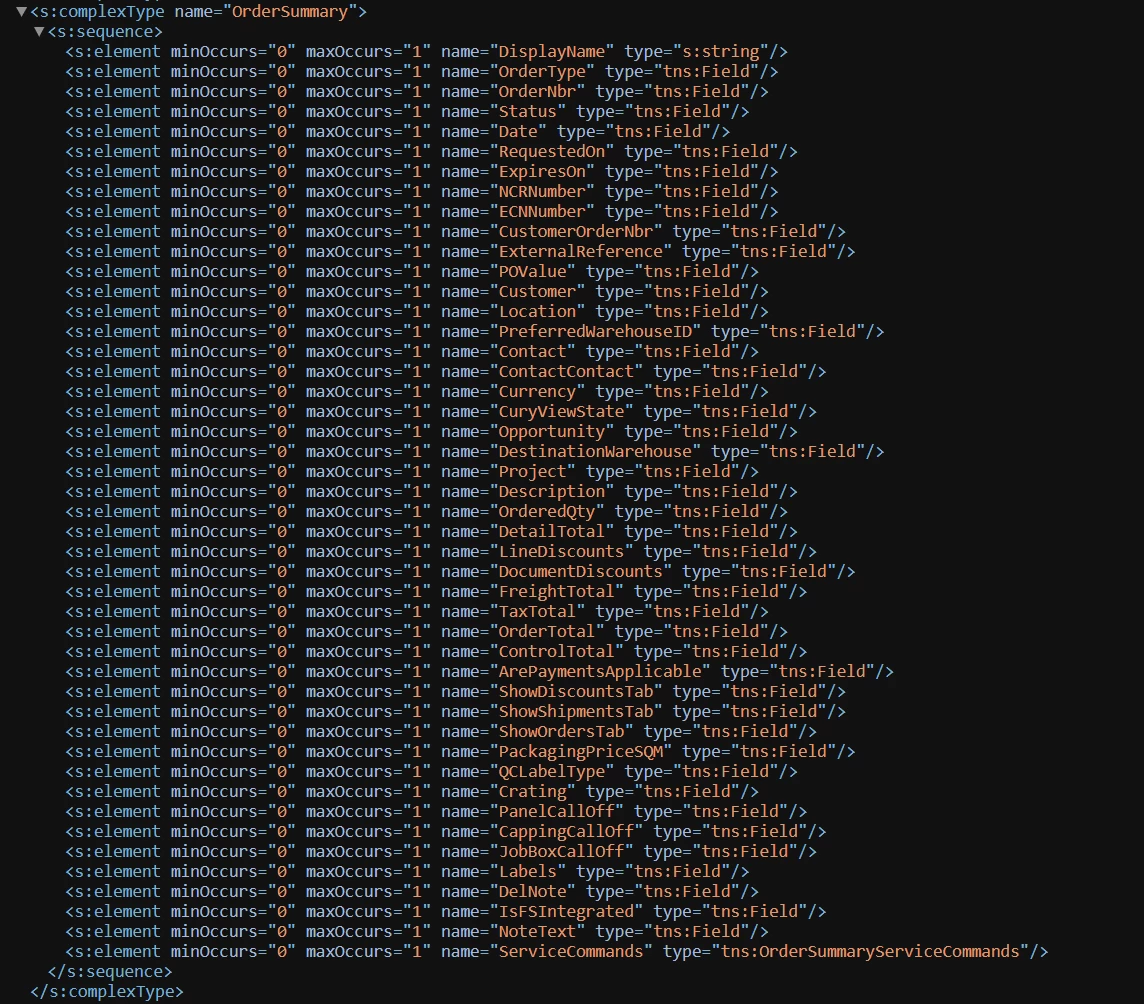
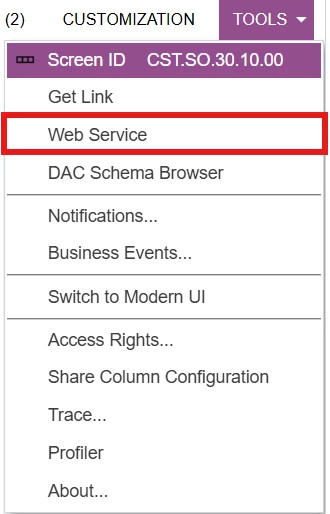
I believe you need to use the field names from the WSDL schema of the fields and views for the mobile app.


The fields in the WSDL schema are not always the same as the DAC names.


You can access the WSDL schema like so:

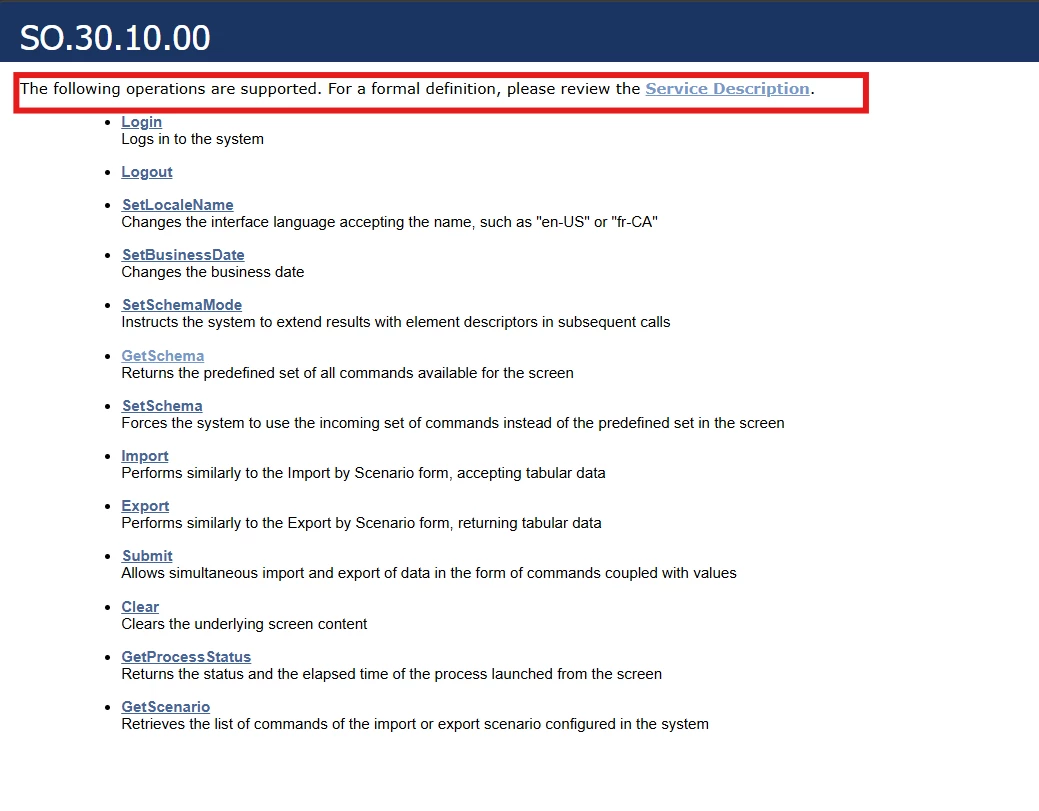
Tools → Web Service

Then press Service Description

Then navigate to the view that you want to amend