Answer

Creating Customers and Suppliers without "restrict visibility to"

  • December 20, 2024
  • 3 replies
  • 171 views

Forum|alt.badge.img

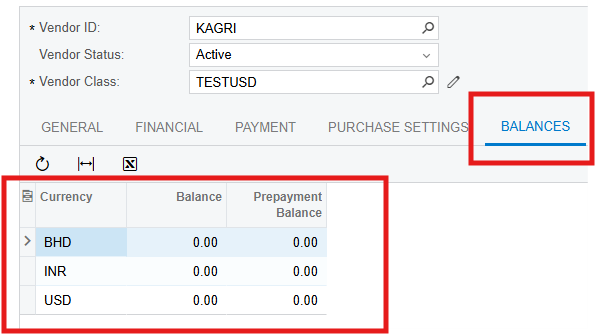
I am using multi base currency and it enforce restrict visibility to specific companies or group of companies, Is it possible to create a supplier or customer without this restriction being enforced. I extended the companies on the tenant as customer and vendors and the system does not force this restrict visibility rather it create a tab for balances with multiple currencies. 

Standard Vendor
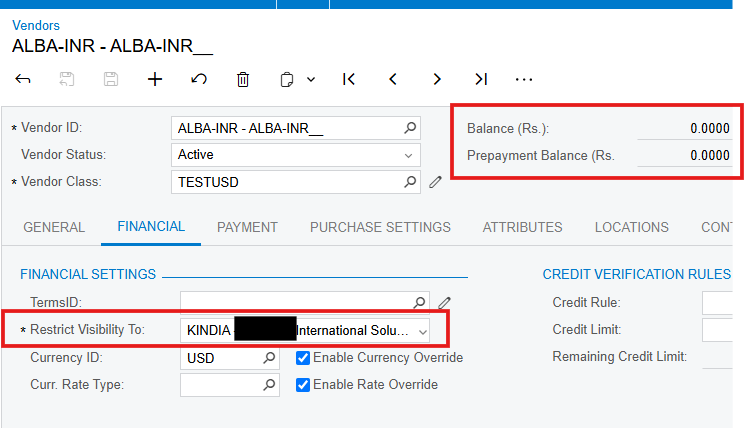


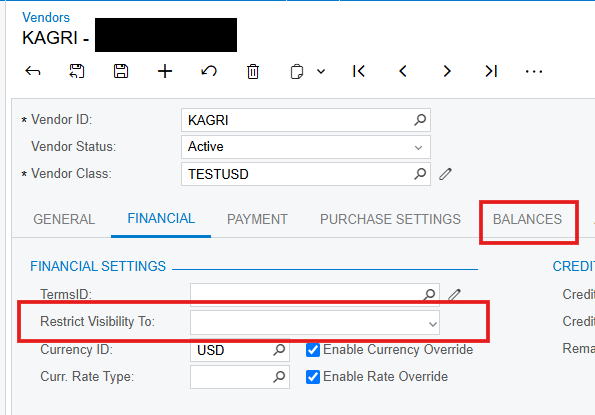
Extended Company as Vendor, the restrict visibility no longer has the asterisk


Best answer by YasasWithanage76

Hello ​@wilson71 ,

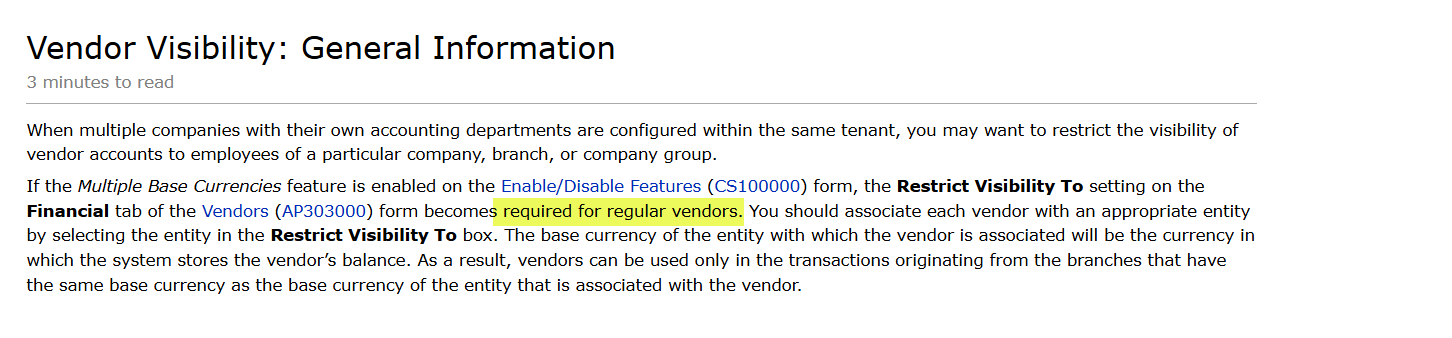
As per my understanding, there is no way to avoid this restriction for new vendor accounts (regular vendors/Standard vendors). The user needs to select an entity. The Restrict Visibility To field is a mandatory field for regular vendors. If the vendor is extended from a company (not regular vendors), this field is not mandatory (No entity).

If all users need to see these regular vendors, the most suitable option is the company group. Create a company group with relevant branches and assign it to the vendor account.

https://help-2023r2.acumatica.com/(W(3))/Help?ScreenId=ShowWiki&pageid=d9fd61fa-756c-4e3d-9ae0-4ba9ba51dbd2

Company groups

https://help-2023r2.acumatica.com/(W(3))/Help?ScreenId=ShowWiki&pageid=5c402b6d-8af7-4143-8c68-2f40c2dff525


Hope this helps!

Thanks.

3 replies

Sagar Greytrix
Captain II
Forum|alt.badge.img+3

Hi ​@wilson71,

If you're not using the 'Restriction Visibility To' option, you can toggle the 'Customer and Vendor Visibility Restriction' setting in the Enable/Disable Features screen. This will allow you to create a customer or vendor without applying visibility restrictions.

Hope this helps!


Forum|alt.badge.img
  • Author
  • Jr Varsity II
  • December 20, 2024

Hi ​@wilson71,

If you're not using the 'Restriction Visibility To' option, you can toggle the 'Customer and Vendor Visibility Restriction' setting in the Enable/Disable Features screen. This will allow you to create a customer or vendor without applying visibility restrictions.

Hope this helps!

Hi ​@Sagar Greytrix , the client has multi base currency on their tenant and the system doesn't allow us to activate the multi base currency without restrict visibility on customer/vendor.


YasasWithanage76
Acumatica Employee
Forum|alt.badge.img+4
  • Acumatica Employee
  • Answer
  • December 24, 2024

Hello ​@wilson71 ,

As per my understanding, there is no way to avoid this restriction for new vendor accounts (regular vendors/Standard vendors). The user needs to select an entity. The Restrict Visibility To field is a mandatory field for regular vendors. If the vendor is extended from a company (not regular vendors), this field is not mandatory (No entity).

If all users need to see these regular vendors, the most suitable option is the company group. Create a company group with relevant branches and assign it to the vendor account.

https://help-2023r2.acumatica.com/(W(3))/Help?ScreenId=ShowWiki&pageid=d9fd61fa-756c-4e3d-9ae0-4ba9ba51dbd2

Company groups

https://help-2023r2.acumatica.com/(W(3))/Help?ScreenId=ShowWiki&pageid=5c402b6d-8af7-4143-8c68-2f40c2dff525


Hope this helps!

Thanks.