Question

Clearing transactions in Process Bank Transactions Screen

  • May 22, 2026
  • 4 replies
  • 28 views

zenith59
Freshman I
Forum|alt.badge.img

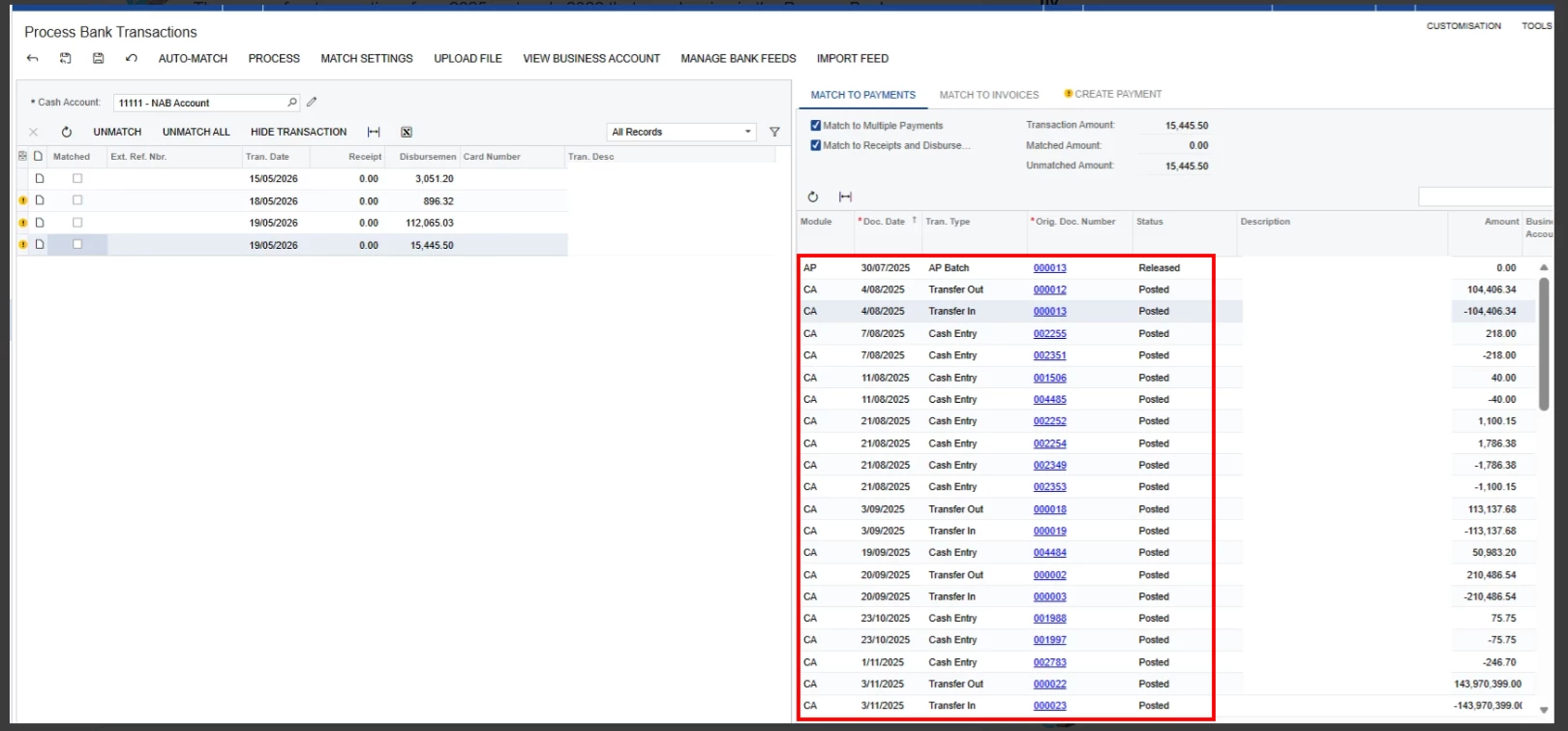
There were few transactions from 2025 and early 2026 that are showing in the Process Bank Transactions. How to clear these ones. 
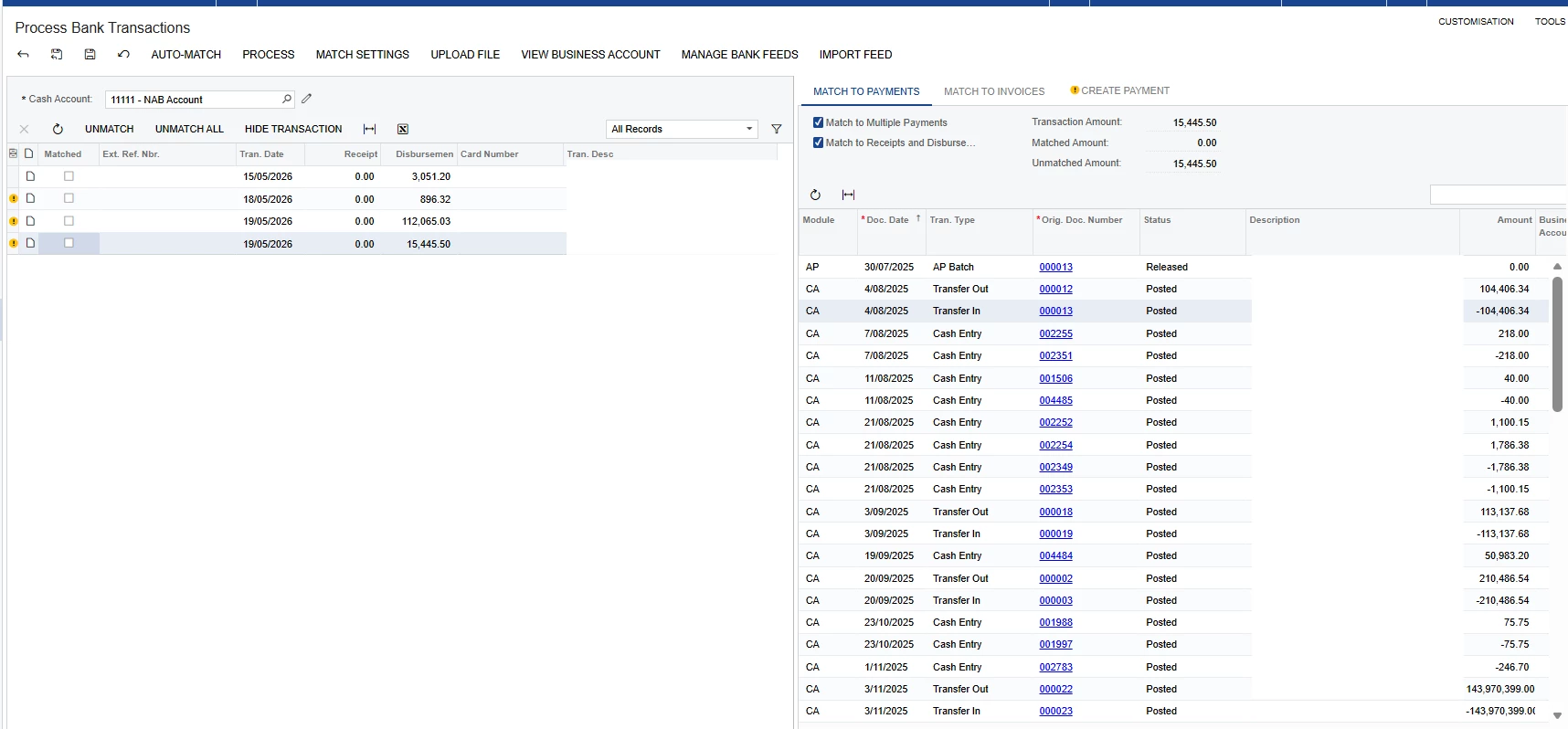

I’ve noticed that these transactions has been reconciled in the Reconciliation statements CA302000 and they were cleared. I can modify the match settings to hide it, but i want to completely remove them on the process bank transactions screen. 

4 replies

Forum|alt.badge.img+2
  • Acumatica Employee
  • May 22, 2026

Hello ​@zenith59 ,

If these transactions from the Bank needs to be removed from the system, they can be deleted from the Import Bank Transactions screen.

Refer:

Amaan


zenith59
Freshman I
Forum|alt.badge.img
  • Author
  • Freshman I
  • May 22, 2026

Hi @AmaanFazeer11, sorry for the confusion, I was referring to the transactions listed below.


Forum|alt.badge.img+2
  • Acumatica Employee
  • May 22, 2026

Hello ​@zenith59 

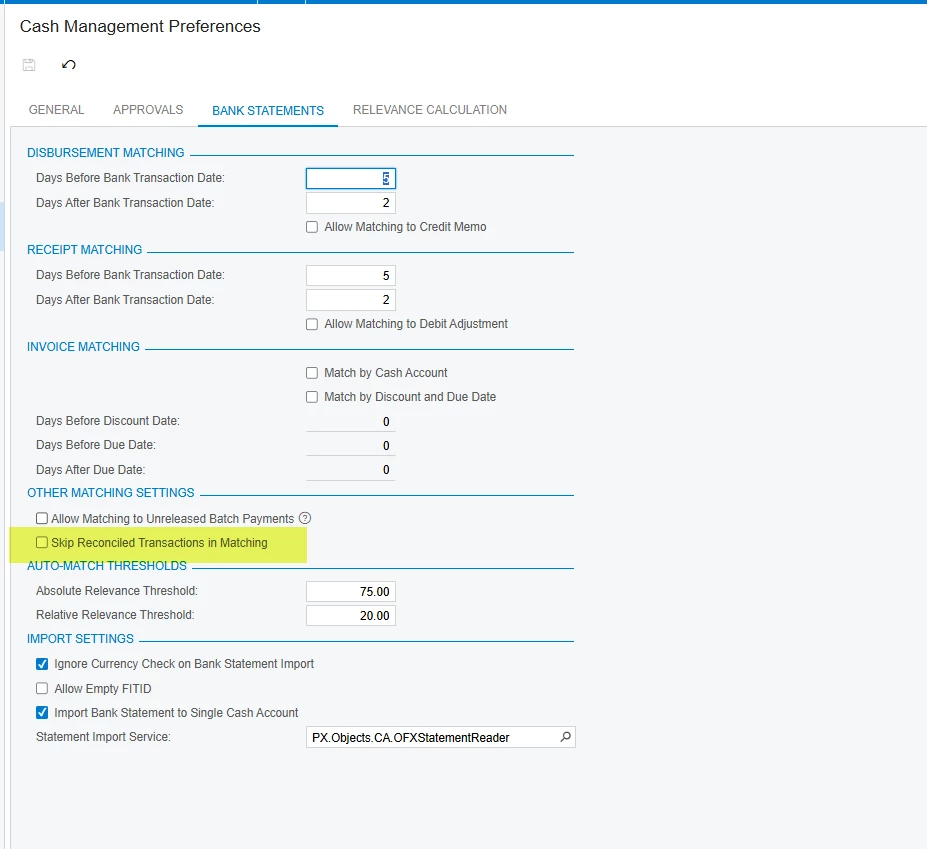
On the Cash Management Preference > Bank Statement Tab > Select “Skip Reconciled Transactions in matching”


Forum|alt.badge.img+1

Hello ​@zenith59 


If already reconciled transactions appear on the right side, you can select the below option. Then those will not appear on the process bank transaction screen again.