Question

Check from 2022 "On Hold" - Error Message when attempting to open

  • November 29, 2023
  • 5 replies
  • 124 views

Forum|alt.badge.img

Hello - 

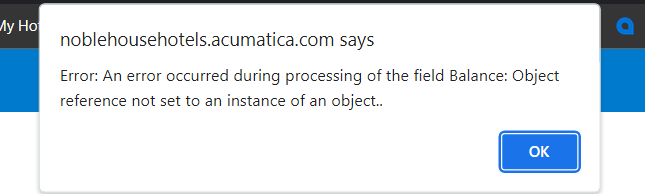
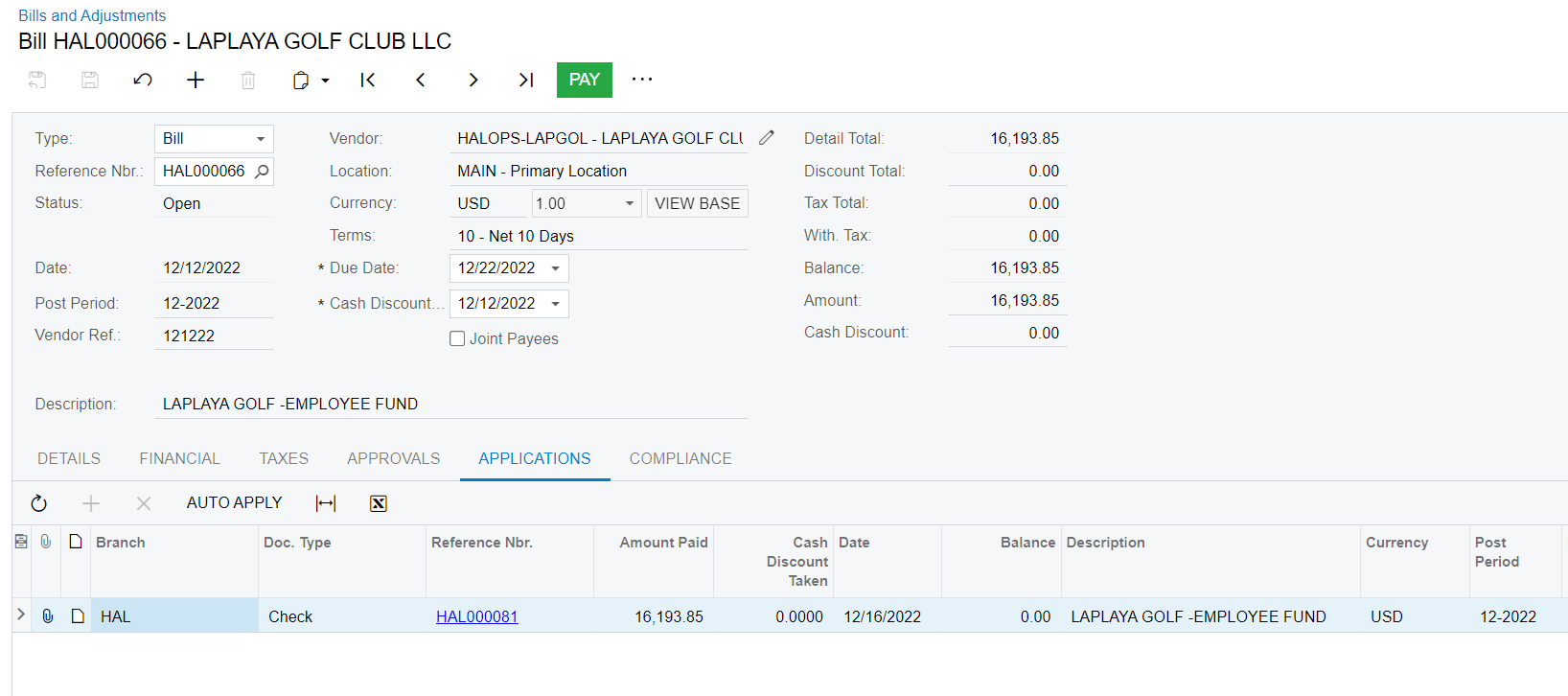
We have found a check at one of our properties “On Hold” from 12-2022 (screenshot 1). When I go to open this check, I get this error message, “Object reference not set to an instance of an object”. I have found this check applied to a Bill, with the status of “Open”, and I cannot delete the bill or clear the application. When I select “Pay”, I get the same error message “Object reference not set to an instance of an object”

Additionally, I have found a debit adjustment referenced to this Bill in 09-2023, seemingly attempting to reverse the error. But I am unable to apply the Bill to the Debit Adj, or release it. (screenshot 3 and 4))

Does anyone know a workaround so I can find this check and delete it? (A second check had already been cut and paid for the same time period)

Thanks!


Bill with the Check Applied and the Debit Adj


5 replies

StevenRatner
Varsity I
Forum|alt.badge.img
  • Varsity I
  • November 29, 2023

@mdyer I suggest running “recalculate vendor balances” and if that doesn’t work, it sounds like you will need to open a case with Acumatica support to correct this issue.


Laura03
Captain II
Forum|alt.badge.img+19
  • Captain II
  • November 29, 2023

Hello @mdyer ,

I wonder if you have any published customizations in Payables. If so, it’s worth a try to temporarily un-publish customizations and see whether the behavior is different.  Can you open the check when customizations are temporarily unpublished?

I’ve also experienced strange cases where a document won’t open:

  1. When account-subaccount restriction groups exist and my user isn’t a member of a restriction group that contains the bank account of the check
  2. When I’m not in the Branch Role for the Branch that is on the Financial tab of the check in question, or for the bill that was paid by the check
  3. When a check exists for an inactive bank account.

If none of these ideas helps…. Steve’s suggestion to contact your VAR/Acumatica support is the next step.

Best regards,

Laura


Forum|alt.badge.img
  • Author
  • Jr Varsity II
  • November 29, 2023

Thanks for your replies!

@StevenRatner , unfortunately the recalculating vendor balances did not help.

@Laura02  suggestions 1-3 did not help as well. I will try to unpublish customizations after hours today and let you know how it goes. 

Appreciate everyone’s help!


Chris Hackett
Community Manager
Forum|alt.badge.img
  • Acumatica Community Manager
  • December 20, 2023

Hi @mdyer were you able to find a solution? Thank you!


Forum|alt.badge.img
  • Author
  • Jr Varsity II
  • December 20, 2023

Hi @Chris Hackett  - unfortunately we were not able to resolve this and currently have Acumatica support looking in to how to remove this from the database.

Thanks!