Solved

Categorise subaccounts based on GL A/C codes

  • September 30, 2026
  • 13 replies
  • 52 views

Forum|alt.badge.img

Hello all,

I would like to understand if we can categorise the subaccounts based on the GL A/c that would be selected at the time of creating a transaction.

So if I have a GL A/c = “Fees” and I have a range of subaccounts = “Accounting Fees”, “Legal Fees”, etc. so it should only allow the user to select the subaccounts mapped to Fees GL A/c codes only & not of any other.

Kindly share your suggestions.

Best answer by Eric Ratté

For the subaccount 000-con, you should check account 13000 and uncheck All accounts. Both are flagged into the same group because they are a valid combinaison.

13 replies

nhatnghetinh
Captain II
Forum|alt.badge.img+13
  • Captain II
  • September 30, 2026

Hi ​@Harry 

Acumatica Standard does not directly support mapping a GL Account to a specific list of allowed Subaccounts.

There is a post with a question very similar to yours. You can refer to the answers in that post using the link below.


Best Regards,

NNT


Laura03
Captain II
Forum|alt.badge.img+20
  • Captain II
  • September 30, 2026

if I have a GL A/c = “Fees” and I have a range of subaccounts = “Accounting Fees”, “Legal Fees”, etc. so it should only allow the user to select the subaccounts mapped to Fees GL A/c codes only & not of any other.

Good day, Harry,

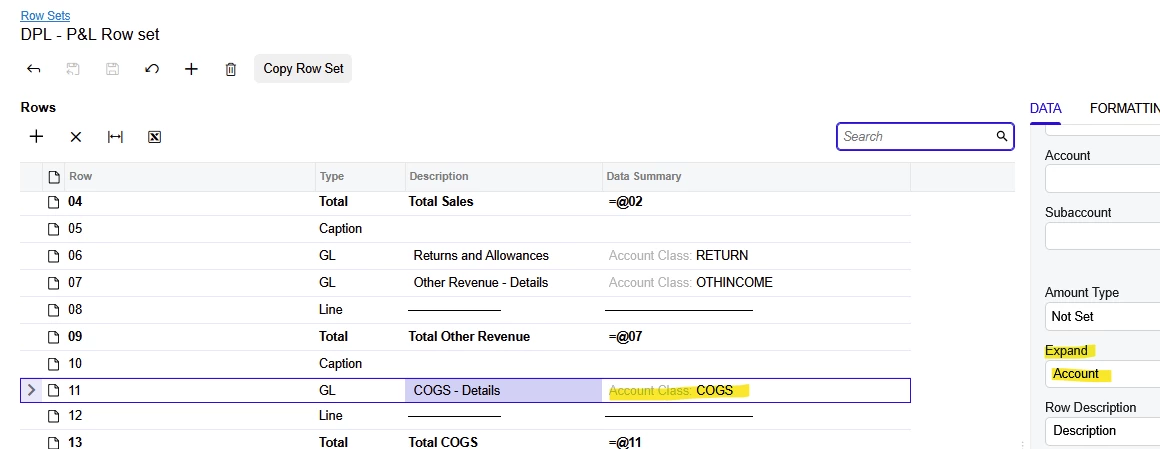
Subaccounts are not needed and not recommended for your example. Instead, Best Practice for your customer is to add  Accounting Fees, Legal Fees, etc. as separate GL Accounts and use FEES as your Account Class in the Chart of Accounts. Using this configuration, Acumatica’s end of month reports may show a summary P & L with Fees grouped by Account Class. Use “Expand” to easily create a Detailed P & L with every type of Fee listed separately.   

Your customer might need the subaccount for other reasons unrelated to Accounts, such as to represent Department on each transaction, thereby providing a way to Budget and report expenses from GL by Department. Subaccount could represent Product groups, be connected to Inventory Posting Classes, and provide your customer a method of reporting Sales & COGS from GL for groups of Inventory Items. Subaccounts feature may be turned off if your customer doesn’t need to report from GL by Department, Product, etc.


Laura


Eric Ratté
Jr Varsity I
Forum|alt.badge.img+1
  • Jr Varsity I
  • September 30, 2026

Restriction groups allow a defined list of subaccounts for a list of GL accounts.

You define them at the GL Account Access screen.

You define a group for each combinaison you want to enforce.

The subaccount or subaccount segments will be restricted for the accounts you select.

You do not need to select any user if you do not want to restrict the usage of the combinaison to a particular user.

Attention: An account or a subaccount or subaccount segment that is not selected in any group of type A will not be restricted.

Typically, I recommend creating a group for all accounts and subaccounts that are not restricted so that the rules are enforced.


Forum|alt.badge.img
  • Author
  • Semi-Pro III
  • September 30, 2026

Restriction groups allow a defined list of subaccounts for a list of GL accounts.

You define them at the GL Account Access screen.

You define a group for each combinaison you want to enforce.

The subaccount or subaccount segments will be restricted for the accounts you select.

You do not need to select any user if you do not want to restrict the usage of the combinaison to a particular user.

Attention: An account or a subaccount or subaccount segment that is not selected in any group of type A will not be restricted.

Typically, I recommend creating a group for all accounts and subaccounts that are not restricted so that the rules are enforced.

Hi ​@Eric Ratté ,

Thanks for your response. What I’m trying is:

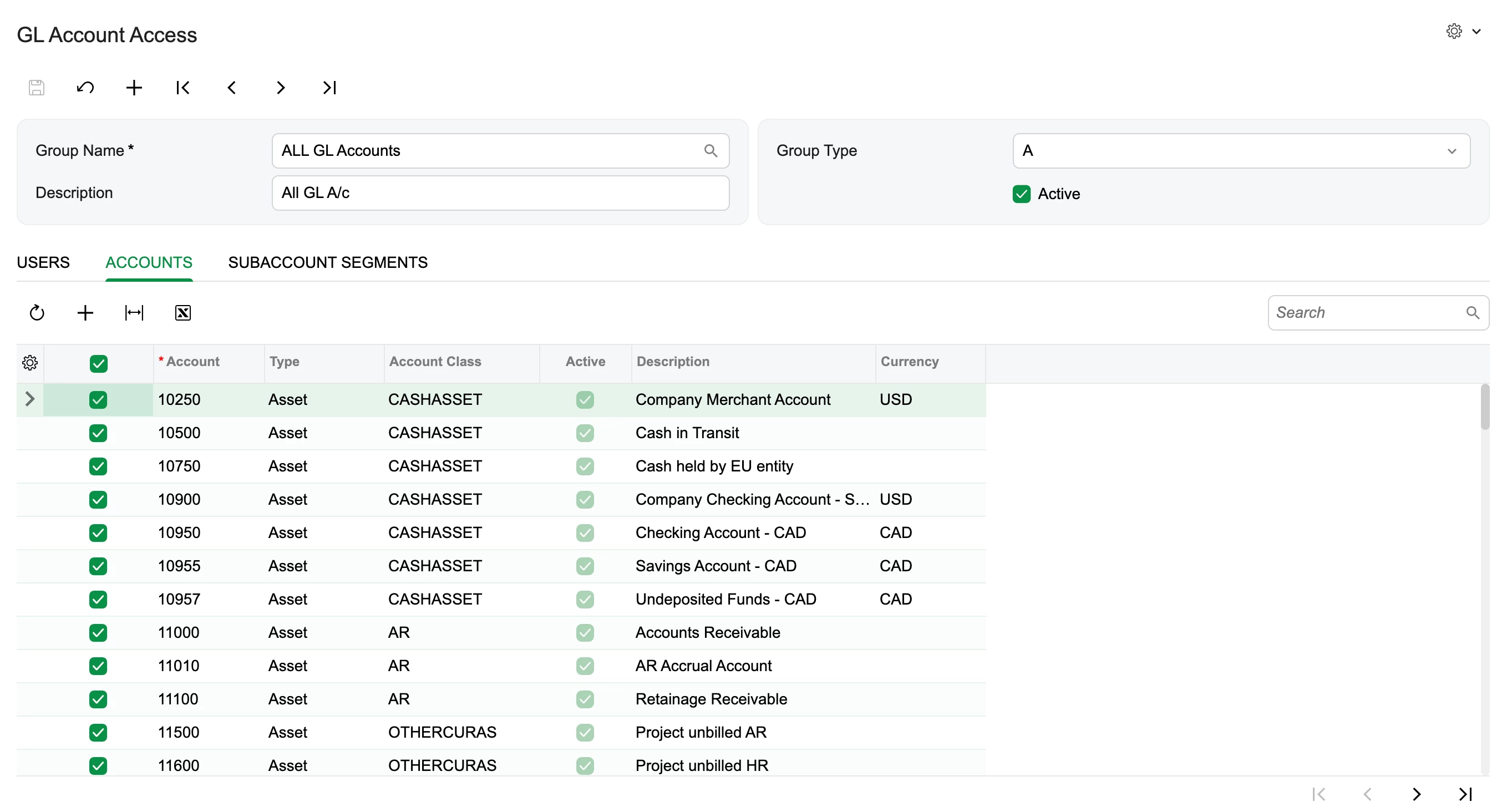
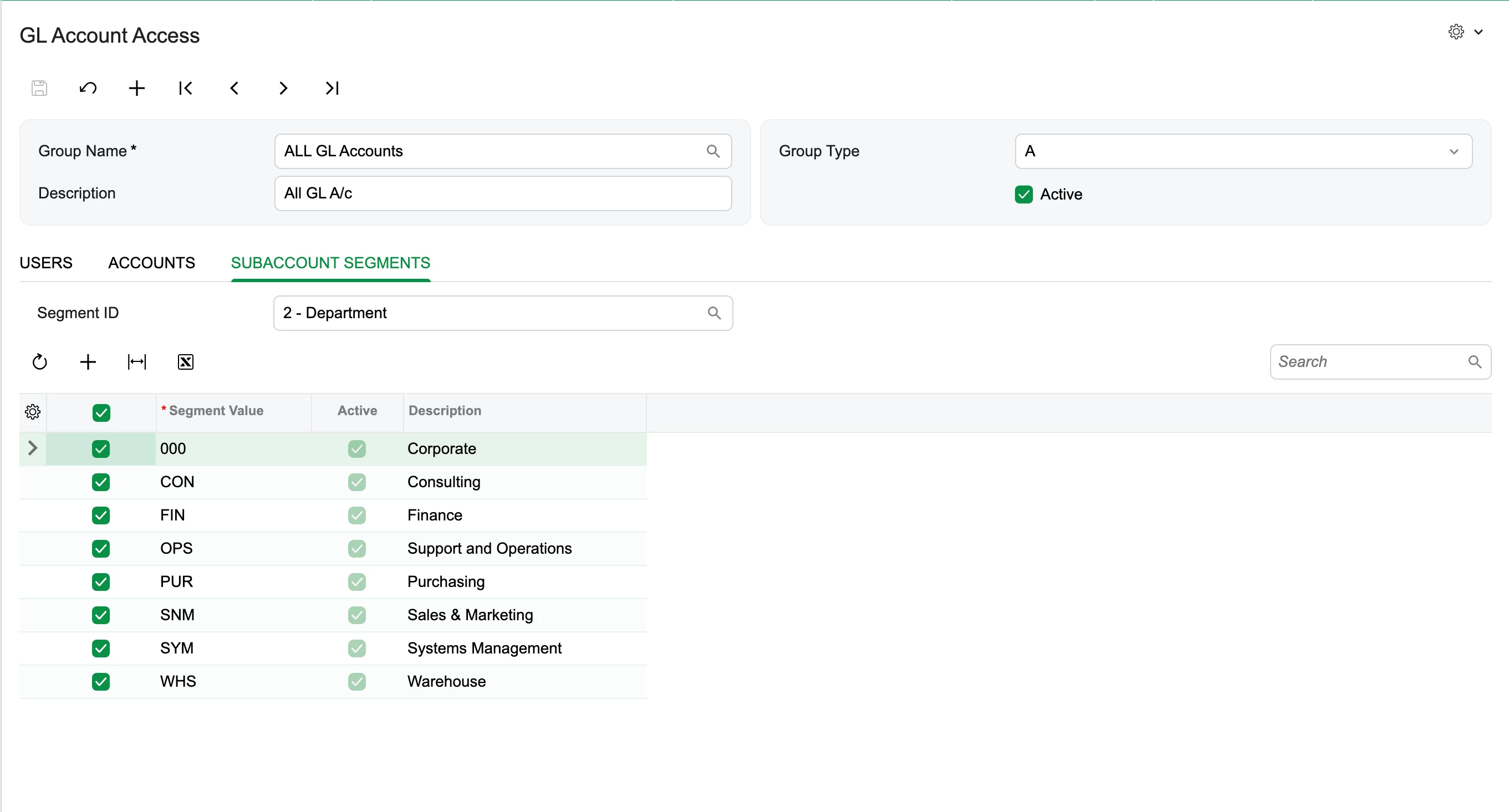
I first created restriction for All:

All the GL A/c selected:

And all the Subaccounts selected:


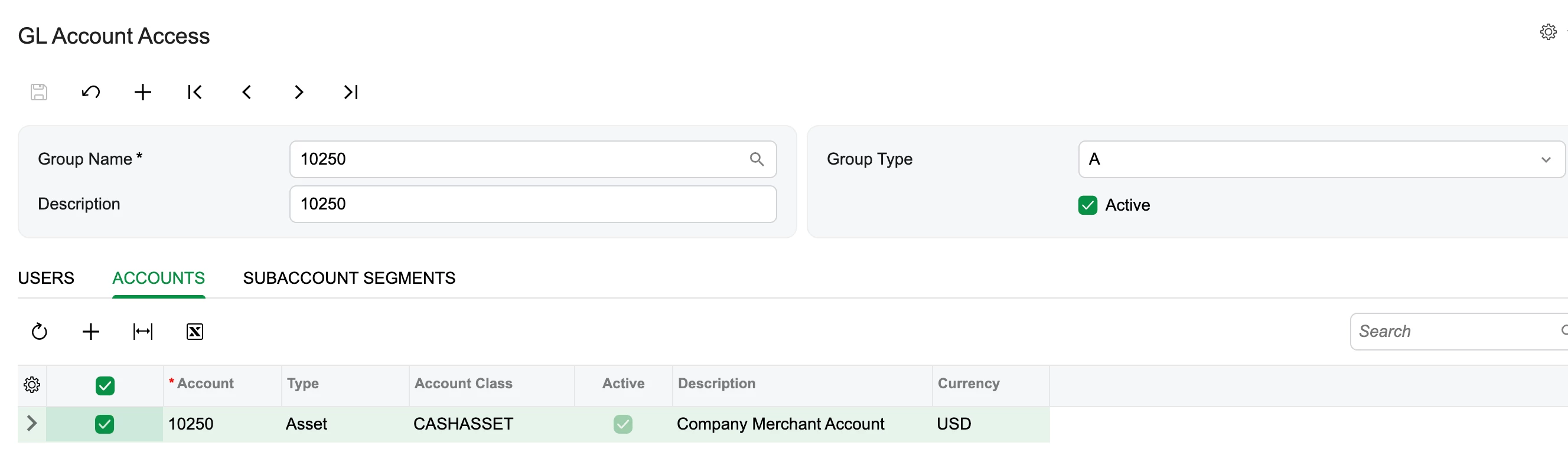
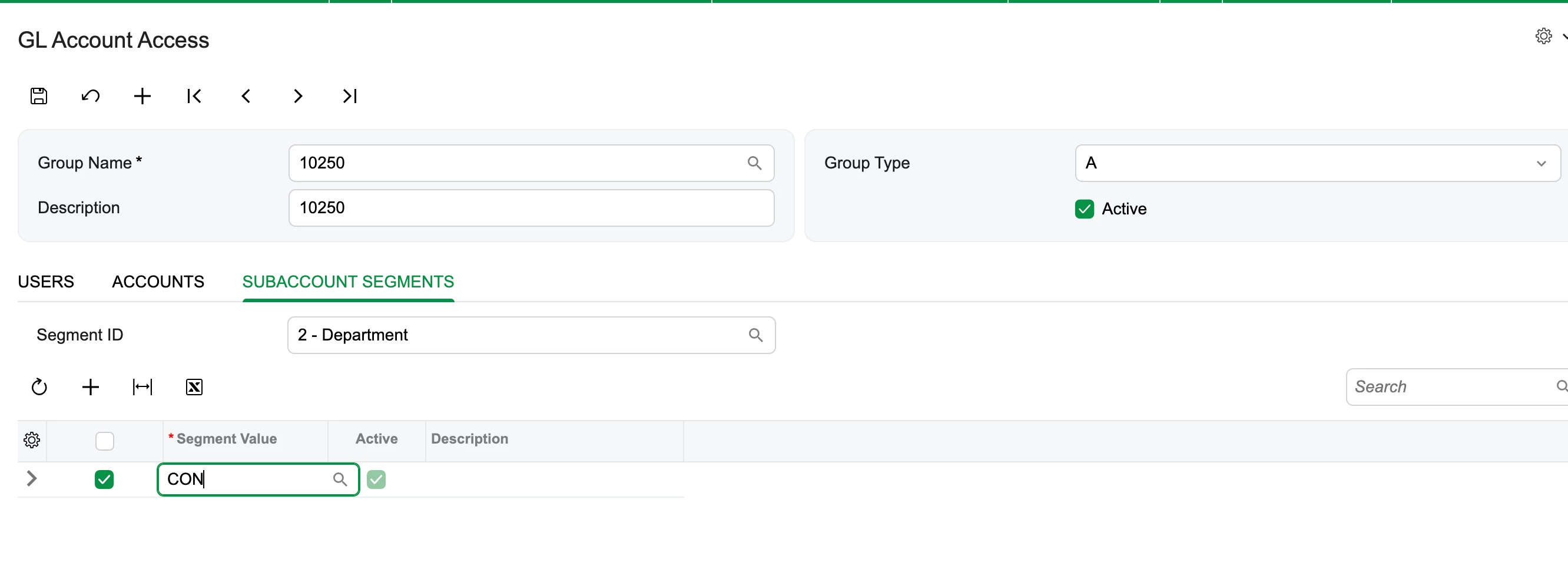
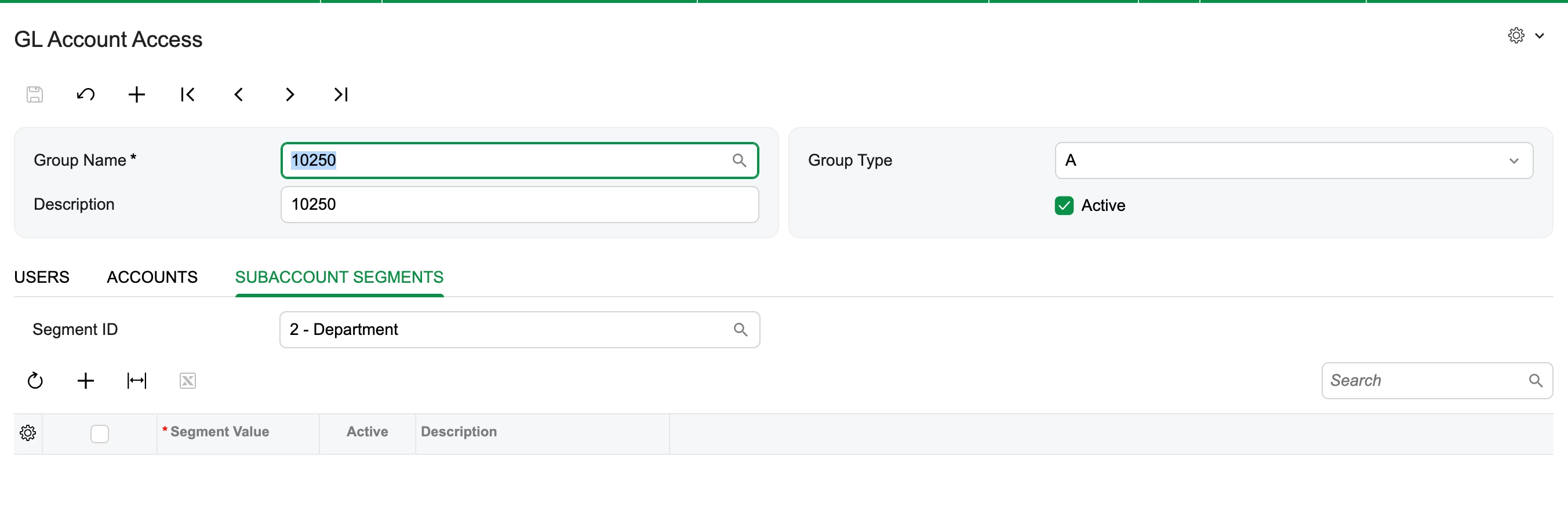
Now I tried to setup the restriction to test for 10250 account to only be assigned to CON subaccount, but I am unable to add the subaccount:


and when I try to add & save, the subaccount segment vanishes.


Am I missing something?


Forum|alt.badge.img
  • Author
  • Semi-Pro III
  • September 30, 2026

hi ​@Eric Ratté ,

I somehow managed to add the subaccount segments: but the restrictions arent getting applied for the below GL A/c:


User:


GL A/c:

Subaccount segment:


Restriction groups:


What is it that I’m missing in here?


Eric Ratté
Jr Varsity I
Forum|alt.badge.img+1
  • Jr Varsity I
  • September 30, 2026

The type A of restriction groups is optimistic. That means that if 2 restriction groups have the same account, the subaccounts allowed for this account will be all the subaccounts part of these 2 groups as well as subaccounts not restricted i.e. subaccounts that are not part of any group. The other way around is also true. If a subaccount is part of 2 groups, then the accounts of the 2 groups and the accounts that are not part of any group will be available.

In conclusion, you should unselect All GL accounts group for the accounts which usage is limited.


Forum|alt.badge.img
  • Author
  • Semi-Pro III
  • September 30, 2026

The type A of restriction groups is optimistic. That means that if 2 restriction groups have the same account, the subaccounts allowed for this account will be all the subaccounts part of these 2 groups as well as subaccounts not restricted i.e. subaccounts that are not part of any group. The other way around is also true. If a subaccount is part of 2 groups, then the accounts of the 2 groups and the accounts that are not part of any group will be available.

In conclusion, you should unselect All GL accounts group for the accounts which usage is limited.

hi ​@Eric Ratté ,

Thanks for your prompt response. So got confused here a bit. So in case if I would like to apply restriction on 13000 GL A/c for Admin so should I remove it from All GL A/c group?


Eric Ratté
Jr Varsity I
Forum|alt.badge.img+1
  • Jr Varsity I
  • September 30, 2026

yes


Forum|alt.badge.img
  • Author
  • Semi-Pro III
  • September 30, 2026

yes

Understood ​@Eric Ratté ,
And what if I only want to provide the access that when 13000 is select by admin only 000-CON should be allowed to be selected?

Sorry to bother you 😅


Eric Ratté
Jr Varsity I
Forum|alt.badge.img+1
  • Jr Varsity I
  • September 30, 2026

Restriction group 1: account 13000 and subaccount 000-con

Restriction group 2: all other accounts and other subaccounts.


Forum|alt.badge.img
  • Author
  • Semi-Pro III
  • September 30, 2026

Restriction group 1: account 13000 and subaccount 000-con

Restriction group 2: all other accounts and other subaccounts.

Hi ​@Eric Ratté ,

This is what I did:

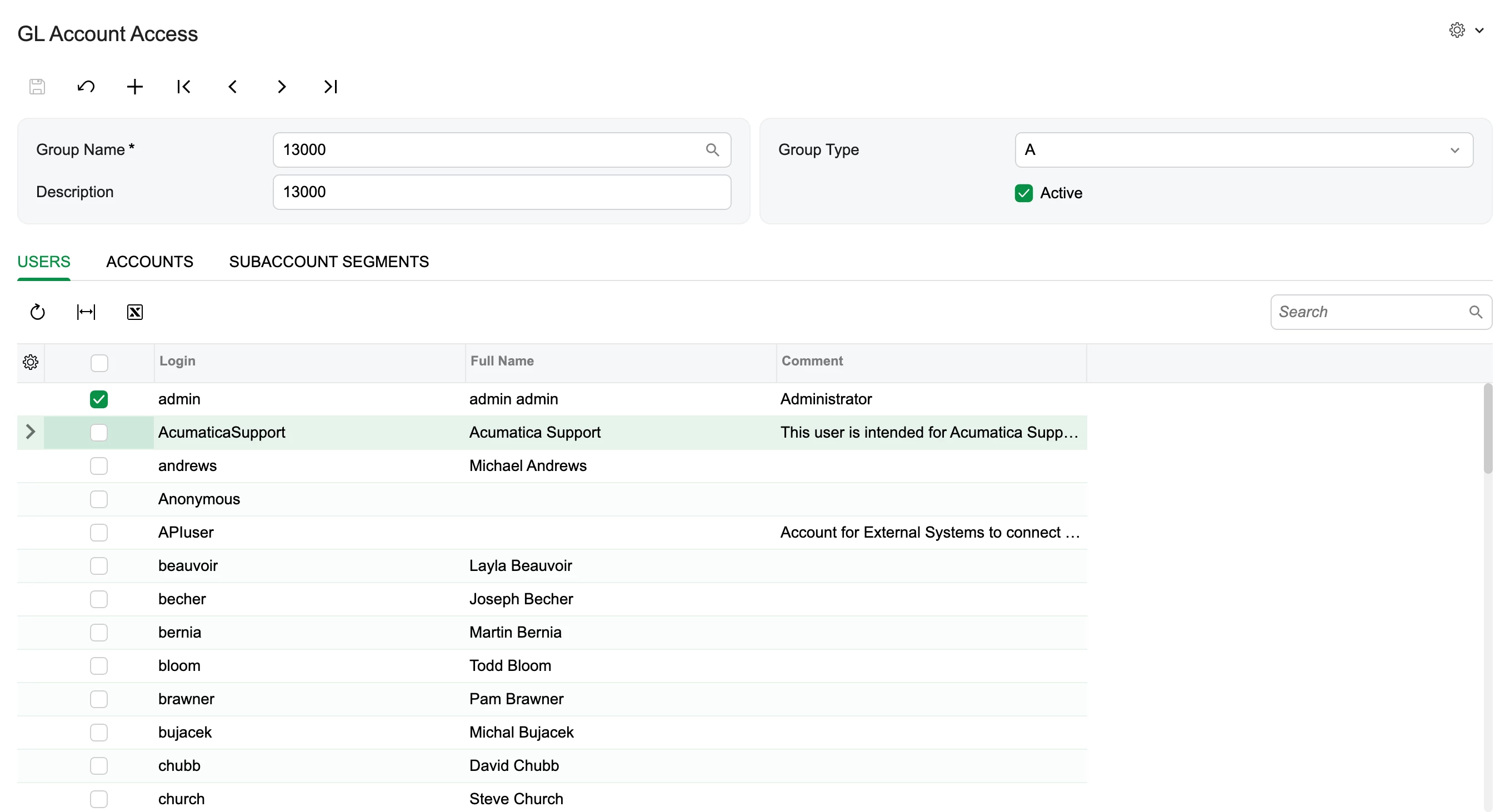
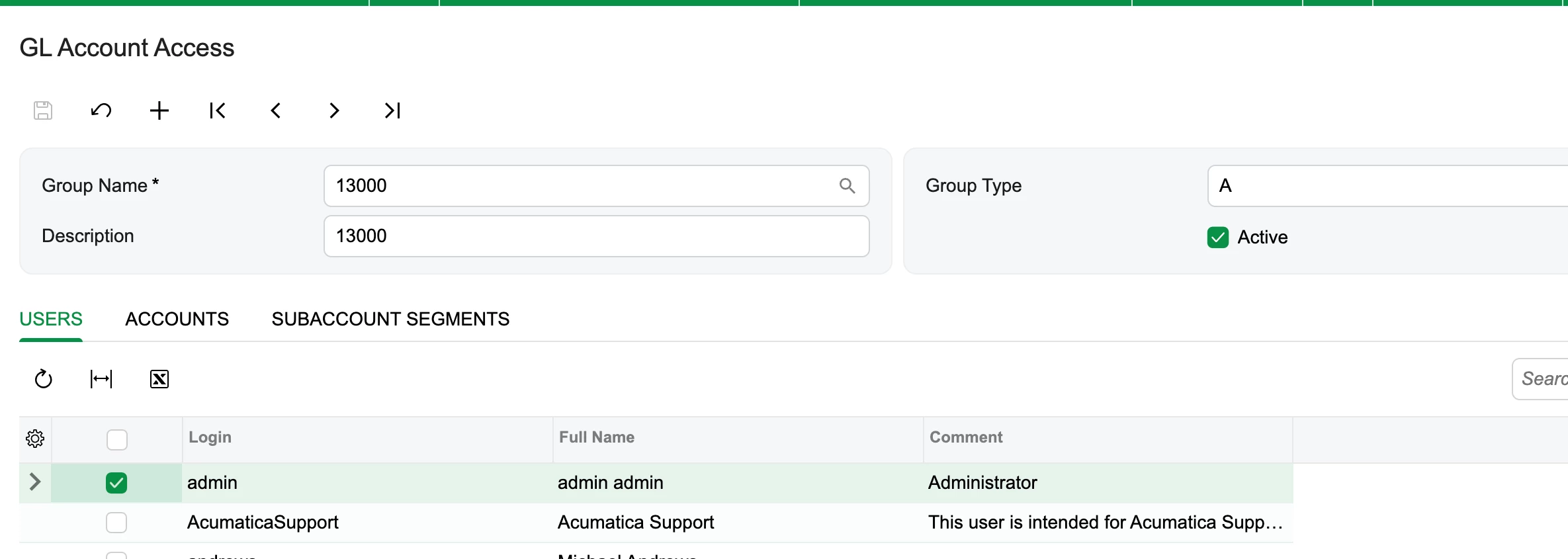
  1. Removed 13000 from All G/L A/c group, deselected all the subaccount segments & selected all the users.
  2. Created a new Group: 13000, where selected Admin :
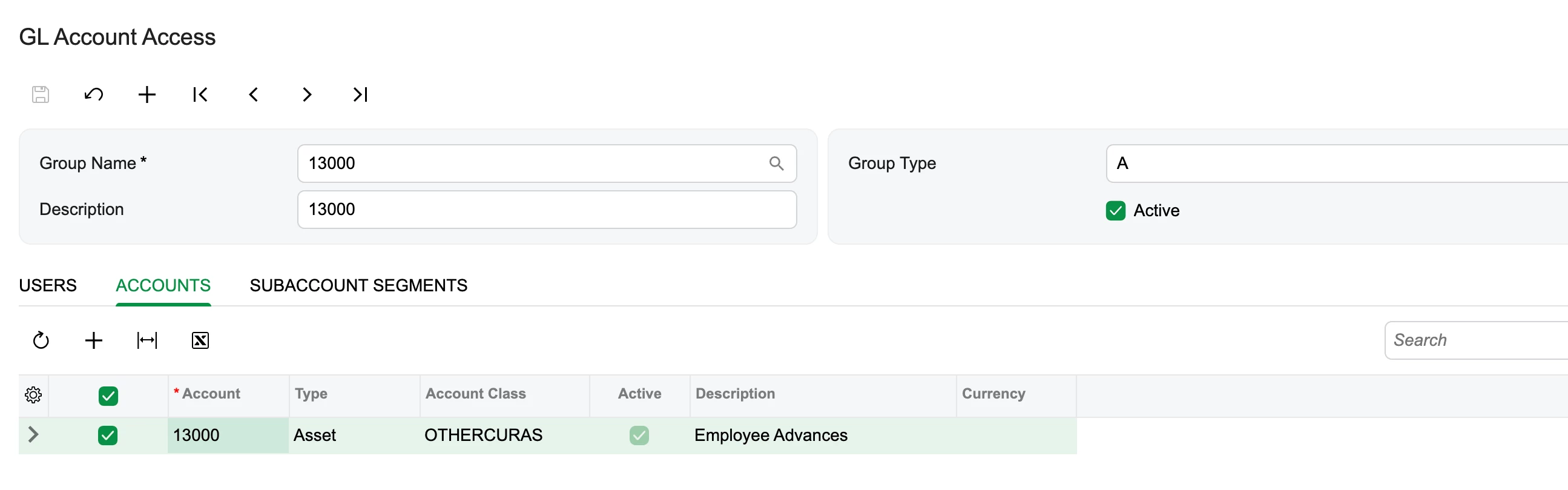
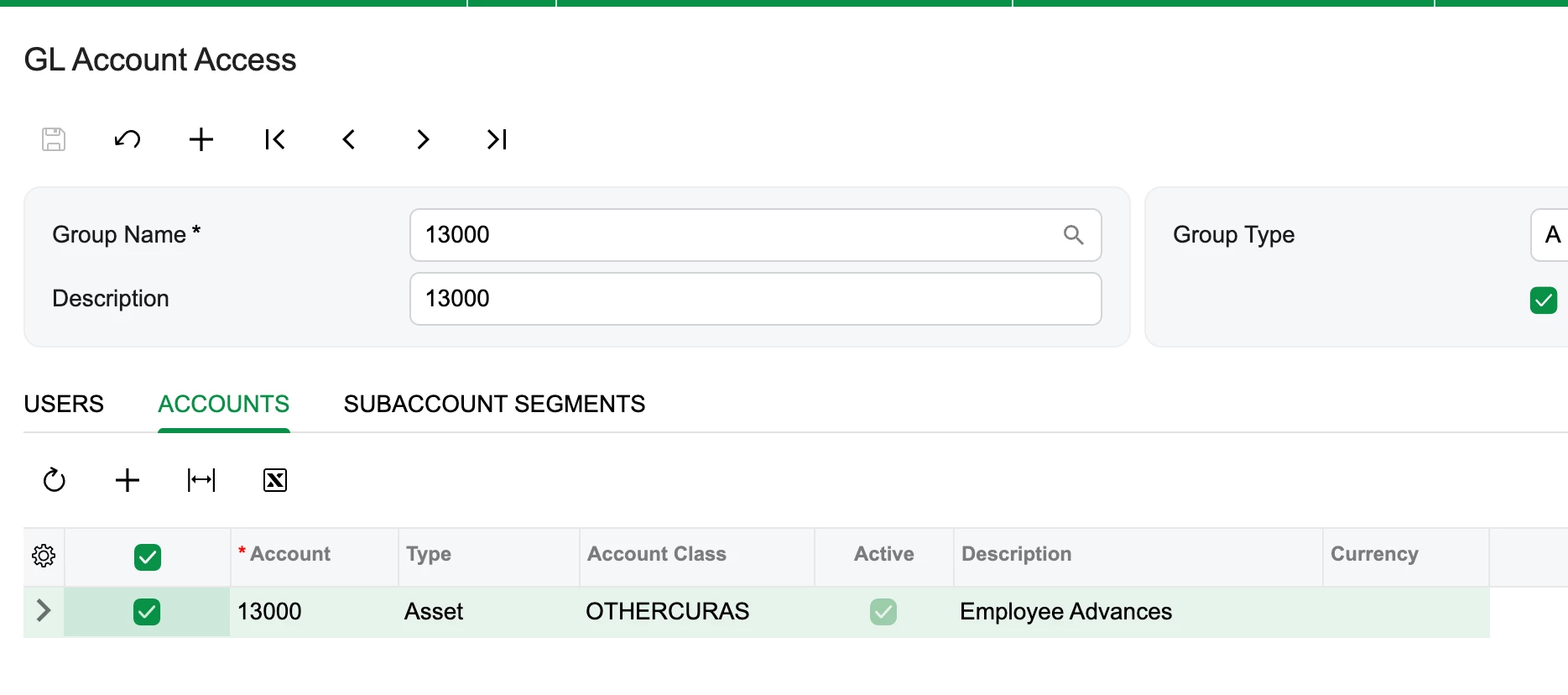
  3. Selected 13000:
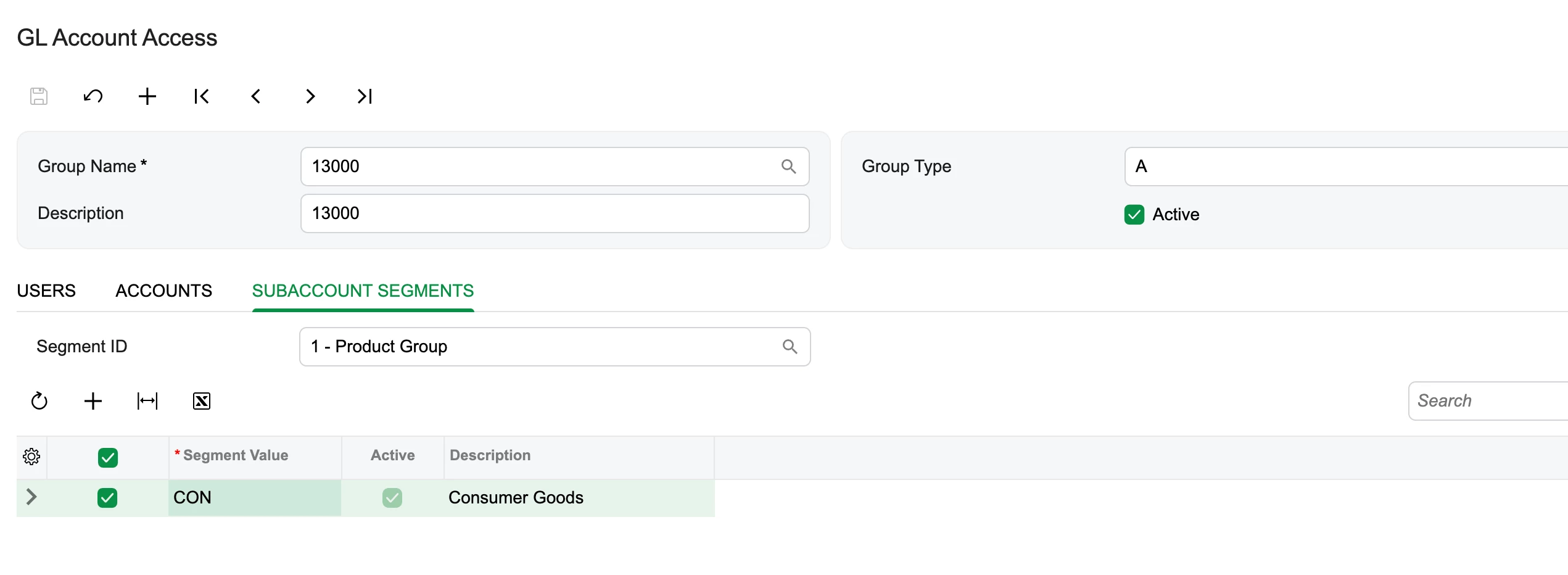
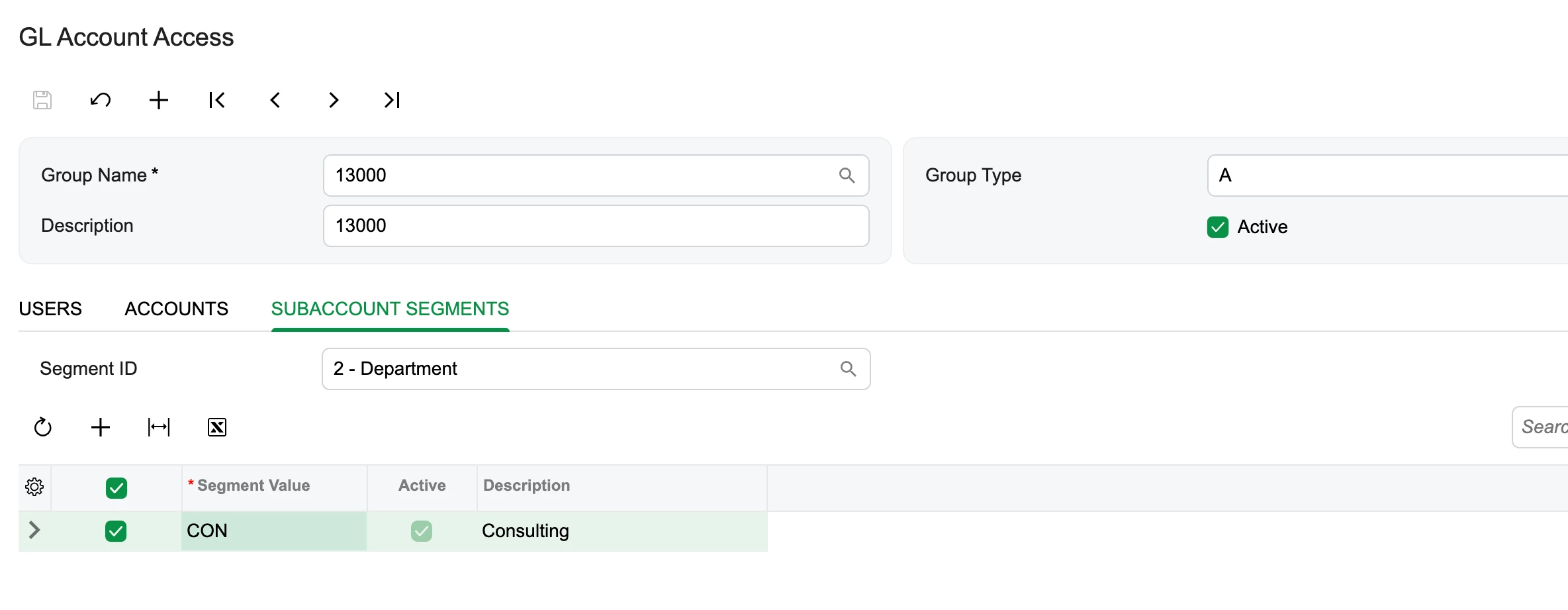
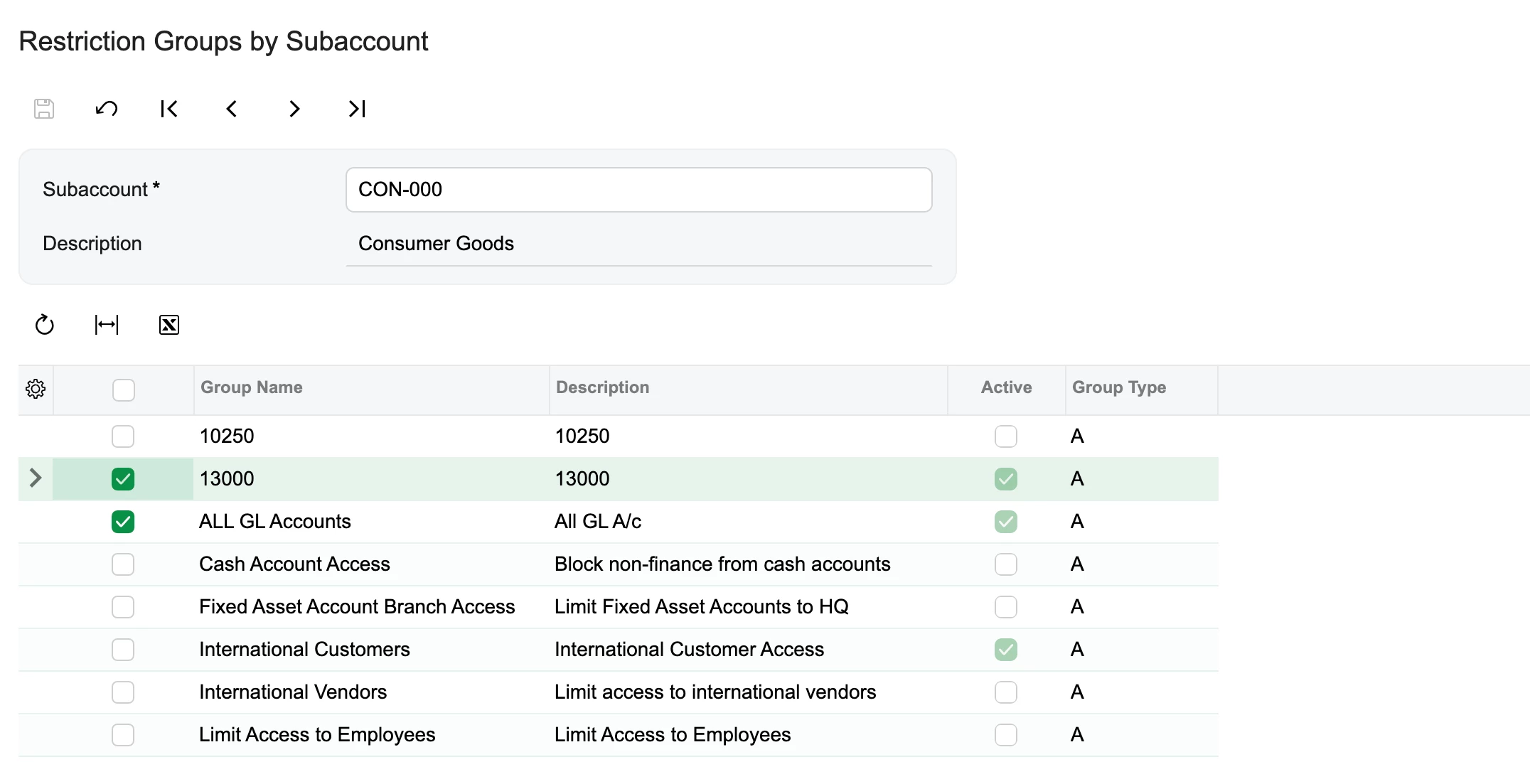
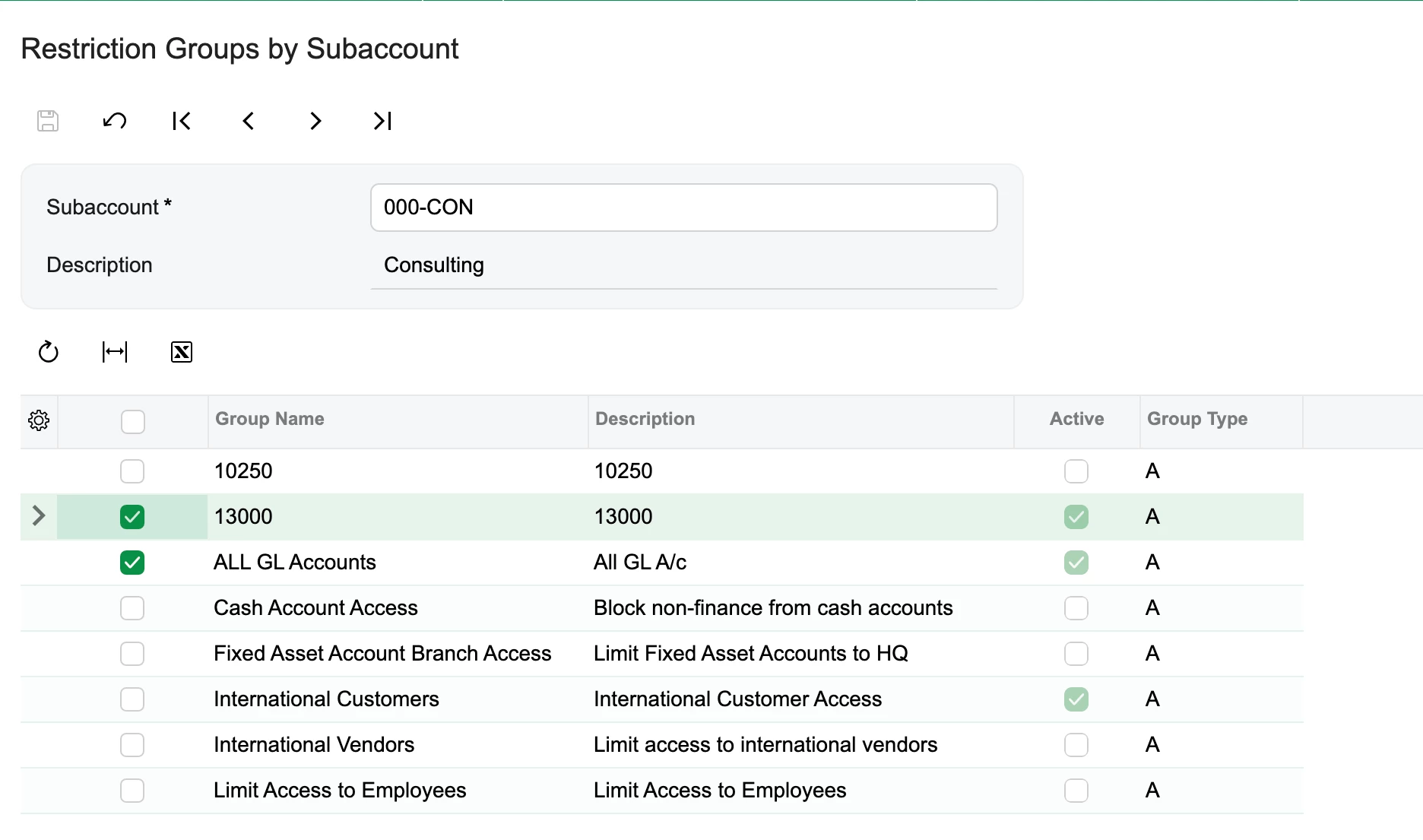
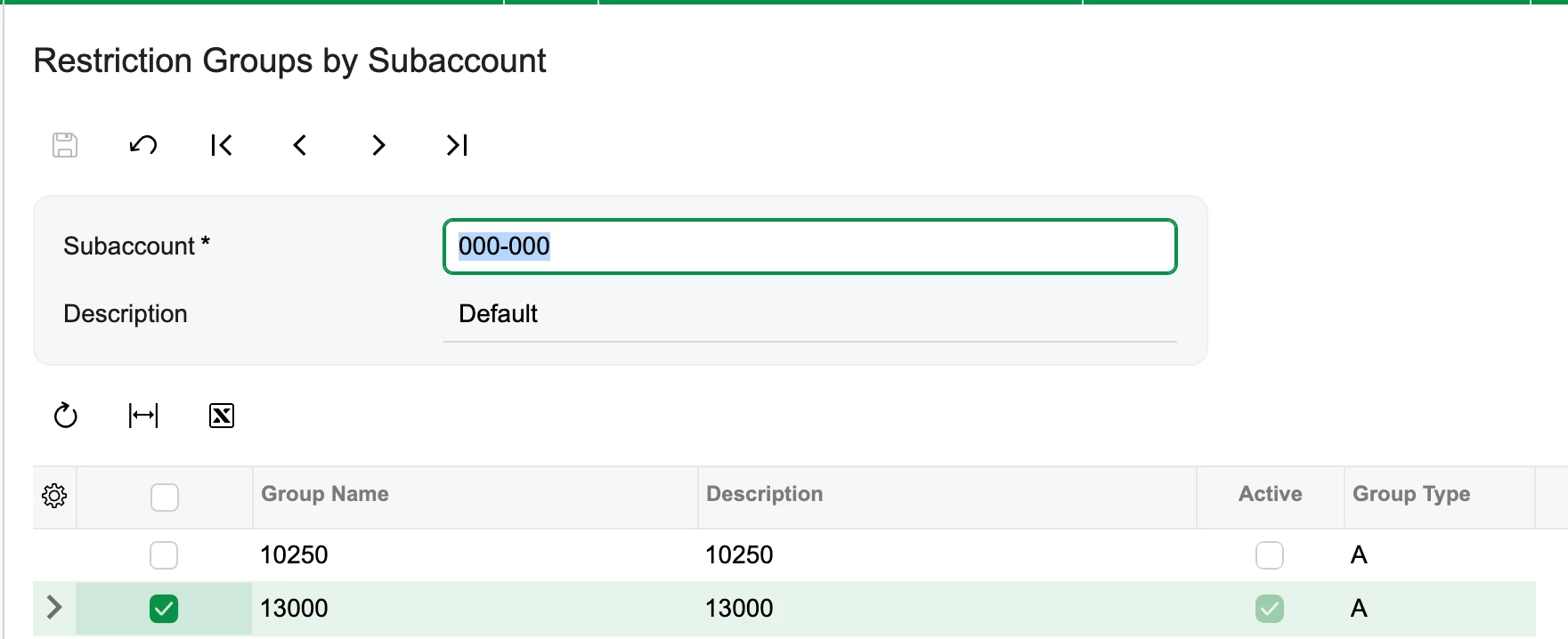
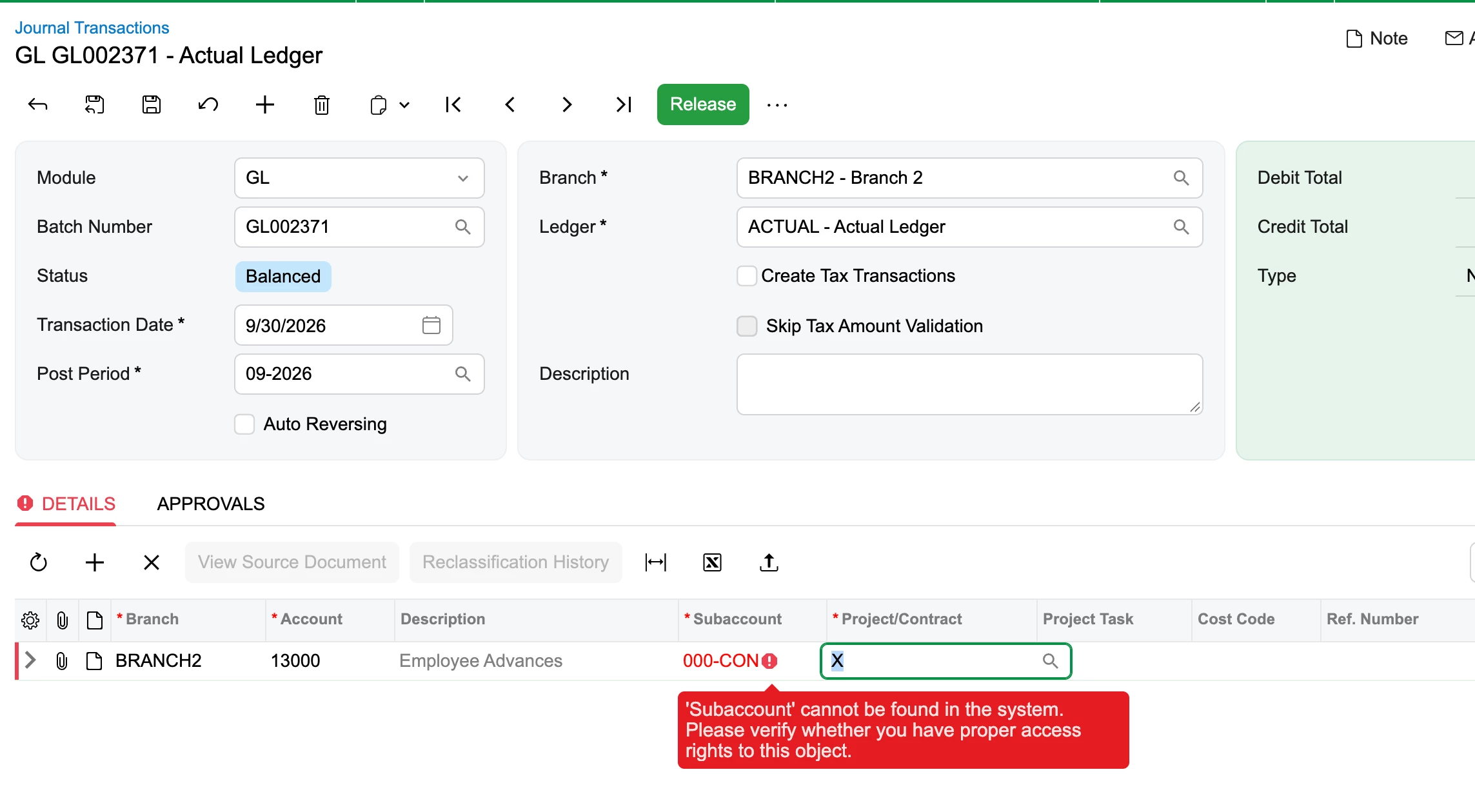
  4. Then under Restriction Group by Subaccounts (GL104030) screen, selected the same 13000 group for al the subaccounts except for 000-CON:


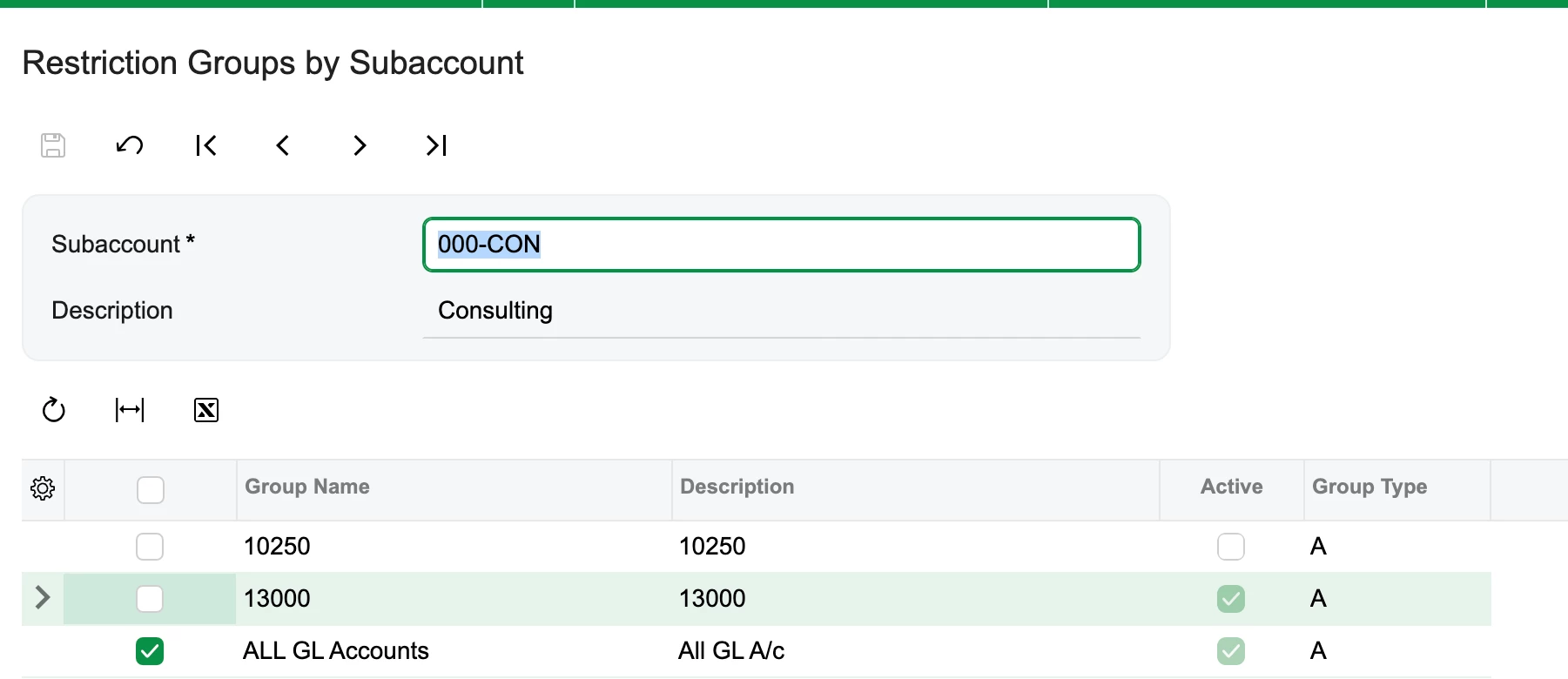
  5. And the result:


Hope this is the correct way?


Eric Ratté
Jr Varsity I
Forum|alt.badge.img+1
  • Jr Varsity I
  • Answer
  • September 30, 2026

For the subaccount 000-con, you should check account 13000 and uncheck All accounts. Both are flagged into the same group because they are a valid combinaison.


Forum|alt.badge.img
  • Author
  • Semi-Pro III
  • September 30, 2026

For the subaccount 000-con, you should check account 13000 and uncheck All accounts. Both are flagged into the same group because they are a valid combinaison.

Thanks a ton ​@Eric Ratté !!! It has really helped me a lot!!