Question

Cash Account Detail Can't Clear All

  • September 2, 2026
  • 1 reply
  • 5 views

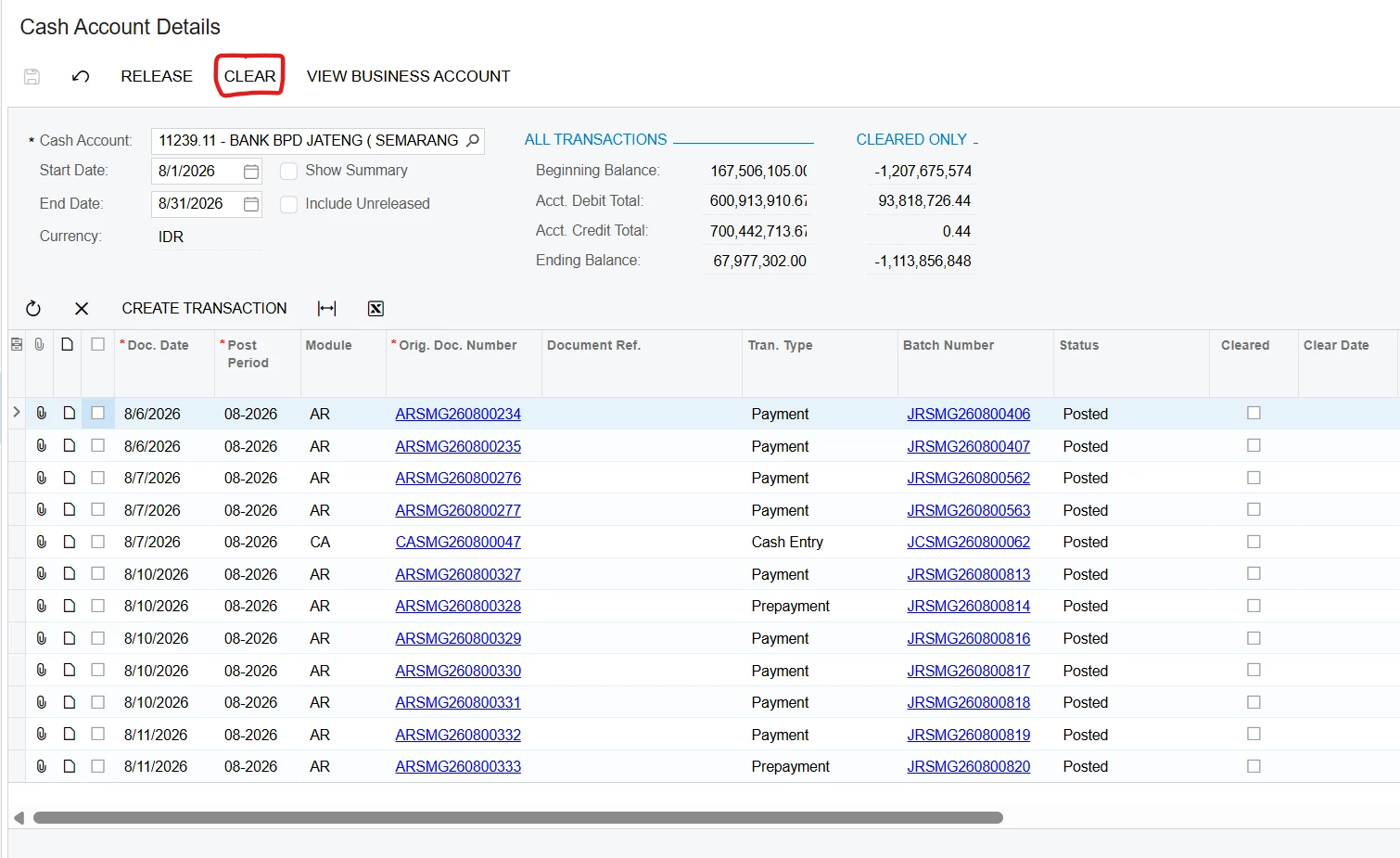
Hi, In the Cash Account details in Acumatica version 2024 R2, I used to be able to clear all cash accounts without using the checkboxes; simply clicking "Clear" would check the "Cleared" boxes for all of them. However, in Acumatica version 2026 R1, this is no longer possible—I have to select the checkboxes first and then click "Clear". Is there a change like this, or is it actually a bug? 
 

1 reply

Forum|alt.badge.img+5
  • Jr Varsity II
  • September 2, 2026

Hi ​@mujib ,

This is an intentional change in Acumatica, not a bug.

Between versions 2024 R2 and 2026 R1, Acumatica updated the UI framework's behavior for grid actions across many screens, including the Cash Account Details (CA303000) screen.

Why the change was made: In older versions, if you clicked a processing action like "Clear" or "Release" without selecting any specific rows, the system would often assume you meant to apply the action to all records in the grid. This led to users accidentally mass-processing data (like clearing all transactions) when they only meant to clear one or forgot to make a selection.

To prevent these accidental mass updates, Acumatica tightened the logic. The platform now requires explicit selection: you must manually check the boxes for the specific rows you want to modify before clicking the action button. If no boxes are selected, the action will not automatically default to "select all."


Hope above helps!!