Question

Bill And Adjustment Can Not Be Save "Error Move Next"

  • October 31, 2025
  • 5 replies
  • 63 views

Forum|alt.badge.img

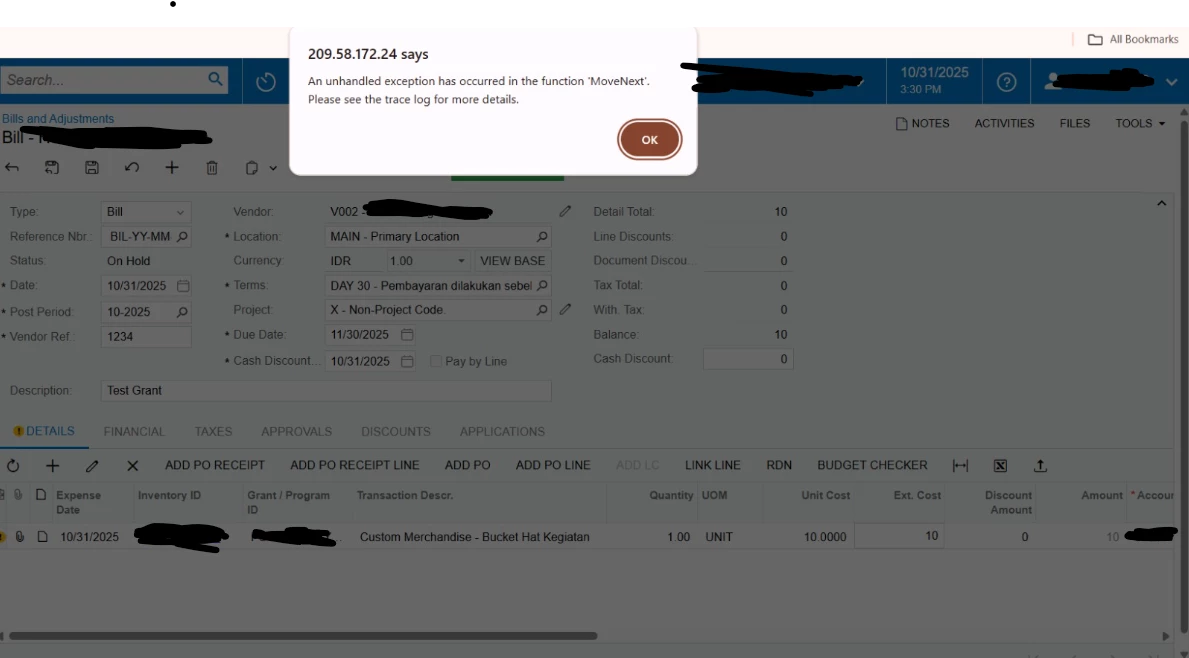
Hii, i want to save and remove hold the Bill and Adjustment form i create. But when i try to save there is an error (you can see the capture below).
Every time i wan to create Bill form it always like this. There is step or configurations that i miss? 
Please help us to solve about this, thank you😔
 

5 replies

mohammadnawaz51
Jr Varsity I
Forum|alt.badge.img+4

@dinda56 This is not configuration, do you have customization on this?


DipakNilkanth
Pro III
Forum|alt.badge.img+13

Hi ​@dinda56,

Is there any customization on the Bills and Adjustments screen? For a better understanding of the error, have you checked the trace?


Forum|alt.badge.img
  • Acumatica Employee
  • October 31, 2025

This might have been caused by customization, so unpublish it and restart the application.


PaulMainard55
Captain I
Forum|alt.badge.img+2

Hi ​@dinda56,

In looking at your screenshot, the Reference Nbf value on your AP Bills looks strange. I’m wondering if the problem is related to your numbering sequence configuration for your AP Bills.  Are you manually assigning reference numbers to your AP Bils?  If so, what’s the use case for doings so?

Please grab a screenshot of the settings for your AP Bills numbering sequence.  To find this, go to AP Preferences, find the sequence for AP Bills and click the pencil icon to open the sequence configuration screen.  

While the issue may be due to a customization and/or a start of the application may be needed, it could also be related to your numbering sequence configuration.  


Chris Hackett
Community Manager
Forum|alt.badge.img
  • Acumatica Community Manager
  • November 6, 2025

Hi ​@dinda56 were you able to find a solution? Thank you!