Question

Batch Payment feature for AR

  • October 13, 2026
  • 3 replies
  • 31 views
  • Translate All

Forum|alt.badge.img

Hello all,

The requirement is to have a batch payment process that supports filtering by customer/vendor and date, along with manual invoice selection for both incoming customer payments and outgoing supplier payments, rather than automatically applying payments to all outstanding invoices.

Is this setup possible. I know customization would be my last option, still wanted to hear out suggestions, if someone might have implemented.

3 replies

rkenna
Captain II
Forum|alt.badge.img+5
  • Captain II
  • October 13, 2026

Hi ​@Harry,

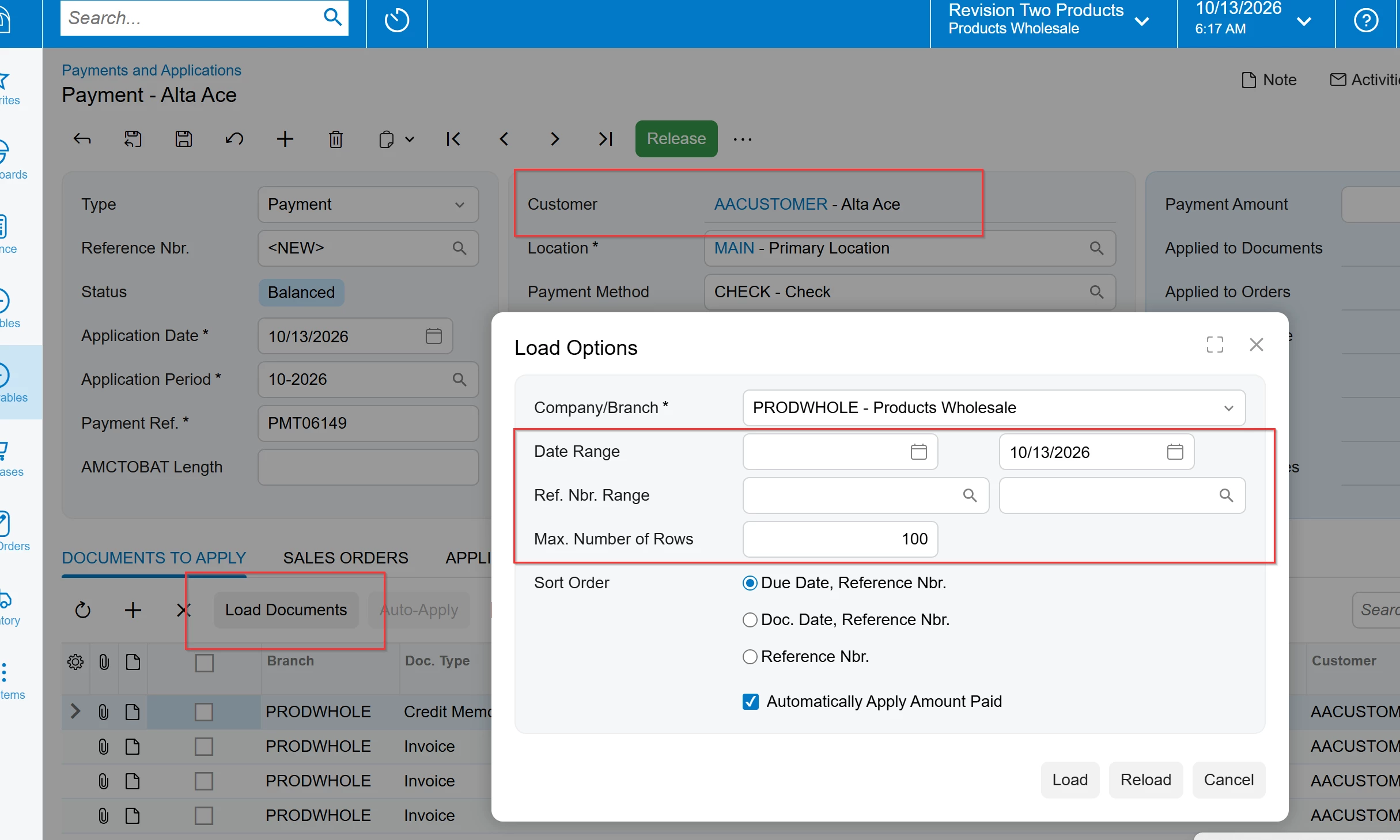
Is what you are referring to different than creating a new AR or AP Payment > adding the Customer or Vendor > Clicking Load Documents > And Filtering what you want to pull in for that Payment?

Cheers,

RJ

Translate

Eric Ratté
Jr Varsity I
Forum|alt.badge.img+2

Hi,

there is this project on Guithub: https://github.com/Acumatica/DirectDebitAccountReceivable

Direct Debit in Account Receivable


An extension that allows to create batch payments and generate ACH Files to use Direct Debit as a payment method in Account Receivable.


Tested on Acumatica 2018 R1


It is very old but it may help.

Translate

Forum|alt.badge.img+3

We recently implemented a modern AR ACH solution for Acumatica 2026 R1. It selects eligible AR ACH payments, creates the CA Deposit, validates banking information, generates the NACHA file, delivers it through SFTP, tracks generation/export status, and controls deposit release.

The older GitHub project is a useful reference, but our implementation removes the manual download/upload process and supports the current Modern UI. I plan to share a separate post with more details about the workflow.

Translate