Question

Automation Schedule for Calculate Depreciation

  • May 10, 2024
  • 6 replies
  • 69 views

Dear all,

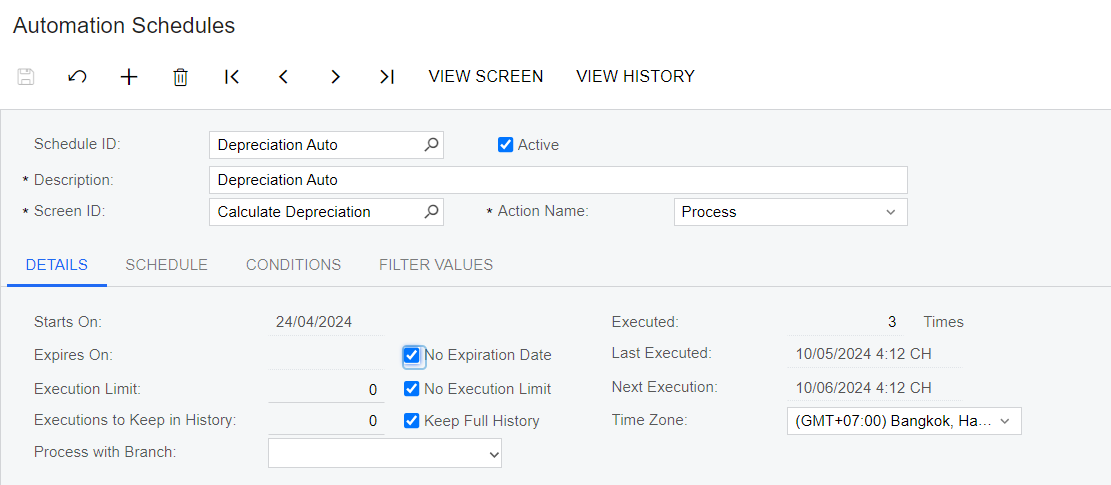
I create Automation Schedule for Calculate Depreciation screen. It’s processed with 0 record. I don’t know why. Please help!
Thanks so much!


6 replies

Manikanta Dhulipudi
Captain II
Forum|alt.badge.img+15

Hi @seedcomsupport

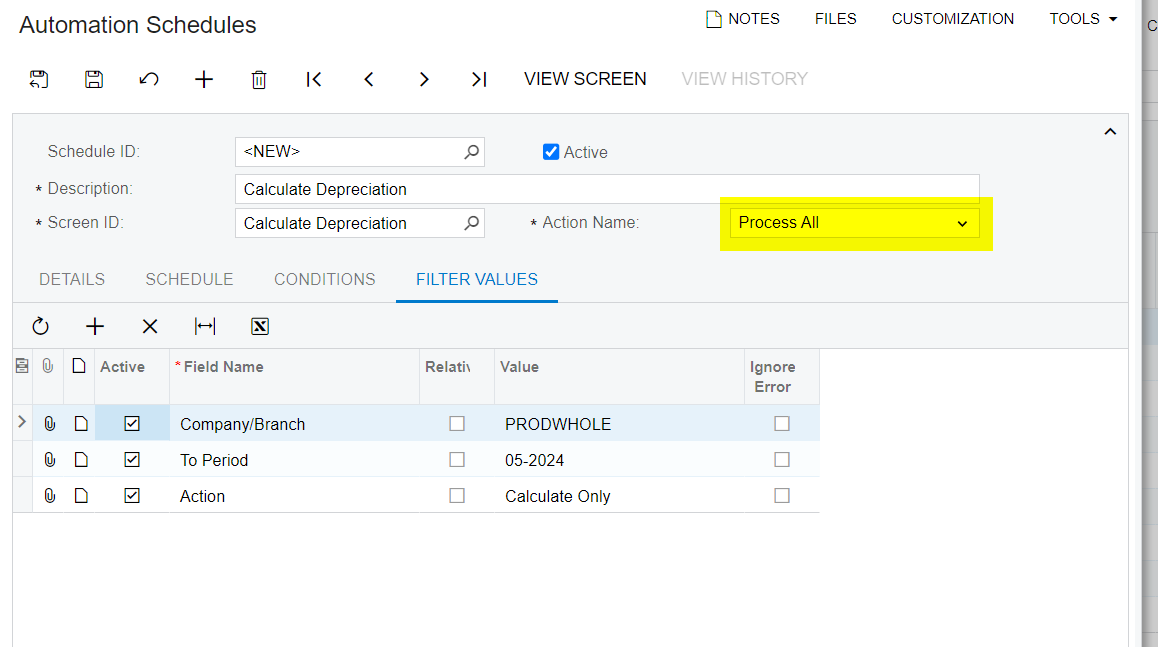
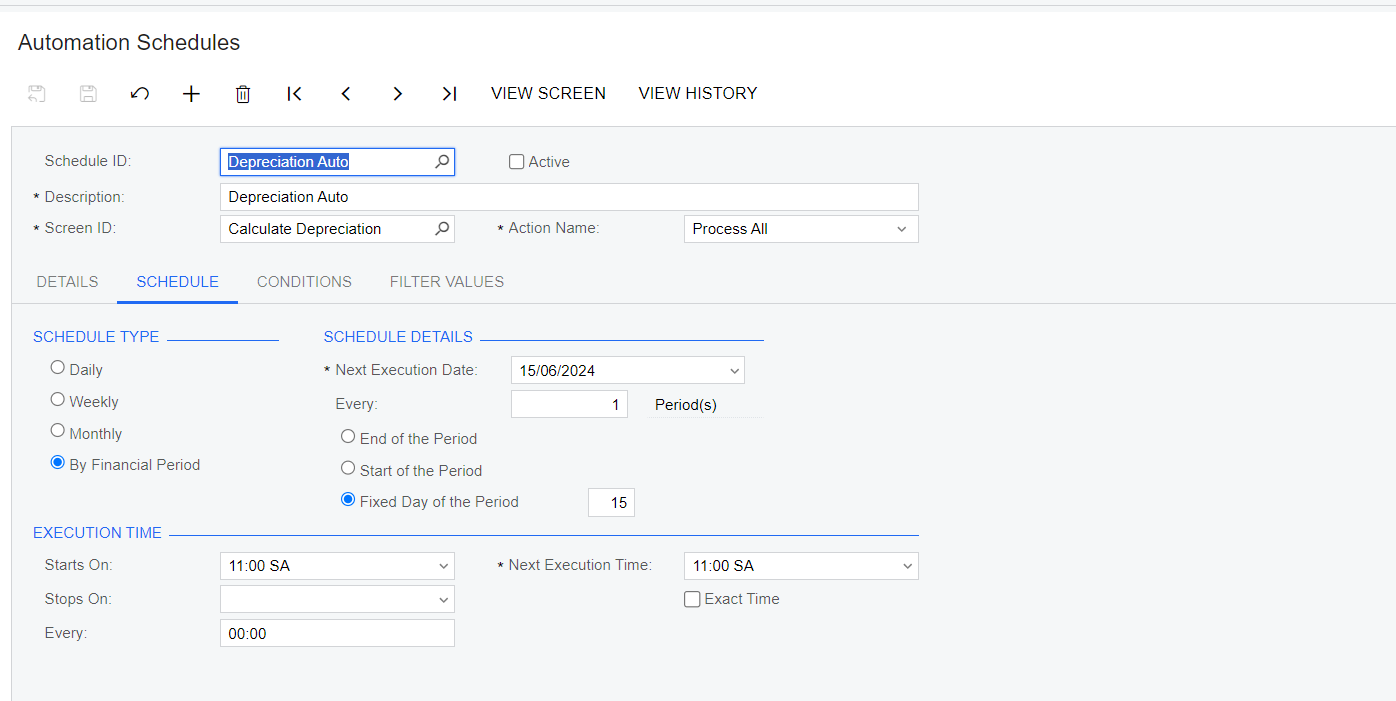
Can you update to process All

 Steps on configuration


Manikanta Dhulipudi
Captain II
Forum|alt.badge.img+15

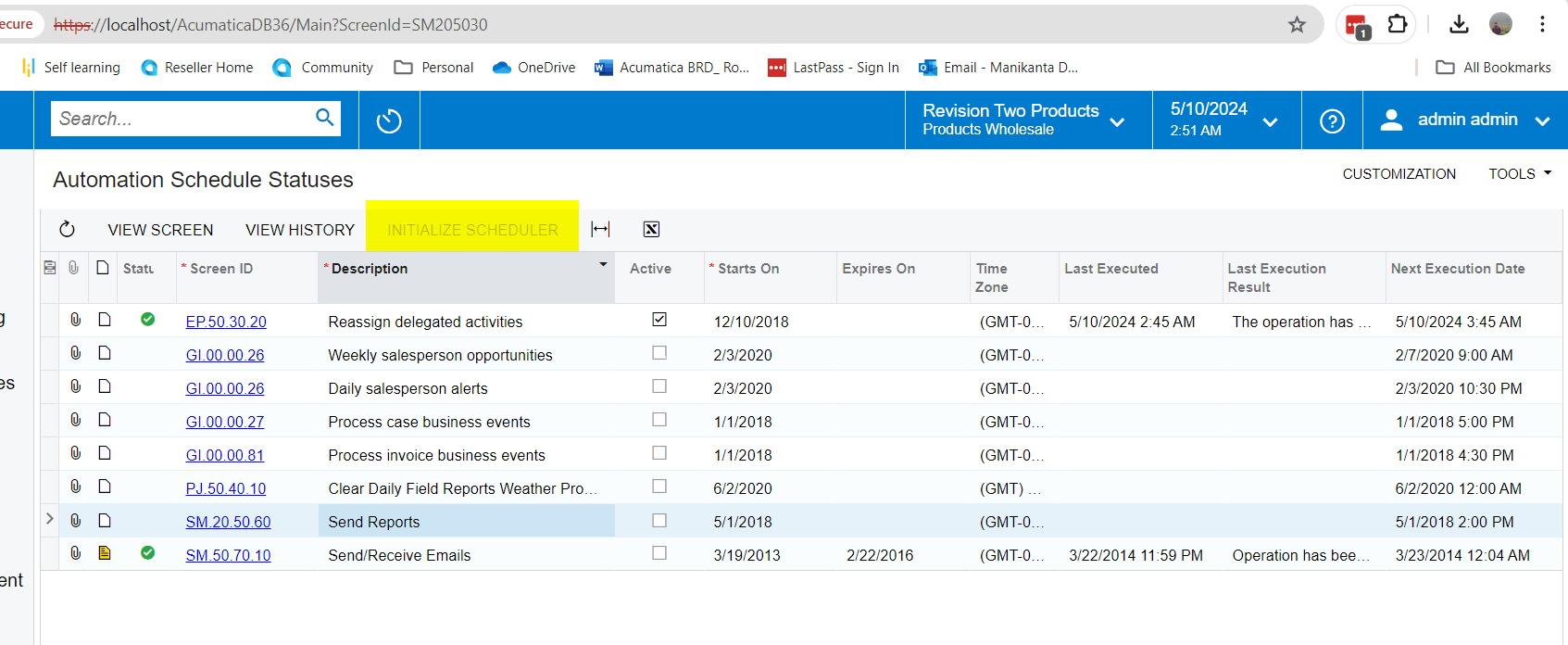
In addition, Checks if initialize scheduler is activated or not.

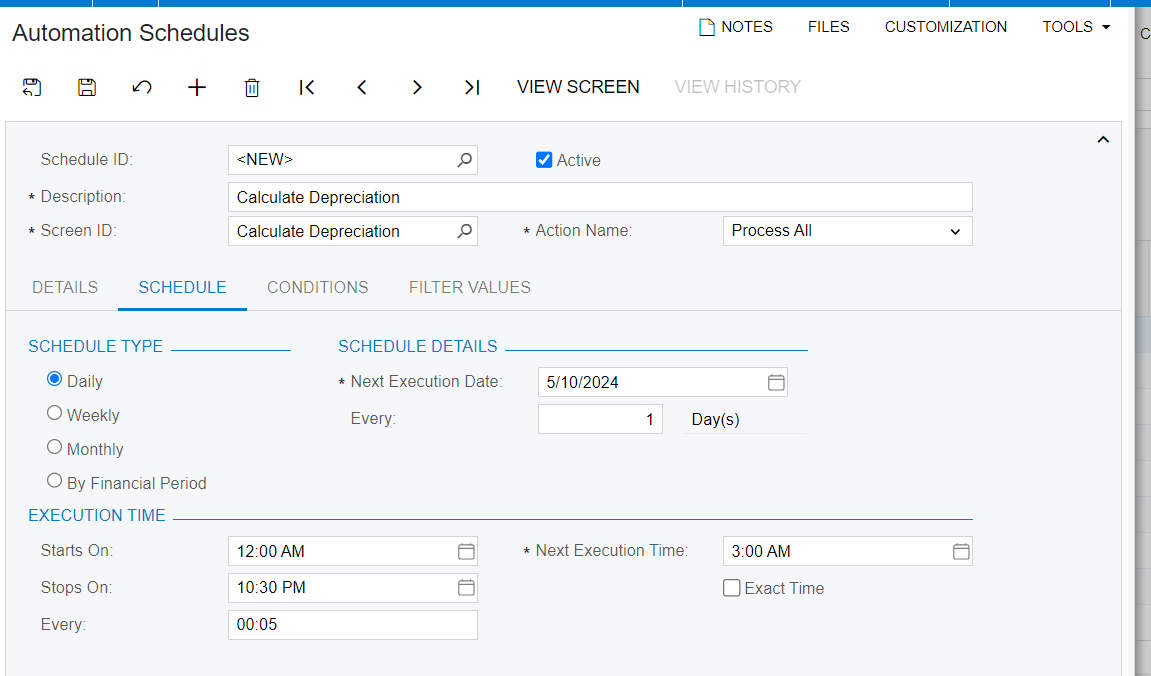
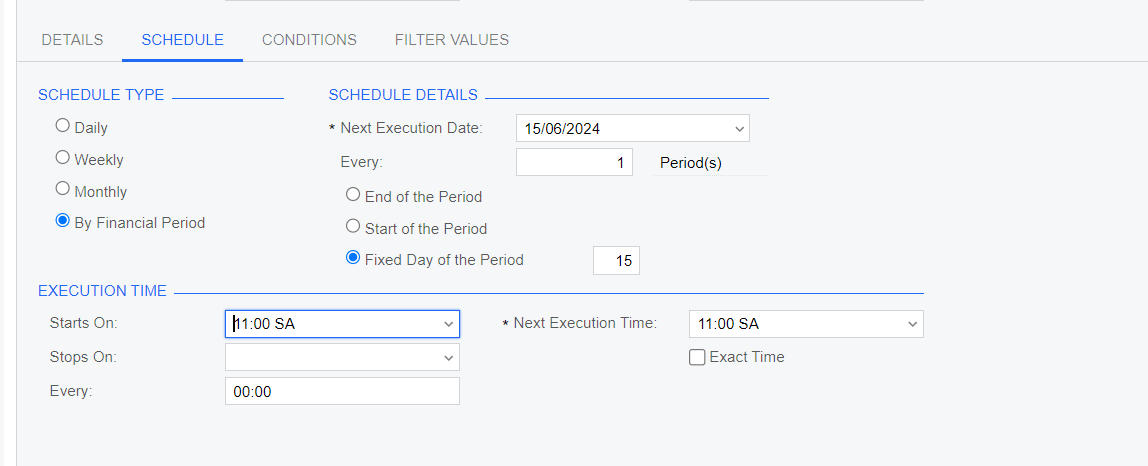
Also Please schedule the schedulers 1hr later, I mean if you are configuring at 11AM, I would recommening you to schedule at 12PM.


Thanks manikantad18.

Actually, I tried in many ways:

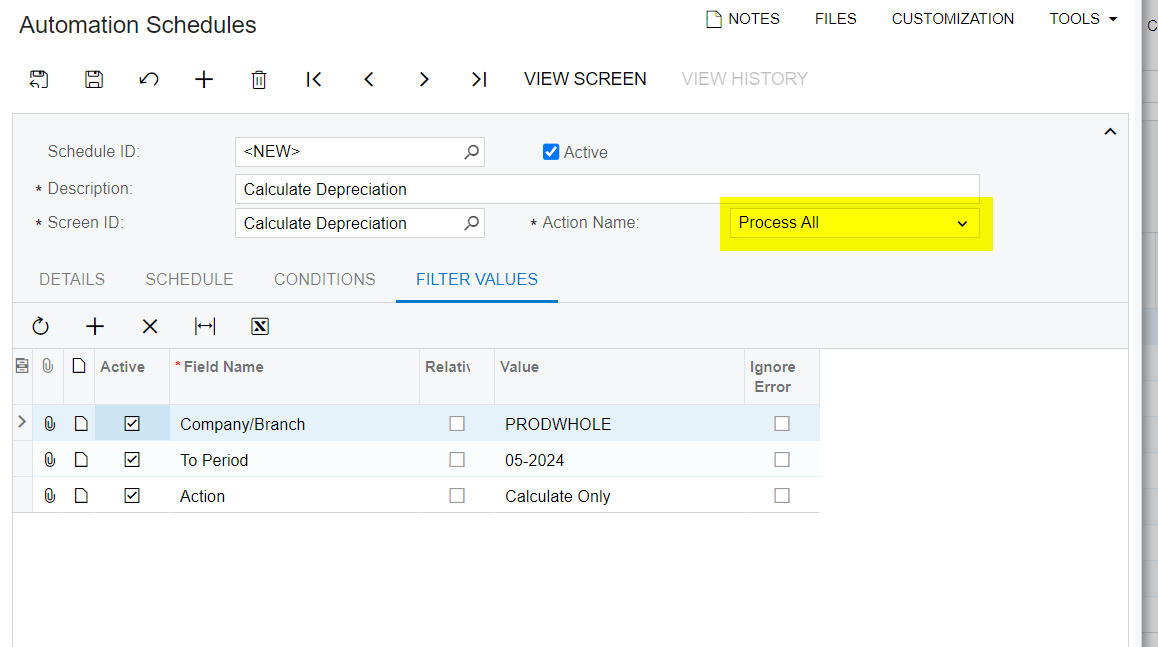
Also Choose Process All, Add To period = 05-2024 in Filter values but records is till 0
Initialize scheduler is activated.

Regards,


jharris
Semi-Pro I
Forum|alt.badge.img+7
  • Semi-Pro I
  • May 10, 2024

Thanks manikantad18.

Actually, I tried in many ways:

Also Choose Process All, Add To period = 05-2024 in Filter values but records is till 0
Initialize scheduler is activated.

Regards,

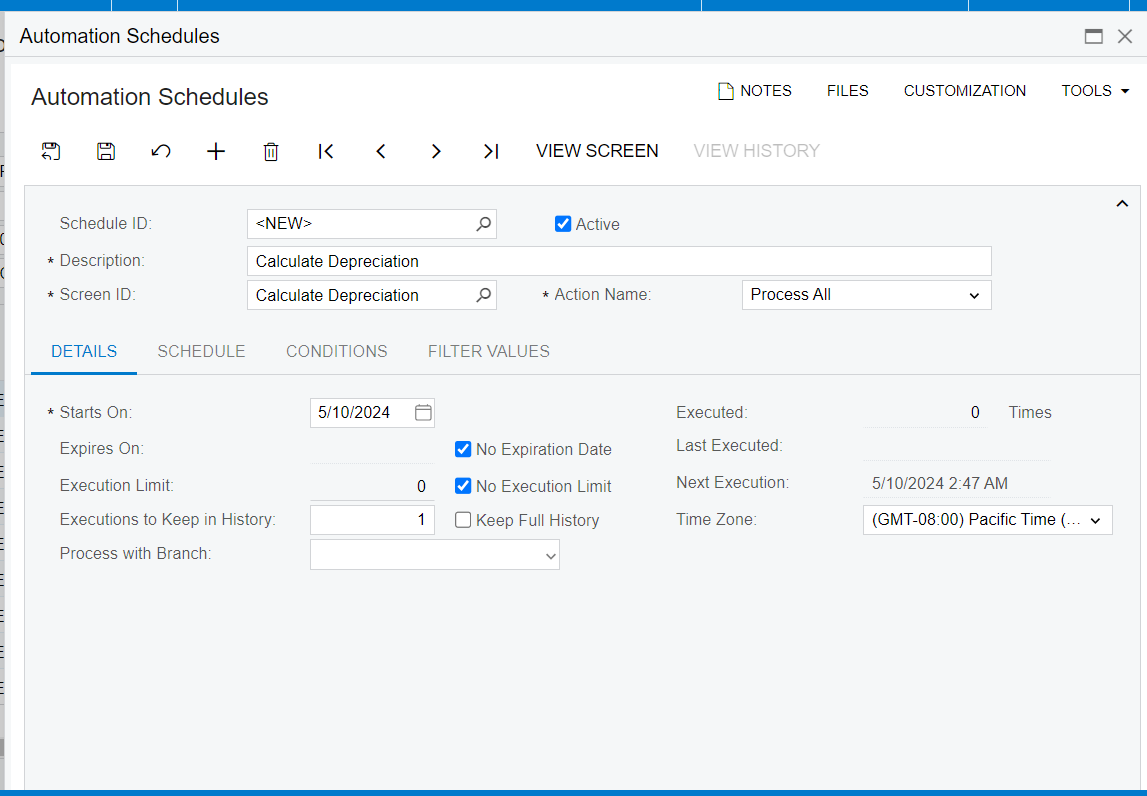
If you want it processed within a branch, I would make sure you have the right branch selected for the assets you want to depreciate, you can select that on the details tab of the automation screen.

Can you share the rest of your details? 

Also, if you’d like it to go past 05-2024, you can check the “Relative” checkbox and it will continue indefinitely.  

Thanks,

James


Thanks for all your responds!

Actually, I want to schedule to calculate depreciation for some Asset Classes and all branches!
But I tried to set up in many ways but process is always 0.o

With my wishes, I think the setting as shown below is correct. I tried but process is still 0.

The other ways, I had set up the correct Class, the branch has assets that need to be depreciated during the month, it still processes as 0.
I don’t know why, Please help! Thanks alot!


Chris Hackett
Community Manager
Forum|alt.badge.img
  • Acumatica Community Manager
  • July 1, 2024

Hi @seedcomsupport were you able to find a solution? Thank you!