Solved

Automate Calculation of Overdue charges

  • February 24, 2026
  • 6 replies
  • 126 views
  • Translate All

Forum|alt.badge.img+1

Hi, we are trying to automate the calculation and processing of AR Overdue charges.


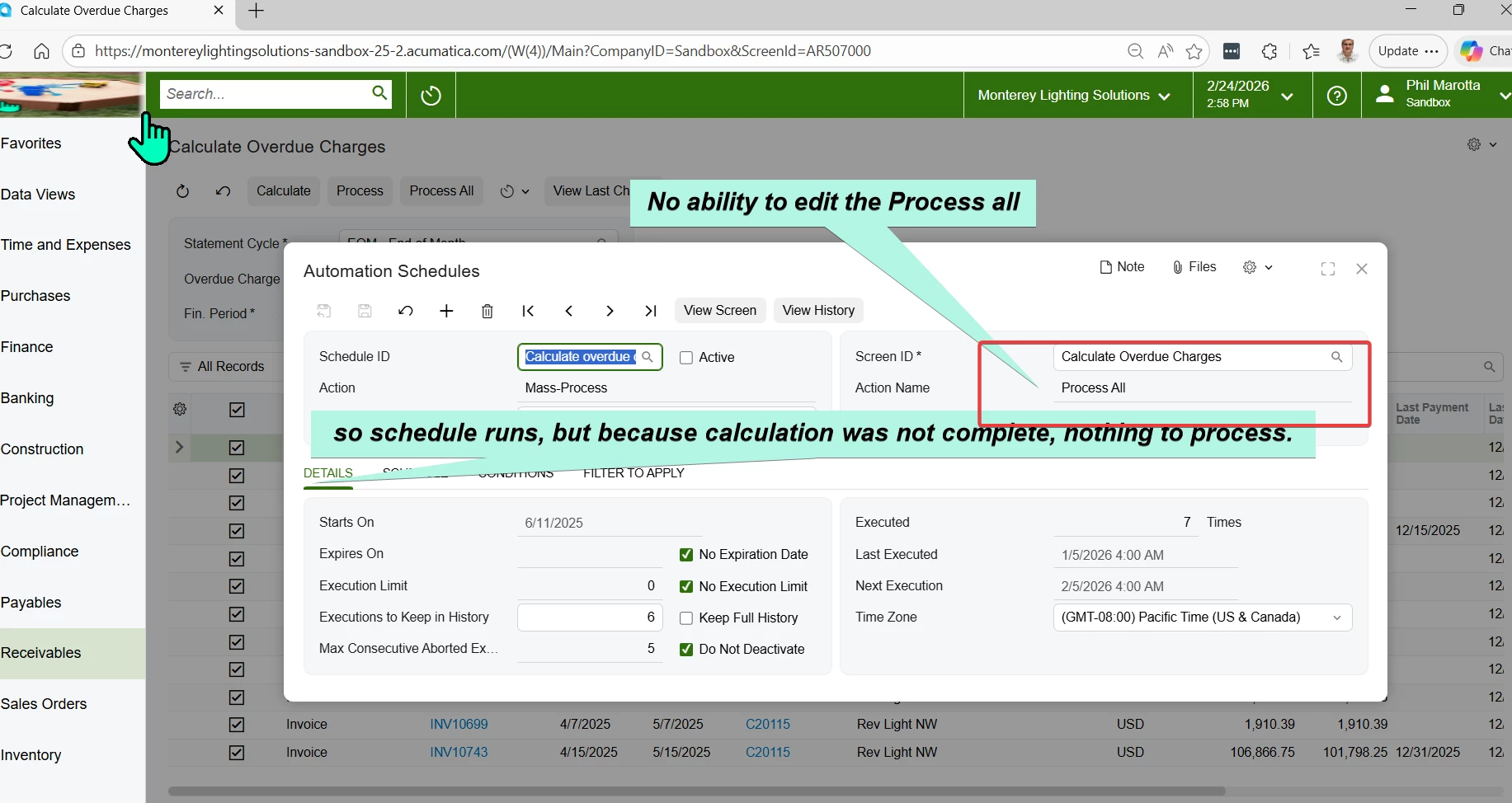
I have setup the Automation schedule and the last two months, it did not create any Invoices.

So in looking at the Scheduler, it does not give the action to calculate first.  So Process all does not process any documents.


Please advise.


Best answer by ethansullivan

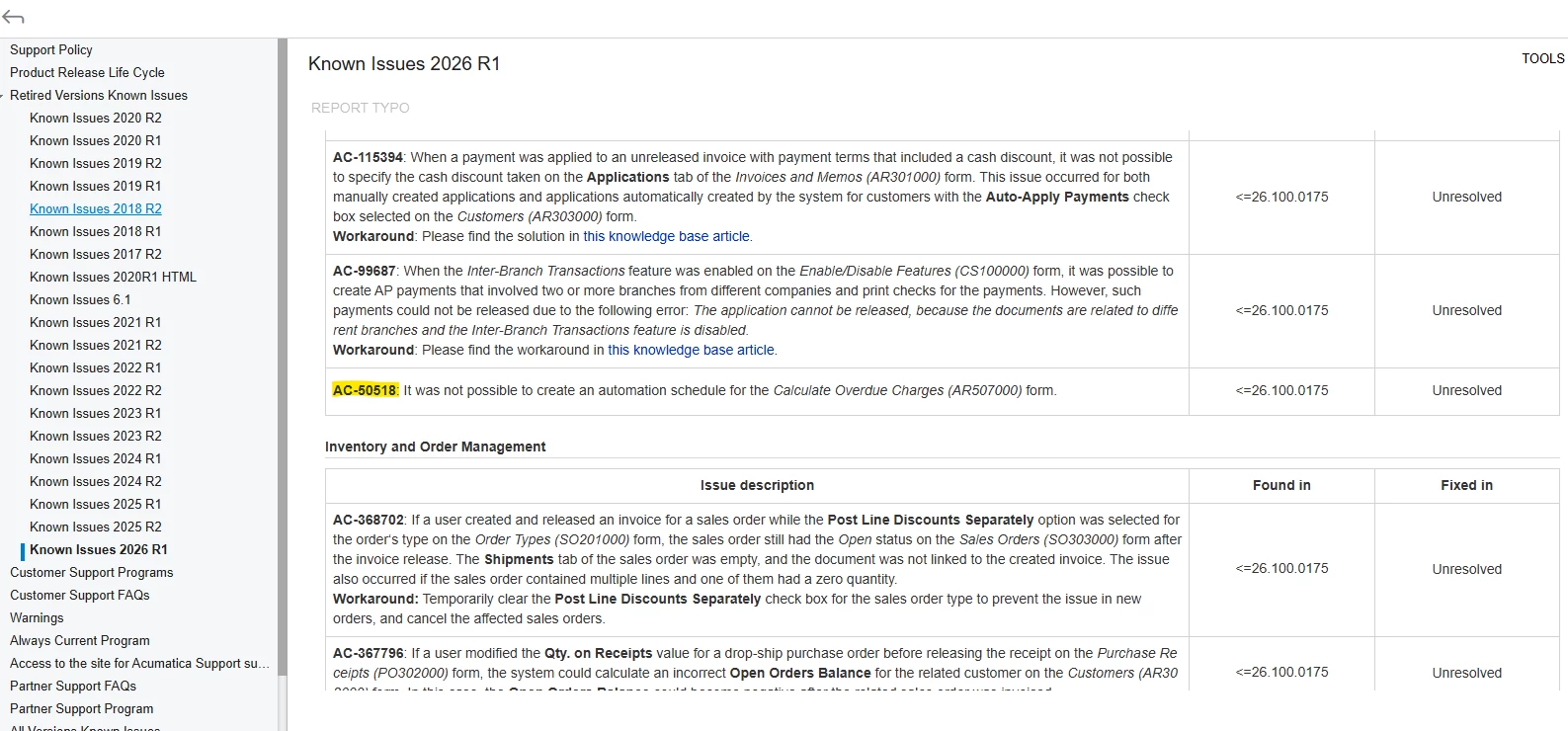
We found the same thing. Looks to be a known issue (AC-50518) that is still not resolved in 26R1. 

View original

6 replies

Forum|alt.badge.img+4

Hi ​@phillipmarotta ,

Can you confirm if the invoices have Apply Overude charges checkbox active? Also make sure the values defined under Filter values tab of the Automation Schedules screen matches the logic, if any.

Hope this helps!!

Translate

Forum|alt.badge.img+1

yes, overdue checkbox is active.  Under the filter, there is no option for Calculate.

Translate

Forum|alt.badge.img+4

yes, overdue checkbox is active.  Under the filter, there is no option for Calculate.

​@phillipmarotta ,

I checked and found that the Calculation has to be done before the automation could trigger. Hence, users would need to manually click on the “Calculate” button to calculate the charges, as it requires to calculate and then the Overdue Charge Doc could be created.

Hope this helps!!

Translate

Forum|alt.badge.img+1

yes, that is my point, the automation schedule does not Calculate, so the Automation is incomplete and not invoices are created.  So why does Acumatica create an incomplete automation?

Translate

Forum|alt.badge.img+4

​@phillipmarotta ,

If the automation is setup correctly, Acumatica would eventually run the automation irrespective of whether there’s any fields to be processed or not.

Translate

We found the same thing. Looks to be a known issue (AC-50518) that is still not resolved in 26R1. 

Translate