Question

Assistance Required for Acumatica Batch Number Sequence Issue

  • November 18, 2024
  • 21 replies
  • 218 views


Hello,

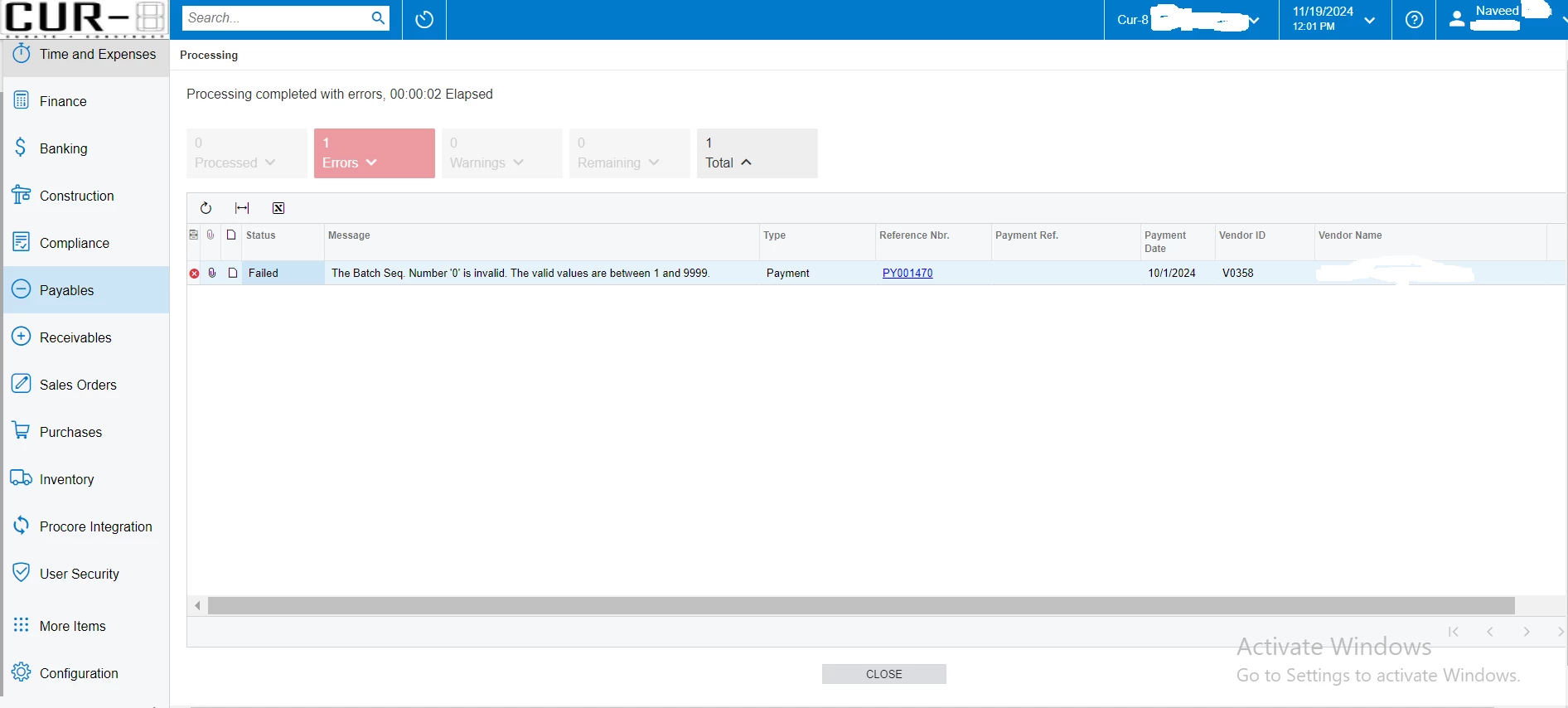
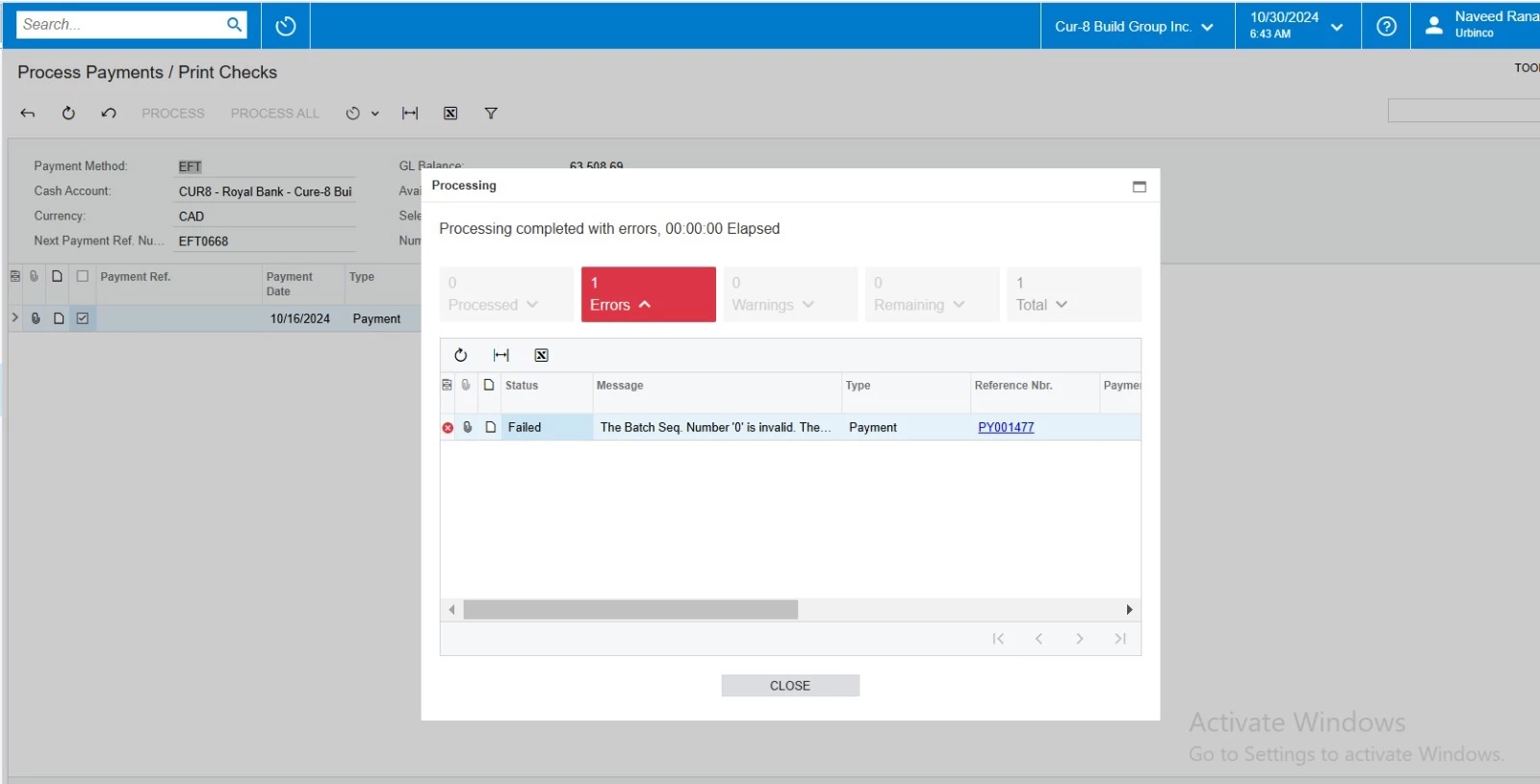
We are experiencing an issue in Acumatica (Batch Number Sequence), and I’ve attached a screenshot for reference.


Can you please help us address this?


21 replies

Laura03
Captain II
Forum|alt.badge.img+19
  • Captain II
  • November 18, 2024

hello,

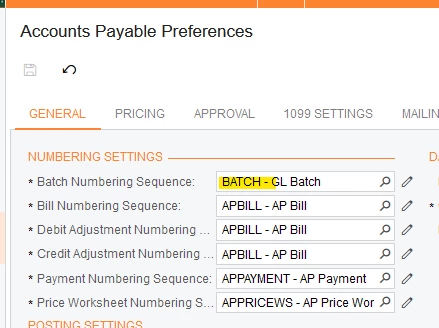
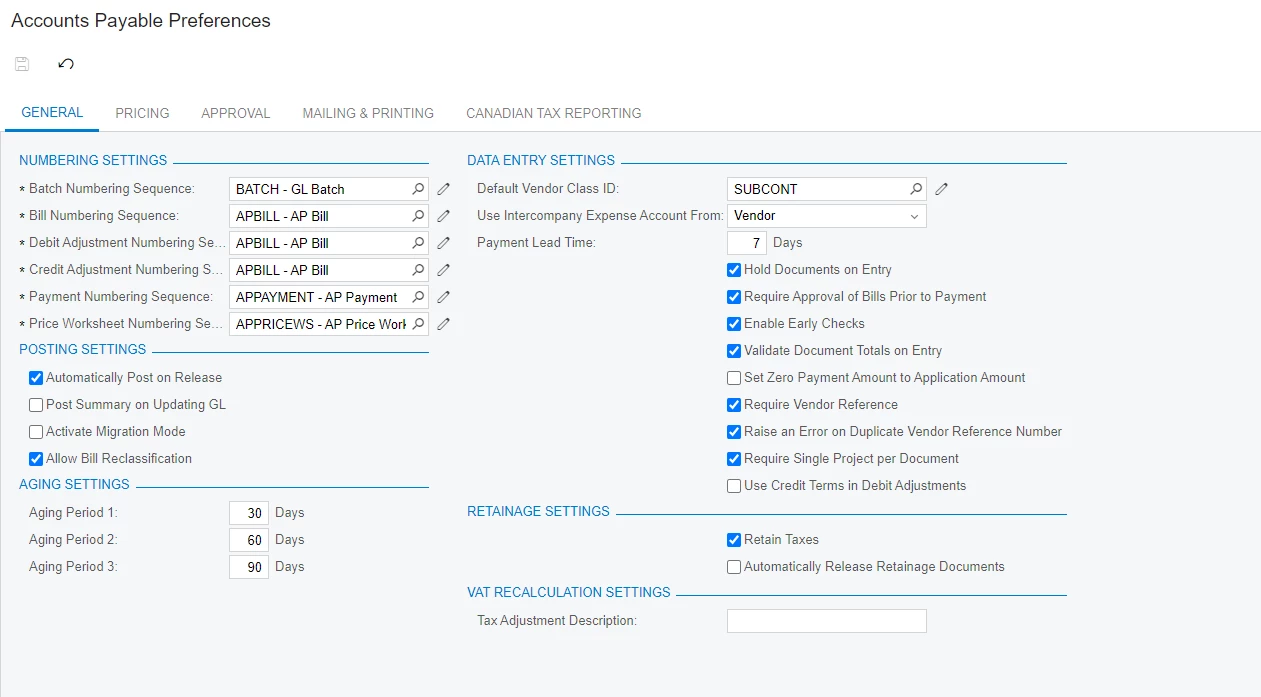
Please show the AP Preferences setting:

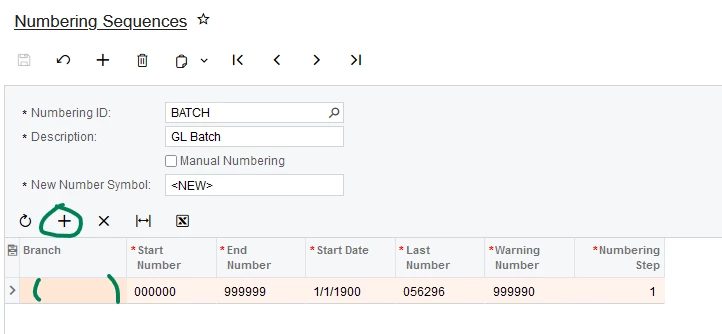
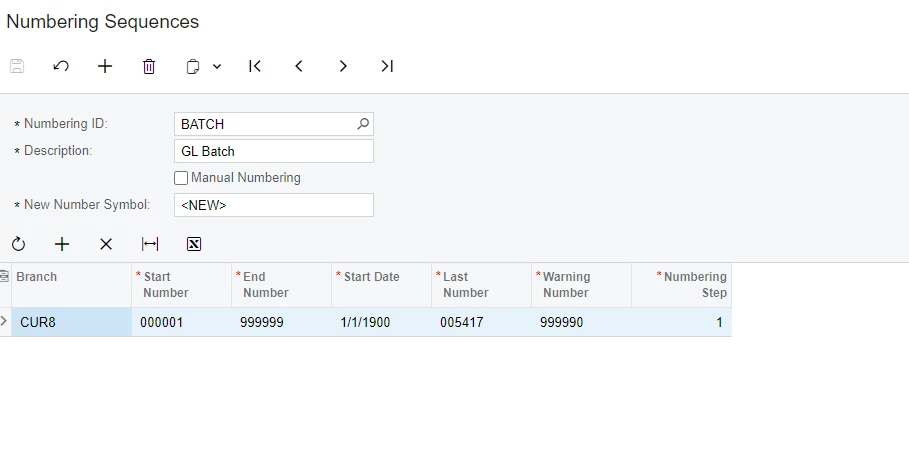
And configuration of the same Batch Numbering Sequence:

If you have added a new Branch, please add a new Branch Batch Numbering sequence with + button circled above.

Laura


hkabiri
Acumatica Moderator
Forum|alt.badge.img+8
  • Acumatica Support Team
  • November 18, 2024

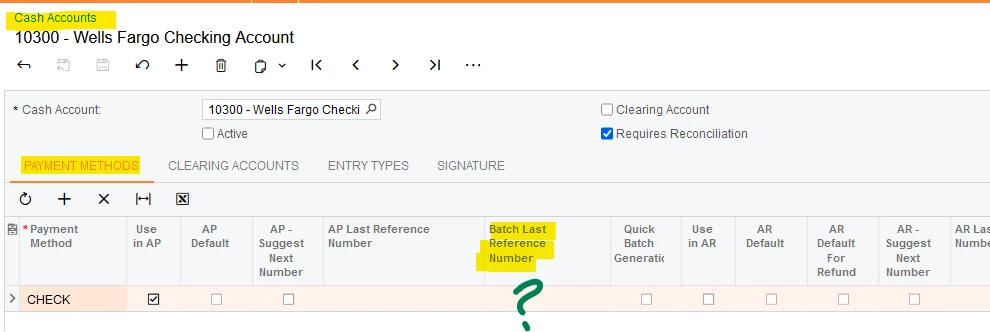
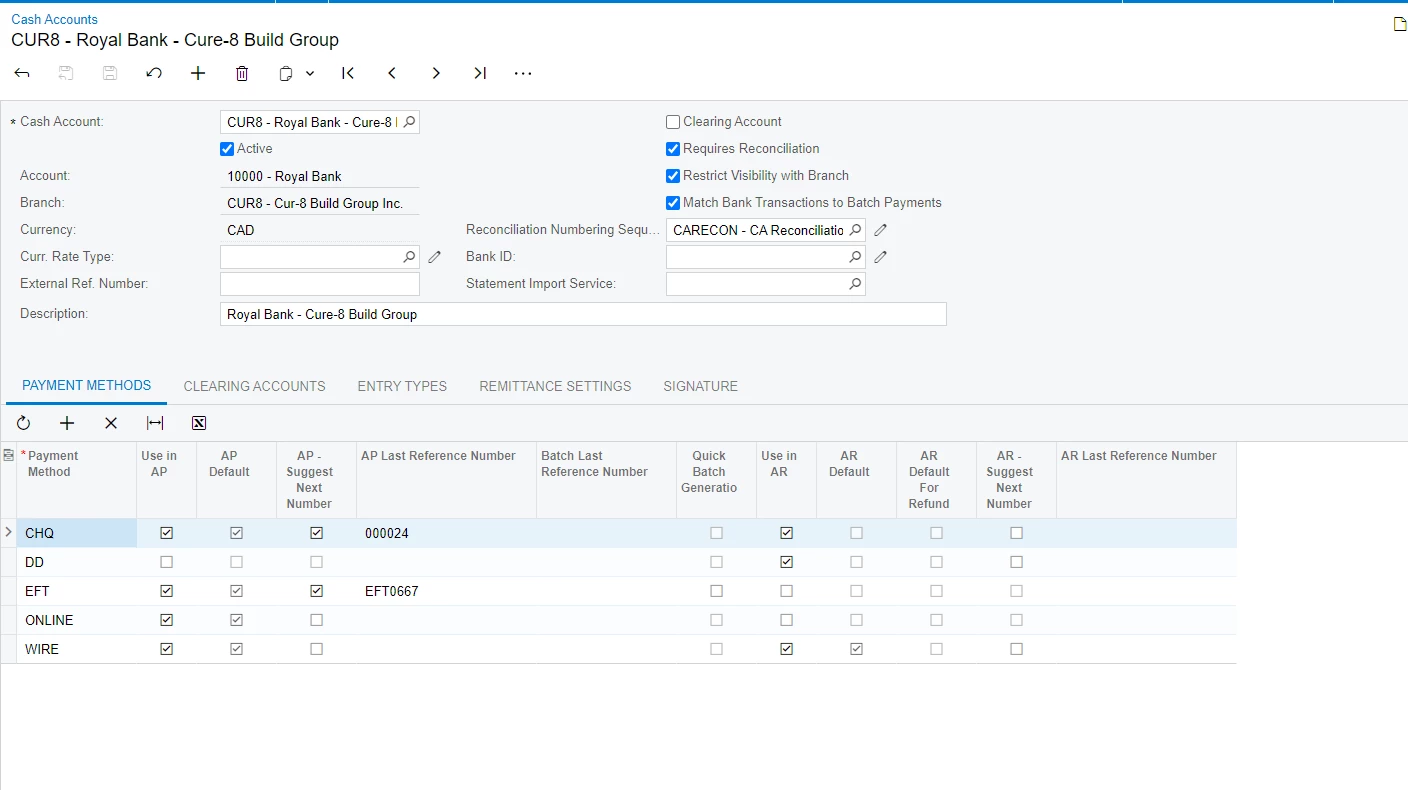
@Naveed Open Cash Accounts (ScreenId=CA202000) and select the Cash Account in Question CUR08. Check on the Payment Methods tab and EFT Payment Method. What is set as the Batch Last Reference Number?


  • Author
  • Freshman I
  • November 18, 2024

Hi Laura 


I have followed your steps, and it still gives the same error.


The Result:


Laura03
Captain II
Forum|alt.badge.img+19
  • Captain II
  • November 18, 2024

Hello ​@Naveed ,

HKabiri is asking you to show us the Batch Last Reference Number from Cash Accounts screen, cor Cash Account CUR08:


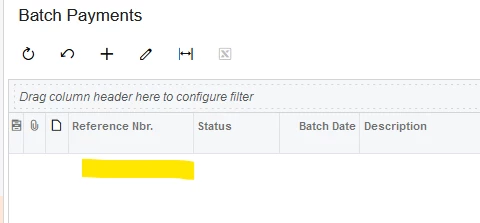
Try setting it to blank or to the last batch number used in Batch Payments screen:

Thank you


Laura


  • Author
  • Freshman I
  • November 19, 2024

Here it is


Laura03
Captain II
Forum|alt.badge.img+19
  • Captain II
  • November 19, 2024

Hello ​@Naveed ,

Do you experience the same behavior with customizations temporarily unpublished? 


I think that is my last idea on this topic - ​@hkabiri , Acumatica Employee, may have more ideas. 🤞

Laura


saifalisabri
Jr Varsity II
Forum|alt.badge.img
  • Jr Varsity II
  • November 19, 2024

Added by moderator: This reply has been created with the help of AI

This error typically suggests that the sequence or batch assignment is misaligned or conflicting due to system configurations or data integrity issues.

1. Review the Error in Detail:

  • Navigate to Errors and Warnings (SM204505) or the Event History to gather details about the specific batch or transaction causing the issue.
  • Identify if the error occurs during transaction creation, posting, or numbering.

2. Validate Numbering Sequence Configuration:

  • Go to Automation Numbering (CS201010):
    • Locate the batch number sequence for the relevant module (e.g., General Ledger, Accounts Payable).
    • Verify that:
      • The sequence is active.
      • The Last Number aligns with the actual highest number used in the system.
    • Ensure no overlapping sequences are configured for the same process.

3. Inspect Batch Transactions:

  • Open Journal Transactions (GL301000) or the related form for the affected module.
  • Look for unposted or incomplete batches that might be conflicting with the numbering sequence.

4. Manually Reset the Numbering Sequence:

  • If the sequence is out of sync:
    • Update the Next Number in Automation Numbering (CS201010) to bypass the conflicting number.
    • Reprocess the batch or transaction.

5. Address Data Integrity Issues:

  • If the issue is caused by a rollback or incomplete transaction:
    • Use Release/Correct Batches (GL504000) to identify and address incomplete batches.
    • Ensure no locked or pending records exist in the processing queue.

  • Author
  • Freshman I
  • November 19, 2024

Can you please explain it in non-technical language?


Laura03
Captain II
Forum|alt.badge.img+19
  • Captain II
  • November 19, 2024

Hello ​@saifalisabri ,

Are you using Artificial Intelligence to create answers?

If yes, the rules on Acumatica Community require the AI Poster to identify on every AI-generated answer:  “This is an AI Generated answer,” or “AI was used to create this answer.”


Laura


Chris Hackett
Community Manager
Forum|alt.badge.img
  • Acumatica Community Manager
  • November 19, 2024

Hi ​@saifalisabri - ​@Laura02 is correct. If you are using AI to assist with response, you need to state that at the beginning of your replies. Thank you!


  • Author
  • Freshman I
  • November 19, 2024

@hkabiri  Can you please help?


Laura03
Captain II
Forum|alt.badge.img+19
  • Captain II
  • November 19, 2024

Hello,

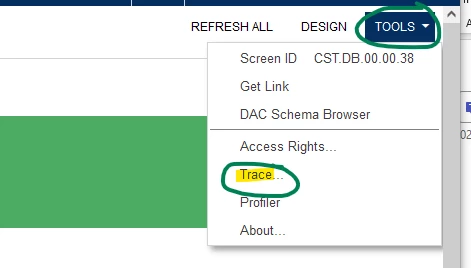
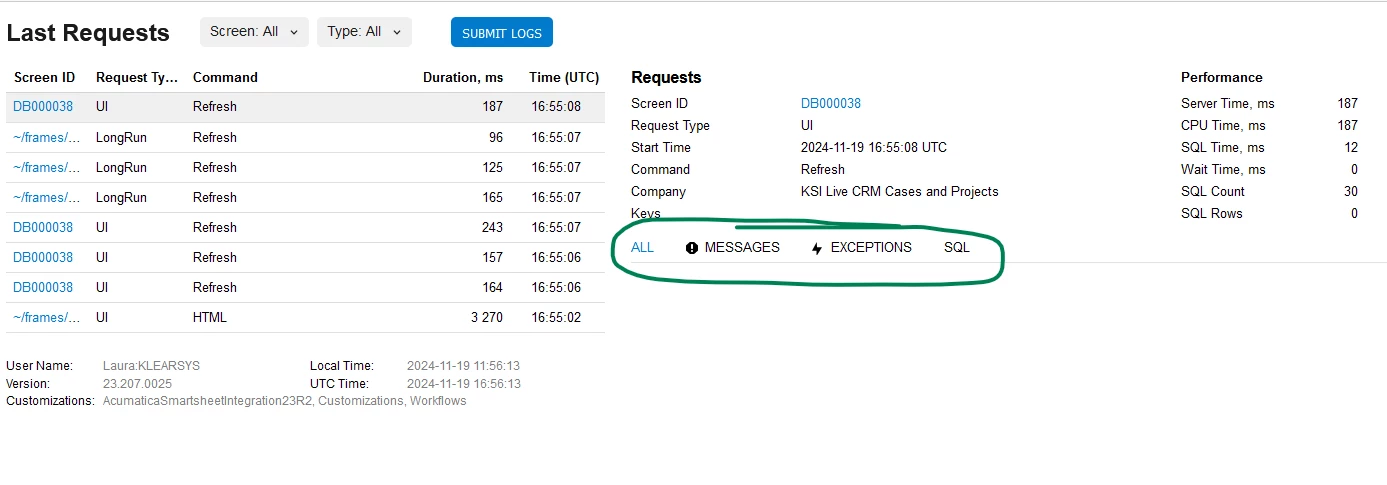
Is there any additional detail in Tools → Trace that may help us diagnose?


Thank you.


Laura


  • Author
  • Freshman I
  • November 19, 2024

I didn't understand. Can you please elaborate?


Laura03
Captain II
Forum|alt.badge.img+19
  • Captain II
  • November 19, 2024

Hello,

When the error appears, click Tools (right corner), Trace:

Click Tools → Trace

Sometimes error useful details appear here:


  • Author
  • Freshman I
  • November 19, 2024
I cannot find Tools > Trace


Forum|alt.badge.img+8
  • Captain II
  • November 19, 2024

Hi ​@Naveed 


are you able to change the batch number?

or change the start number of the sequence to 000000.


Aleks


  • Author
  • Freshman I
  • November 20, 2024

Yes, I am able to change the batch number. I changed the start number of the sequence to 000000, but it doesn't resolve the error.


Forum|alt.badge.img+8
  • Captain II
  • November 20, 2024

if you change the batch number to ‘1’, does that let you release the record?


  • Author
  • Freshman I
  • November 20, 2024

No, it doesn't let me release the record:(


  • Author
  • Freshman I
  • November 20, 2024

Can you guys please tell me where to reach out for help? I need to resolve this asap


Chris Hackett
Community Manager
Forum|alt.badge.img
  • Acumatica Community Manager
  • November 21, 2024

Hi ​@Naveed  - While community members are very helpful, they are not intended to replace support when you need it. You may want to reach out to your support of record for assistance if you don’t get resolution here.