Question

ARM Report - Ledger ID in Column Description

  • July 2, 2026
  • 1 reply
  • 13 views

Hey Community!

I am looking to see if anyone has been able to use coding in the Description of a Column set that links to the Ledger ID that is chosen when running an ARM Report?
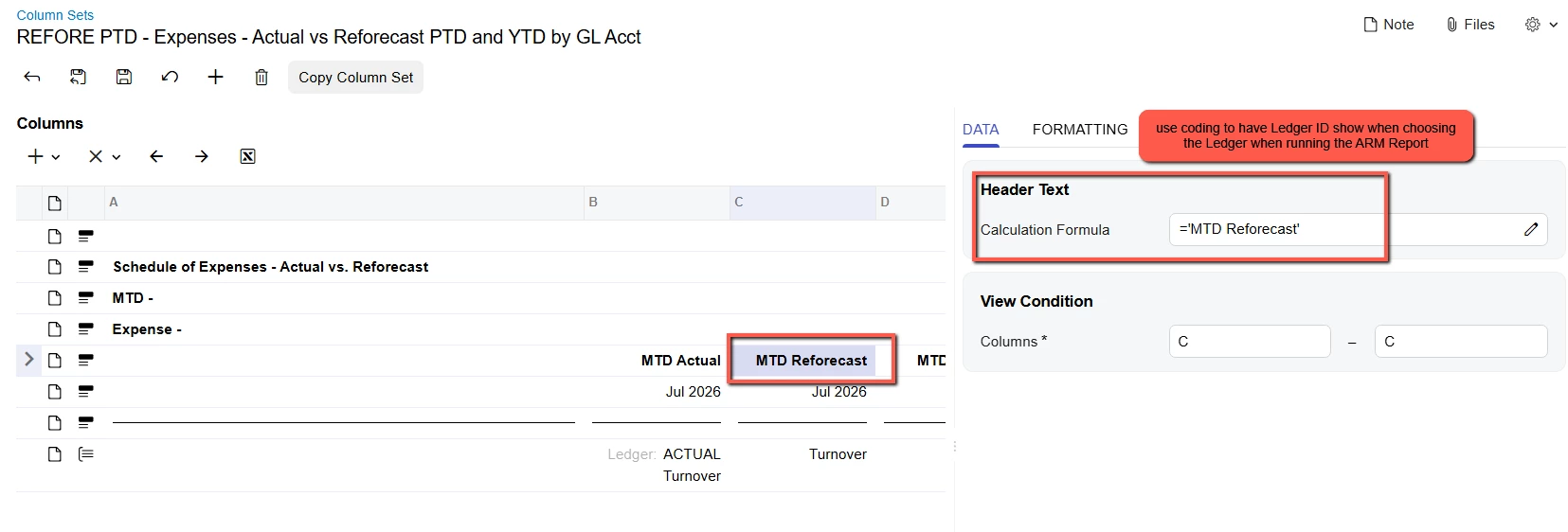


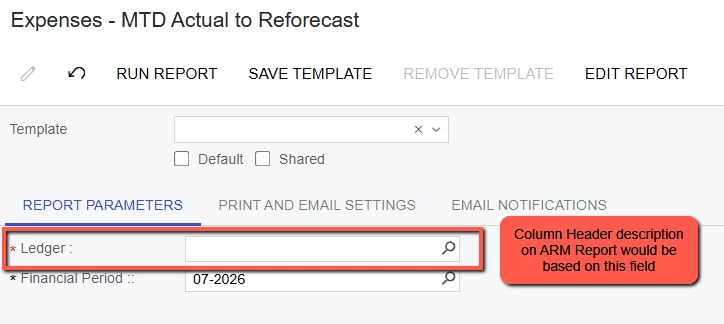
Instead of creating two sets of ARM Reports for comparing Actuals to Budget and Actuals to Reforecast, I would prefer to choose the Ledger (Budget or Reforecast) when running the ARM Report.  When the ARM Report is printed, then the column heading would reflect the Ledger ID/Description that was chosen when running the report.  The Actual column in the ARM Report would always run the Actual Ledger as that is set on the column in the Column Set.


Thank you!


Ken
 

1 reply

Laura03
Captain II
Forum|alt.badge.img+20
  • Captain II
  • July 2, 2026

Hello, 

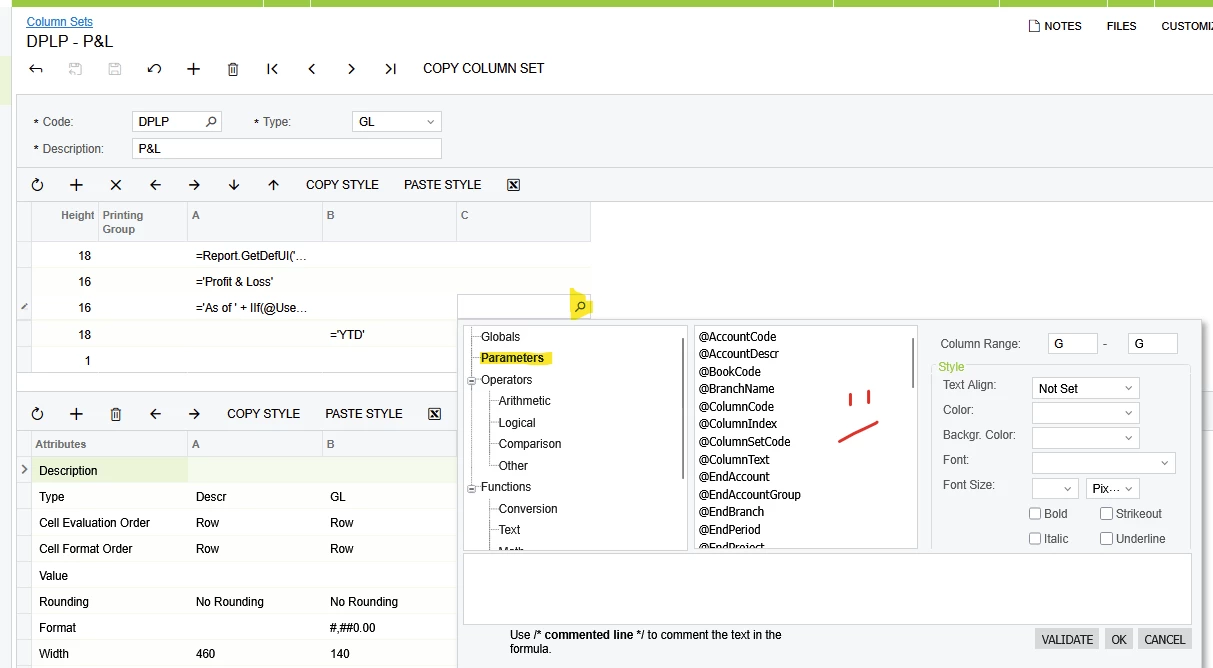
You have likely noticed there is no direct Parameter to display Ledger name.

No Ledger Parameter exists

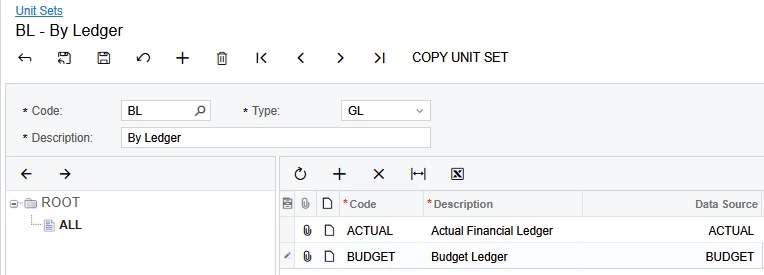
You may get creative with a Unit Set by Ledger, and display @UnitCode or @UnitText in  column headers.

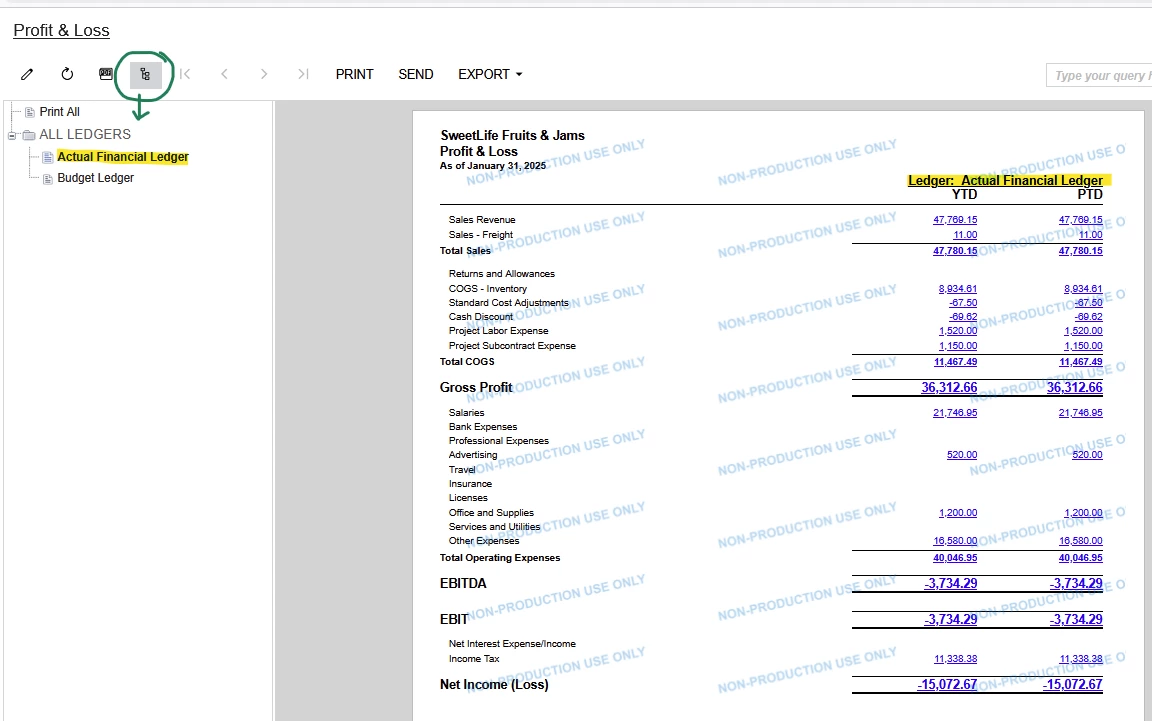
Prompting the User for a Ledger will no longer be necessary:  If Unit Set contains every Ledger, Groups button will provide a list of ledgers to the left of the report every time the report is generated.

='Ledger:  '+@UnitText

Good Luck!