Solved

AR Load Documents Options on AP Payments

  • May 8, 2026
  • 6 replies
  • 44 views

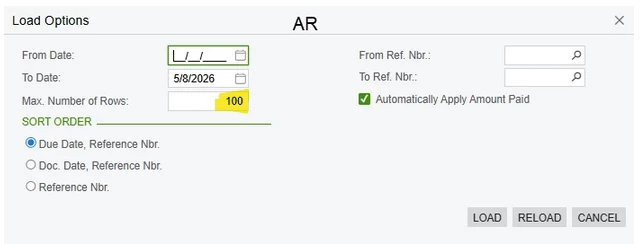
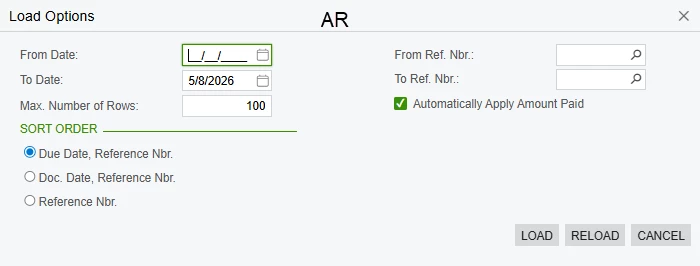
Does anyone know if it's possible to add the Load Documents Options feature from AR Payments to AP Checks and Payments. In AP the load documents button seems like it only pulls the ~100 oldest records. This would save our payables team a lot of time and effort


Screenshot from AR Payments & Applications below
 

Best answer by meganfriesen37

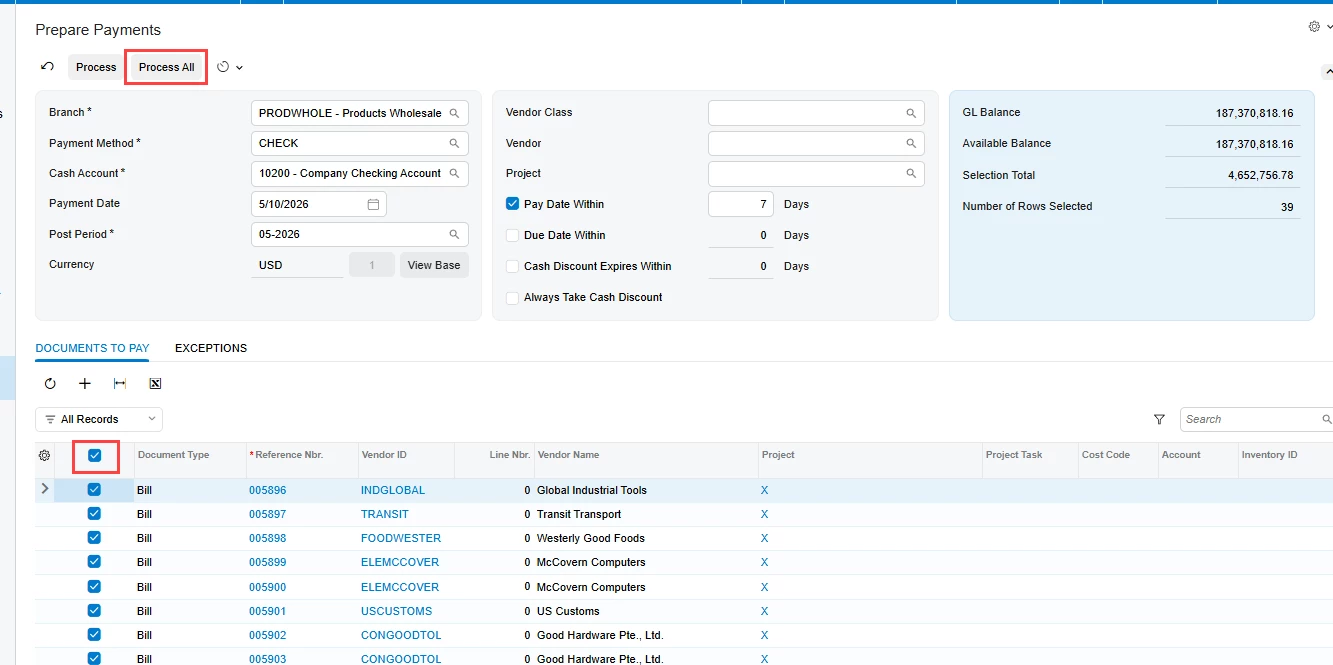
You can use the filter options in the header to help display and select the items you wish to pay and you can use the checkbox at the top of the table or the process all option so you don’t have to select them all one-by-one.


6 replies

Laura03
Captain II
Forum|alt.badge.img+20
  • Captain II
  • May 8, 2026

Hello,

What happens if you change the maximum shown in your screenshot to a larger number?

Change Max # Rows

Also, some screens do not scroll indefinitely:  they have pages. If you only see 100 documents, look for paging buttons in the lower-right corner, to see more documents.

Use Paging buttons to see next 100 records


meganfriesen37
Captain II
Forum|alt.badge.img+13

Also, have you considered using the Prepare Payments screen to select documents to pay and to generate your checks and payments?


  • Author
  • Freshman I
  • May 8, 2026

Also, have you considered using the Prepare Payments screen to select documents to pay and to generate your checks and payments?

I looked at it briefly, but it still looks like a very manual task to select each bill for payment 1 by 1. For certain vendors we can have 100-200 bills to apply payment to.


meganfriesen37
Captain II
Forum|alt.badge.img+13

You can use the filter options in the header to help display and select the items you wish to pay and you can use the checkbox at the top of the table or the process all option so you don’t have to select them all one-by-one.


  • Author
  • Freshman I
  • May 14, 2026

You can use the filter options in the header to help display and select the items you wish to pay and you can use the checkbox at the top of the table or the process all option so you don’t have to select them all one-by-one.


This was incredibly helpful, I had not selected the correct payment method when looking at this previously. Thank you.


meganfriesen37
Captain II
Forum|alt.badge.img+13

@JonesA - Glad I was able to make your life a bit easier :)