



On the Approval Maps (EP205015) screen, if I want to set the Approver to be the Owner of the document, which value should I select in the Employee field: ((Document.CreatedByID)) or ((Document.EmployeeID.Selected))?
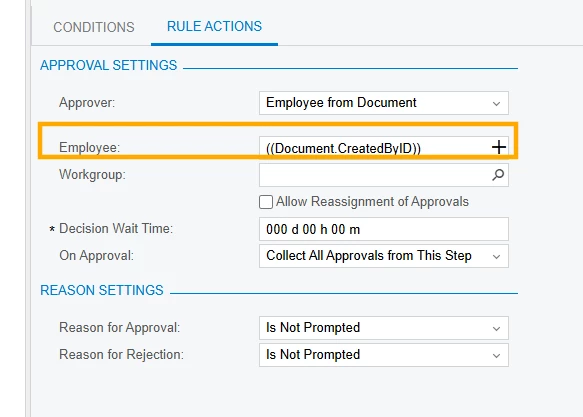
On the Approval Maps (EP205015) screen, if I want to set the Approver to be the Owner of the document, which value should I select in the Employee field: ((Document.CreatedByID)) or ((Document.EmployeeID.Selected))?
Best answer by Laura03
Hello,
To give an exact answer, it’s helpful to know what kind of document this approval is for. I’ll show Purchase Orders.
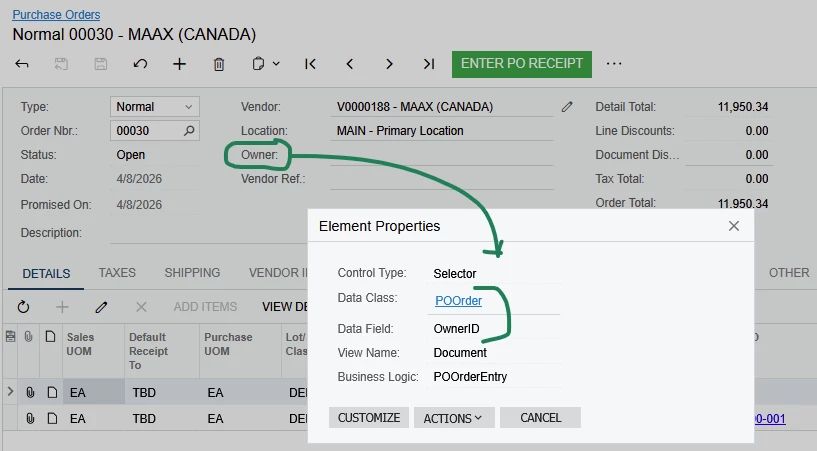
Click + to Expand Employee options, in the Select window, expand Purchase Order node, scroll down to find Owner:
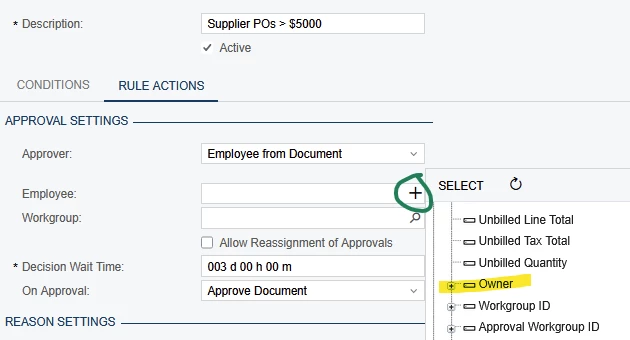
I’m not sure if you want the first Owner shown, of if you need to expand Owner: there is a second Owner choice underneath, like Owner → Owner. (Please try it.)
Good luck!
Enter your E-mail address. We'll send you an e-mail with instructions to reset your password.


