Answer

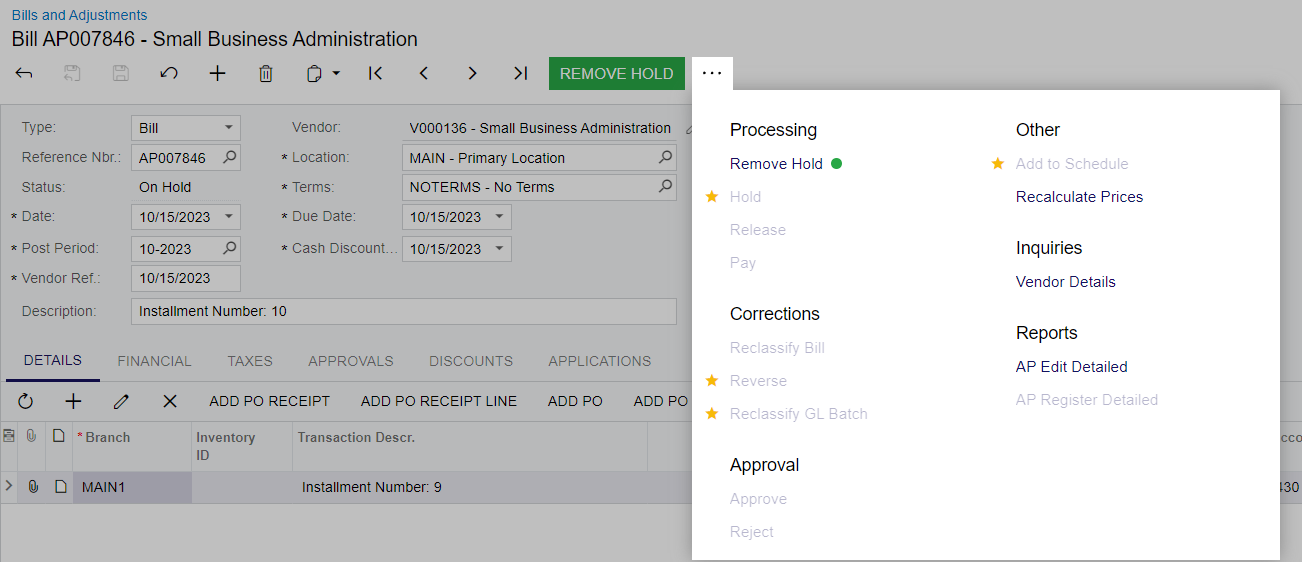
Add to Schedule - Greyed out

  • August 7, 2023
  • 3 replies
  • 69 views

jyounes
Jr Varsity II
Forum|alt.badge.img+1

I cant get the add to schedule to un-grey.  I’ve made these before, im not sure what im missing.


Best answer by YasasWithanage76

Hello @jyounes ,

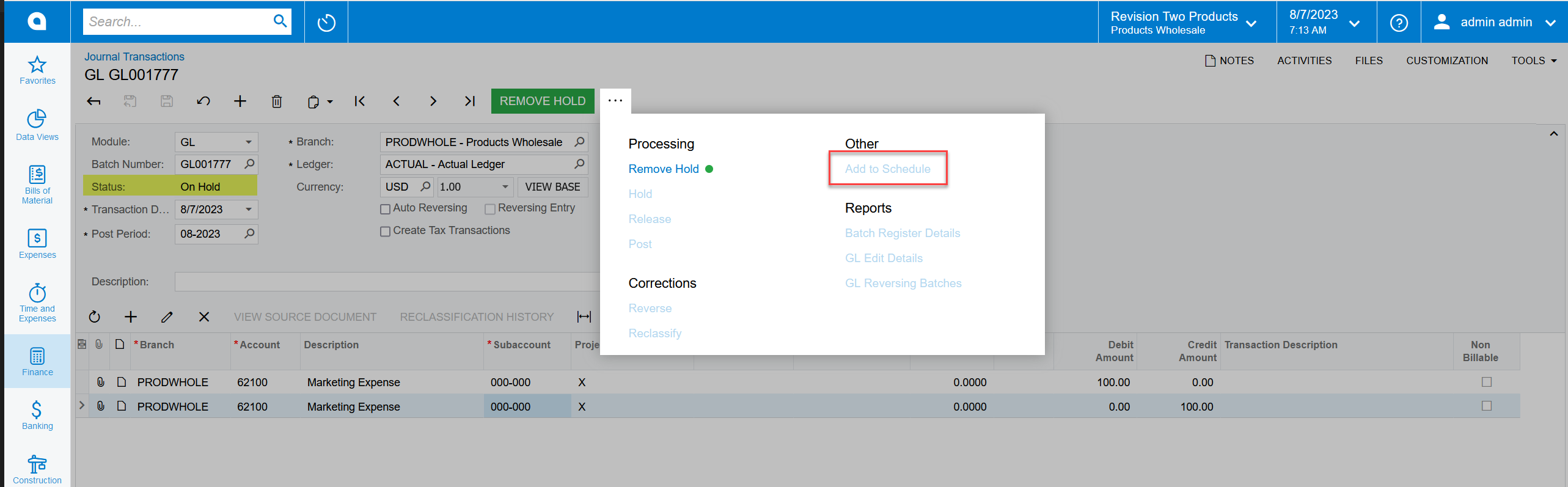
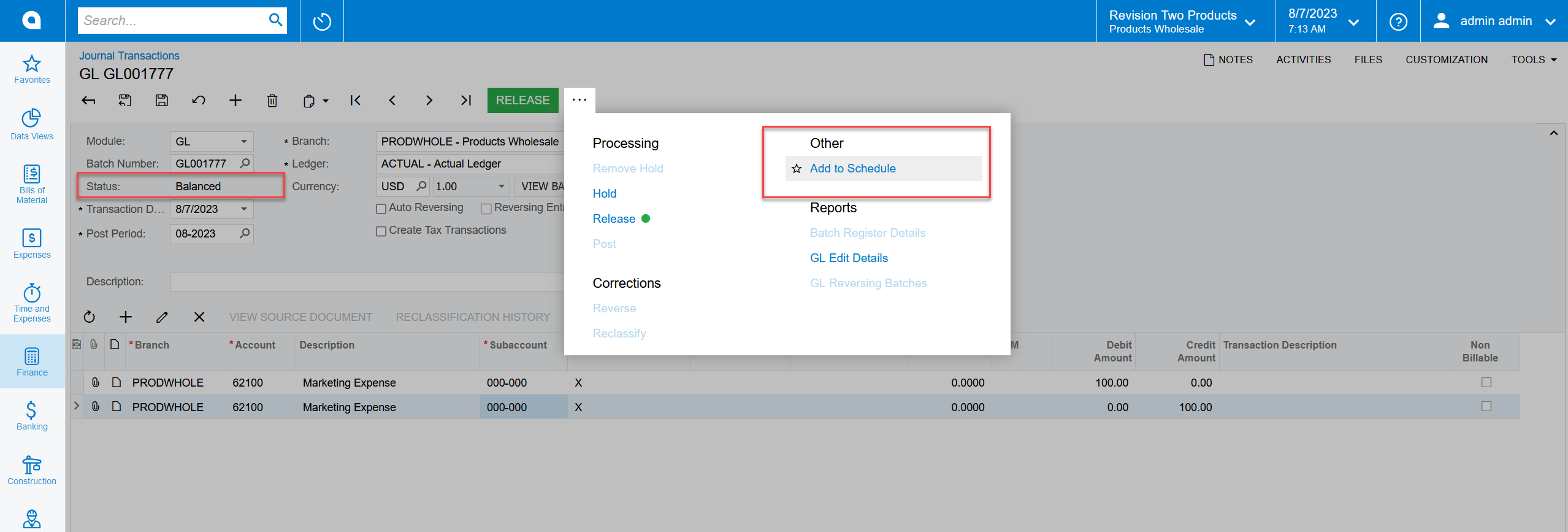
The reason for this behavior is the journal transaction is in the On-Hold status. Please remove the hold and check in the “Balanced” status.


3 replies

Vignesh Ponnusamy
Acumatica Moderator
Forum|alt.badge.img+5

Hi @jyounes, Add to Schedule should be enabled when the document is in Balanced status. So use Remove Hold to set the document Balanced status. Good Luck.


YasasWithanage76
Acumatica Employee
Forum|alt.badge.img+4

Hello @jyounes ,

The reason for this behavior is the journal transaction is in the On-Hold status. Please remove the hold and check in the “Balanced” status.


jyounes
Jr Varsity II
Forum|alt.badge.img+1
  • Author
  • Jr Varsity II
  • August 7, 2023

Got it, the approval step was added and that part looked to be what was making me miss it.