Answer

12-Month P&L Rolling ARM Report in Acumatica Showing Actual Ledger Instead of Budget Ledger

  • January 25, 2025
  • 9 replies
  • 166 views

Forum|alt.badge.img

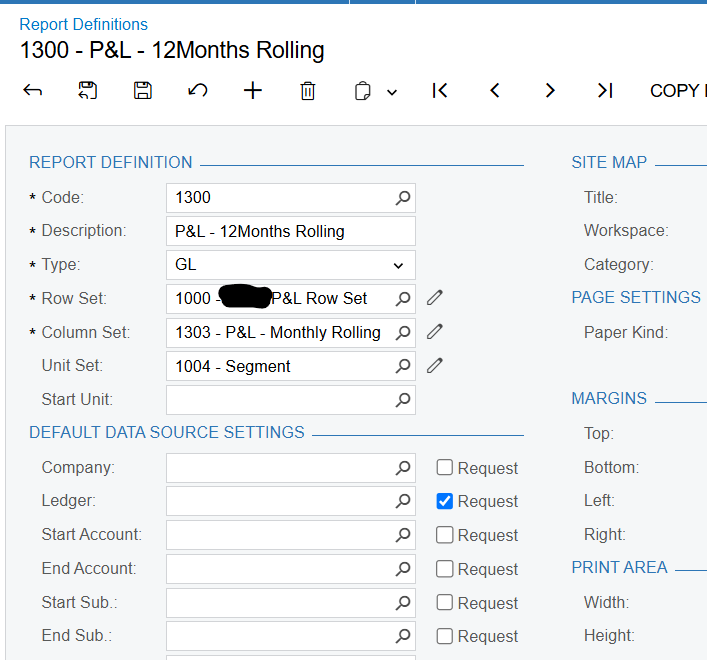
When running the 12-Month P&L Rolling ARM report in Acumatica based on the Budget Ledger, the report still displays values from the Actual Ledger. The Column Set or Row Set in the report is not specific to any ledger.

Has anyone experienced this issue before? Could it be related to the report configuration or a missing setting in the ARM definition? Any insights or guidance on resolving this would be greatly appreciated!

Best answer by mclarke88

Check your row set and data source to see if there is the actual ledger specified at that level? Sometimes that overrides what’s in the column set.


9 replies

dcomerford
Captain II
Forum|alt.badge.img+15
  • Captain II
  • January 25, 2025

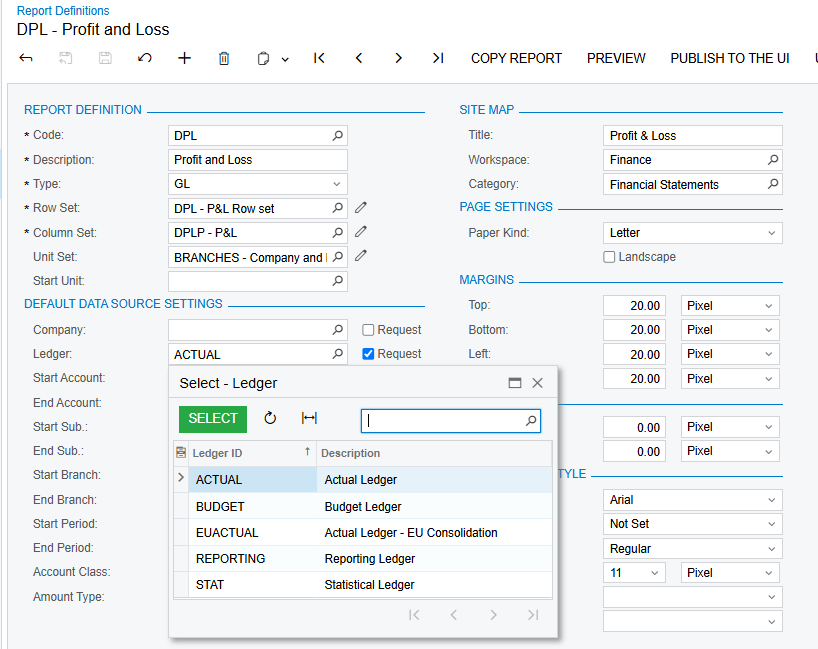
@jvarughese23 check the Ledger in the Report Definition


Forum|alt.badge.img
  • Freshman II
  • January 25, 2025

@jvarughese23 

In Acumatica ERP, you can select a specific ledger in Report Definitions to filter or refine the financial data displayed in a report. This feature allows you to customize reports to show data from a particular ledger.

Where to Find the Ledger Selection

You can typically find the ledger selection:

  • In the Report Definitions section while setting up a report.
  • As a dropdown or lookup field where you can choose from the available ledgers configured in the system.

Forum|alt.badge.img
  • Author
  • Varsity I
  • January 25, 2025

@dcomerford ​@anjalij24   … Not Specified any Particular Ledger in the Report Definition 


mclarke88
Jr Varsity III
Forum|alt.badge.img
  • Jr Varsity III
  • Answer
  • January 28, 2025

Check your row set and data source to see if there is the actual ledger specified at that level? Sometimes that overrides what’s in the column set.


Forum|alt.badge.img
  • Author
  • Varsity I
  • January 28, 2025

@mclarke88 I  did  , even i tried to create a new Column set and tried same issue ..


mclarke88
Jr Varsity III
Forum|alt.badge.img
  • Jr Varsity III
  • January 28, 2025

New column set wouldn’t fix it if the data source in the row set is directing to the wrong ledger. Open up your row set → go to the data source → and see what’s in the ledger field.


Forum|alt.badge.img
  • Author
  • Varsity I
  • January 28, 2025

@mclarke88 in the Row set no Ledger is Mentioned  as source


mclarke88
Jr Varsity III
Forum|alt.badge.img
  • Jr Varsity III
  • January 28, 2025

send me XML export of your report from report definitions?


Forum|alt.badge.img
  • Author
  • Varsity I
  • January 29, 2025

@mclarke88  ​@anjalij24  ​@dcomerford  Thank you so much for your guidance! I found the issue—it was due to a Source Ledger assigned in one node of the Unit Set, which I had missed while only checking the Row Set and Column Sets.